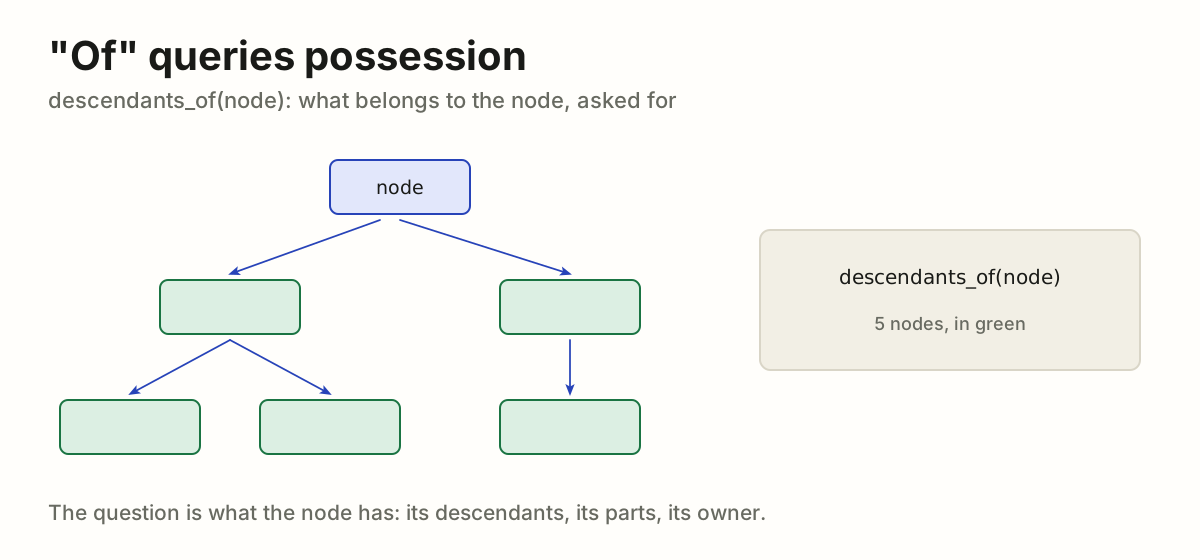
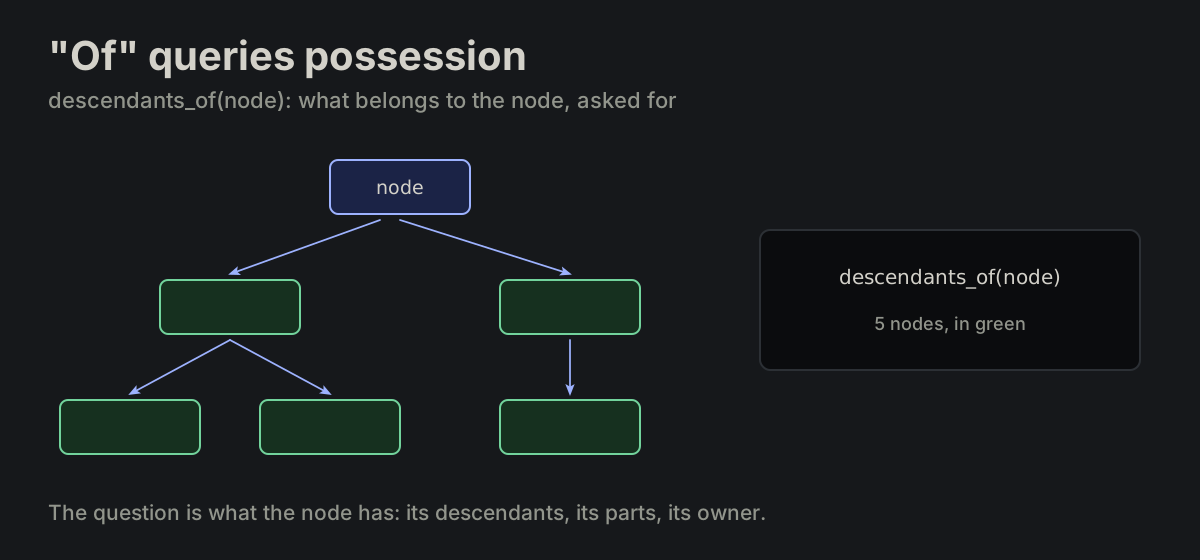
The Rule Index

Every rule in this repository, stated once, in one table. Each row cites the document it came from; that document stays the source of truth.

293 rules·18 groups·61 sources

293 rules

ALLAt a glance

USEHand them to an agent

For every project: paste this into its CLAUDE.md or AGENTS.md. It is read at every start, so the agent follows the rules without being told.

Follow the rules of vbarbarosh/rules. Read them before the first edit:
https://raw.githubusercontent.com/vbarbarosh/rules/main/docs/rules.md
Each rule cites its source document; read the source when a rule is unclear.
Work the way the instructions for agents say:
https://raw.githubusercontent.com/vbarbarosh/rules/main/agents/README.md
Lint JavaScript and Vue with: npx vbarbarosh/rules src
  • Some rules, for one task: filter them (UI, logs.md, brace), then Copy next to the count in the bar. The rules shown go to the clipboard as Markdown, each with its source link, ready for a conversation or a file.
  • One rule: Copy next to its source.
  • How an agent works, not how the code looks: Instructions for agents.
  • How a screen moves: Animations, each rule with its live demo.
  • How a system is built: System, the history of actions first; research still.

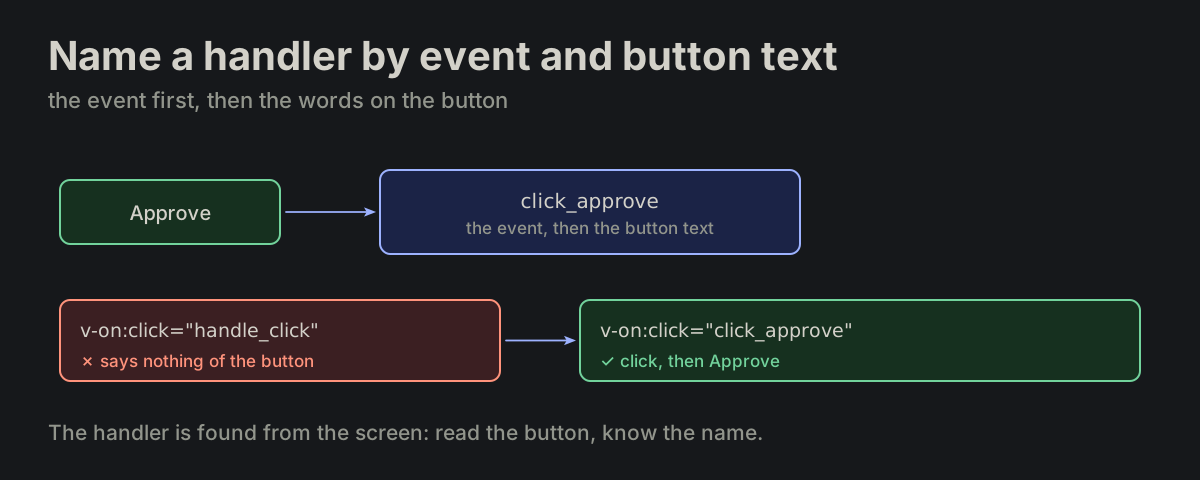
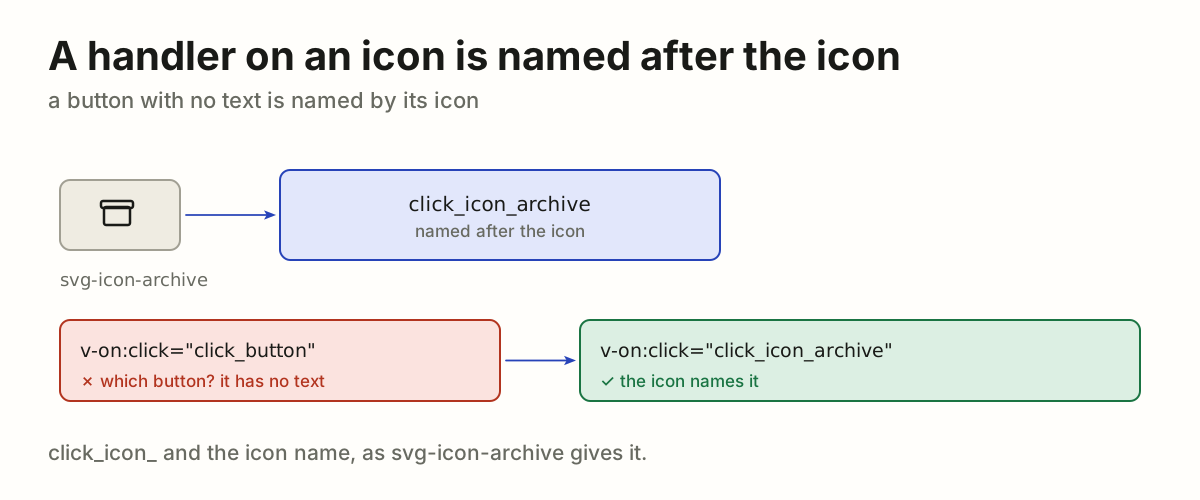
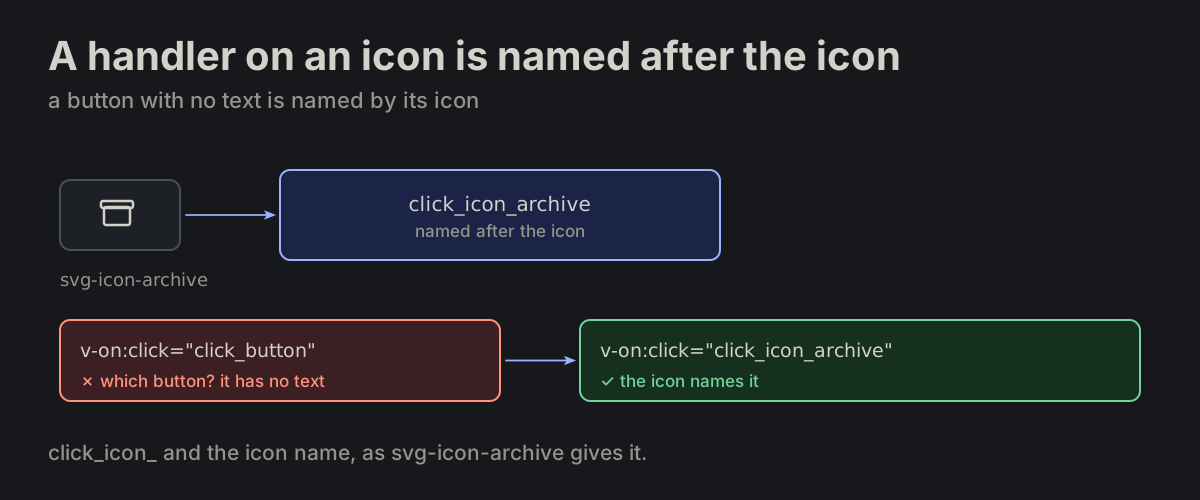
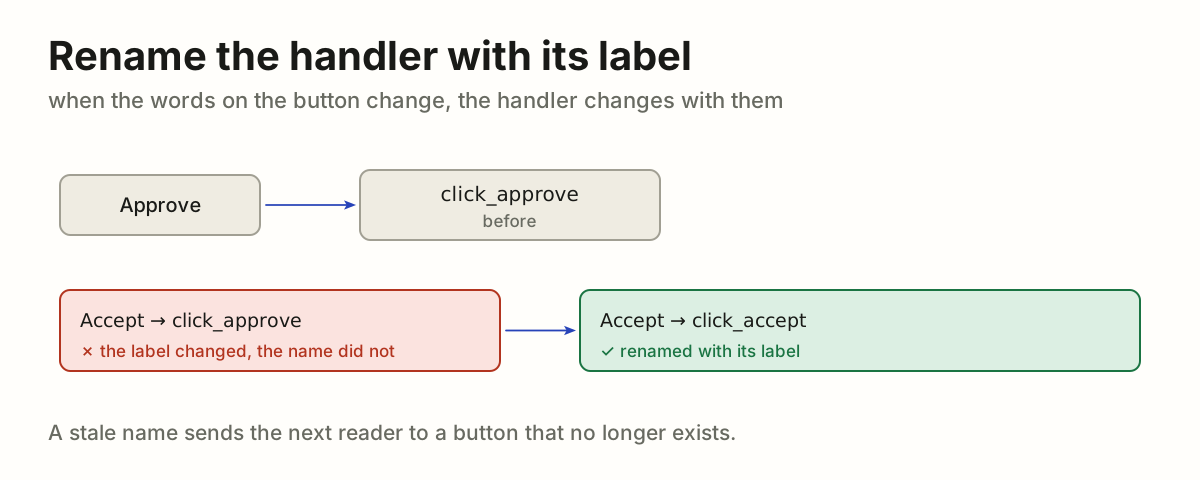
COREUniformityThe rule behind the rules.

CORE-01

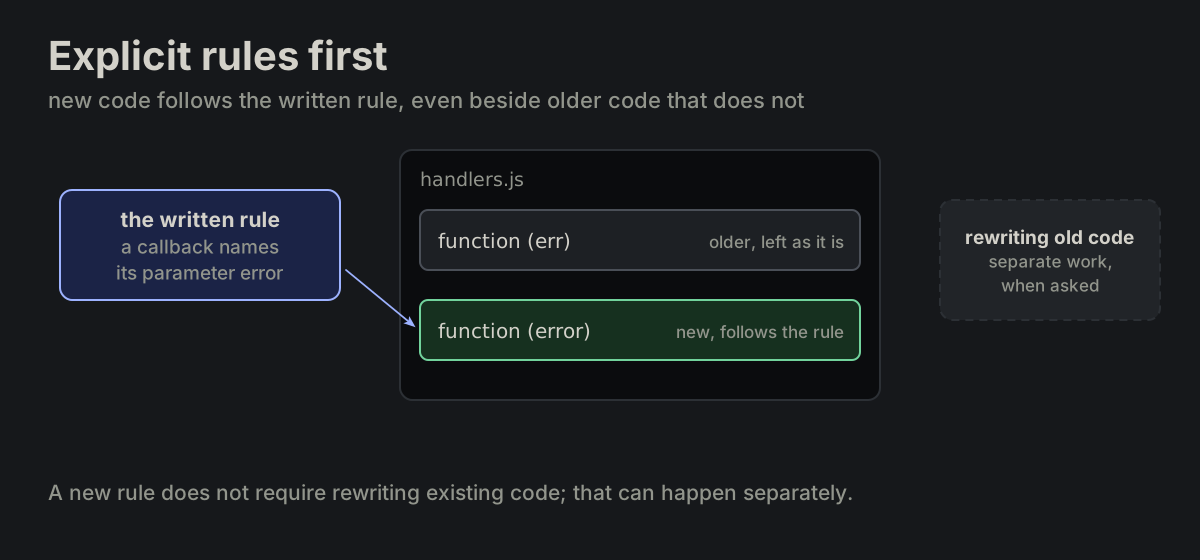
Explicit rules take priority for new code. Follow the surrounding code only where no explicit rule applies. A new rule does not require rewriting existing code; that refactoring can happen separately.

docs/README.md

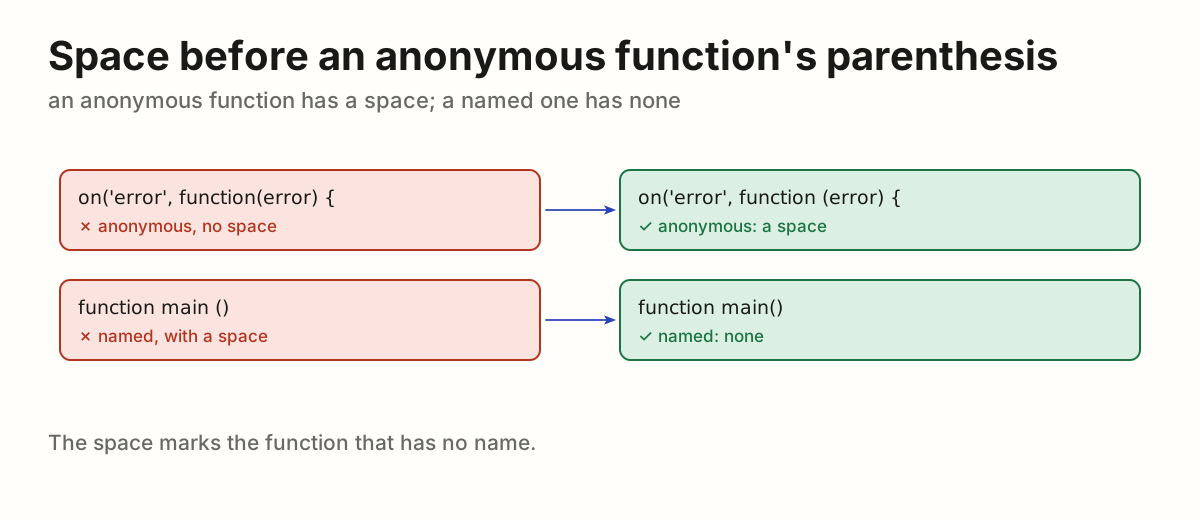
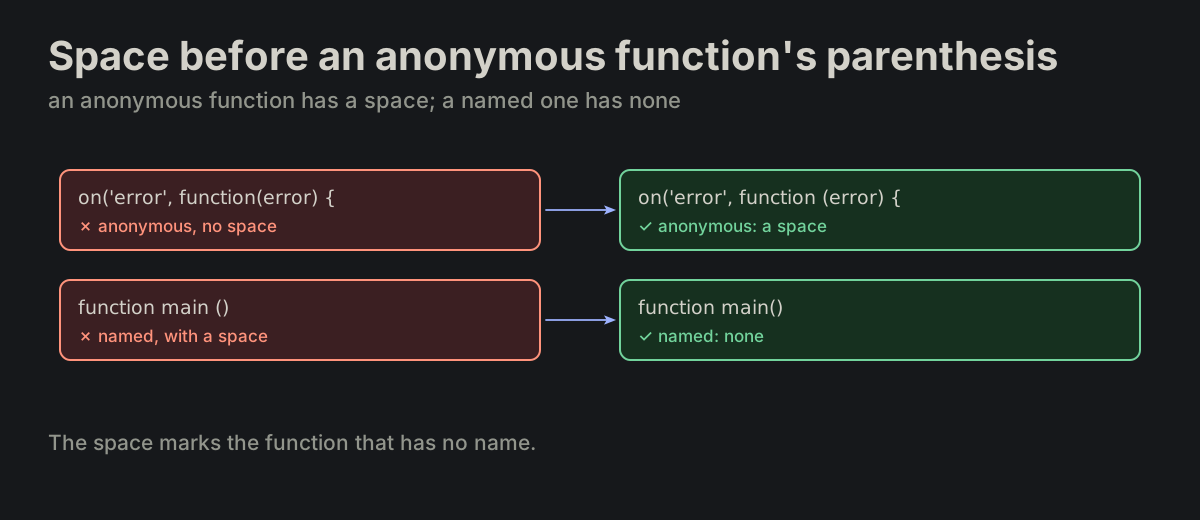
An explicit rule requires error: use function (error) in new code even beside older function (err) handlers.
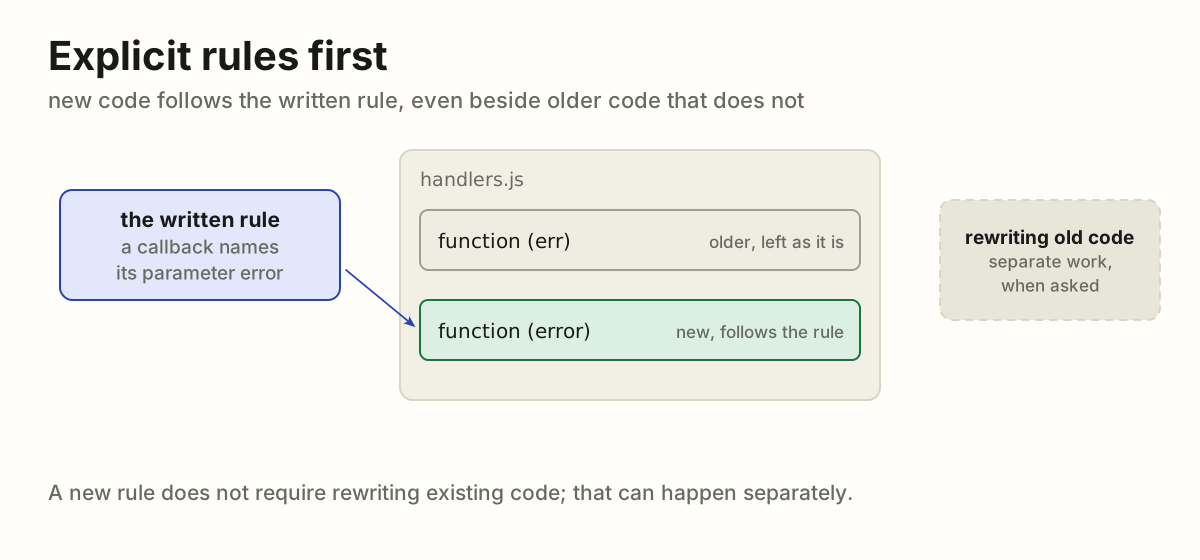
A written rule beside older code: the old handler keeps function (err), the new one is written function (error); rewriting the old is separate workA written rule beside older code: the old handler keeps function (err), the new one is written function (error); rewriting the old is separate work
CORE-02

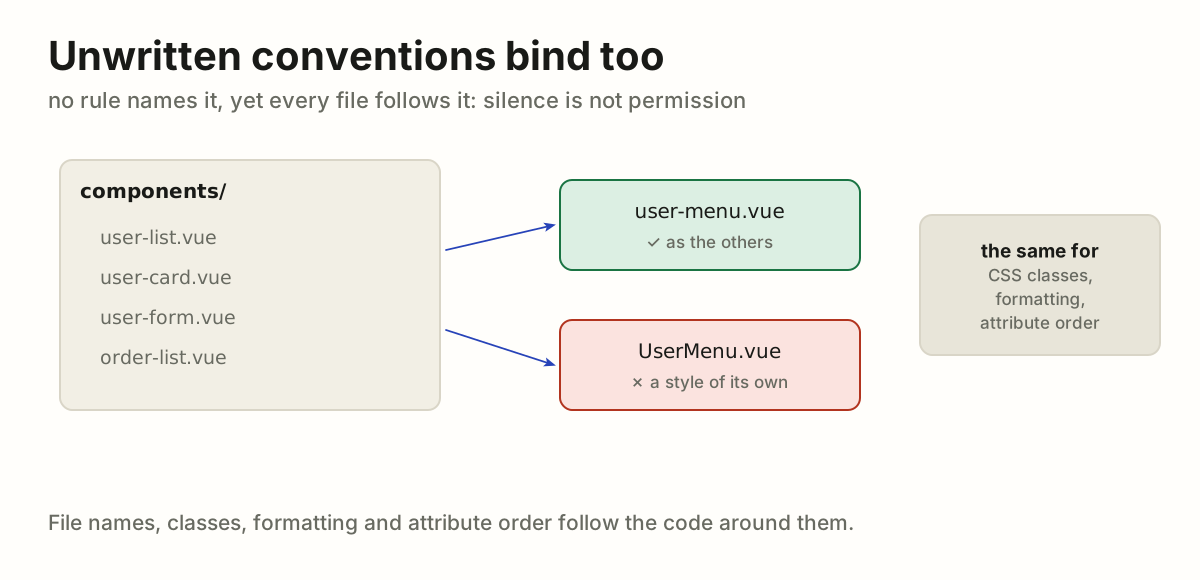
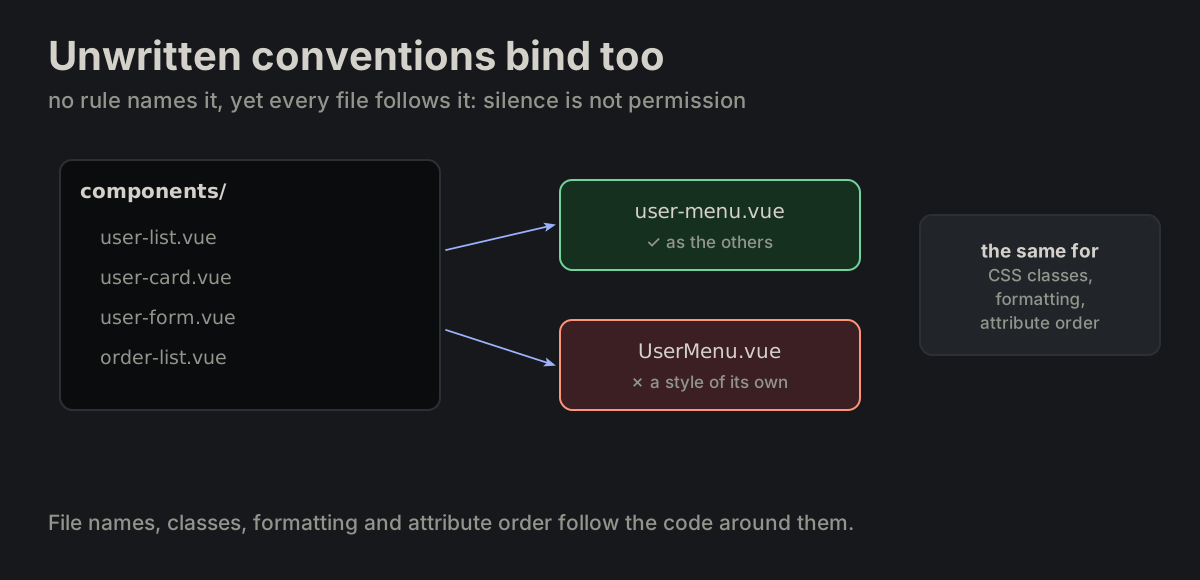
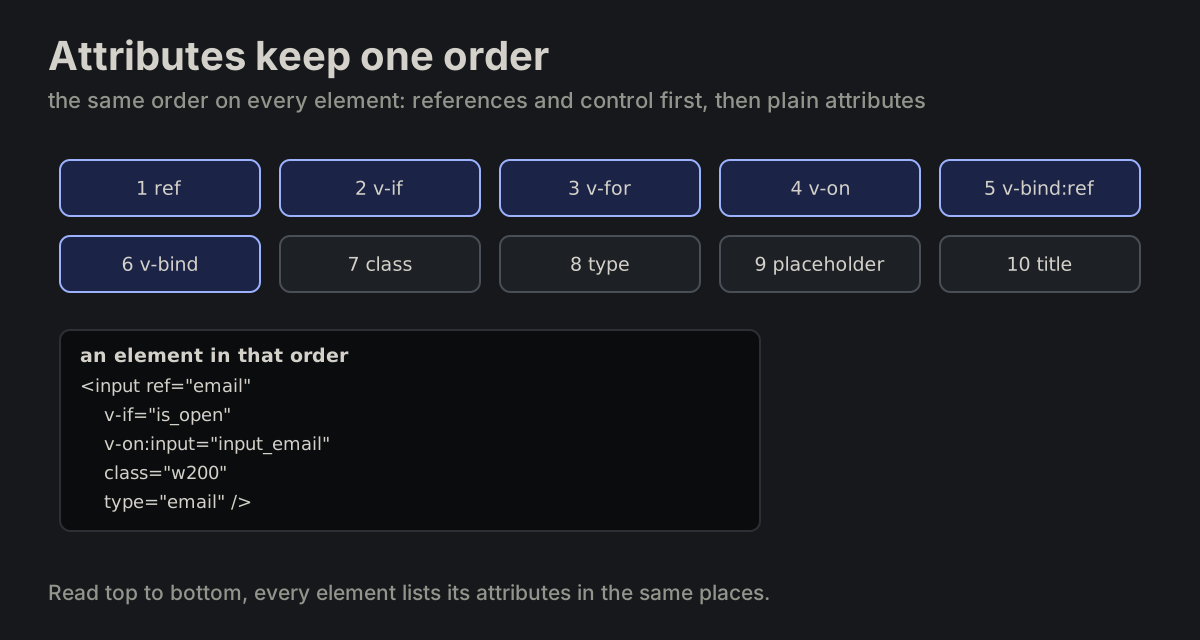
Unwritten conventions bind too. An unwritten convention is still a convention. File names, CSS classes, formatting and even attribute order follow the same systematic approach, even where it is not written down.

docs/README.md
No rule names it, yet every file in components/ is kebab-case: user-menu.vue follows them, UserMenu.vue does not; the same for classes, formatting and attribute orderNo rule names it, yet every file in components/ is kebab-case: user-menu.vue follows them, UserMenu.vue does not; the same for classes, formatting and attribute order
CORE-03

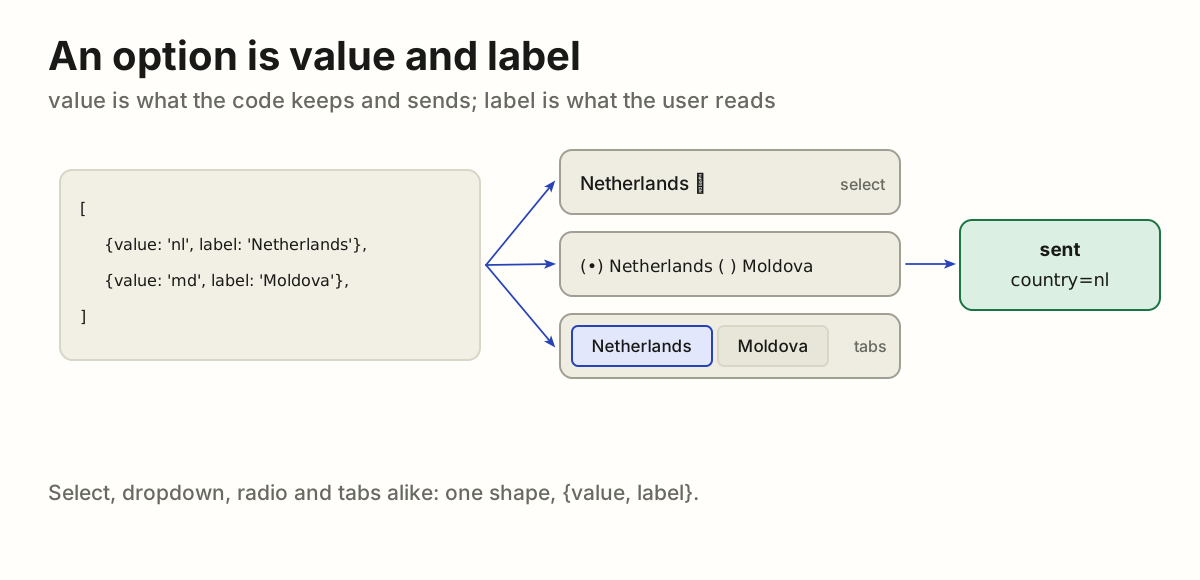
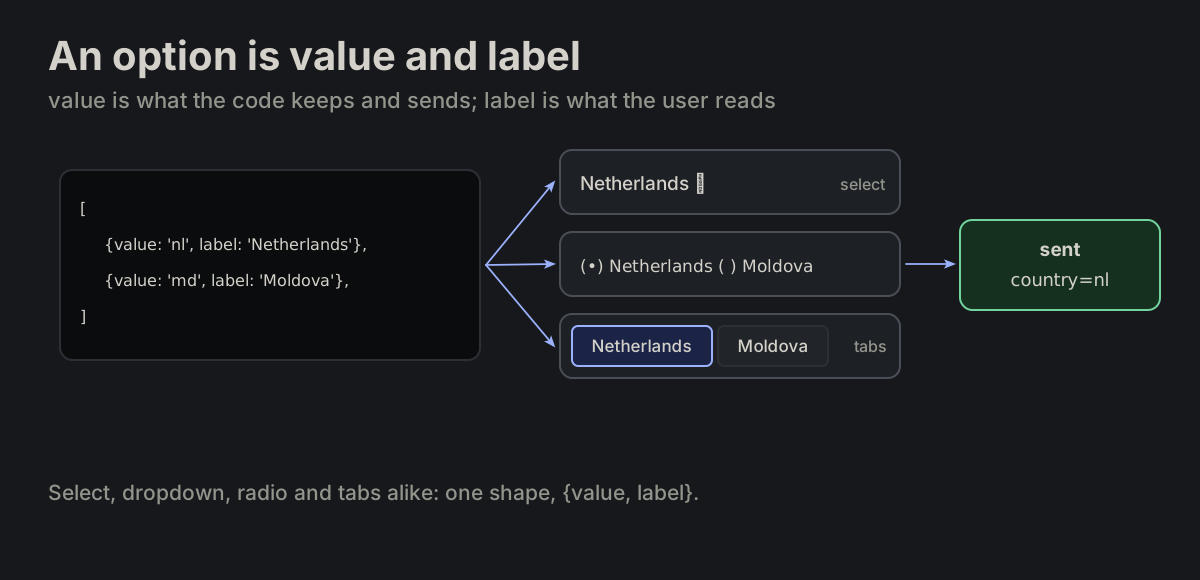
An option is "value" and "label". A selectable option is always {value, label} — value is internal, label is displayed. Select, dropdown, radio, tabs alike.

value_label.md
{value: <internal>, label: <display>}
One list of {value, label} options shown as a select, radio buttons and tabs; the user reads Netherlands, the code sends country=nlOne list of {value, label} options shown as a select, radio buttons and tabs; the user reads Netherlands, the code sends country=nl
CORE-04

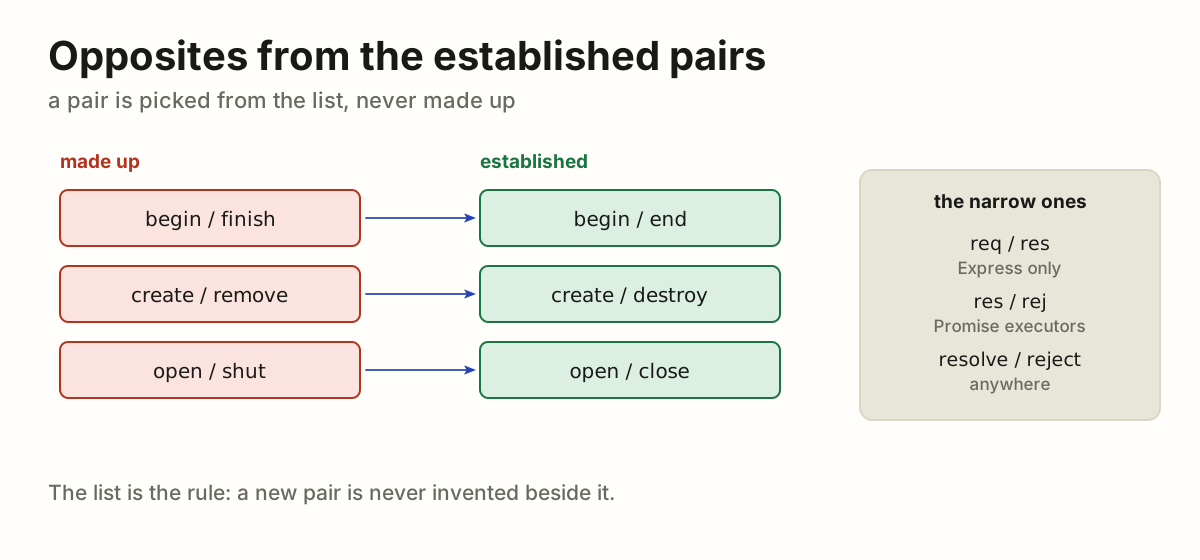
Opposites come from the established pairs. req/res is Express-only; res/rej is valid for Promise executors, as are the full names resolve/reject. since/until is begin/end said of time.

docs/README.md
construct/destruct  create/destroy
open/close          begin/end
start/finish        first/last
next/previous       get/put
src/dest            source/destination
res/rej (Promise)   resolve/reject
req/res (Express)   request/response
setup/teardown      push/pull
enabled/disabled    import/export
since/until (time)
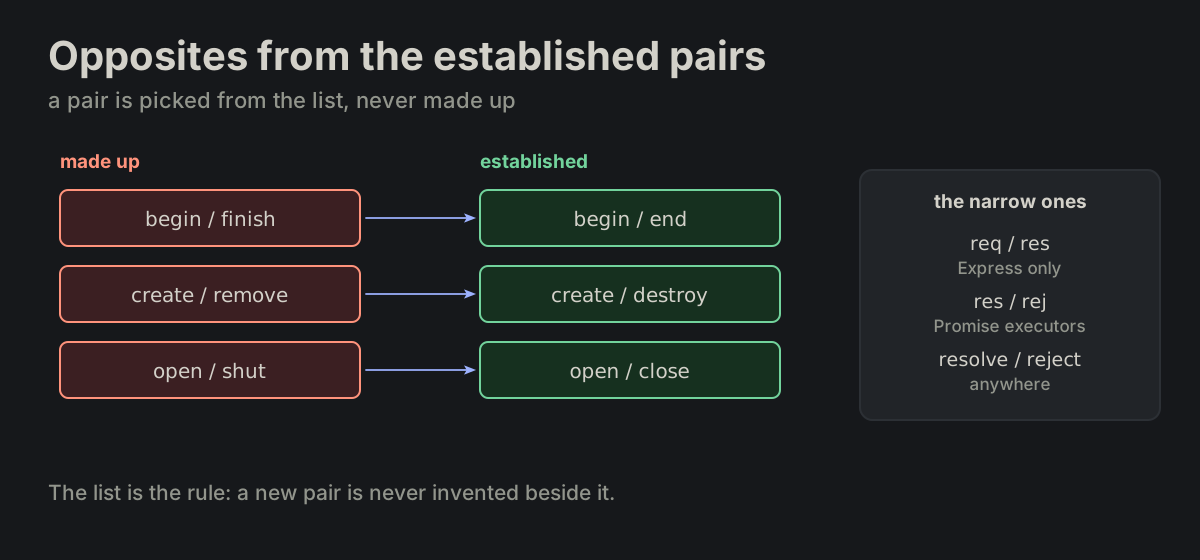
Made-up pairs and the established ones they should be: begin/finish to begin/end, create/remove to create/destroy, open/shut to open/close; and the narrow pairs with where each holdsMade-up pairs and the established ones they should be: begin/finish to begin/end, create/remove to create/destroy, open/shut to open/close; and the narrow pairs with where each holds

NAMENaming grammarVerb morphology decides function or data.

NAME-01

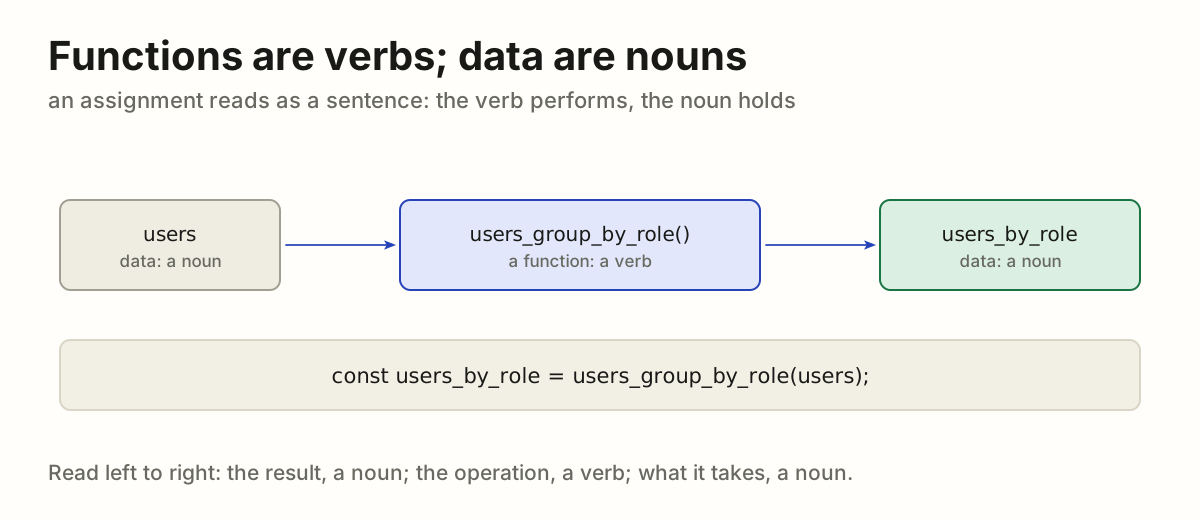
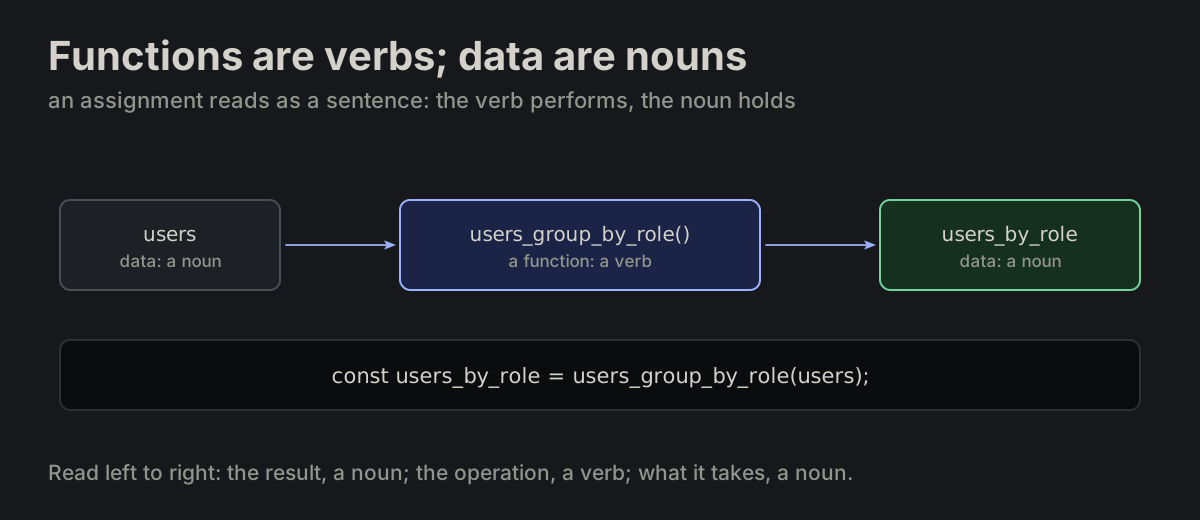
Functions are verbs; data are nouns. Functions are verb phrases, data are noun phrases. Each assignment reads as a sentence — the verb performs, the noun holds.

docs/README.md
const users_by_role = users_group_by_role(users);
users flows into users_group_by_role(), a verb, which makes users_by_role, a noun; the line read as a sentenceusers flows into users_group_by_role(), a verb, which makes users_by_role, a noun; the line read as a sentence
NAME-02

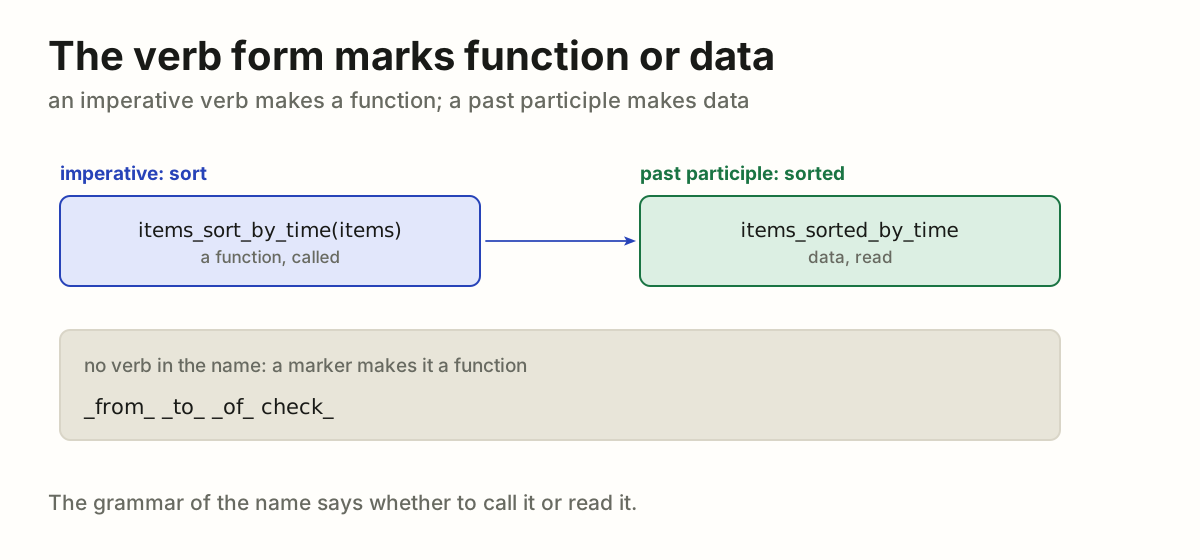
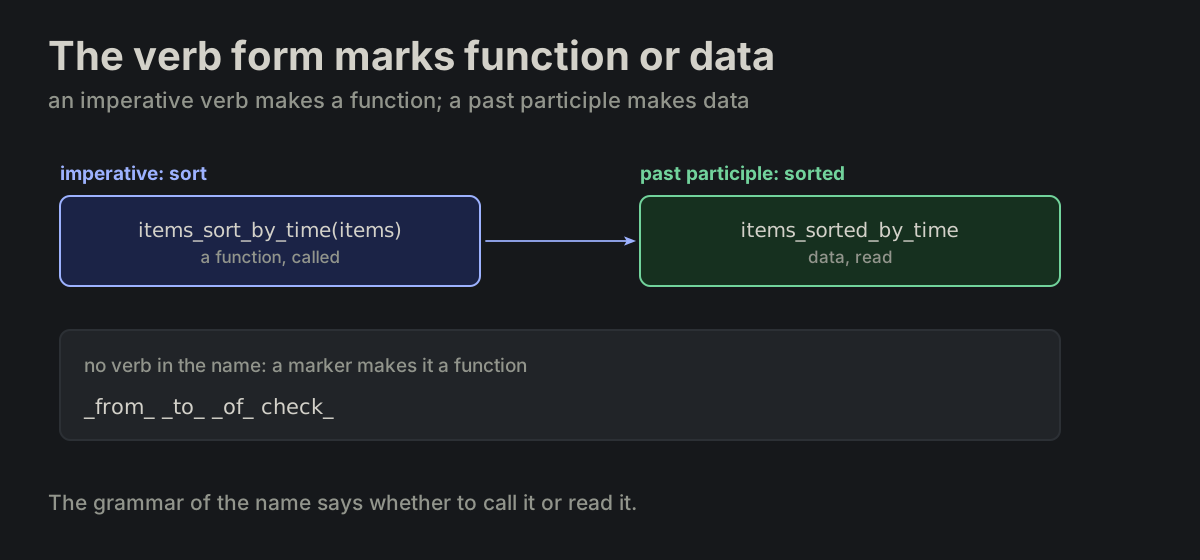
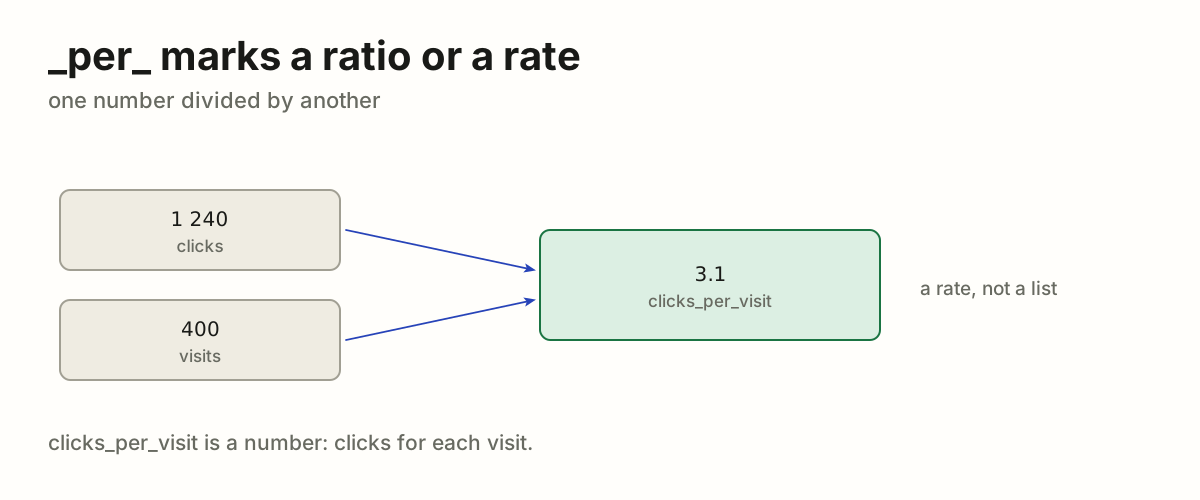
The verb form marks function or data. English verb morphology is the marker. An imperative verb makes a function; a past participle makes data. Where there is no verb, a function marker — _from_, _to_, _of_, check_ — makes a function. One exception: a linter rule's function is named after its rule id, as ESLint does, block_layout(context) for block-layout.

naming_markers.md
items_sort_by_time(items)   // function
items_sorted_by_time        // data
items_sort_by_time(items), an imperative, is a function; items_sorted_by_time, a past participle, is data; with no verb, _from_, _to_, _of_ or check_ makes a functionitems_sort_by_time(items), an imperative, is a function; items_sorted_by_time, a past participle, is data; with no verb, _from_, _to_, _of_ or check_ makes a function
NAME-03

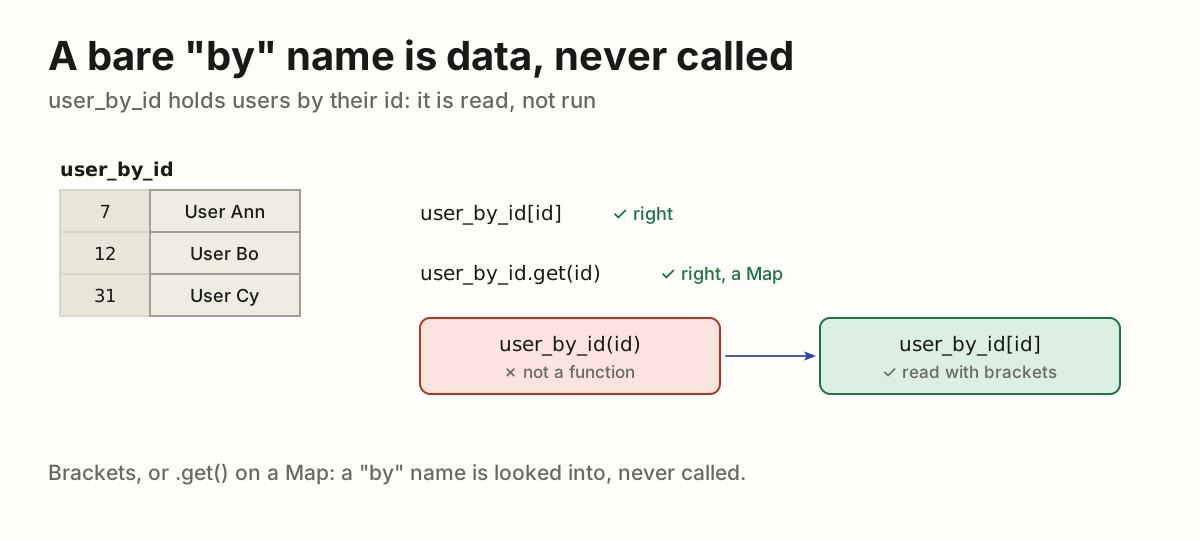
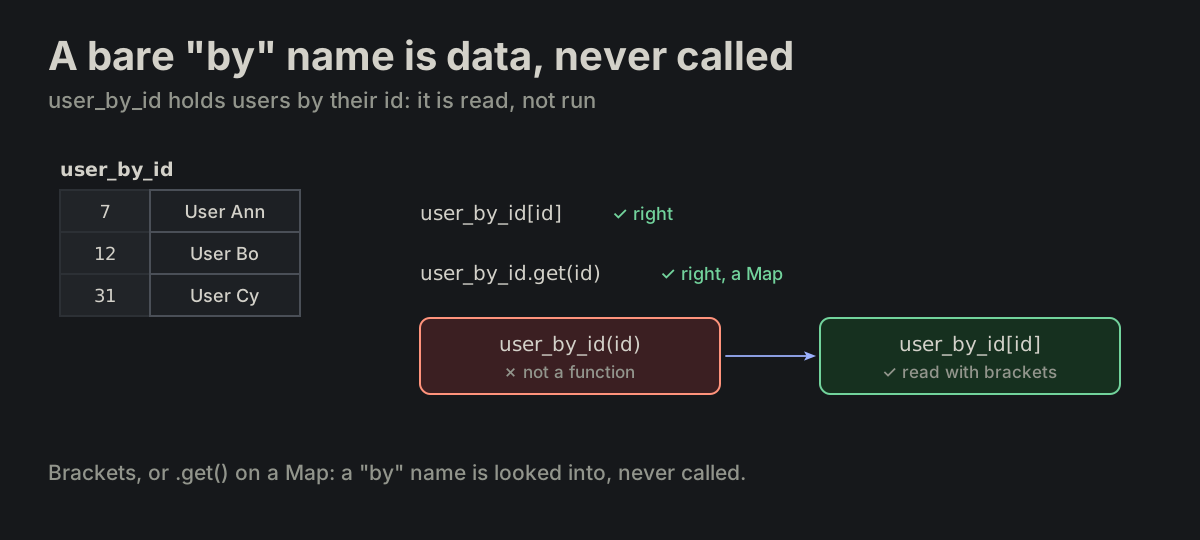
A bare "by" name is data, never called. A bare _by_ name is always data, never a function: it is read with brackets, or with .get() when it is a Map — never called.

docs/README.md
user_by_id[id]       ✓ right
user_by_id.get(id)   ✓ right, a Map
user_by_id(id)       ✗ wrong
user_by_id as a table of ids and users: read with brackets or .get(), never calleduser_by_id as a table of ids and users: read with brackets or .get(), never called
NAME-04

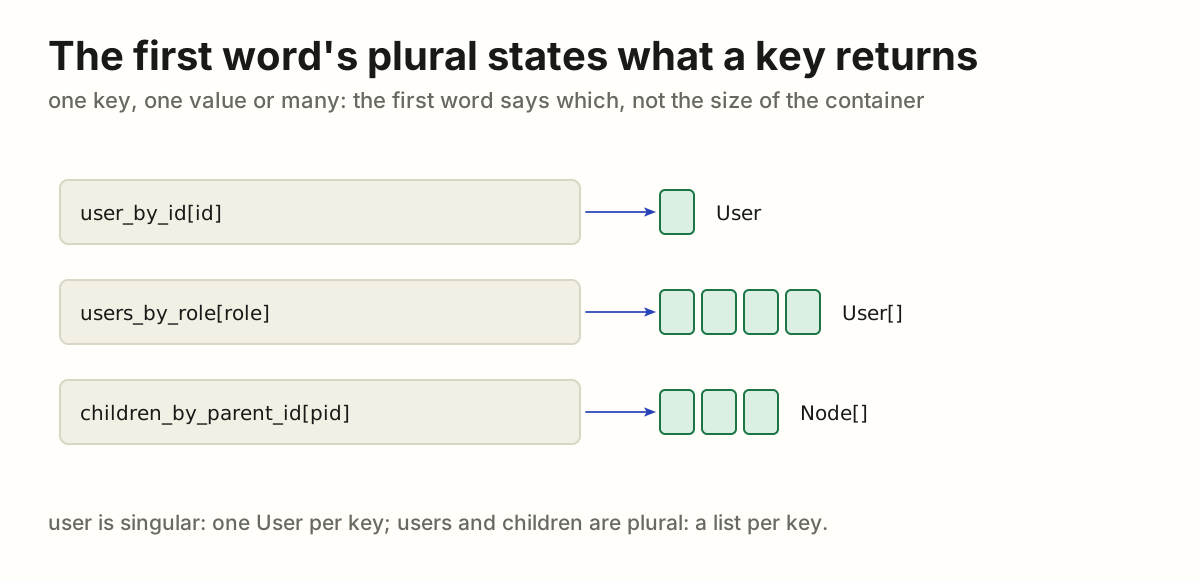
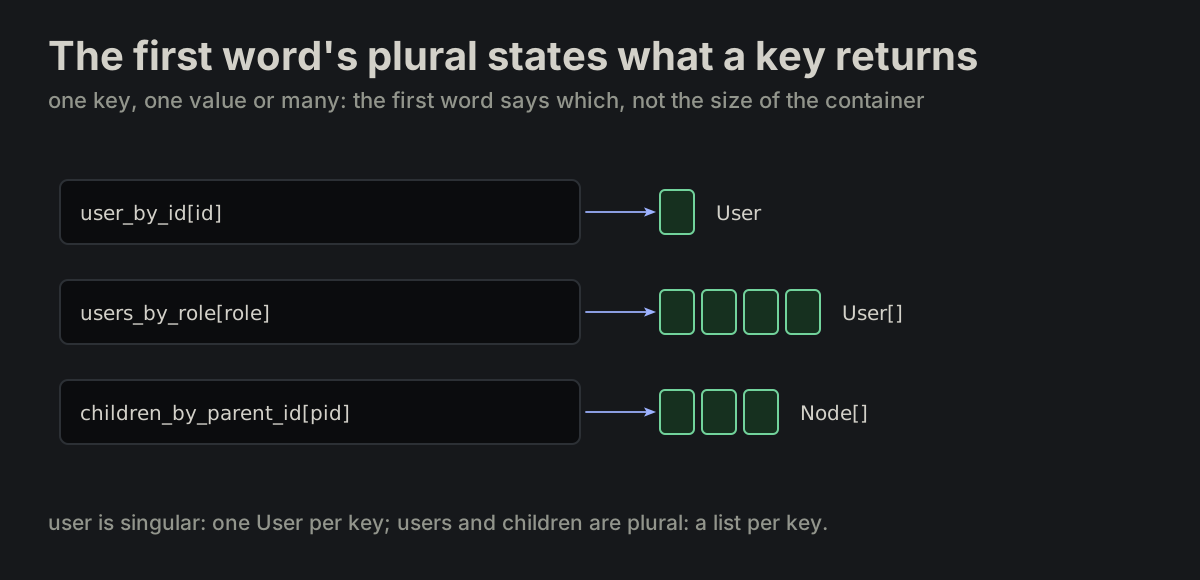
The first word's plural states what a key returns. Plurality of the first word states lookup cardinality — what one key returns, not how big the container is.

var_names.md
user_by_id[id]                    // User
users_by_role[role]               // User[]
children_by_parent_id[parent_id]  // Node[]
user_by_id returns one User per key; users_by_role and children_by_parent_id return a list per keyuser_by_id returns one User per key; users_by_role and children_by_parent_id return a list per key
NAME-05

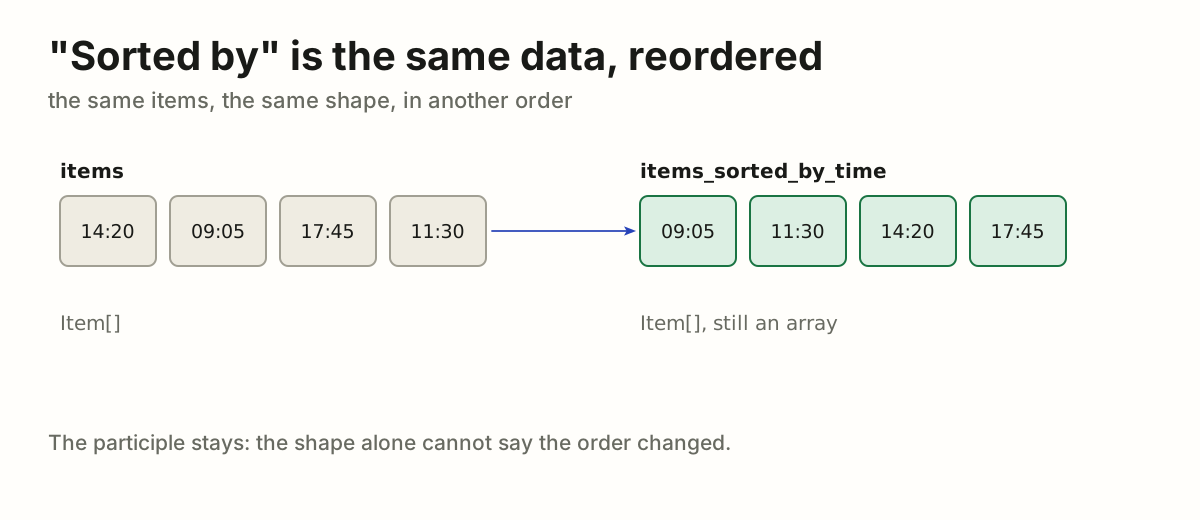
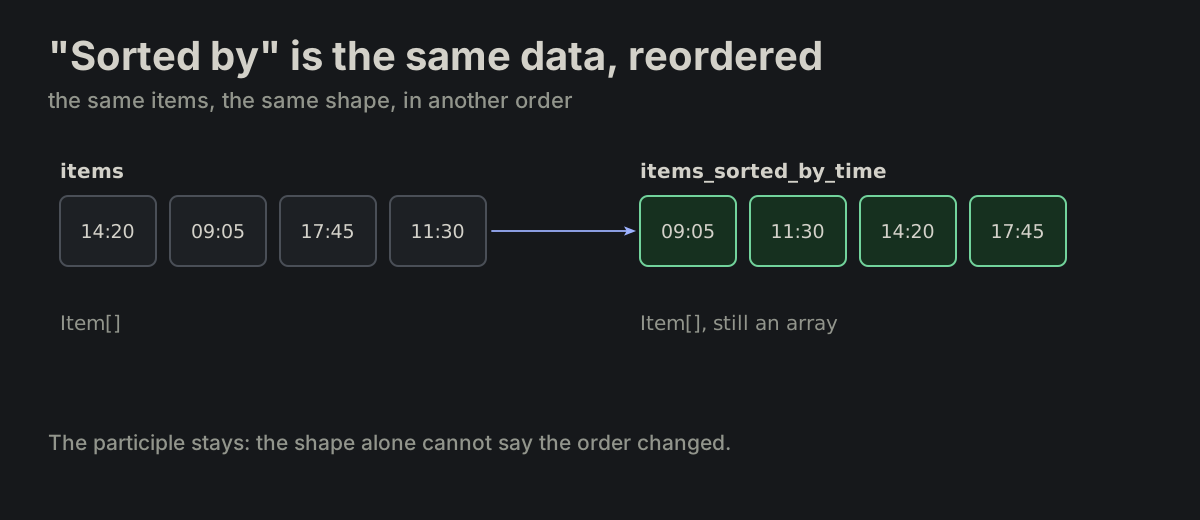
"Sorted by" is the same data, reordered. _sorted_by_ marks data of the same shape, reordered. The participle survives here because it carries what shape alone cannot.

naming_markers.md
items_sorted_by_time   // Item[], still an array
four items by time, and the same four reordered as items_sorted_by_time, still an arrayfour items by time, and the same four reordered as items_sorted_by_time, still an array
NAME-07

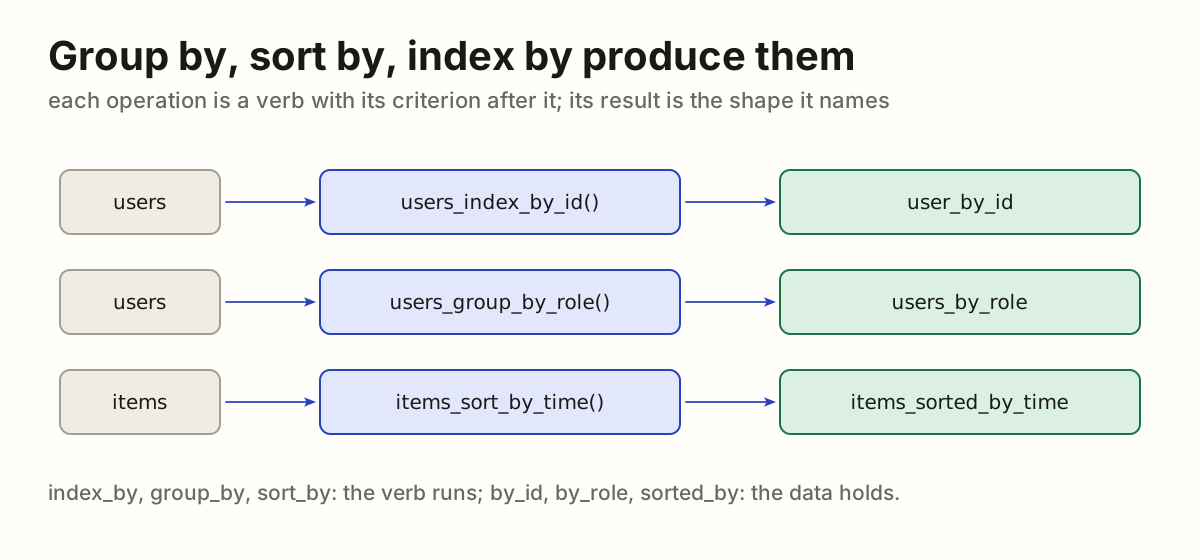
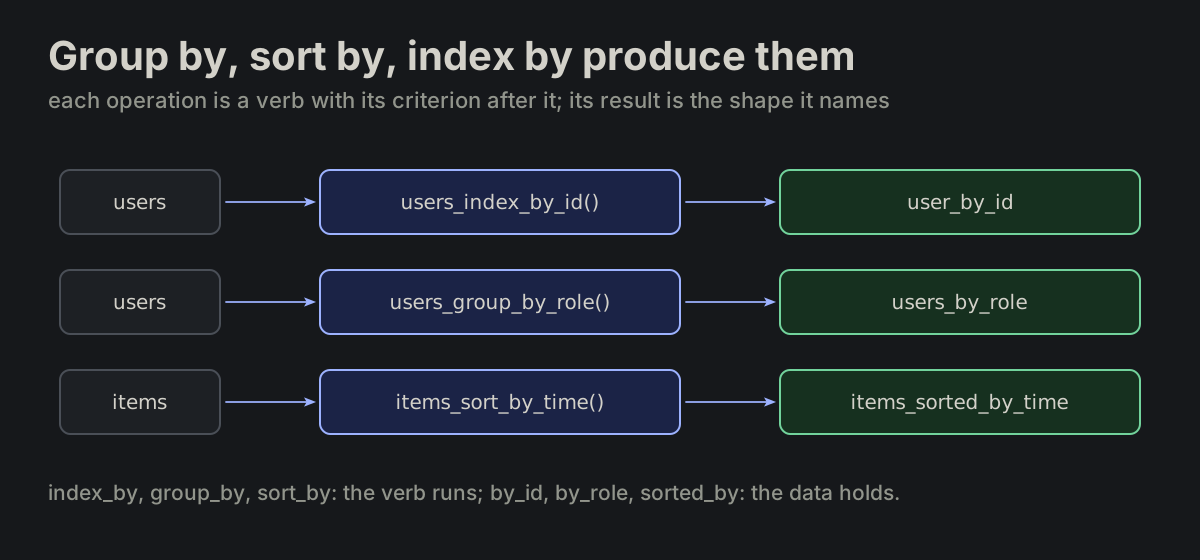
Group by, sort by, index by produce them. The operations that produce those shapes are _group_by_, _sort_by_ and _index_by_. The criterion follows the verb.

docs/README.md
users_index_by_id(users)     // user_by_id
users_group_by_role(users)   // users_by_role
items_sort_by_time(items)    // items_sorted_by_time
users_index_by_id() makes user_by_id, users_group_by_role() makes users_by_role, items_sort_by_time() makes items_sorted_by_timeusers_index_by_id() makes user_by_id, users_group_by_role() makes users_by_role, items_sort_by_time() makes items_sorted_by_time
NAME-08

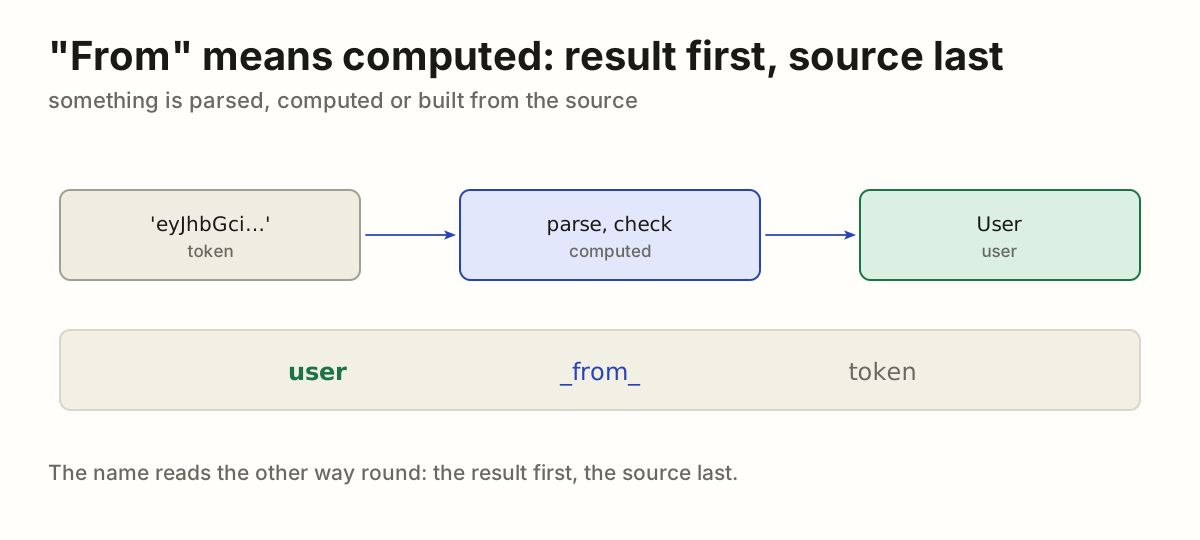
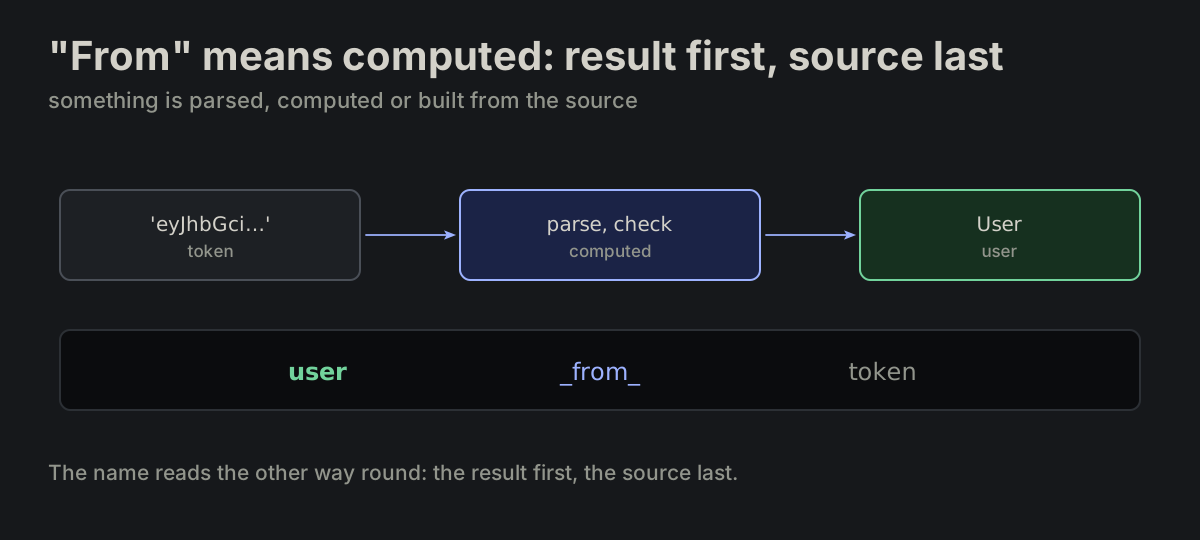
"From" means computed: result first, source last. Use _from_ only when something is computed, parsed or constructed — result first, source last.

docs/README.md
user_from_token(token)
date_from_timestamp(ts)
tree_from_array(rows)
a token is parsed into a User: user_from_token, the result first and the source lasta token is parsed into a User: user_from_token, the result first and the source last
NAME-09

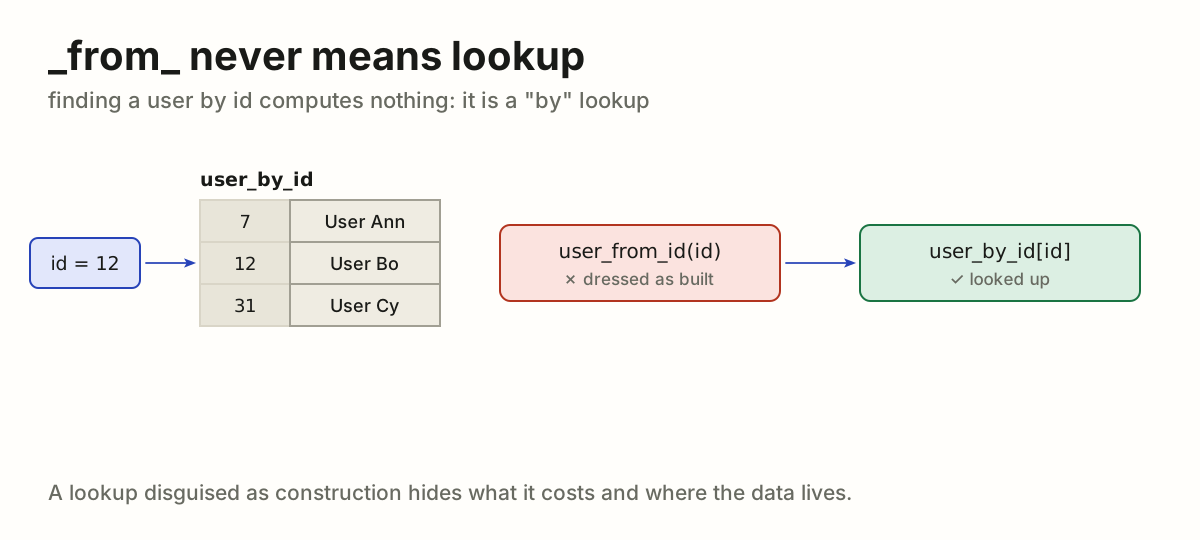
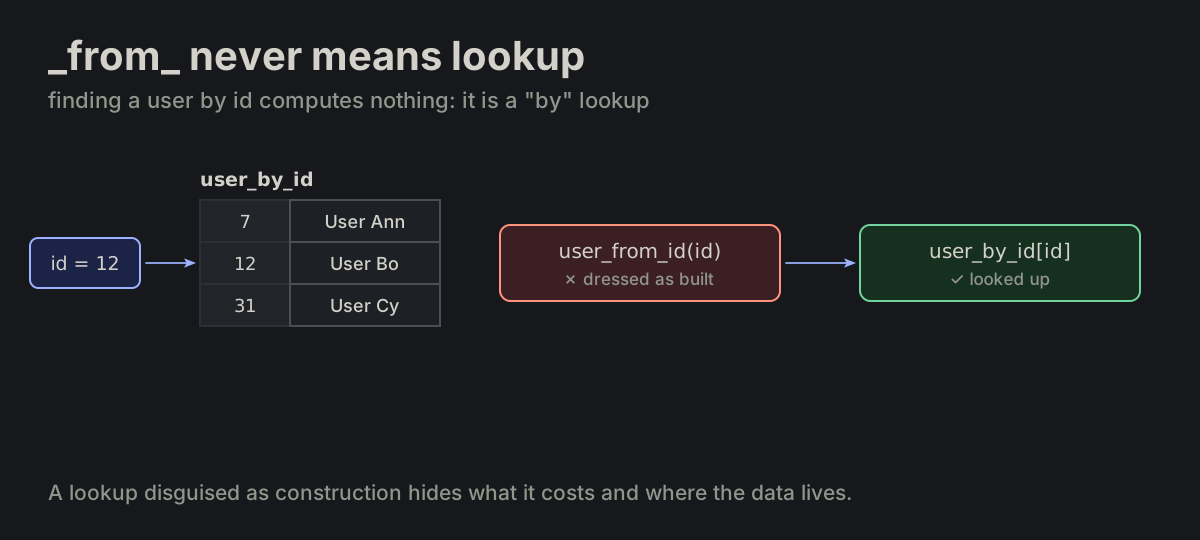
_from_ never means lookup. A lookup disguised as construction is wrong.

naming_markers.md
user_from_id(id)   ✗ wrong
user_by_id[id]     ✓ right
an id looked up in the user_by_id table: indexing user_by_id with the id is right, user_from_id(id) dresses the lookup as constructionan id looked up in the user_by_id table: indexing user_by_id with the id is right, user_from_id(id) dresses the lookup as construction
NAME-10

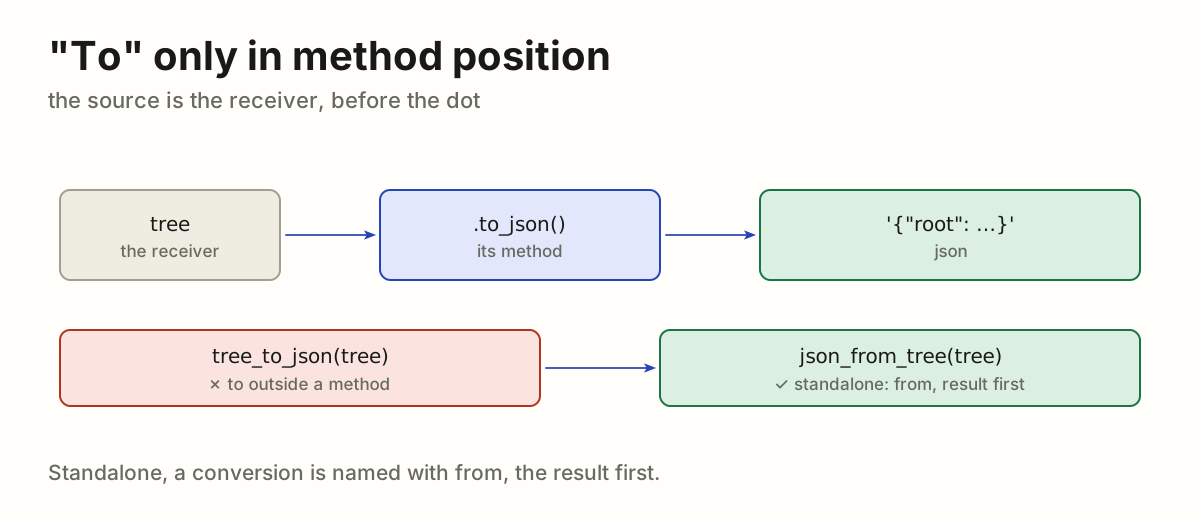
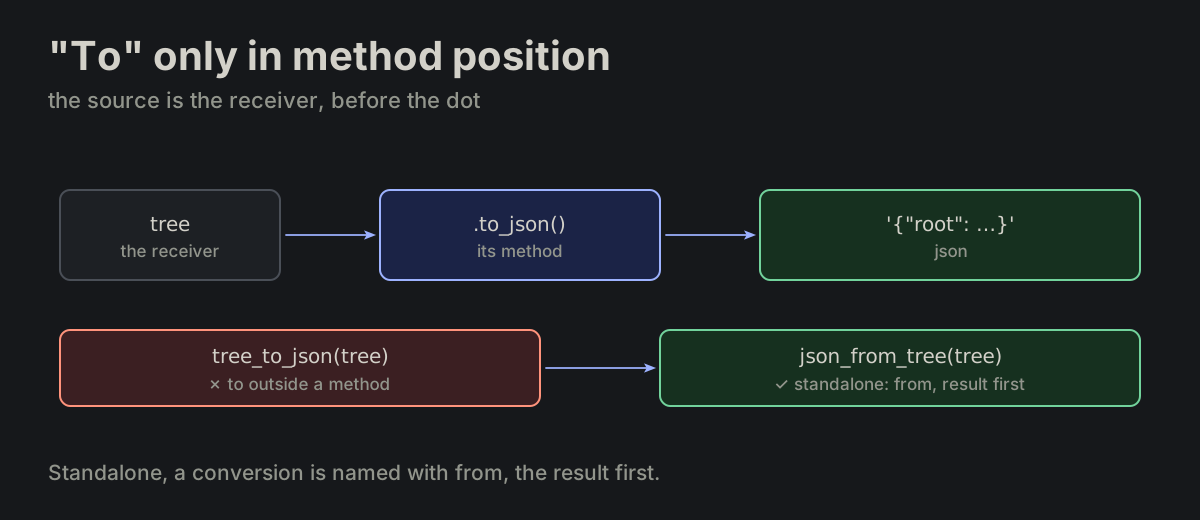
"To" belongs in method position. A standalone conversion prefers _from_; _to_ is for method position, where the source is the receiver.

naming_markers.md
tree.to_json()
tree.to_json() with tree as the receiver; standalone it is json_from_tree(tree), never tree_to_json(tree)tree.to_json() with tree as the receiver; standalone it is json_from_tree(tree), never tree_to_json(tree)
NAME-11

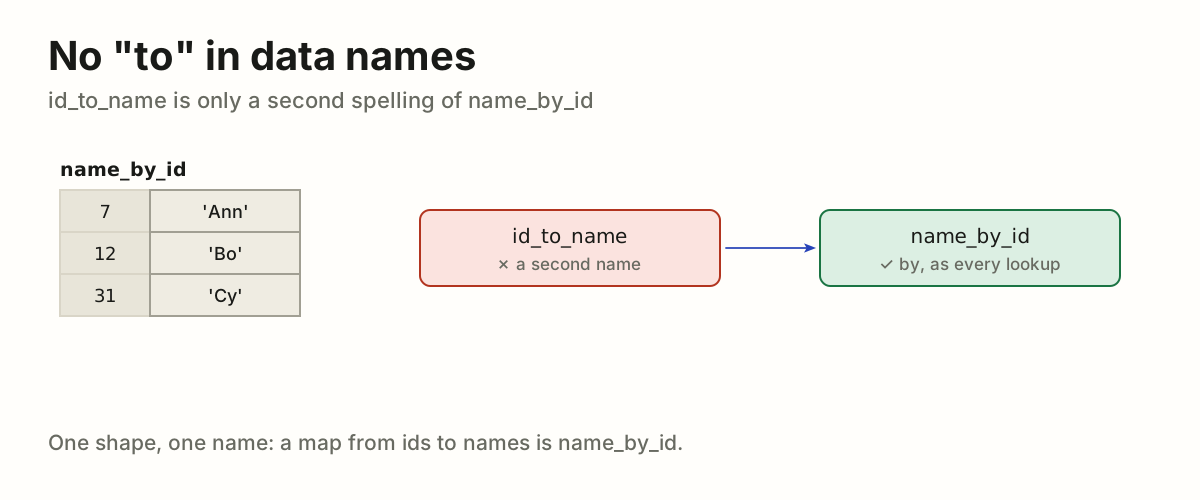
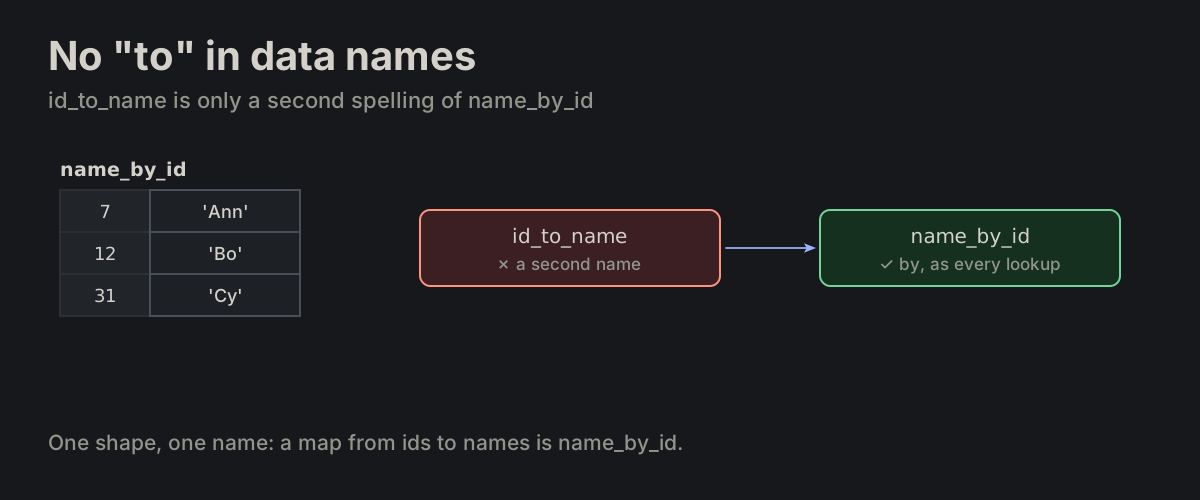
No "to" in data names. _to_ is banned in data names — id_to_name is only a second spelling of name_by_id.

naming_markers.md
id_to_name    ✗ banned
name_by_id    ✓ right
a map from ids to names is name_by_id; id_to_name is a second name for the same mapa map from ids to names is name_by_id; id_to_name is a second name for the same map
NAME-12

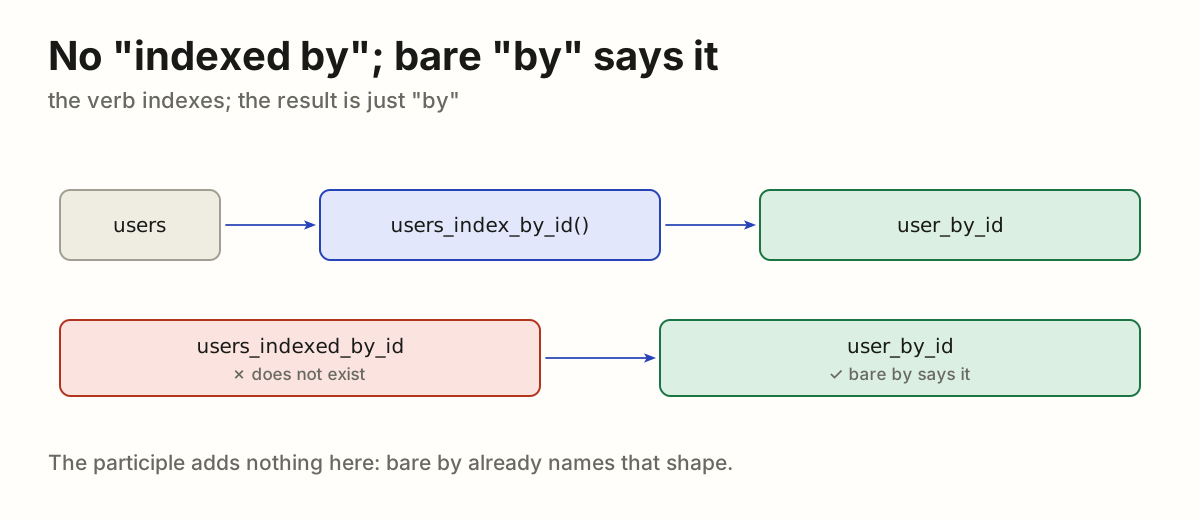
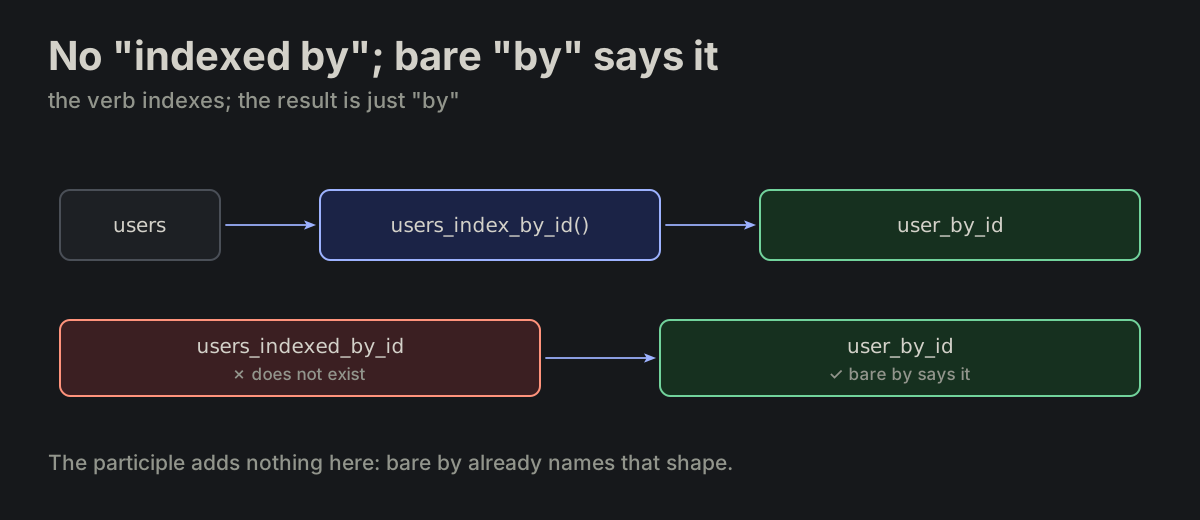
No "indexed by"; bare "by" says it. _indexed_by_ does not exist. Bare _by_ already names that shape.

naming_markers.md
users_indexed_by_id   ✗ does not exist
user_by_id            ✓ right
users_index_by_id() makes user_by_id; users_indexed_by_id does not existusers_index_by_id() makes user_by_id; users_indexed_by_id does not exist
NAME-13

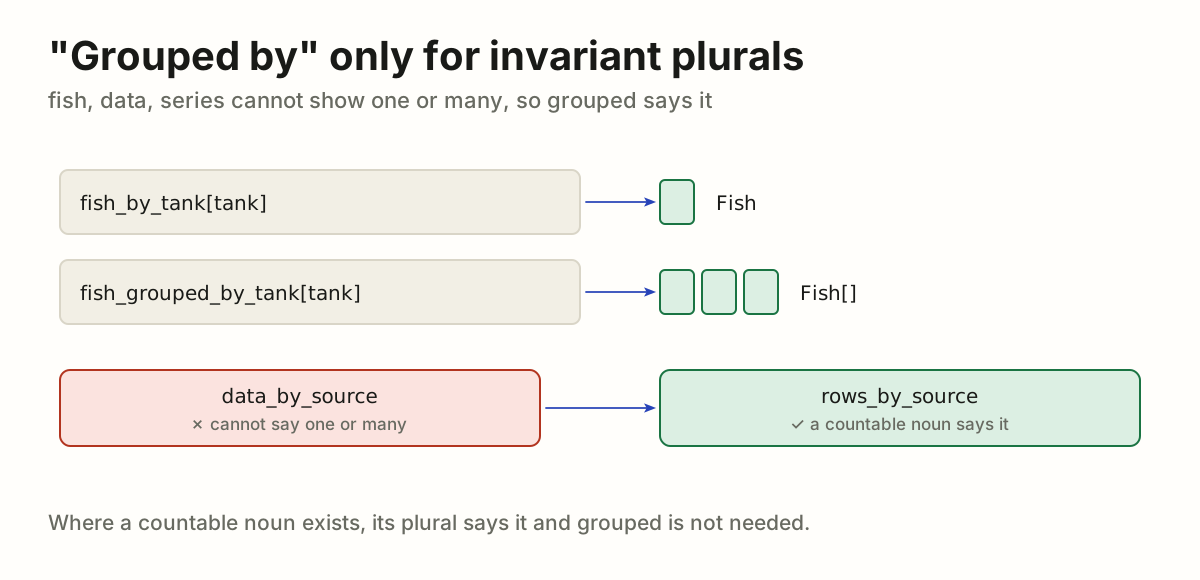
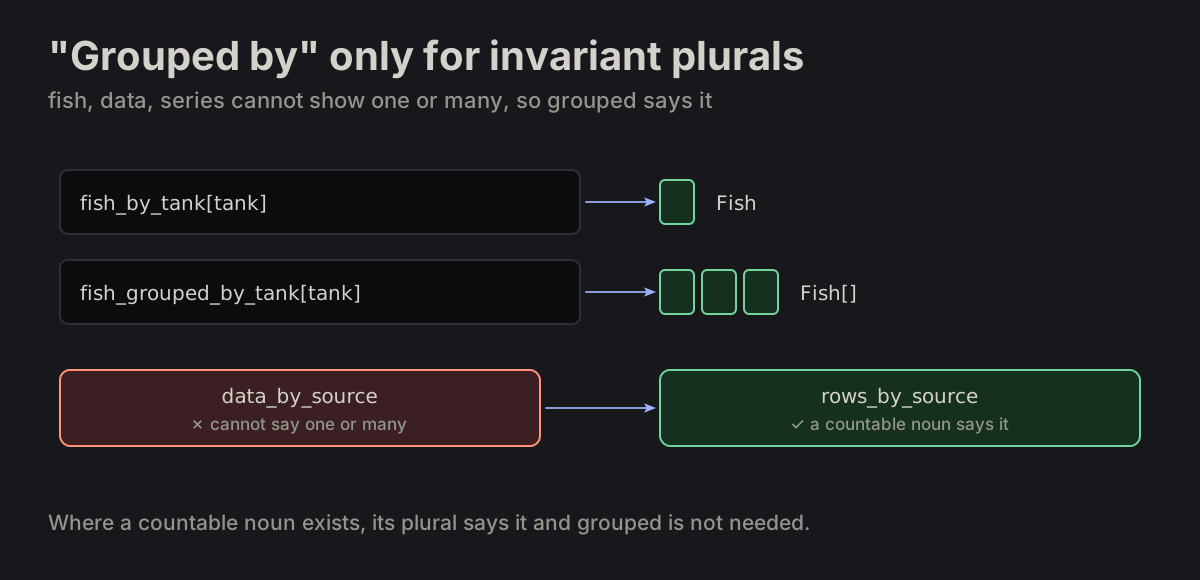
"Grouped by" only for invariant plurals. _grouped_by_ is retired from data names except for invariant plurals — fish, data, series — which cannot state cardinality by plurality. Prefer a countable noun when one exists.

var_names.md
fish_by_tank           // Record<tank, Fish>
fish_grouped_by_tank   // Record<tank, Fish[]>
rows_by_source         ✓ over data_by_source
fish_by_tank returns one Fish, fish_grouped_by_tank a list; rows_by_source is preferred over data_by_sourcefish_by_tank returns one Fish, fish_grouped_by_tank a list; rows_by_source is preferred over data_by_source
NAME-15

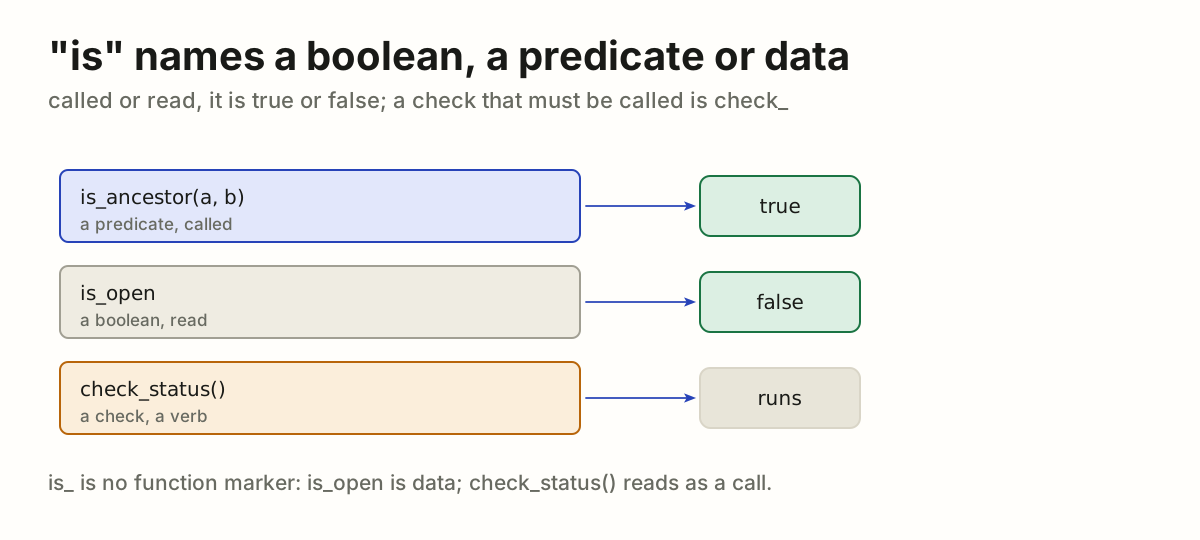
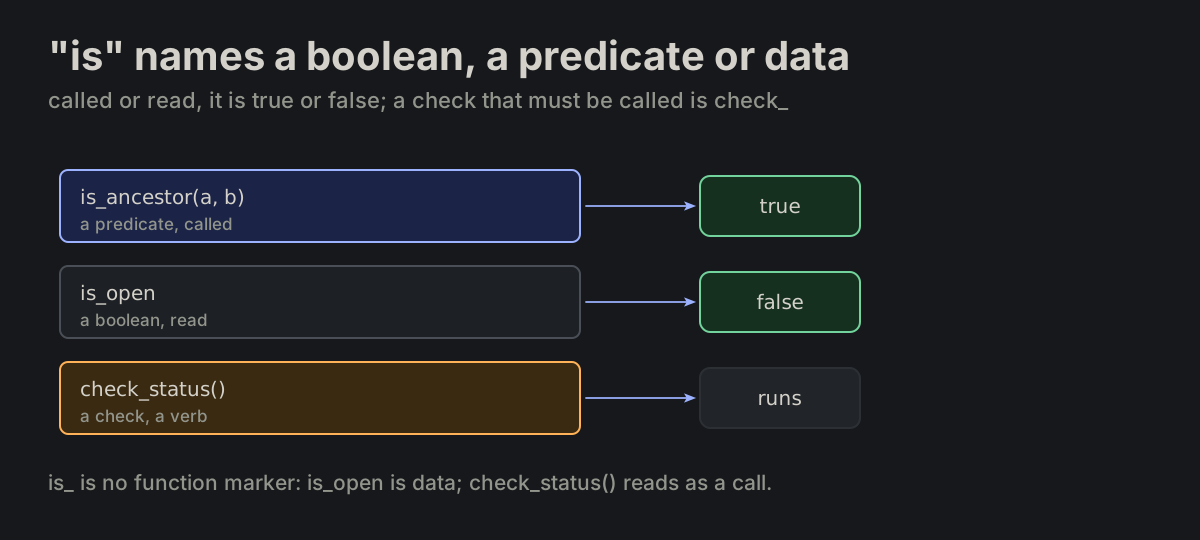
"is" names a boolean, a predicate or data. is_ names a boolean: a predicate that returns one, or data that holds one. It is not a function marker; a check that must read as a call is check_*, a verb.

naming_markers.md
is_ancestor(a, b)   // a predicate, called
is_open             // a boolean, read
check_status()      // a check that reads as a call
is_ancestor(a, b) is called and returns true, is_open is read as false, check_status() is a verb that runsis_ancestor(a, b) is called and returns true, is_open is read as false, check_status() is a verb that runs
NAME-16

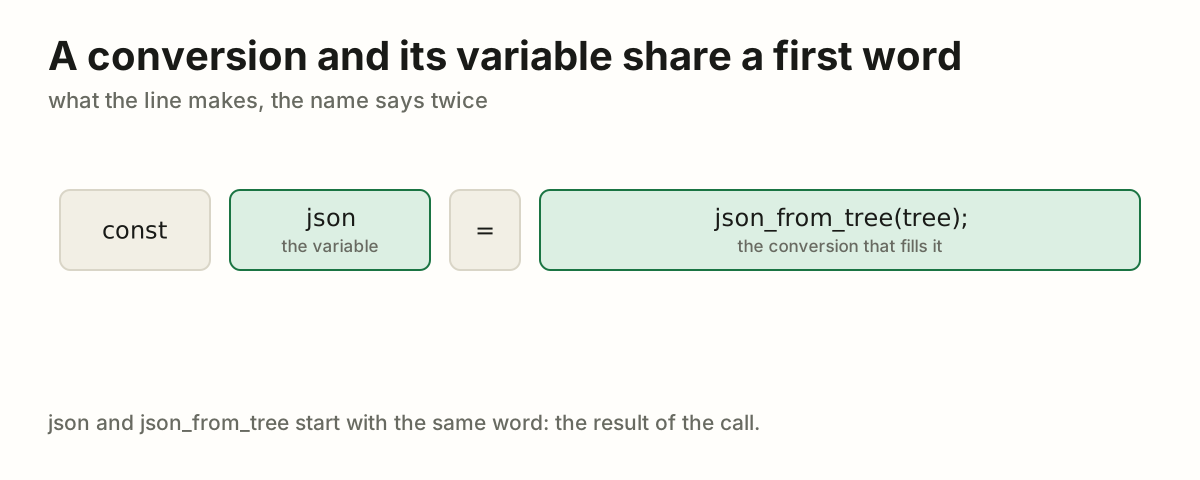
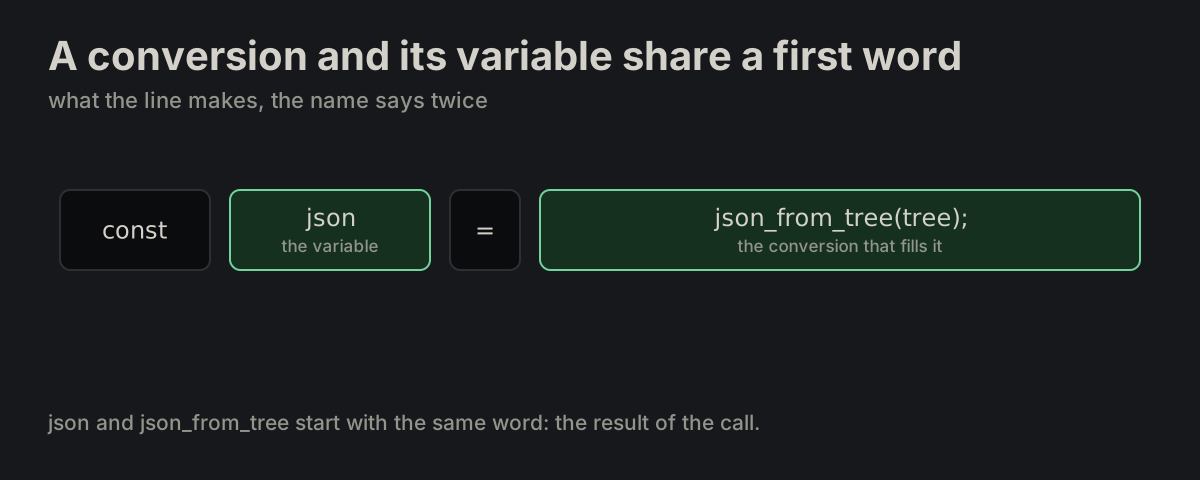
A conversion and its variable share a first word. A standalone conversion and the variable it fills share their first word.

naming_markers.md
const json = json_from_tree(tree);
const json = json_from_tree(tree): the variable and the conversion share the word jsonconst json = json_from_tree(tree): the variable and the conversion share the word json
NAME-17

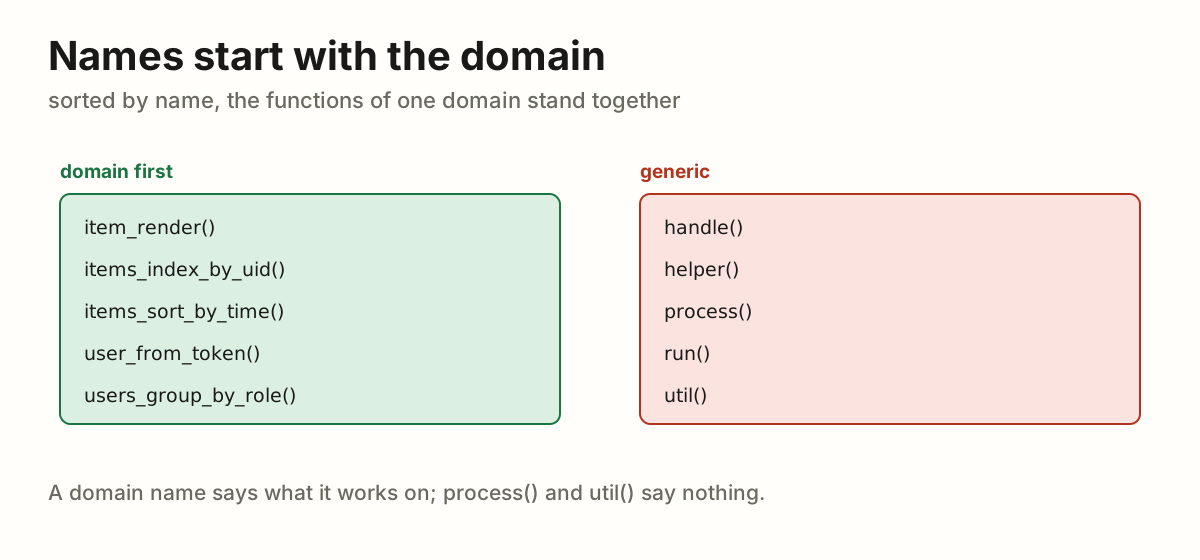
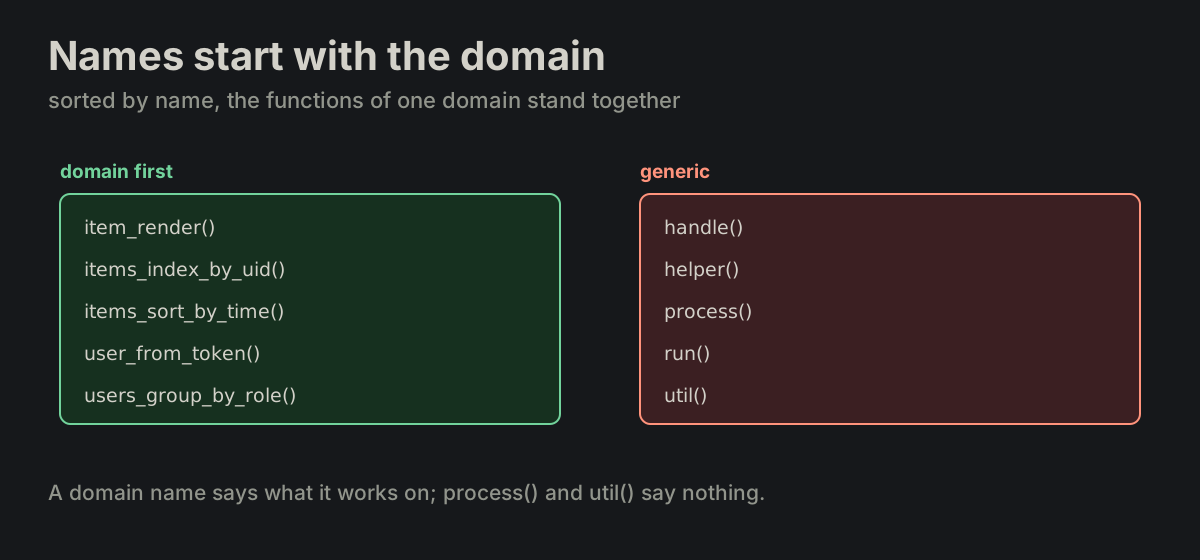
Names start with the domain. Naming is domain-first. Functions and files follow items_*, item_* or domain nouns; generic names are avoided.

FORMATTING.md
items_index_by_uid()   ✓ right
process() handle() util()   ✗ avoid
domain-first names such as items_sort_by_time() stand together; handle(), process() and util() say nothingdomain-first names such as items_sort_by_time() stand together; handle(), process() and util() say nothing
NAME-18

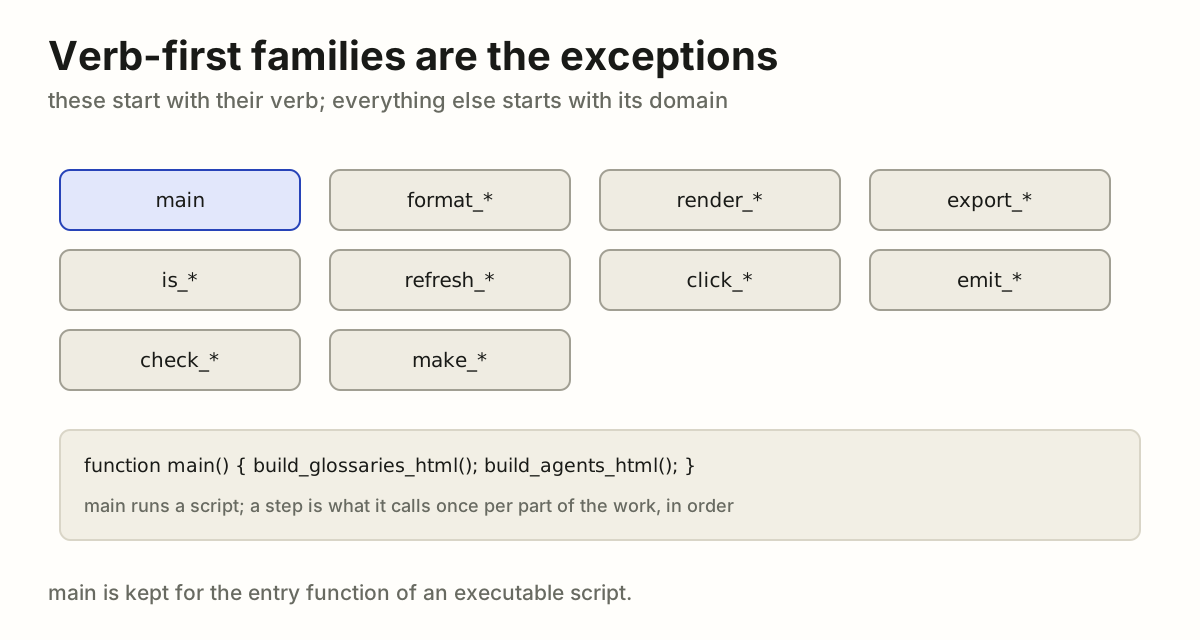
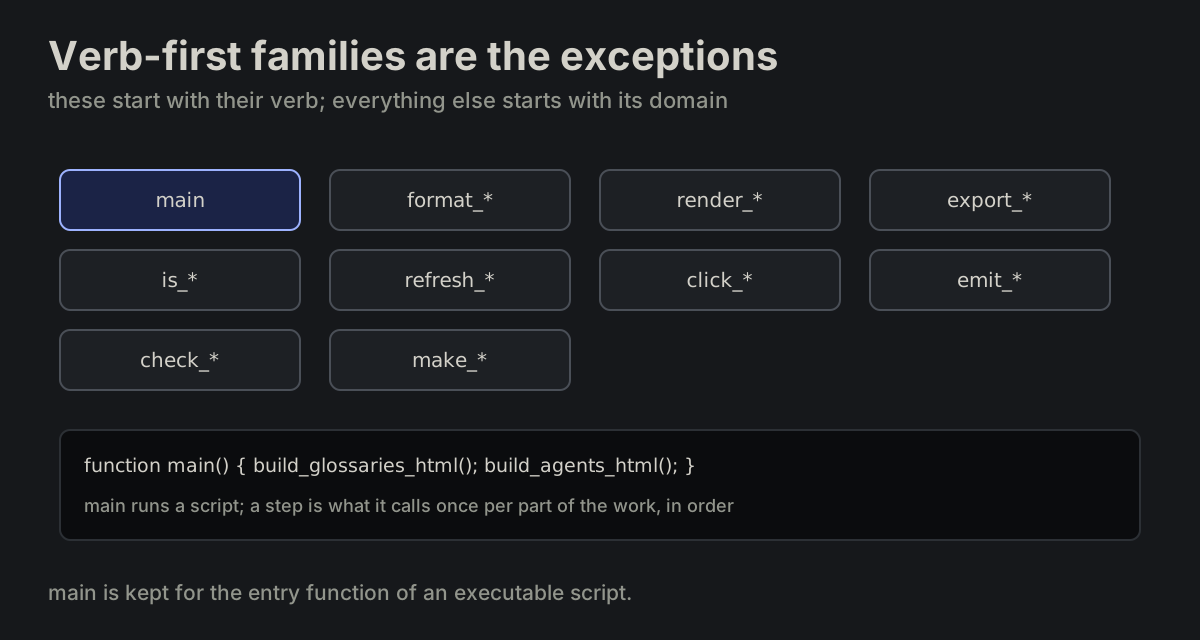
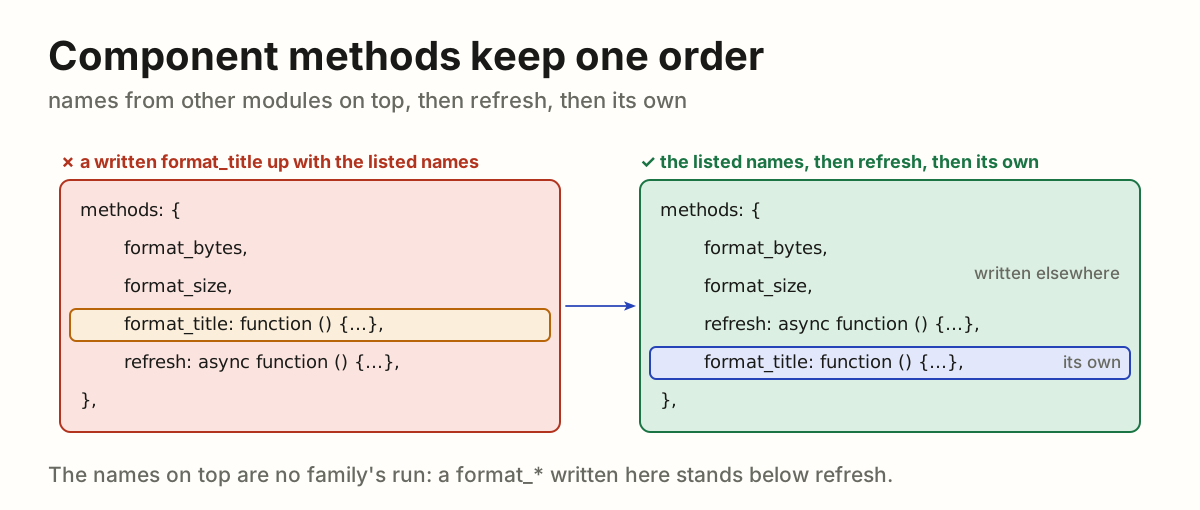
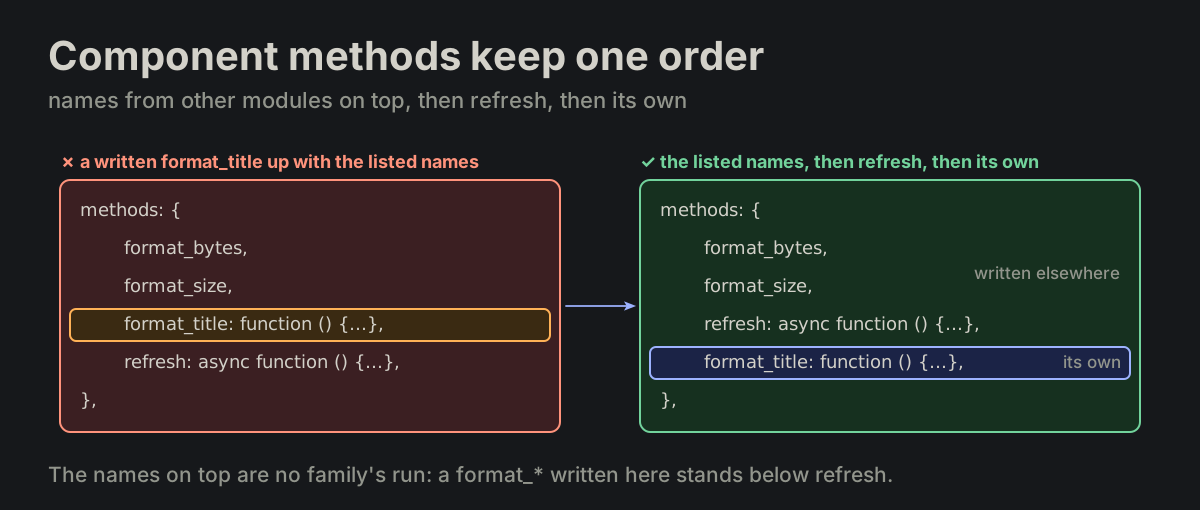
Verb-first families are the exceptions. The verb-first families are the exceptions to domain-first naming: main — reserved for the entry function of an executable script — format_*, render_*, export_*, is_*, refresh_*, click_*, emit_*, check_* (MP-40), make_* (MP-53), and the steps of a script (build_glossaries_html()). A step is a function main() calls once per part of the work, in order; a verb-first name that is not a step is renamed when next touched.

FORMATTING.md
function main()
{
    report_print();
}
main, format_*, render_*, export_*, is_*, refresh_*, click_*, emit_*, check_* and make_* start with their verb; main runs the steps of a scriptmain, format_*, render_*, export_*, is_*, refresh_*, click_*, emit_*, check_* and make_* start with their verb; main runs the steps of a script

VARVariablesA name states the shape of its data.

VAR-01

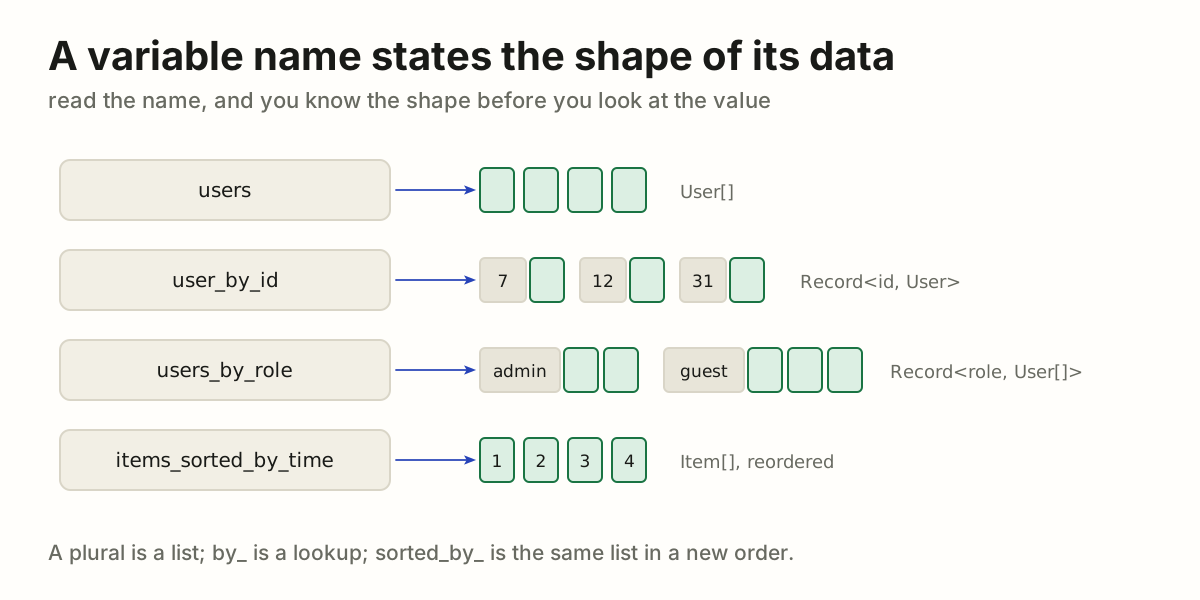
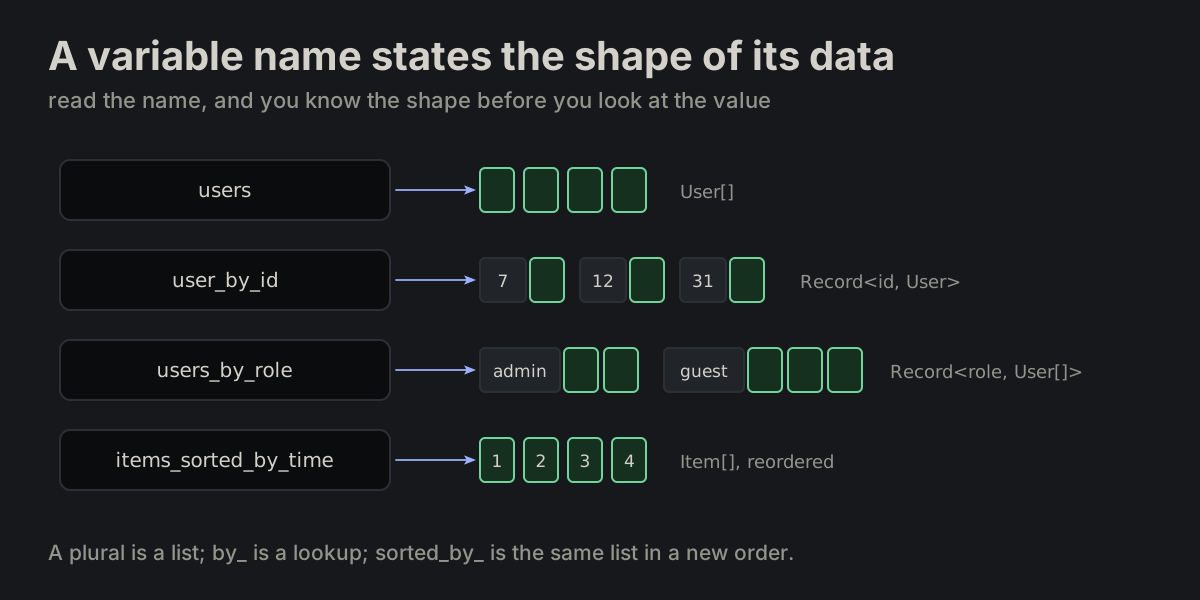
A variable name states the shape of its data.

var_names.md
users                  // User[]
user_by_id             // Record<id, User>
users_by_role          // Record<role, User[]>
items_sorted_by_time   // Item[], reordered
Four names and the shapes they state: users a list, user_by_id one User per id, users_by_role a list per role, items_sorted_by_time the same list reorderedFour names and the shapes they state: users a list, user_by_id one User per id, users_by_role a list per role, items_sorted_by_time the same list reordered
VAR-02

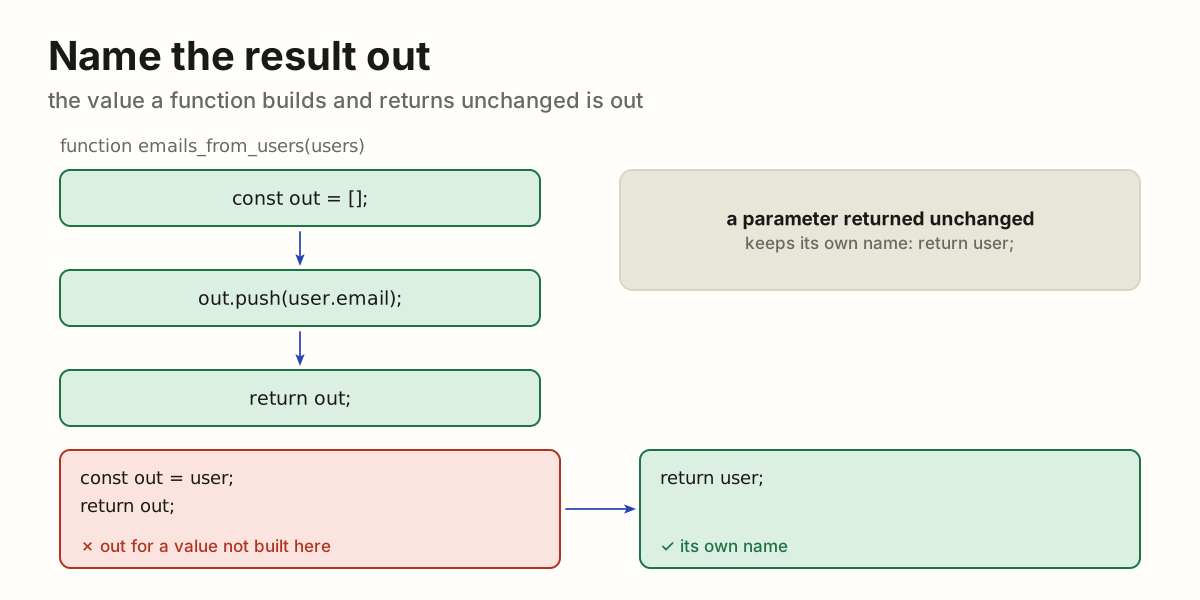
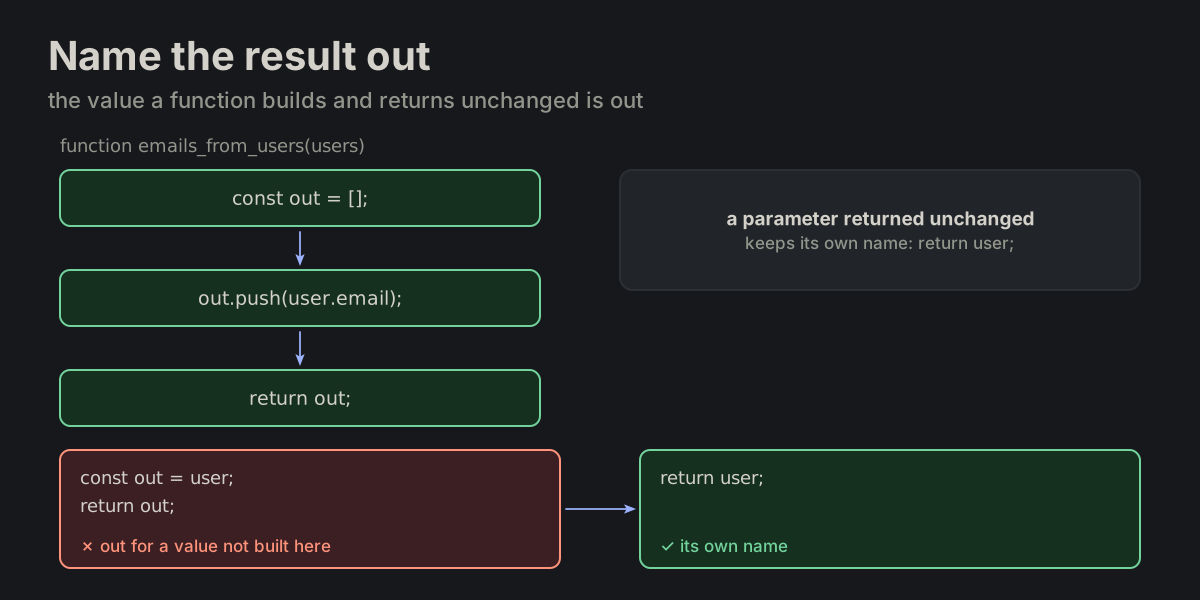
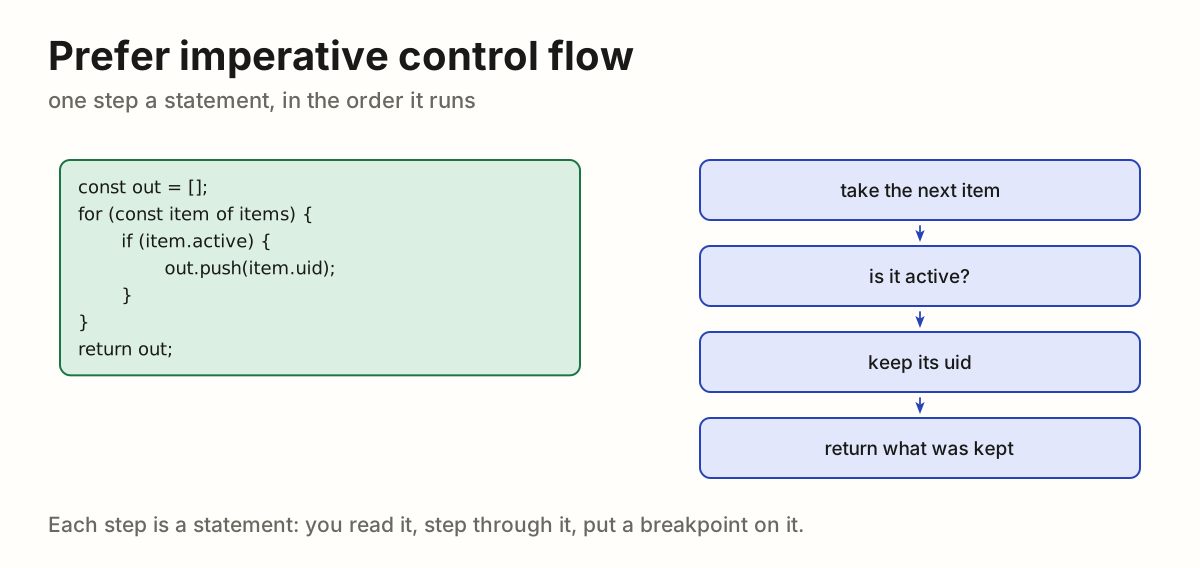
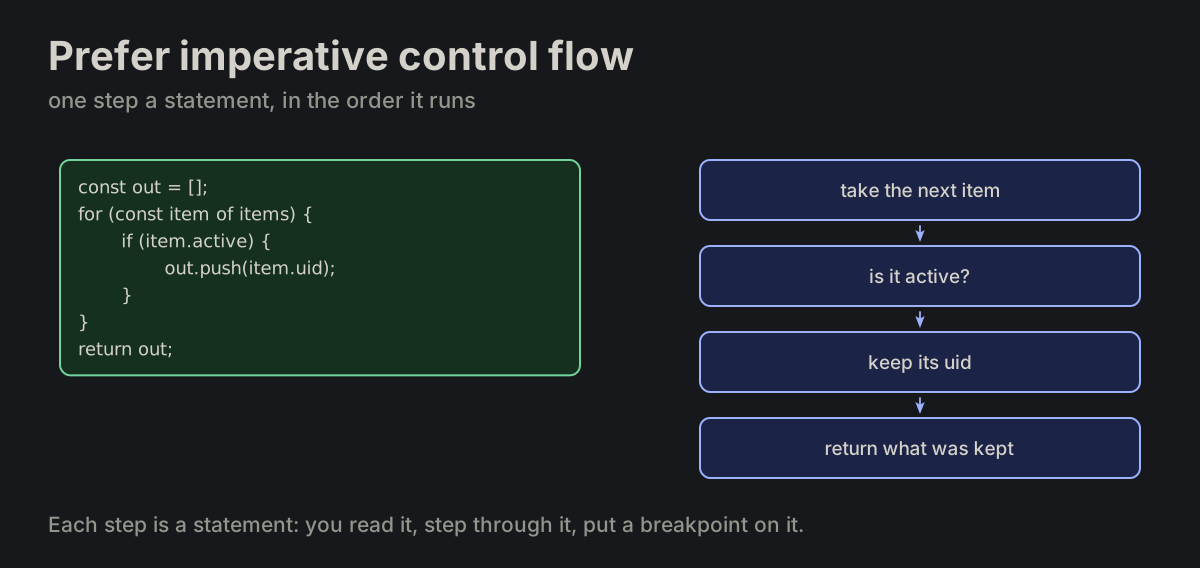
Name the result out. A variable the function builds and returns unchanged is named out — return out;, exactly. A parameter, a loop variable or an outer value returned unchanged keeps its own name: return user;.

return_out.md
function emails_from_users(users)
{
    const out = [];
    for (const user of users) {
        if (user.email) {
            out.push(user.email);
        }
    }
    return out;
}
emails_from_users builds out, pushes into it and returns out; returning a parameter unchanged as out is wrong, return user; is rightemails_from_users builds out, pushes into it and returns out; returning a parameter unchanged as out is wrong, return user; is right
VAR-03

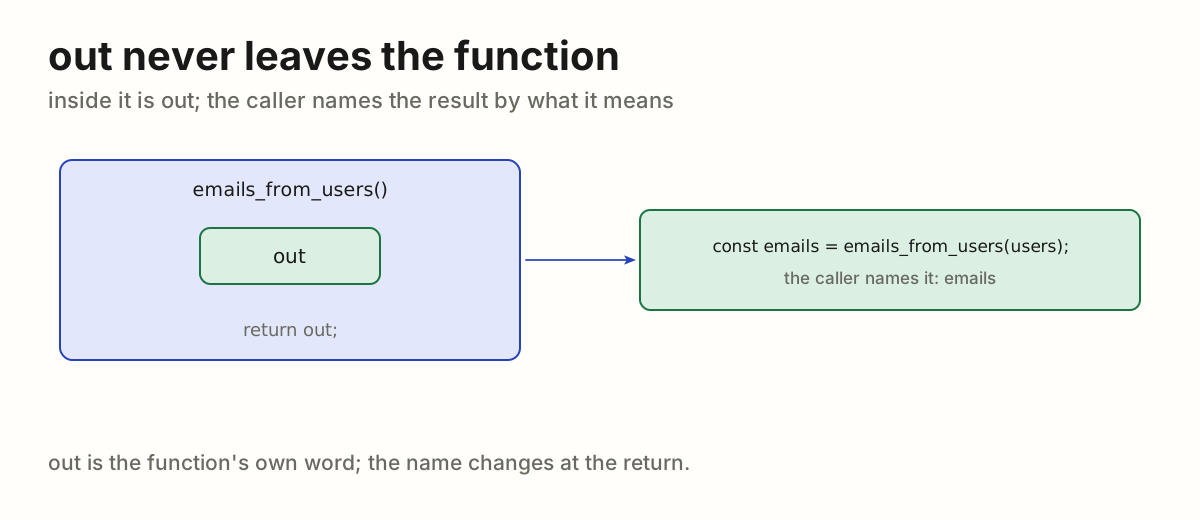
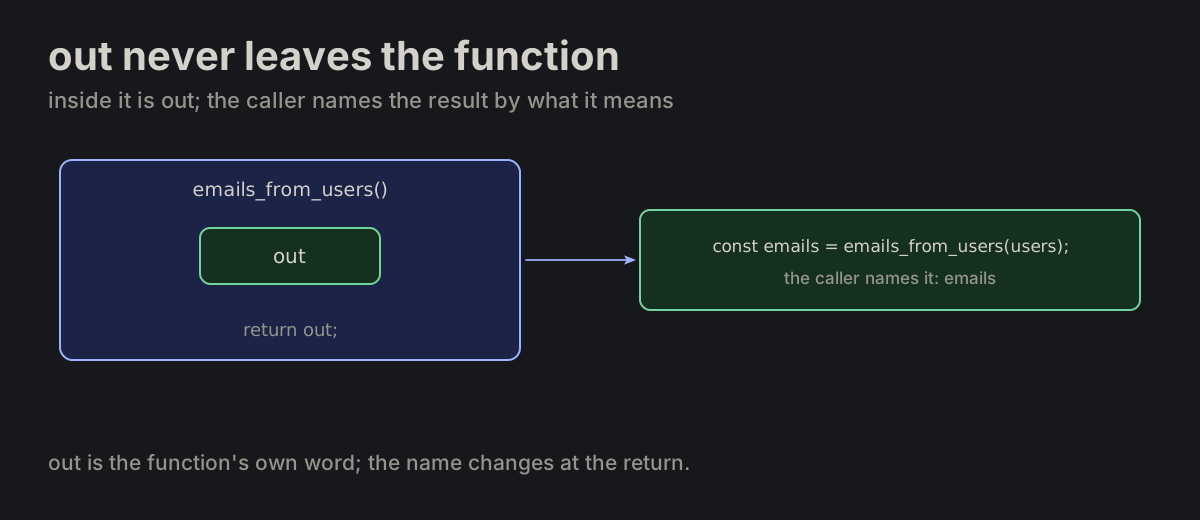
out never leaves the function. The caller names the result by what it means.

return_out.md
const emails = emails_from_users(users);
const users_by_role = users_group_by_role(users);
Inside emails_from_users the result is out; the caller names it emailsInside emails_from_users the result is out; the caller names it emails
VAR-04

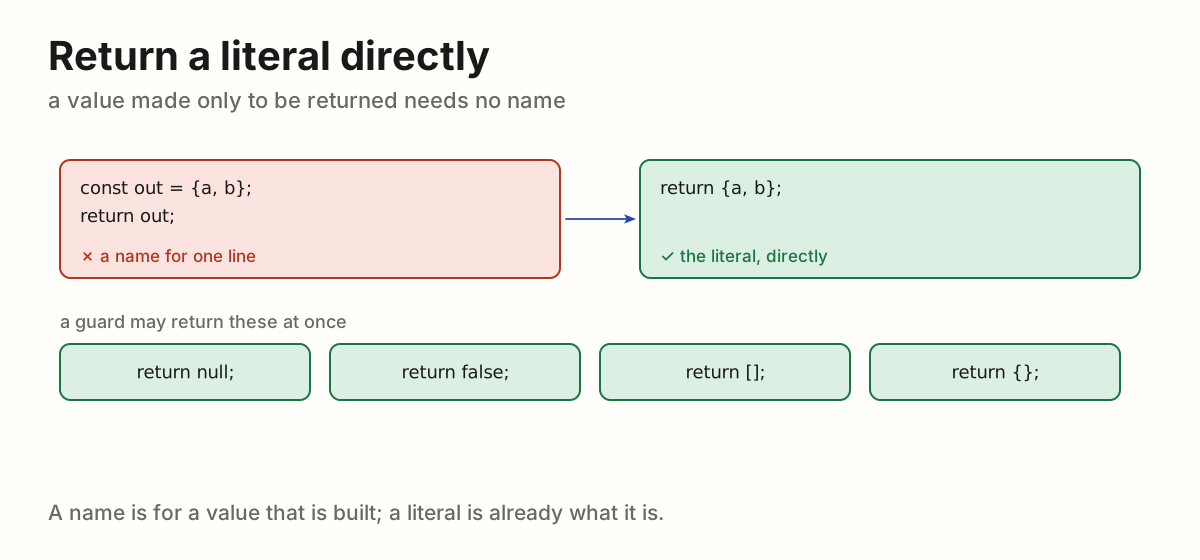
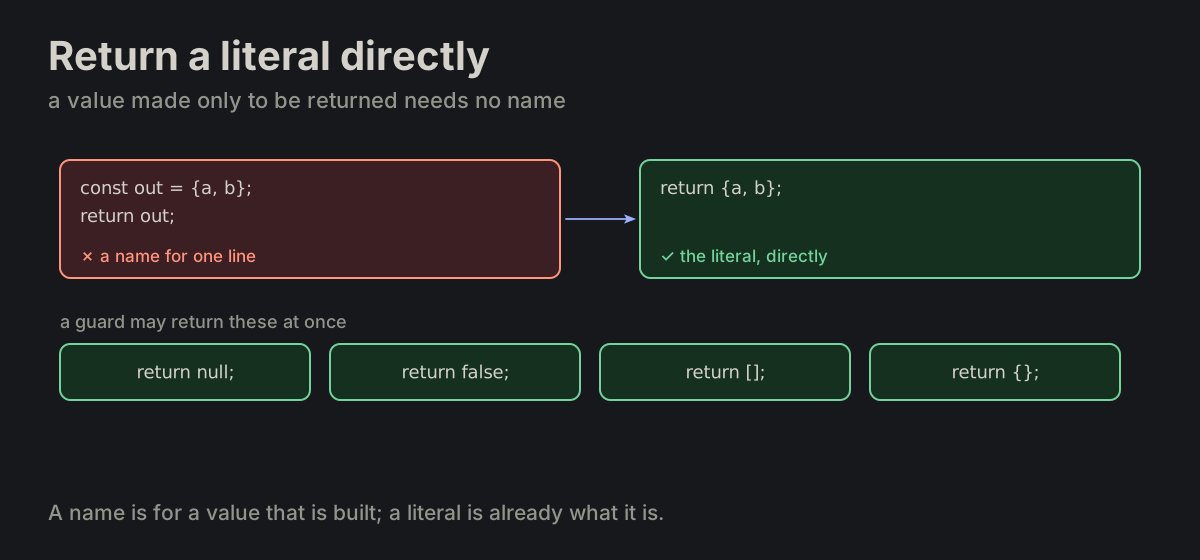
Return a literal directly. Returning a literal or an expression directly is allowed; a guard return may return null, false, [], {}. const out = {...}; return out; is rewritten as return {...};

FORMATTING.md
const out = {a, b};
return out;          ✗ rewrite this

return {a, b};       ✓ as this
const out = {a, b}; return out; rewritten as return {a, b};, and the guard returns null, false, () and {}const out = {a, b}; return out; rewritten as return {a, b};, and the guard returns null, false, () and {}
VAR-05

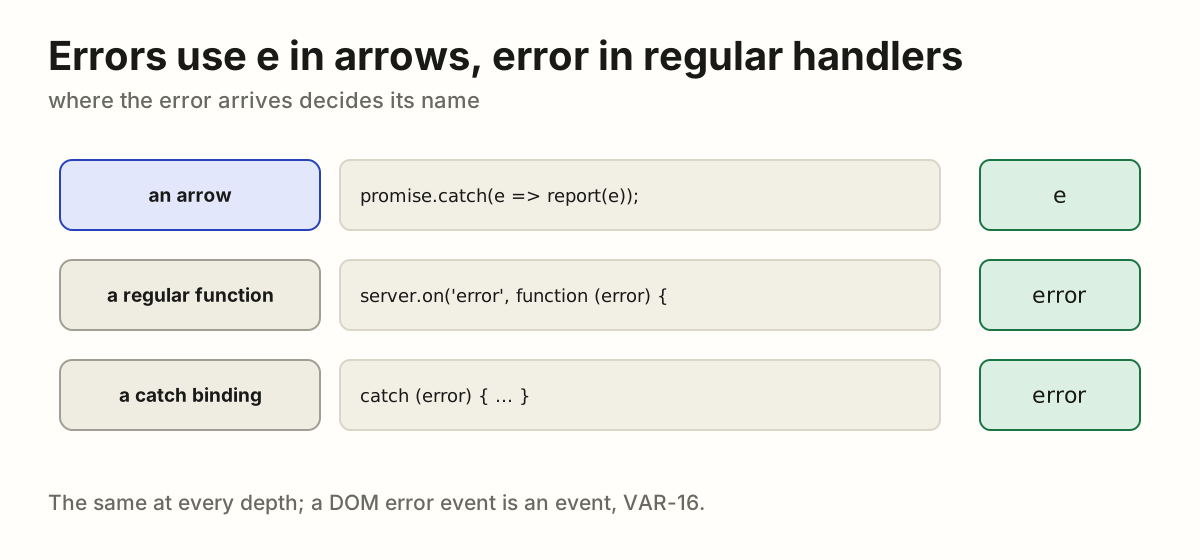
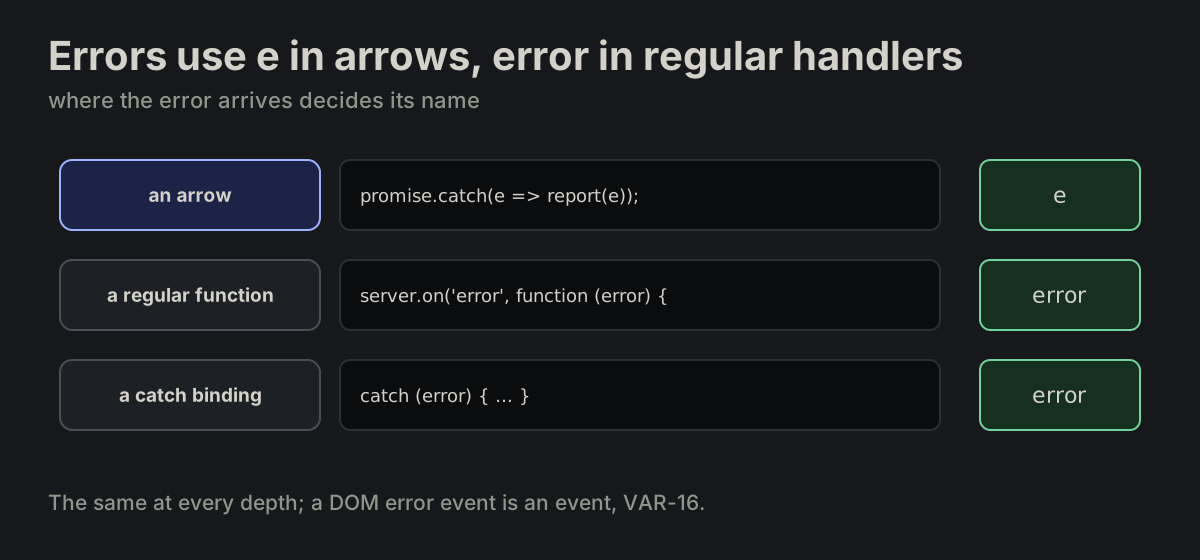
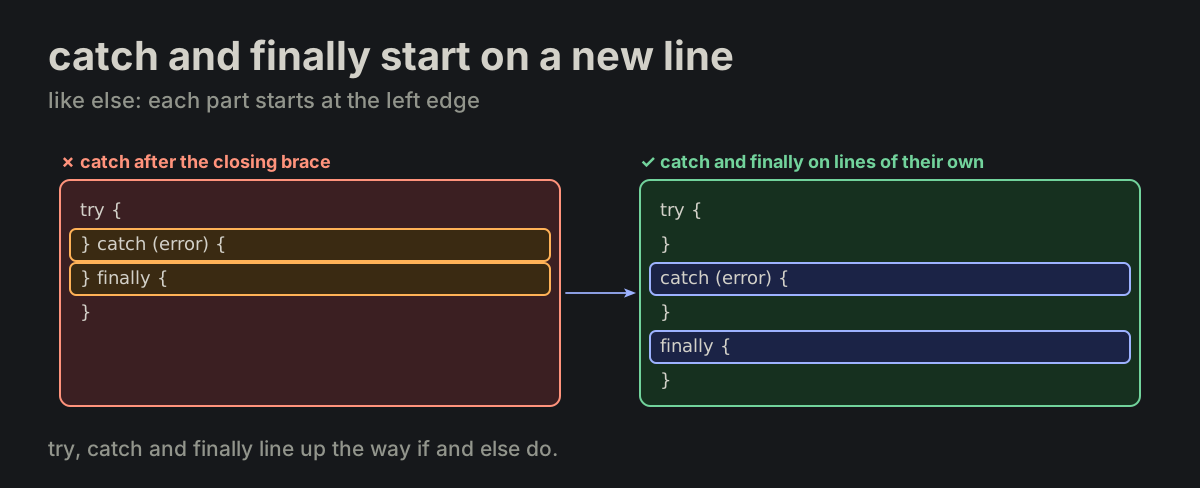
Errors use e in arrows, error in regular handlers. A caught error is error in a catch binding or regular function, and e in an arrow. This applies to promise rejection handlers and EventEmitter error listeners. Callback names stay e / error at every depth. DOM error events follow VAR-16; only nested catch bindings use numbered names (VAR-17).

var_names_error.md
promise.catch(e => report(e));

server.on('error', function (error) {
    throw error;
});

catch (error) {
    console.log(error.message);
}
An error is e in an arrow, error in a regular function and in a catch bindingAn error is e in an arrow, error in a regular function and in a catch binding
VAR-06

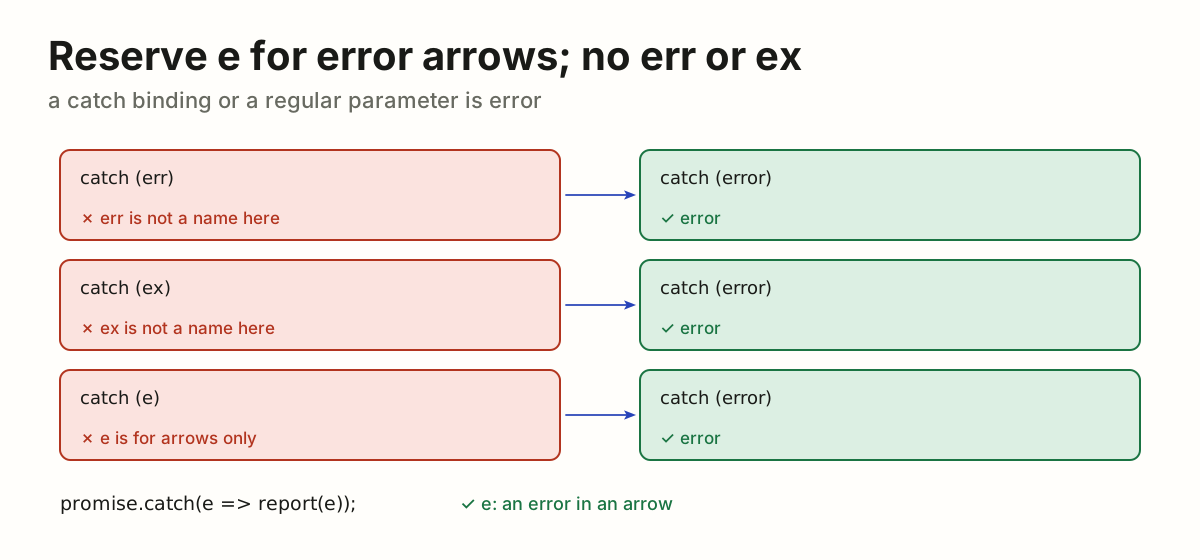
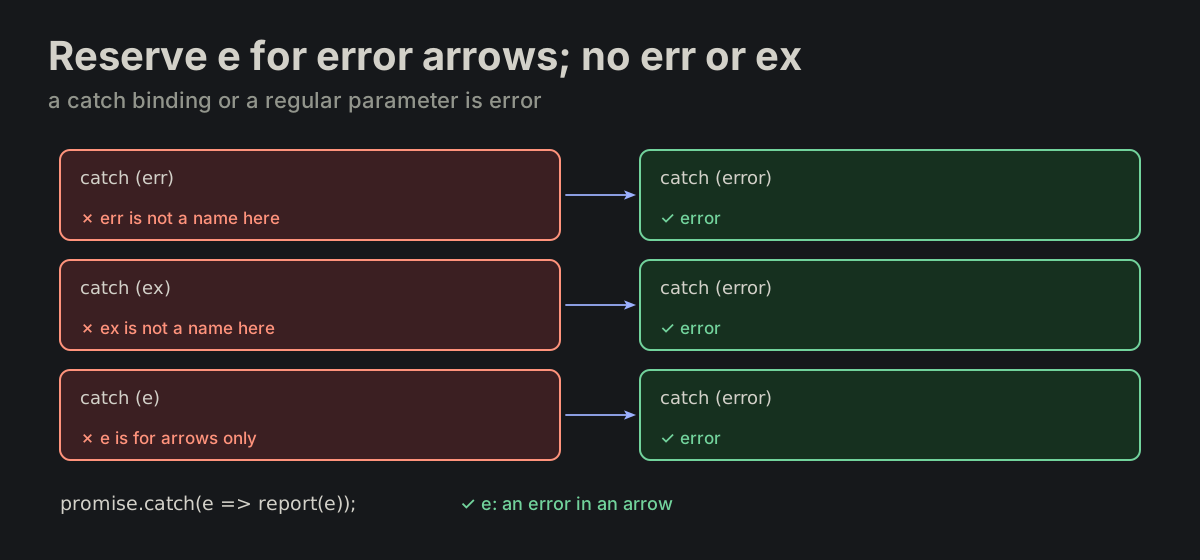
Reserve e for error arrows; no err or ex. e names an arrow error parameter. A regular error parameter or catch binding uses error, never e, err or ex; only catch bindings get the nested numbers in VAR-17.

var_names_error.md
catch (e)     ✗ no
catch (err)   ✗ no
catch (error) ✓ yes

promise.catch(e => report(e));   ✓ yes
catch (err), catch (ex) and catch (e) each rewritten as catch (error); e only in an error arrowcatch (err), catch (ex) and catch (e) each rewritten as catch (error); e only in an error arrow
VAR-07

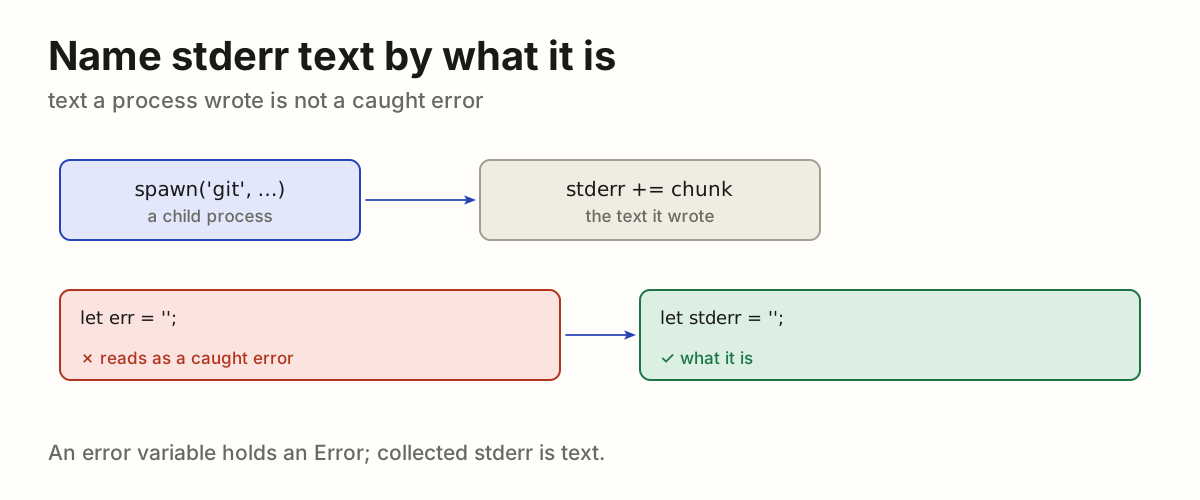
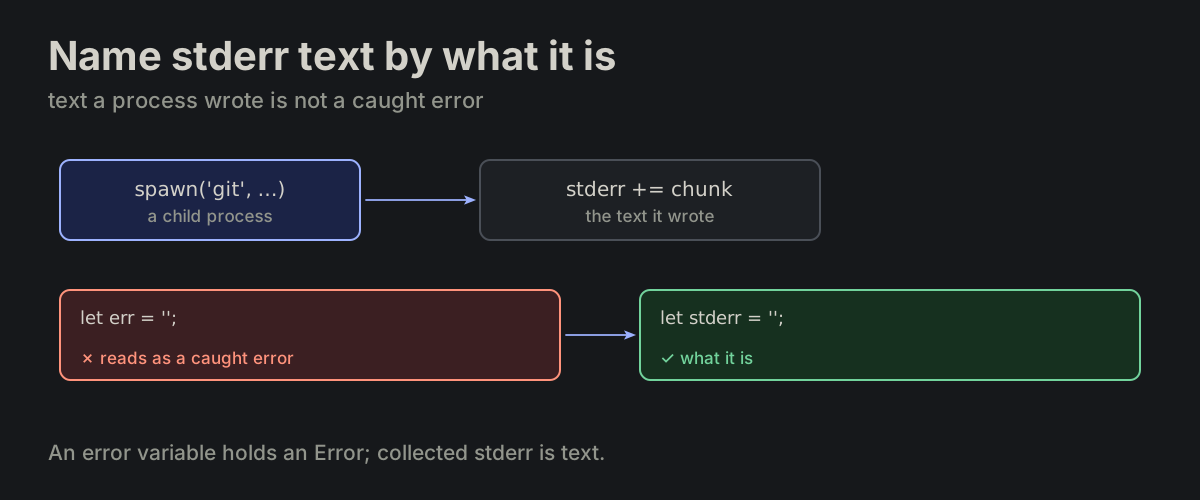
Name stderr text by what it is. Accumulated stderr text is not an error variable. Name it by what it is.

var_names_error.md
stderr   ✓ right
err      ✗ wrong
A child process writes stderr text, collected as stderr, not as errA child process writes stderr text, collected as stderr, not as err
VAR-08

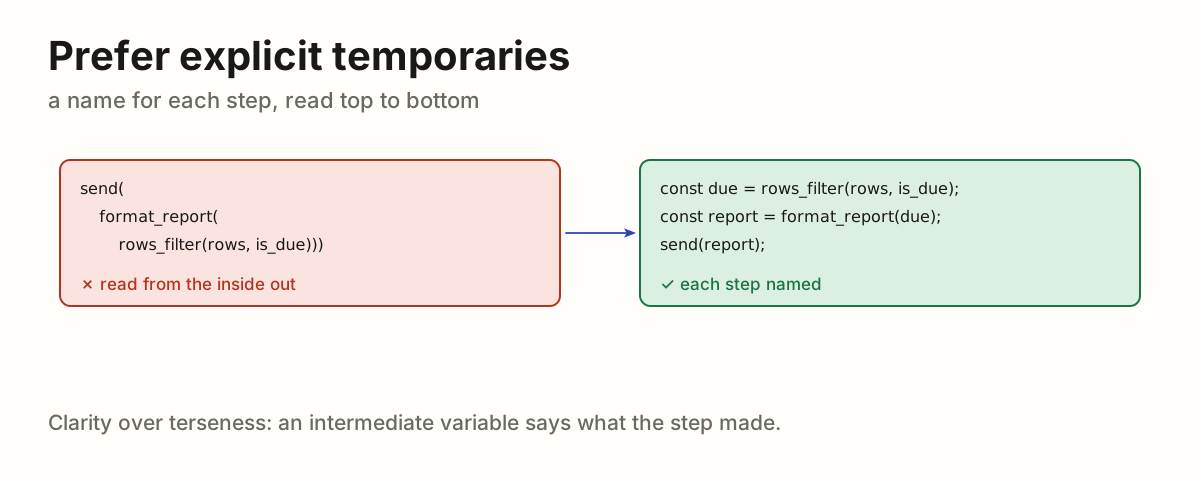
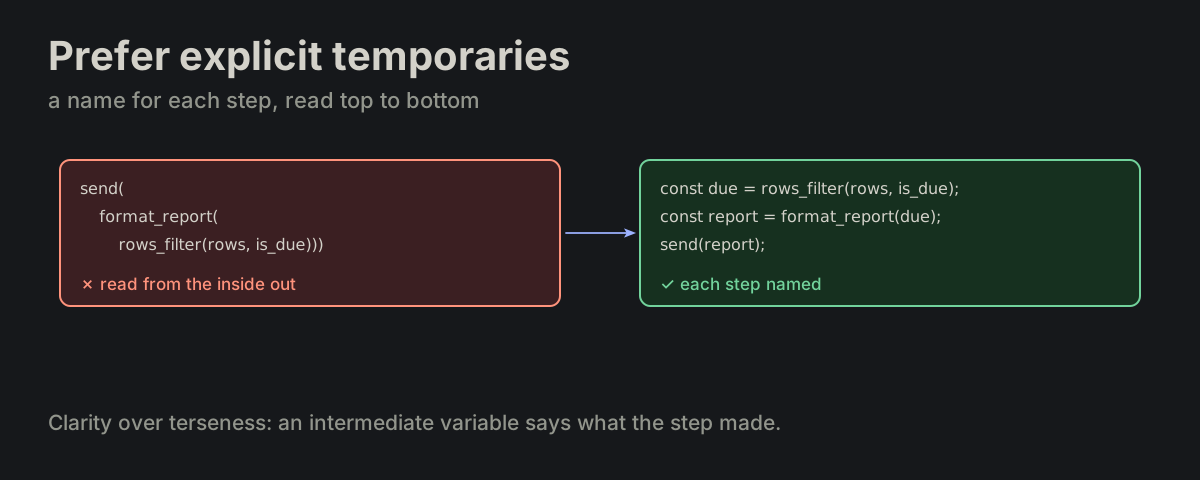
Prefer explicit temporaries. Use intermediate variables instead of nested expressions; favor clarity over terseness.

FORMATTING.md
A nested send(format_report(rows_filter(...))) rewritten as three named stepsA nested send(format_report(rows_filter(...))) rewritten as three named steps
VAR-09

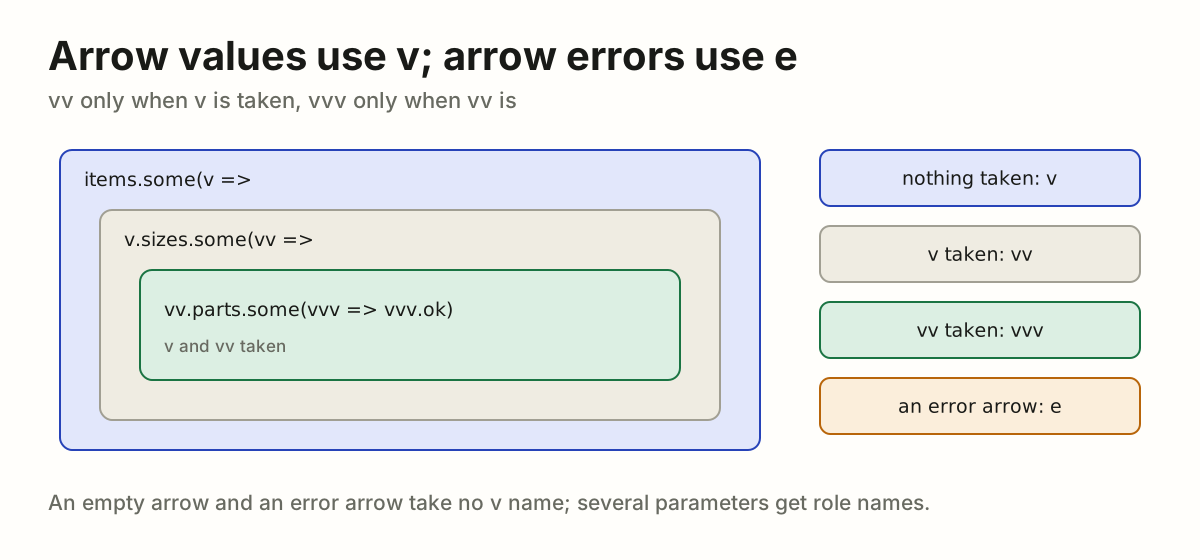
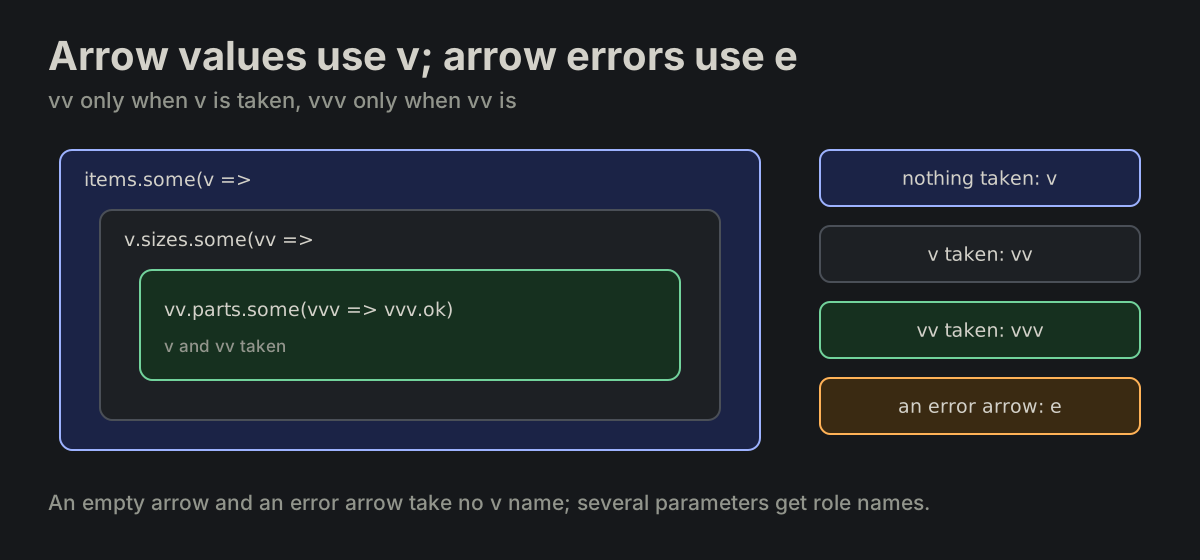
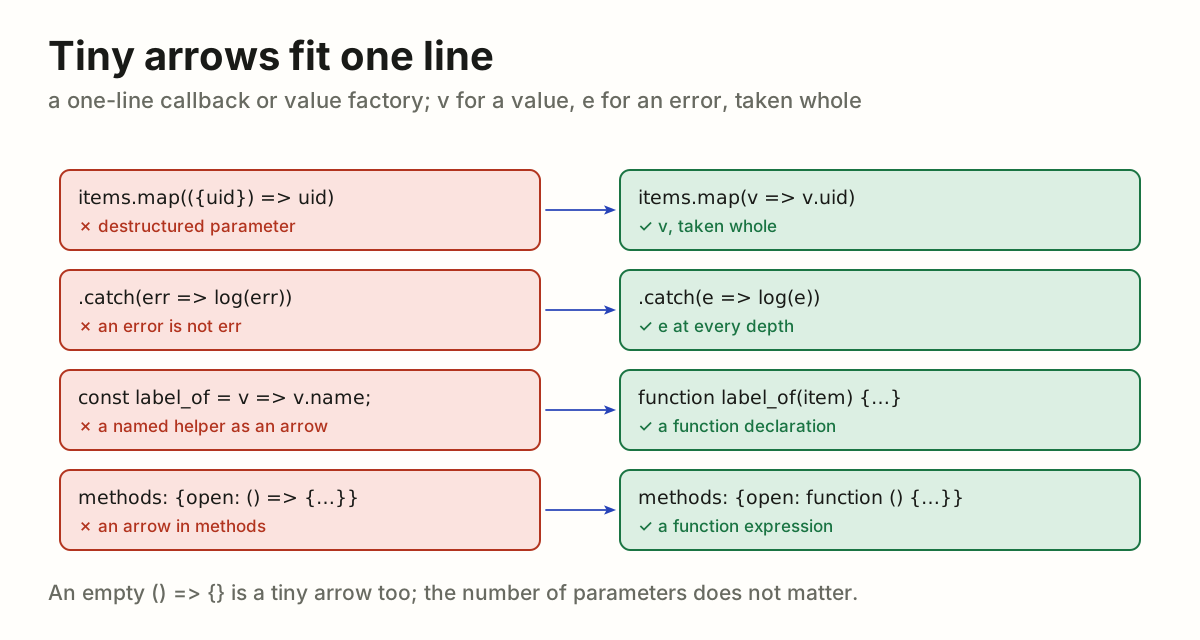
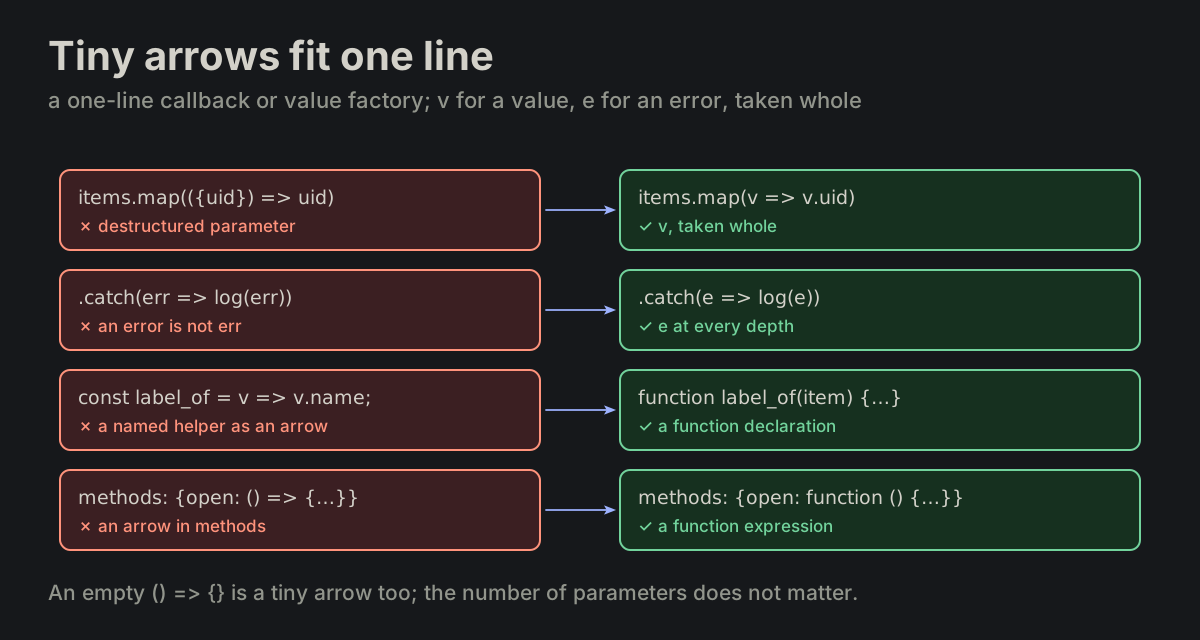
Arrow values use v; arrow errors use e. A lone value or event parameter is v; vv only when v is already taken where the arrow stands, vvv only when vv is. An arrow with no parameter, an error arrow or a parameter with another name takes nothing: () => items.filter(v => v.ok), promise.catch(e => report(e, items.map(v => v.uid))). A parameter the arrow does not use is not declared: promise.catch(() => items.map(v => v.uid)), not e => … (LINT-03); a regular function may. Error arrows keep e at every depth (VAR-05). With several parameters, choose names for their roles; an error callback’s first parameter still follows the error naming rule.

FORMATTING.md
items.map(v => v.uid)
items.some(v => v.sizes.some(vv => vv.width > 100))
promise.catch(e => report(e))
Nested arrows name their value v, then vv only when v is taken, then vvv; an error arrow keeps eNested arrows name their value v, then vv only when v is taken, then vvv; an error arrow keeps e
VAR-10

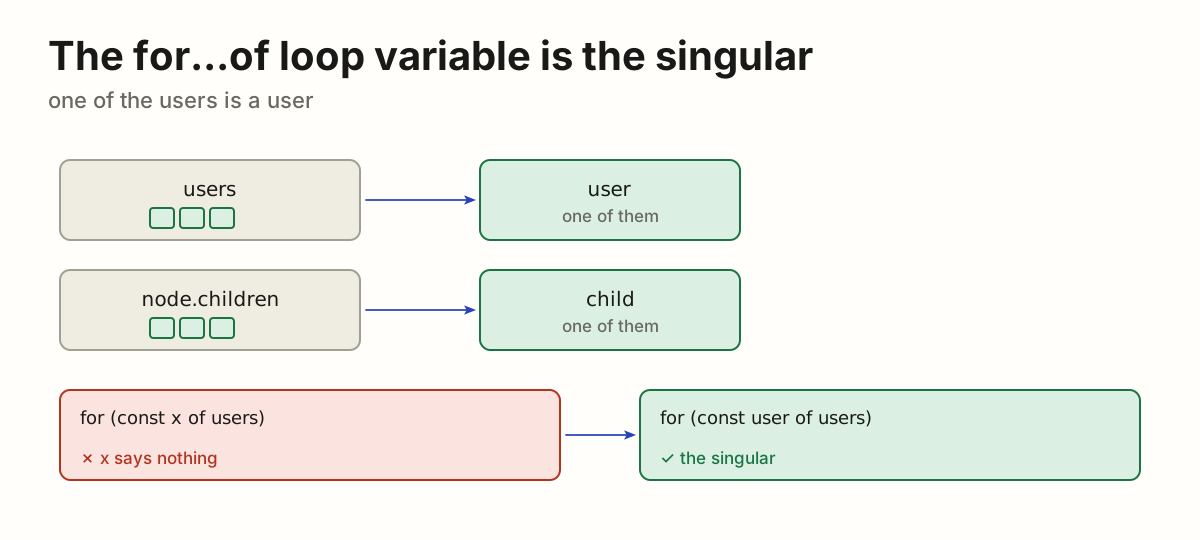
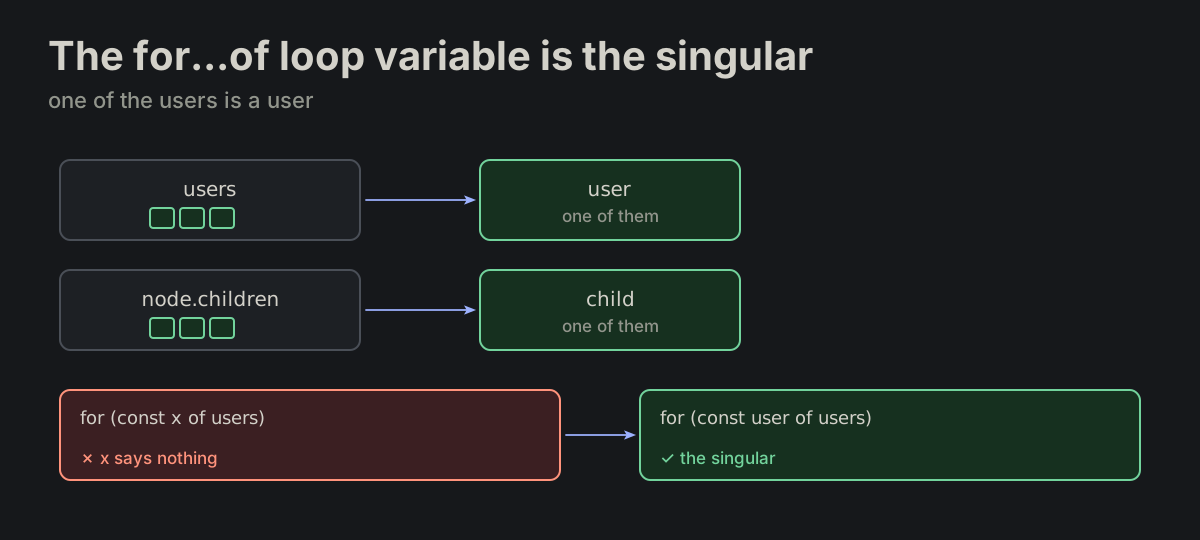
The for...of loop variable is the singular of the collection.

for_of.md
for (const user of users) { }
for (const child of node.children) { }
users gives user and node.children gives child; for (const x of users) rewritten as for (const user of users)users gives user and node.children gives child; for (const x of users) rewritten as for (const user of users)
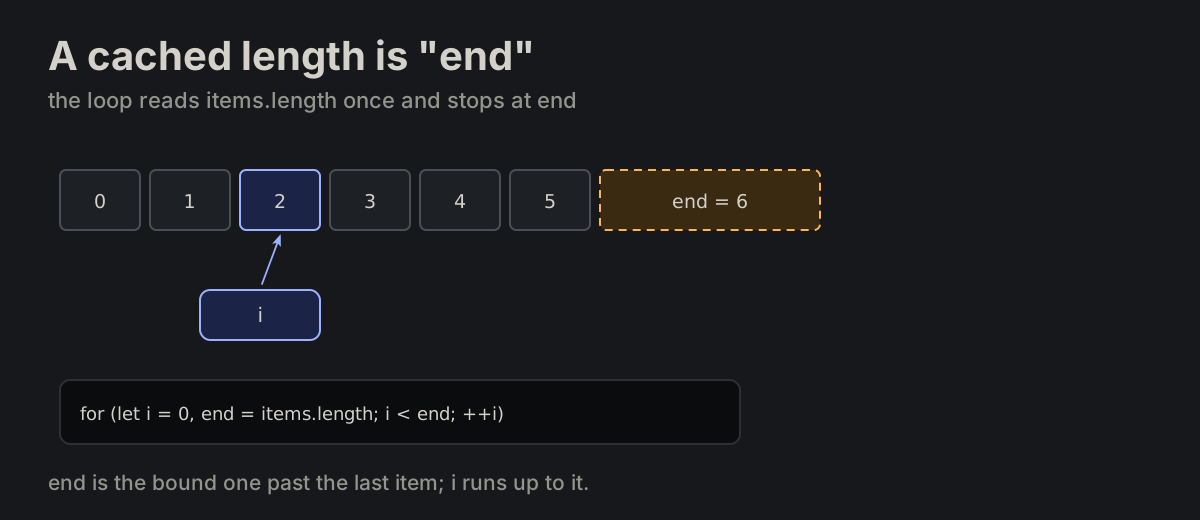
VAR-11

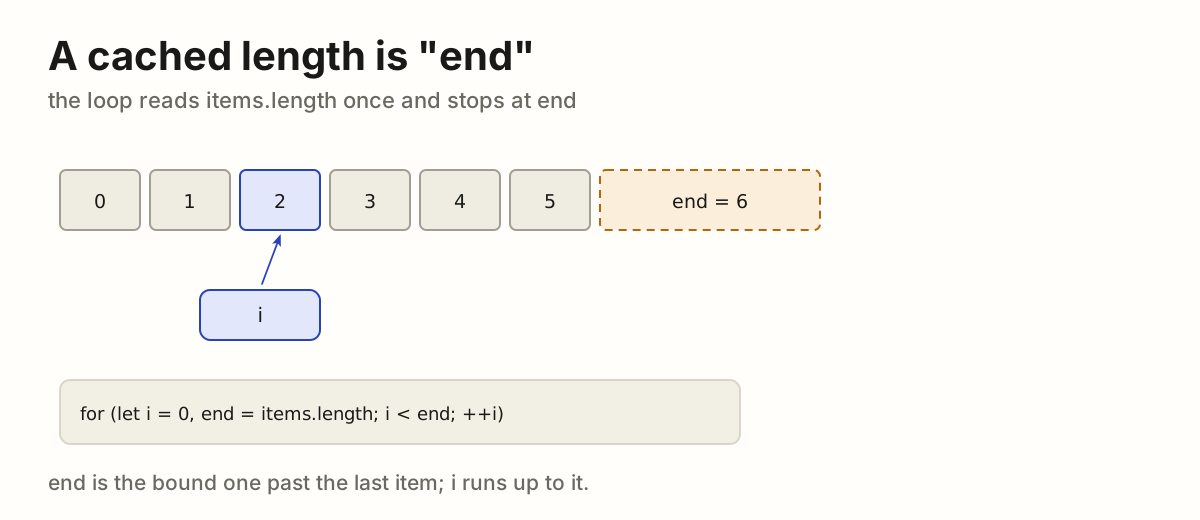
A cached length is "end". A cached array length in a single loop is named end.

for_i_end_ii_jj_kk.md
for (let i = 0, end = items.length; i < end; ++i) {
}
Six items, the index i and the cached bound end = 6, in for (let i = 0, end = items.length; i < end; ++i)Six items, the index i and the cached bound end = 6, in for (let i = 0, end = items.length; i < end; ++i)
VAR-12

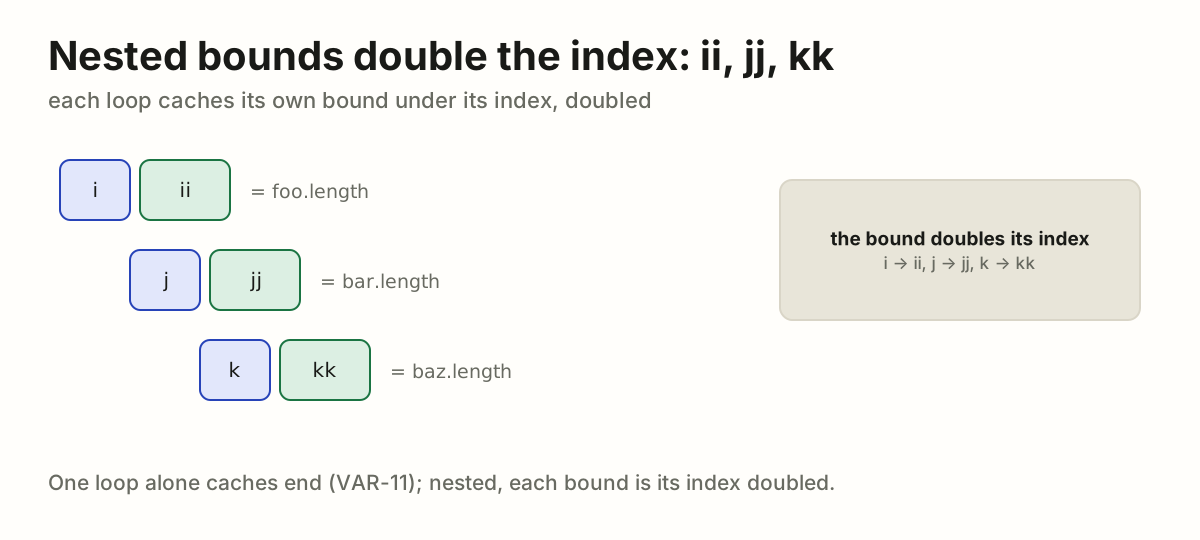
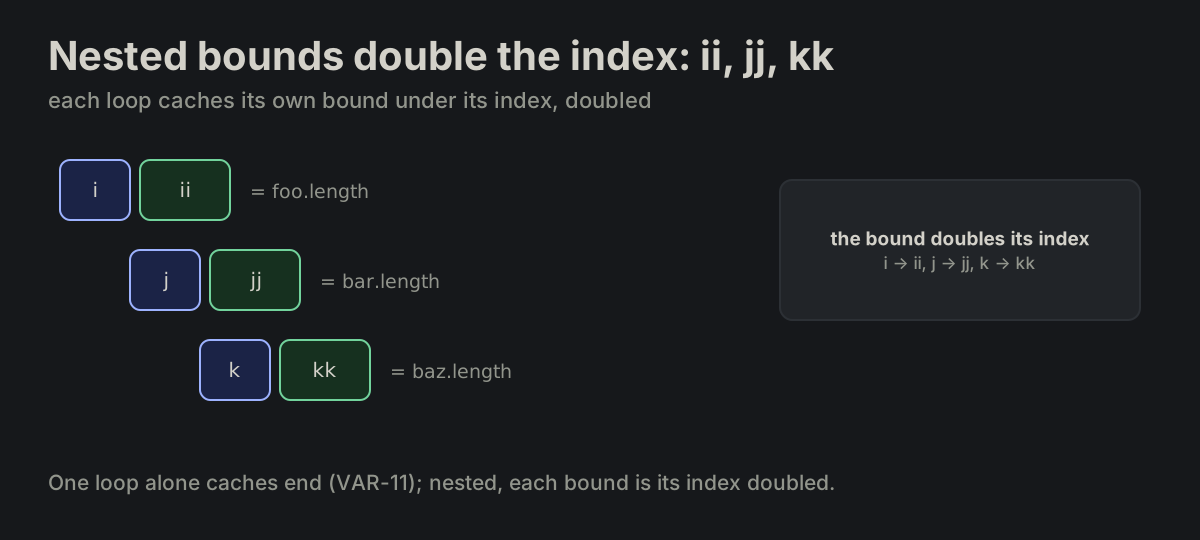
Nested bounds double the index: ii, jj, kk. In nested loops the cached bound is the doubled index name: i → ii, j → jj, k → kk.

for_i_end_ii_jj_kk.md
for (let i = 0, ii = foo.length; i < ii; ++i) {
    for (let j = 0, jj = bar.length; j < jj; ++j) {
        for (let k = 0, kk = baz.length; k < kk; ++k) {
        }
    }
}
Three nested loops: i with ii, j with jj, k with kk, each bound its index doubledThree nested loops: i with ii, j with jj, k with kk, each bound its index doubled
VAR-13

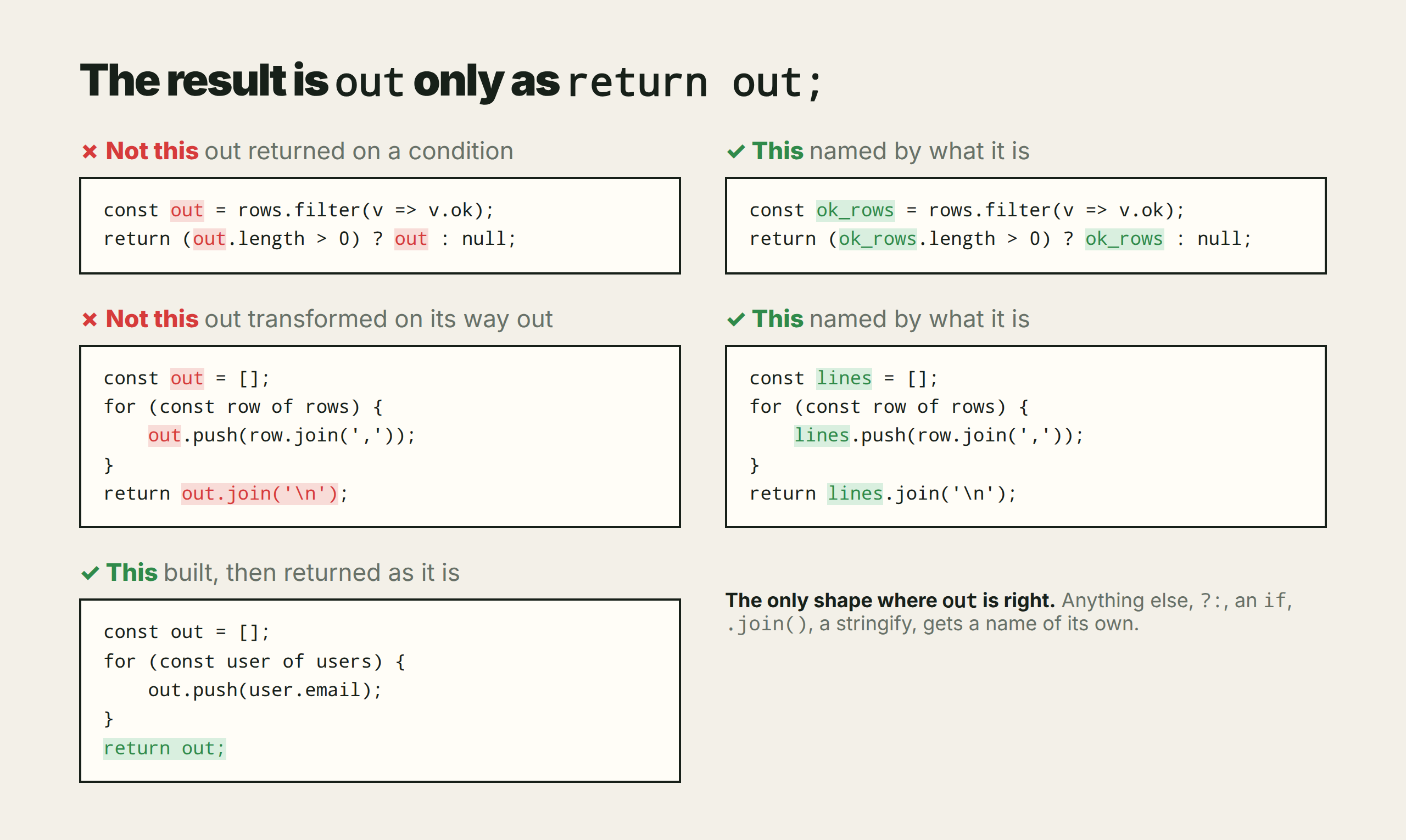
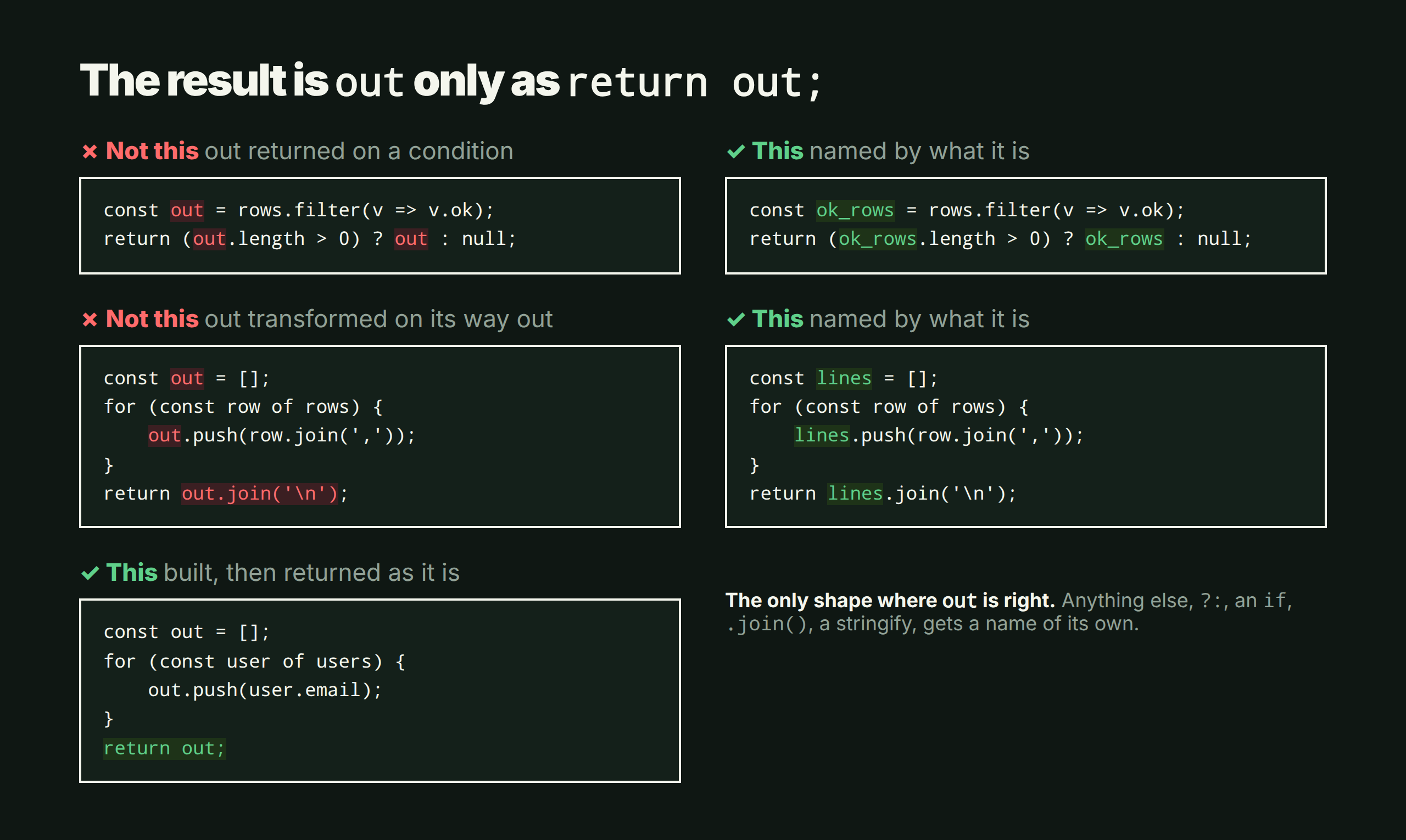
A transformed or conditional result is not "out". Only that variable is out. A value that is joined, stringified or otherwise transformed on its way out, or returned only on a condition (?:, if), is not out; it is named by what it is.

return_out.md
out returned on a condition and out joined on its way out, each beside the same code with a name of its own; below, the one right shape: built, then return out;out returned on a condition and out joined on its way out, each beside the same code with a name of its own; below, the one right shape: built, then return out;
VAR-14

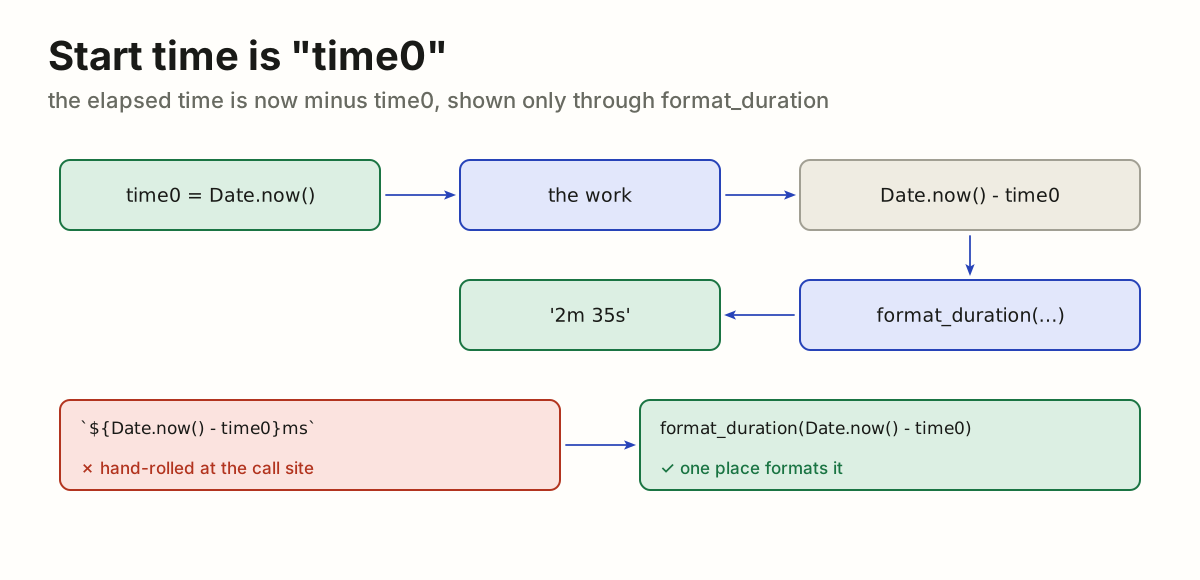
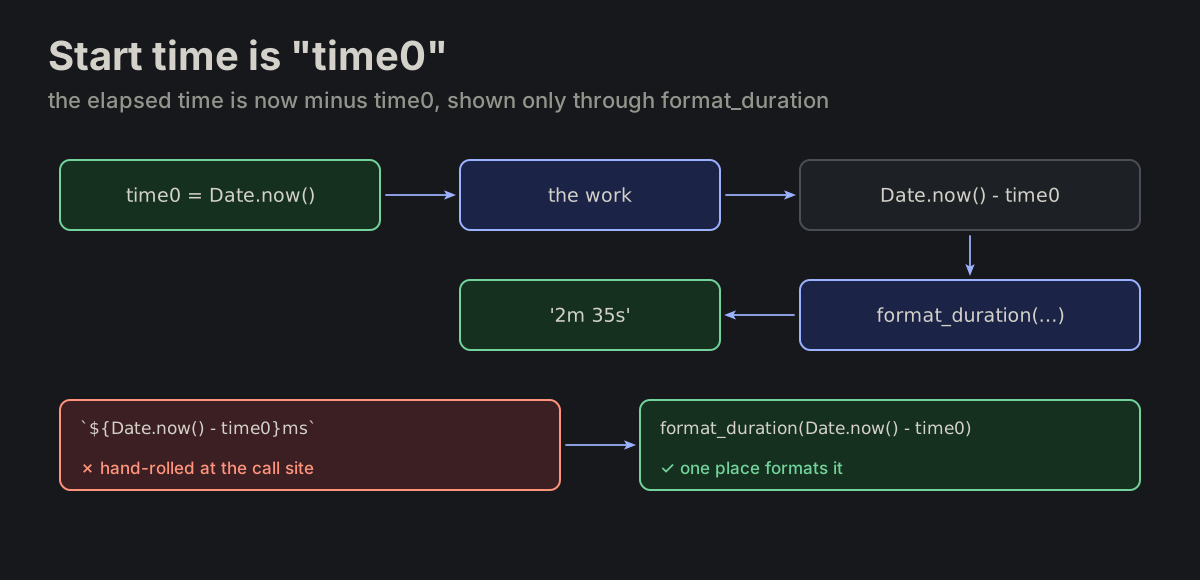
Start time is "time0". The variable holding the start time of a measurement is always named time0. The elapsed time is the current time minus time0: a number, shown to a person only through format_duration (FN-02), never as ${Date.now() - time0}ms at the call site.

var_names_time0.md
$time0 = microtime(true);
echo format_duration(microtime(true) - $time0);

const time0 = Date.now();
console.log(format_duration(Date.now() - time0));
time0, the work, Date.now() - time0, then format_duration gives 2m 35s; a hand-rolled ms string rewritten as format_durationtime0, the work, Date.now() - time0, then format_duration gives 2m 35s; a hand-rolled ms string rewritten as format_duration
VAR-15

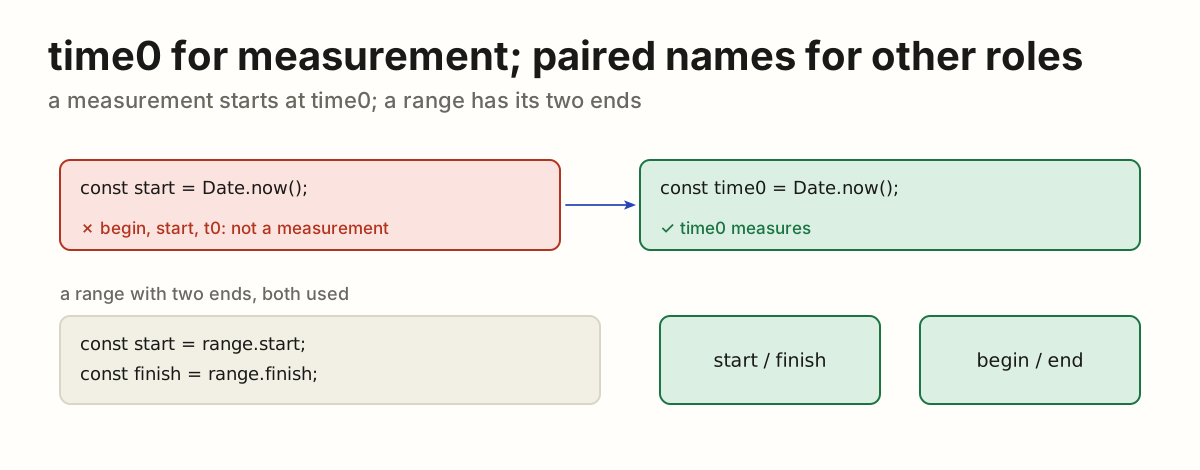
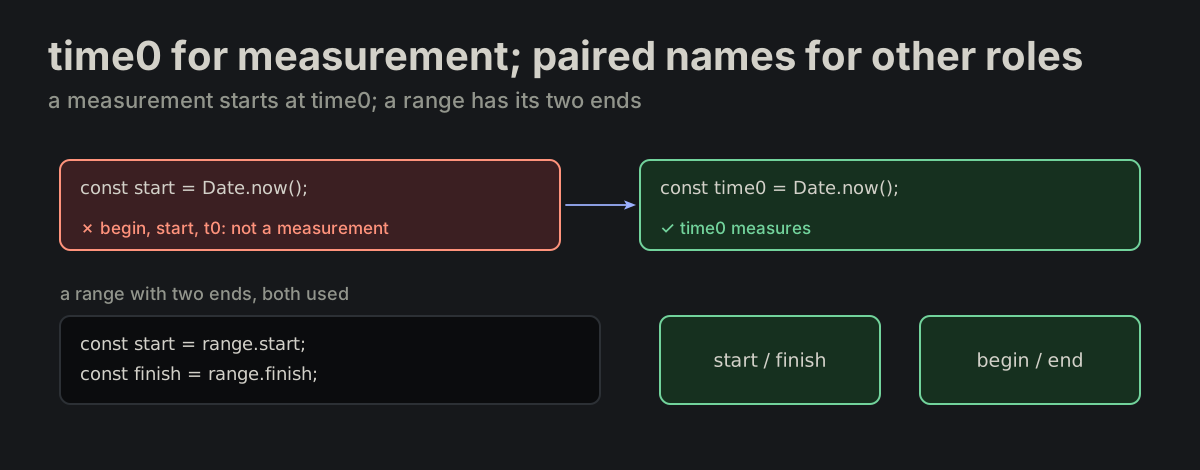
Use time0 for measurement; paired names for other roles. Do not name an elapsed-time start begin, start or t0. Outside that role, use start/finish or begin/end when the pair is actually used.

var_names_time0.md
const time0 = Date.now();  // elapsed-time measurement

const start = range.start;
const finish = range.finish;
A measurement start named start rewritten as time0; a range keeps start and finish or begin and endA measurement start named start rewritten as time0; a range keeps start and finish or begin and end
VAR-16

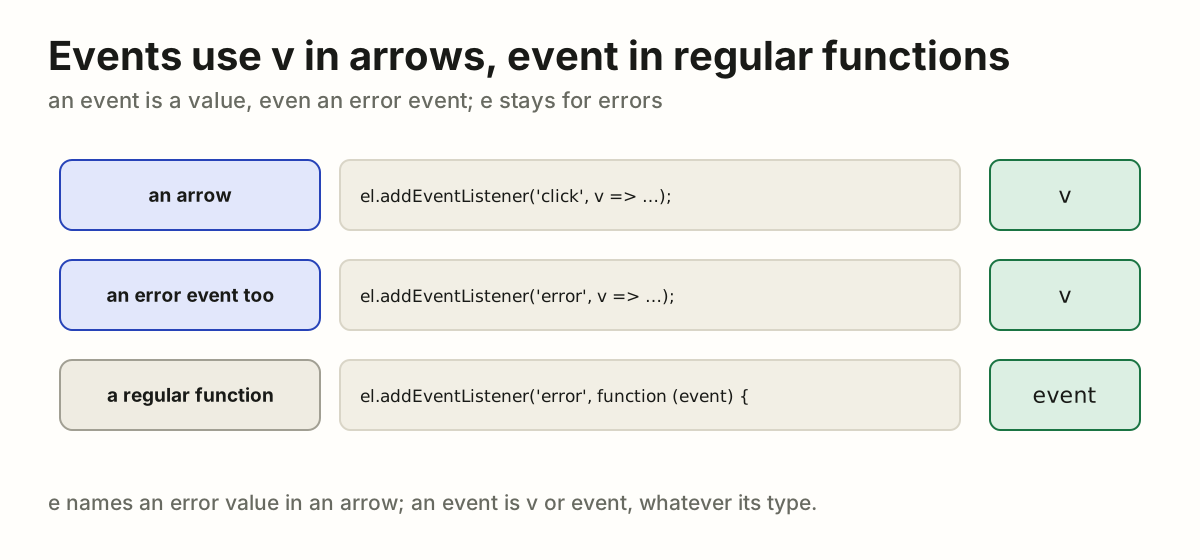
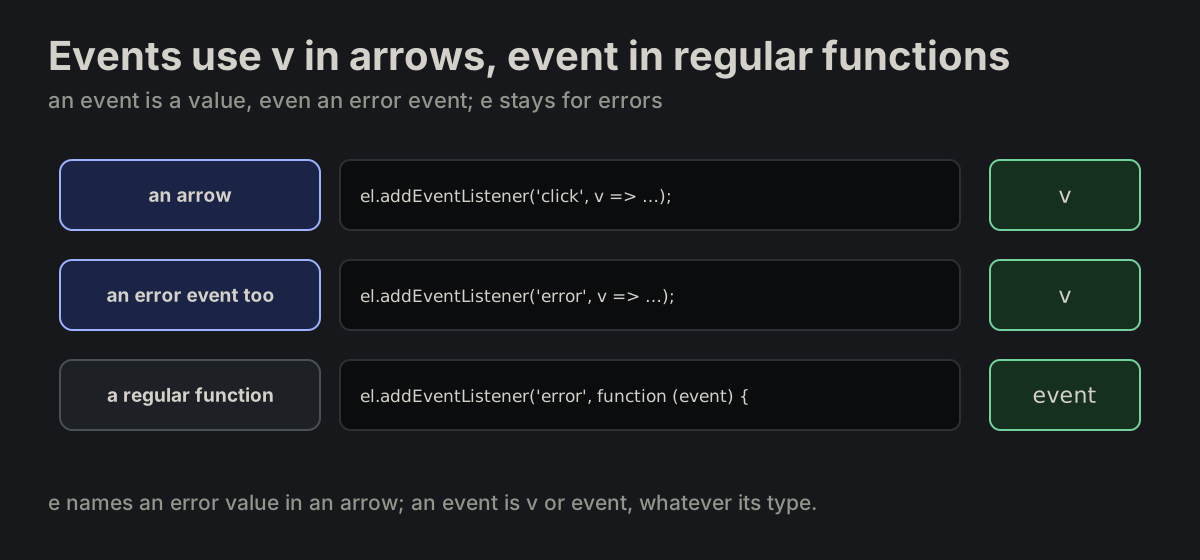
Events use v in arrows, event in regular functions. A DOM event is a value, including an event whose type is error. A one-parameter arrow uses v; a regular event handler uses event. Reserve e for error values in arrows.

var_names_event.md
el.addEventListener('click', v => v.stopPropagation());
el.addEventListener('error', v => report(v));

el.addEventListener('error', function (event) {
    report(event);
});
A click or error event is v in an arrow and event in a regular functionA click or error event is v in an arrow and event in a regular function
VAR-17

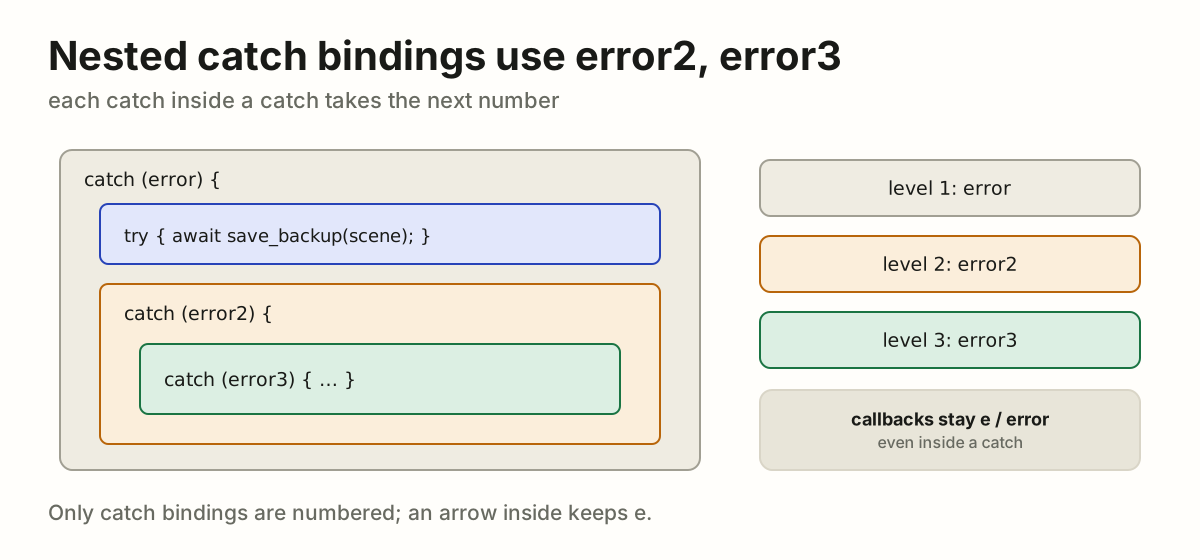
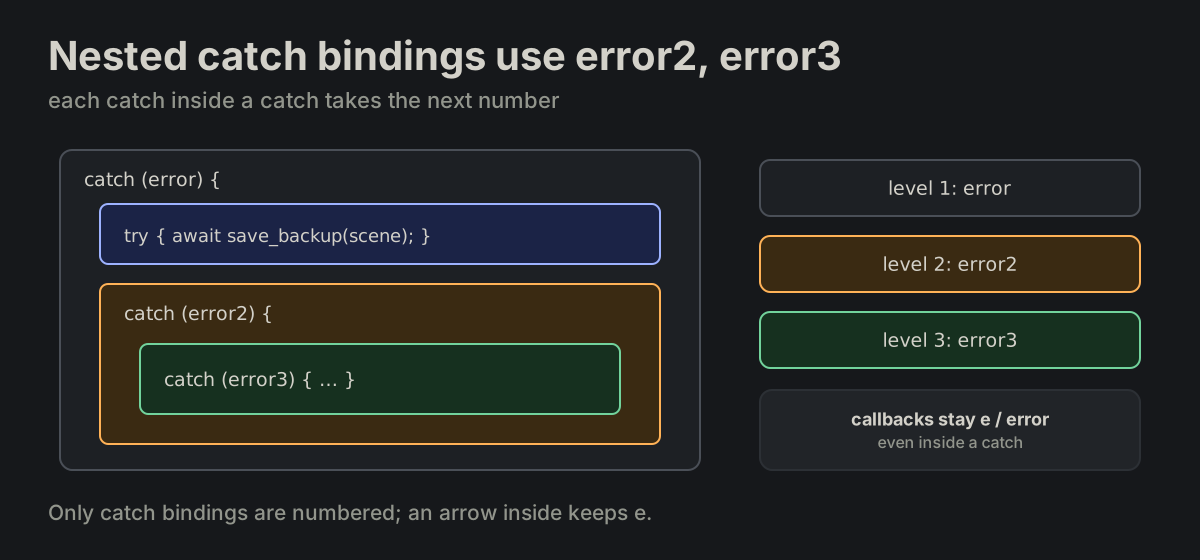
Nested catch bindings use error2, error3. A catch inside another catch names its binding error2, the next level error3. This applies only to catch bindings: callback parameters stay e in arrows and error in regular functions, even inside a catch.

var_names_event.md
catch (error) {
    try {
        await save_backup(scene);
    }
    catch (error2) {
    }
}
A catch inside a catch binds error2, the next error3; callbacks stay e or errorA catch inside a catch binds error2, the next error3; callbacks stay e or error
VAR-18

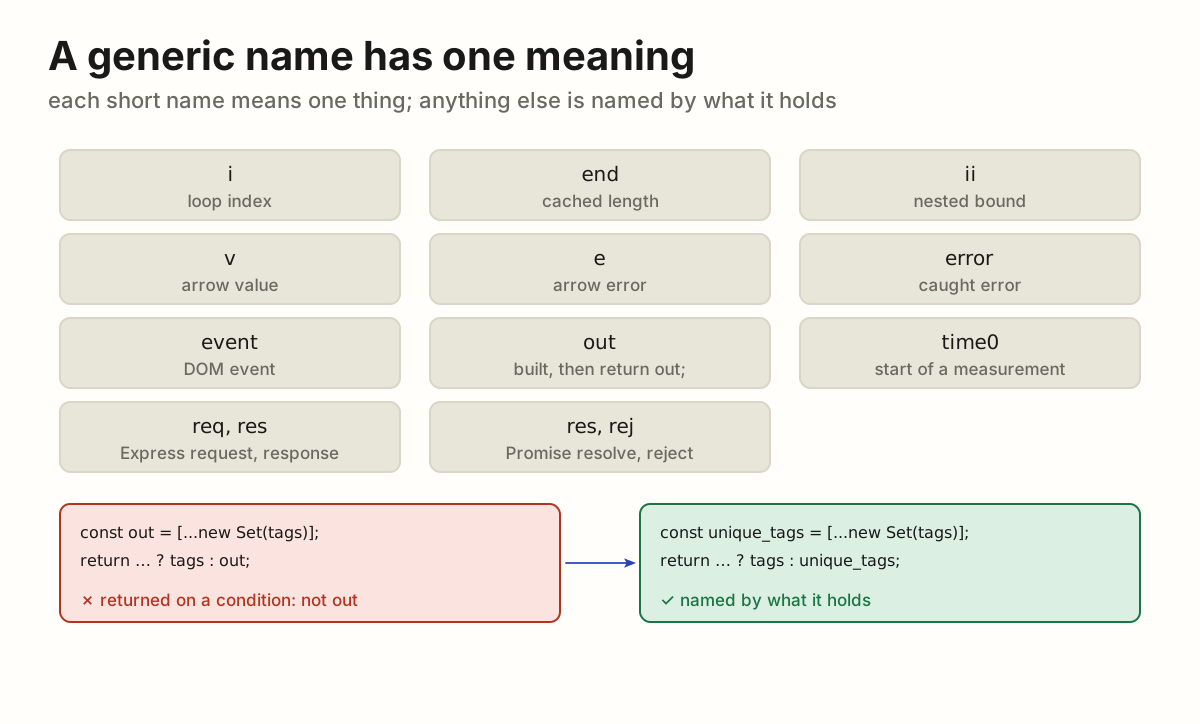
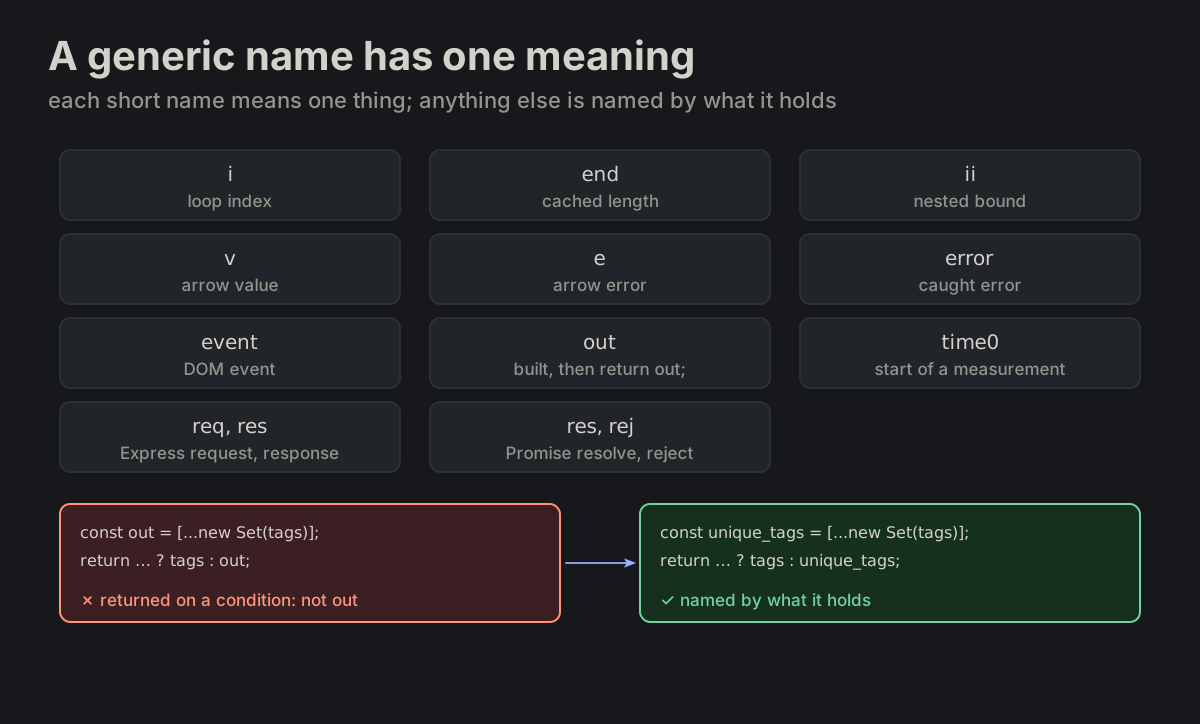
A generic name has one meaning. i, j, k, end, ii, v, e, error, event, out, time0, req, res and rej each have the meaning listed on one page, res one in each of its pairs, req/res and res/rej; anywhere else the variable is named by what it holds.

generic_names.md
const out = [...new Set(tags)];
return (out.length === tags.length) ? tags : out;   ✗ no

const unique_tags = [...new Set(tags)];
return (unique_tags.length === tags.length) ? tags : unique_tags;   ✓ yes
The generic names and their meanings, res in both its pairs; out returned on a condition rewritten as unique_tagsThe generic names and their meanings, res in both its pairs; out returned on a condition rewritten as unique_tags
VAR-19

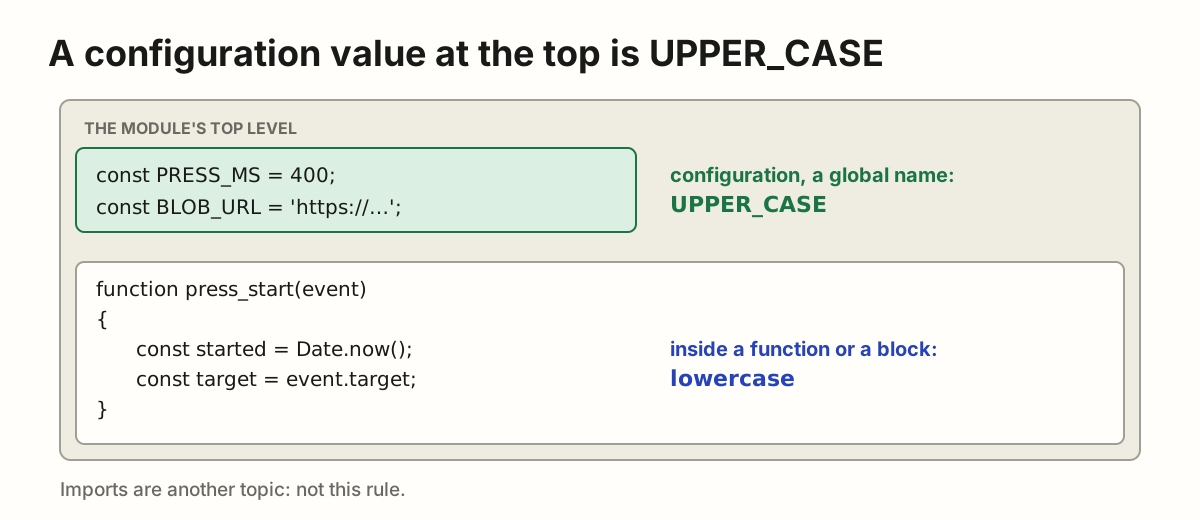
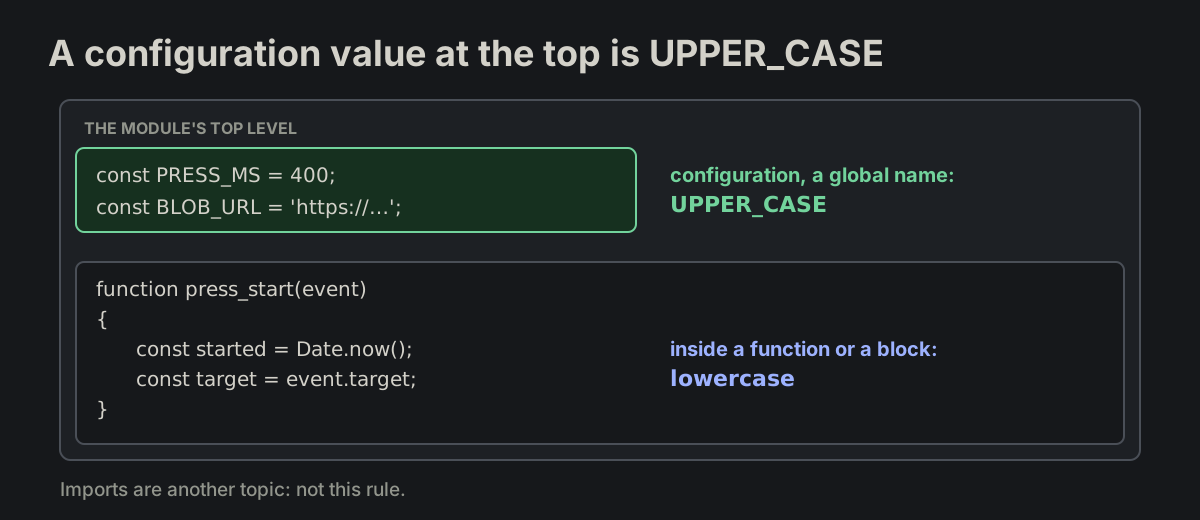
A configuration value at the top is UPPER_CASE. A constant the module keeps as configuration, a global name for a value set in the code, is written in upper case at the module's top level. A const inside a function or a block is lower case. Imports are not this rule.

MANUALLY_APPROVED_RULES.md
const PRESS_MS = 400;           // the module's top

function press_start(event)
{
    const started = Date.now();  // inside
}
PRESS_MS and BLOB_URL at the module's top in upper case; started and target inside a function in lower casePRESS_MS and BLOB_URL at the module's top in upper case; started and target inside a function in lower case

FNFunction contractsWhat a prefix promises the caller.

FN-01

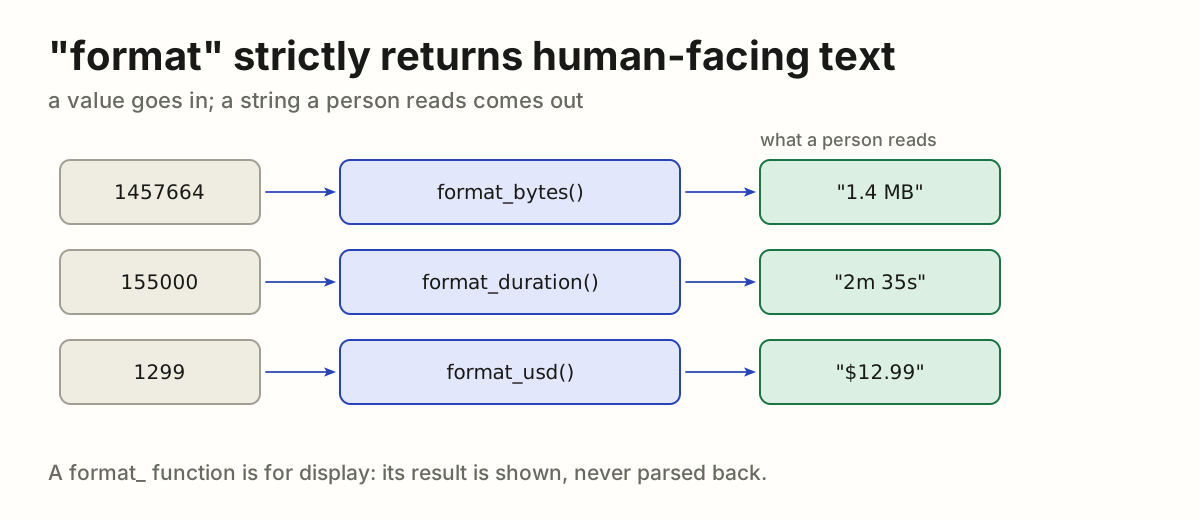
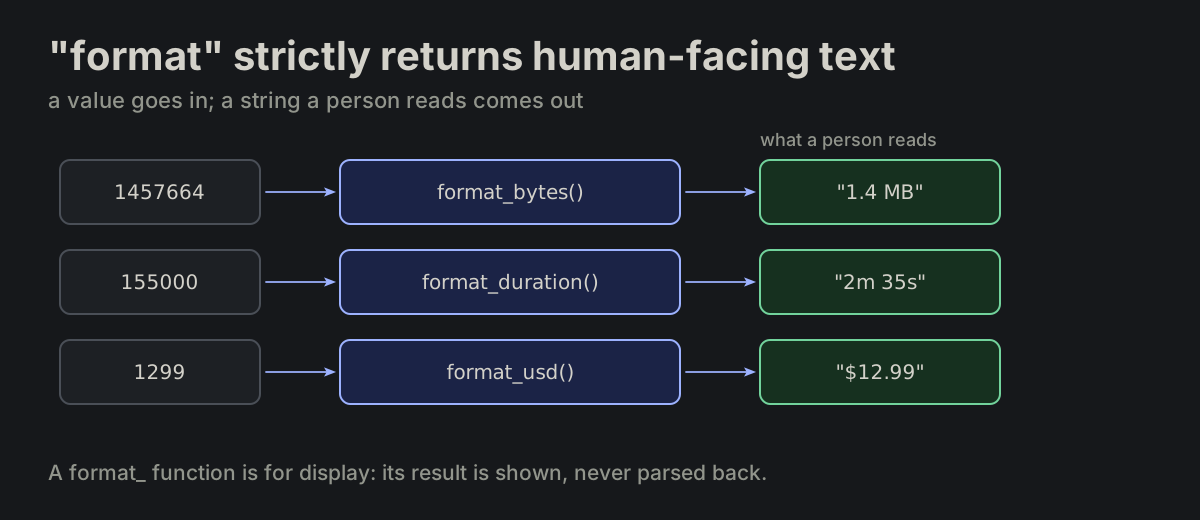
"format" strictly returns human-facing text. format_* returns a string to show to a person, including when the value comes from object state.

format_xxx.md
format_bytes(1457664)    // "1.4 MB"
format_duration(155000)  // "2m 35s"
format_usd(1299)         // "$12.99"
format_bytes, format_duration and format_usd turn values into the strings a person readsformat_bytes, format_duration and format_usd turn values into the strings a person reads
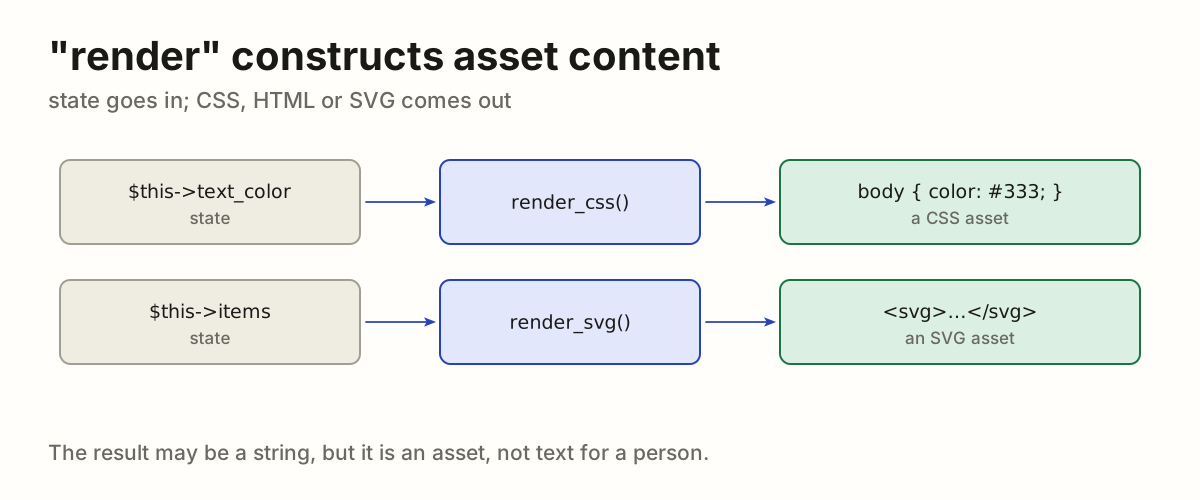
FN-05

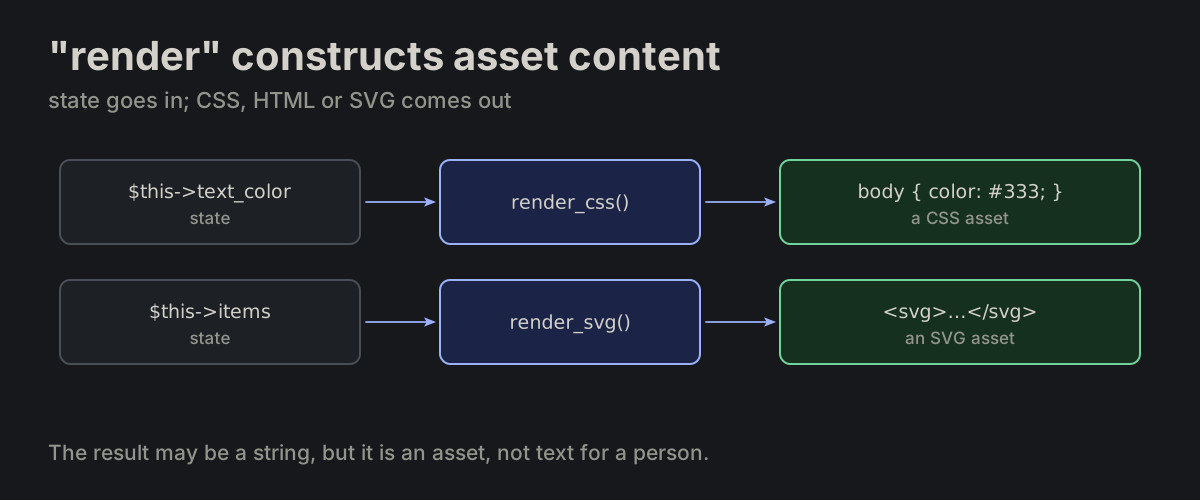
"render" constructs asset content. render_* constructs content such as CSS, HTML or SVG from state. The result can be a string; its purpose is an asset rather than a human-facing formatted value.

render_xxx.md
public function render_css(): string
{
    return "body { color: {$this->text_color}; }";
}
render_css and render_svg turn state into CSS and SVG assetsrender_css and render_svg turn state into CSS and SVG assets
FN-02

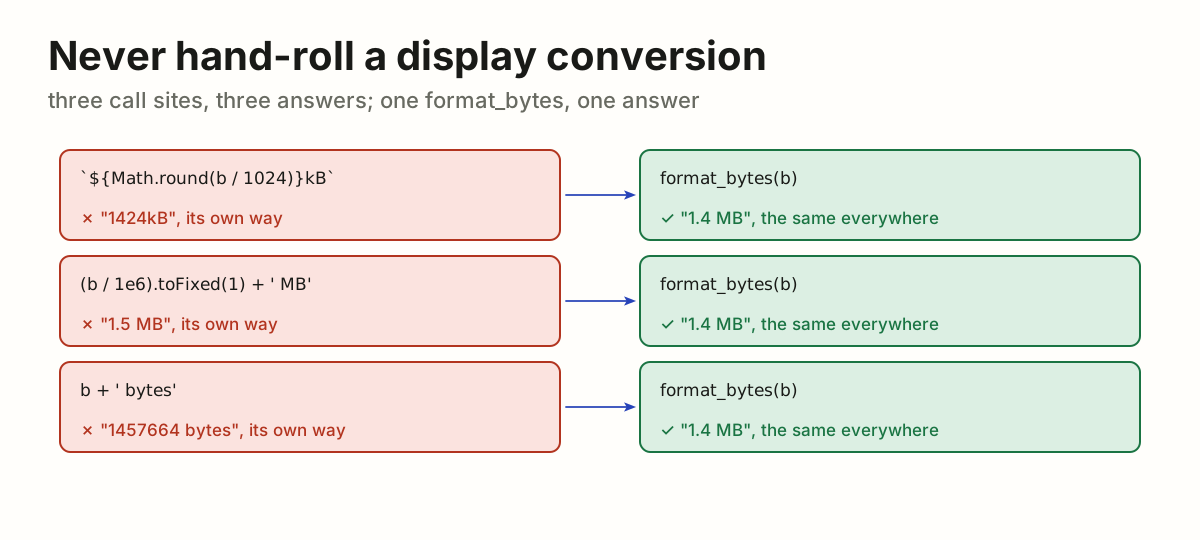
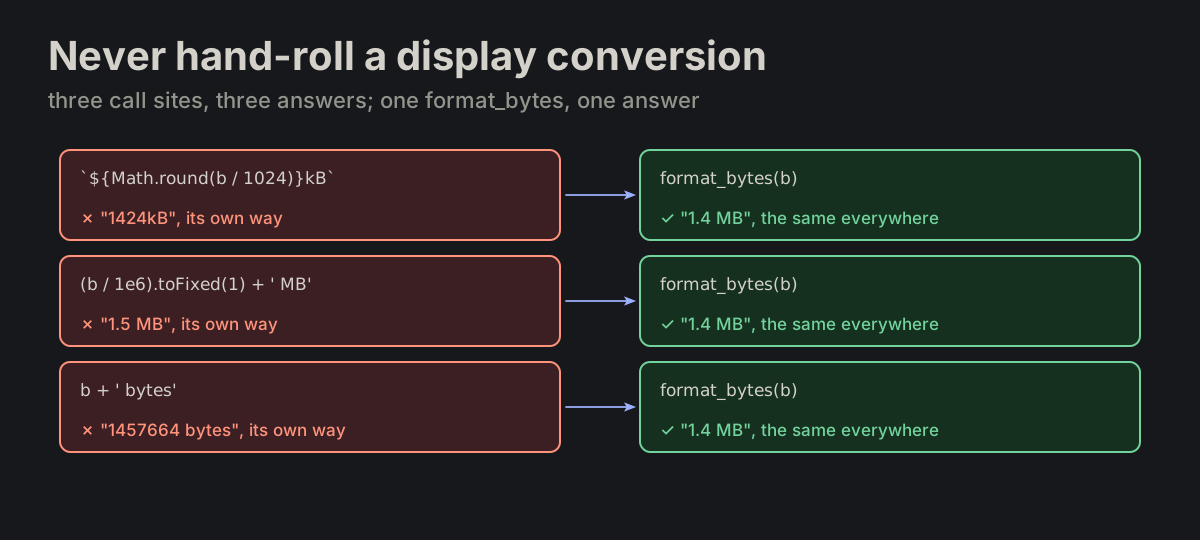
Never hand-roll a display conversion. A display conversion is never hand-rolled at a call site — an inline one is a missed format_*.

format_xxx.md
${Math.round(bytes / 1024)}kB   ✗ missed call
format_bytes(bytes)             ✓ right
Three hand-rolled byte conversions giving three answers, each rewritten as format_bytes(b) giving 1.4 MBThree hand-rolled byte conversions giving three answers, each rewritten as format_bytes(b) giving 1.4 MB
FN-03

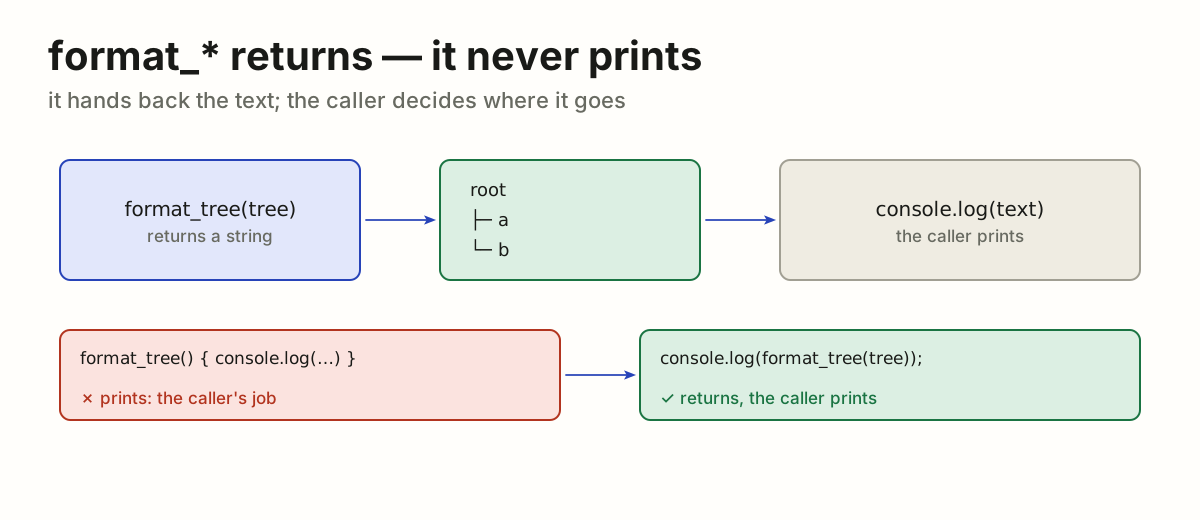
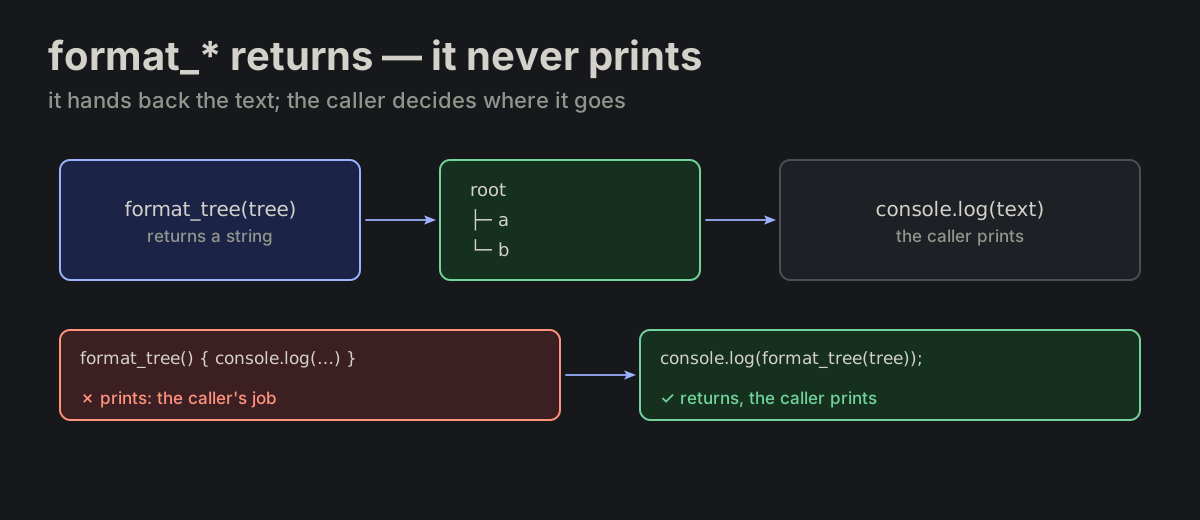
format_* returns — it never prints. Output is the caller’s job.

format_xxx.md
console.log(format_tree(tree));
format_tree returns the text and the caller prints it; a format_tree that prints rewritten as console.log(format_tree(tree))format_tree returns the text and the caller prints it; a format_tree that prints rewritten as console.log(format_tree(tree))
FN-04

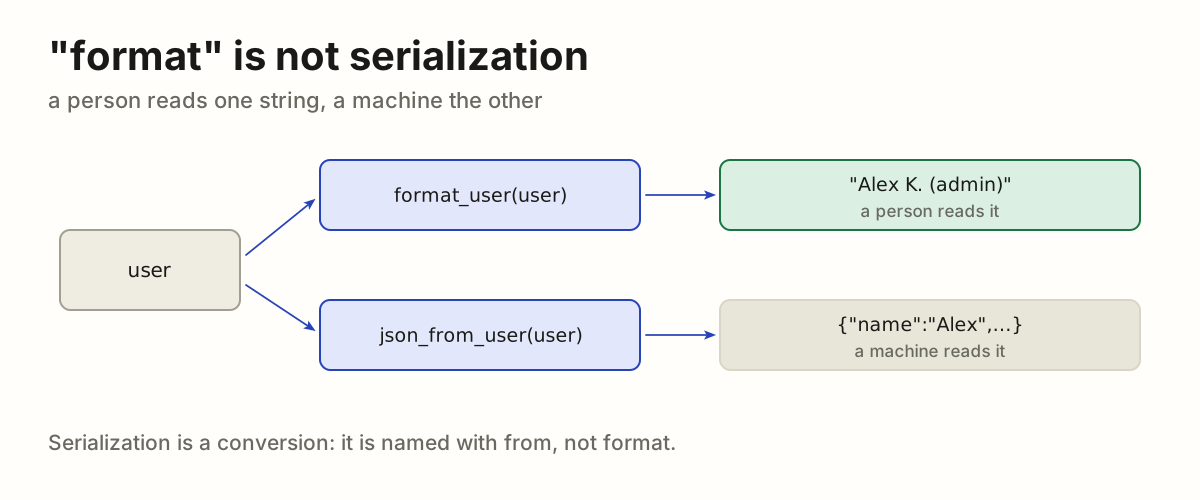
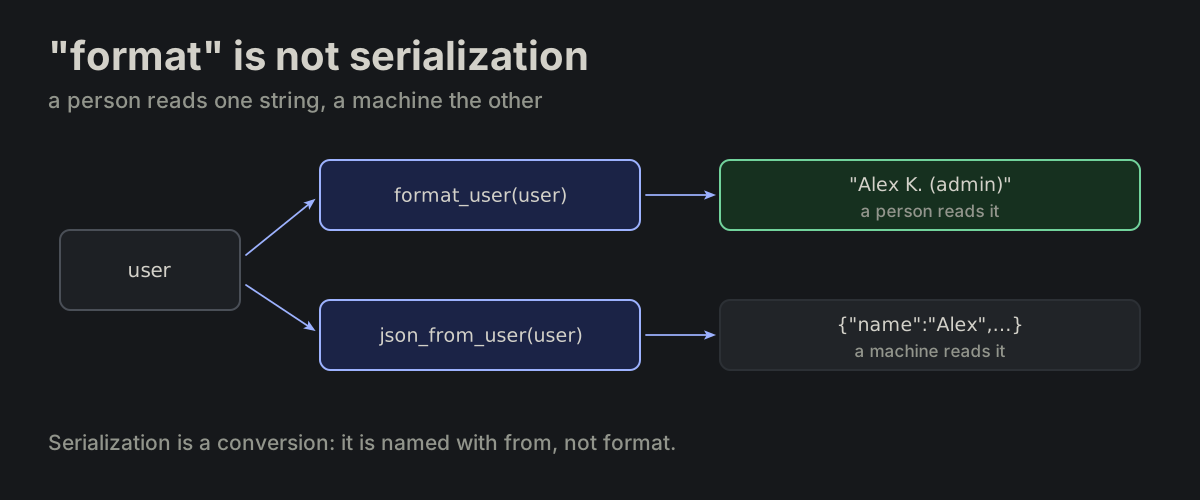
"format" is not serialization. format_* is not for machine formats. Serialization is conversion, not display.

format_xxx.md
format_user(user)     // "Alex K. (admin)" — humans
json_from_user(user)  // machines
format_user gives the text a person reads; json_from_user gives the JSON a machine readsformat_user gives the text a person reads; json_from_user gives the JSON a machine reads
FN-06

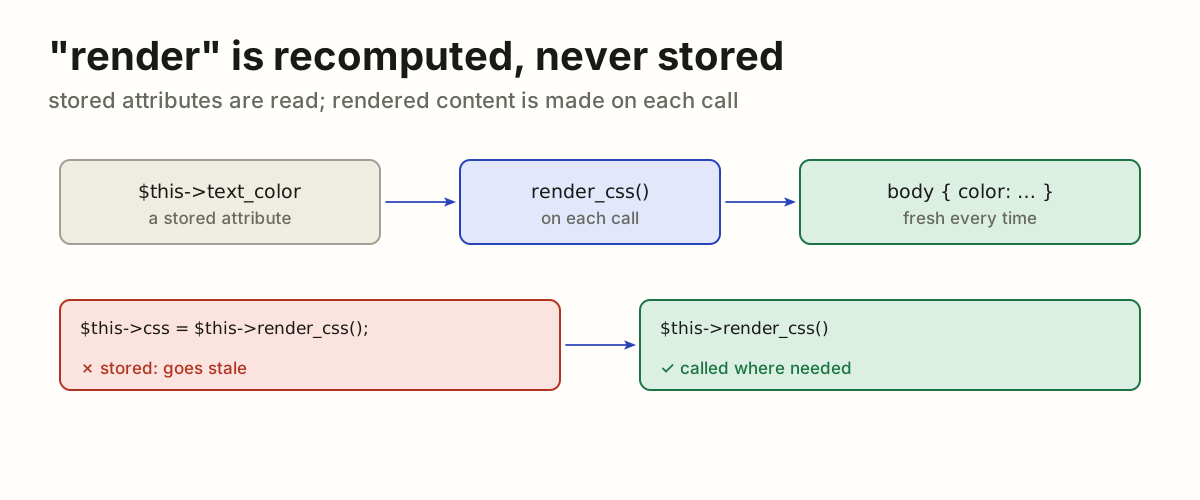
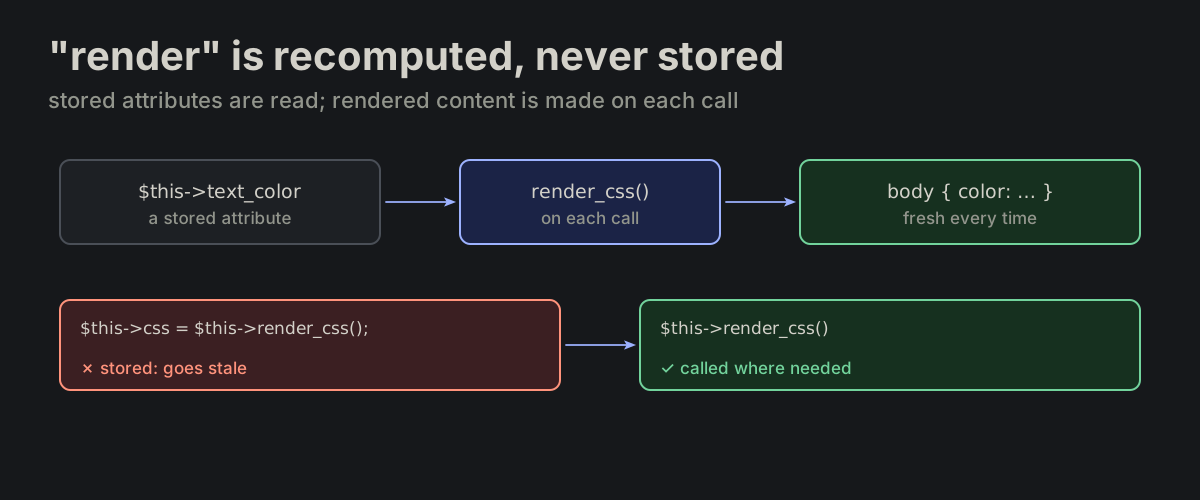
"render" is recomputed, never stored. The prefix separates constructed content from stored attributes. render_* is recomputed per call — never cached, never stored.

render_xxx.md
$this->text_color     // stored attribute
$this->render_css()   // constructed content
A stored attribute is read; render_css is made on each call; storing its result rewritten as calling it where neededA stored attribute is read; render_css is made on each call; storing its result rewritten as calling it where needed
FN-07

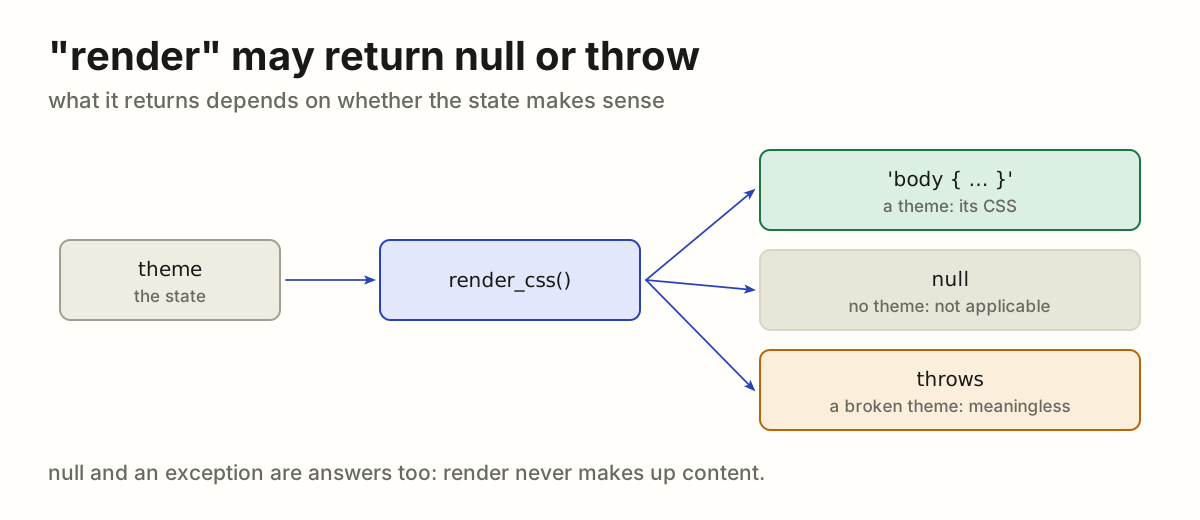
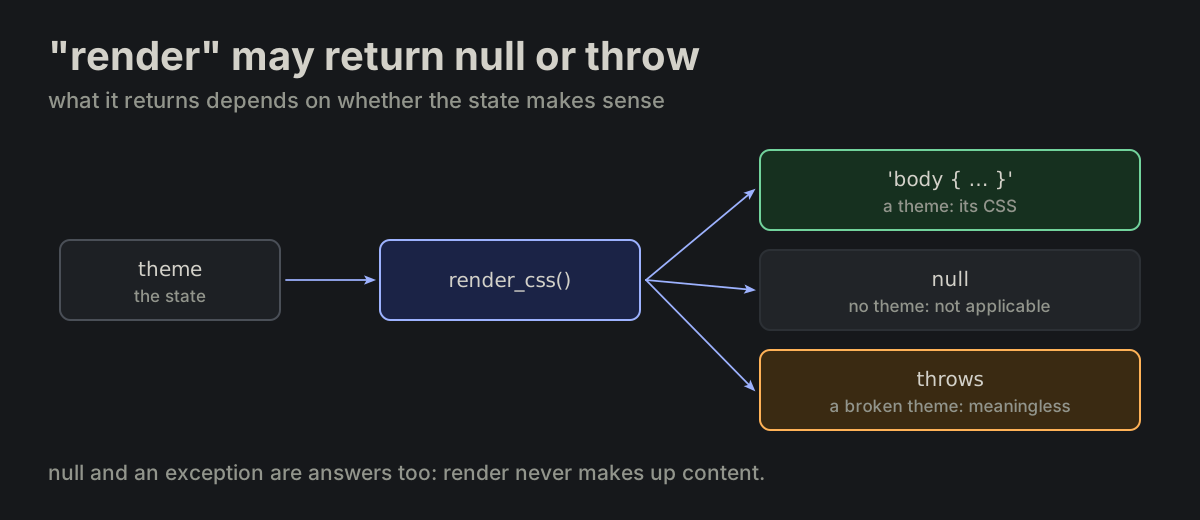
"render" may return null or throw. render_* may return null when not applicable, and may throw when the state makes the value meaningless.

render_xxx.md
if (!$this->theme) {
    return null;
}
render_css returns CSS for a theme, null with no theme, and throws for a broken onerender_css returns CSS for a theme, null with no theme, and throws for a broken one
FN-08

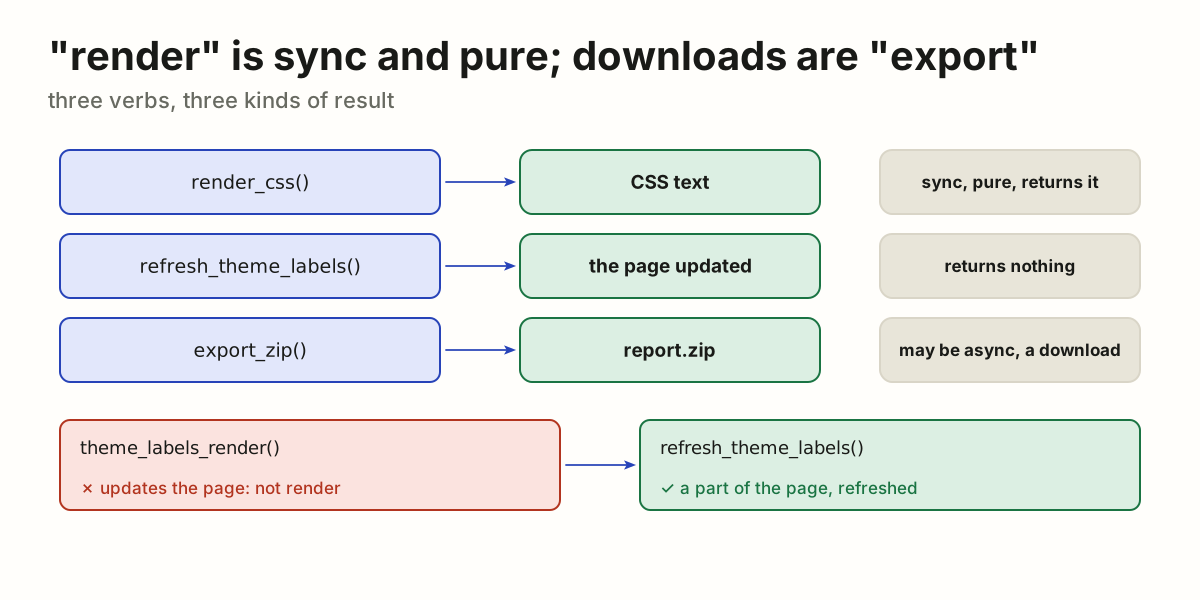
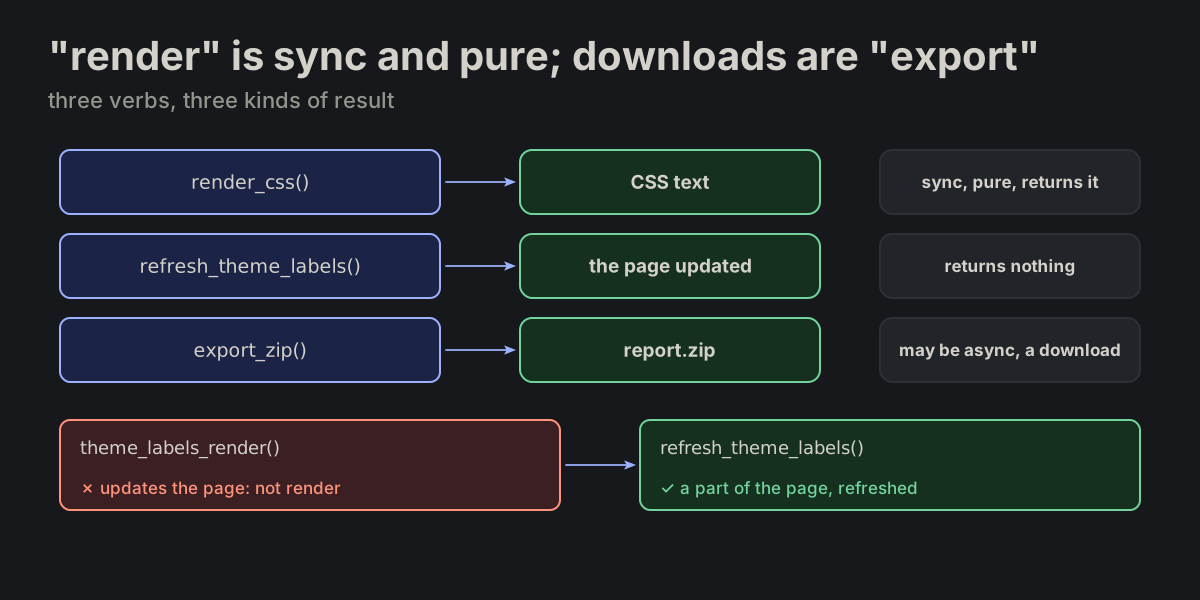
"render" is sync and pure; downloads are "export". render_* constructs content without DOM updates, file writes or downloads, and always returns its result. A function that brings a part of the page up to date returns nothing and is refresh_<what> (FN-10), never <what>_render. A downloadable artifact — zip, csv or xlsx — is export_*, which may be async and side-effectful.

render_xxx.md
$theme->render_css()    // construct CSS content
refresh_theme_labels()  // bring a part of the page up to date
export_zip()            // produce a downloadable artifact
render_css returns CSS, refresh_theme_labels updates the page, export_zip makes a download; theme_labels_render rewritten as refresh_theme_labelsrender_css returns CSS, refresh_theme_labels updates the page, export_zip makes a download; theme_labels_render rewritten as refresh_theme_labels
FN-09

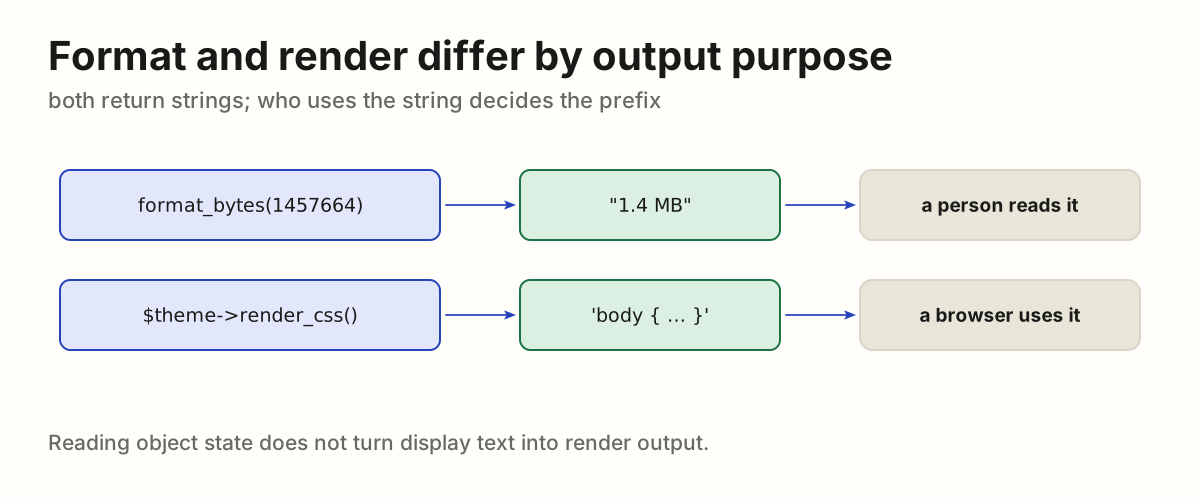
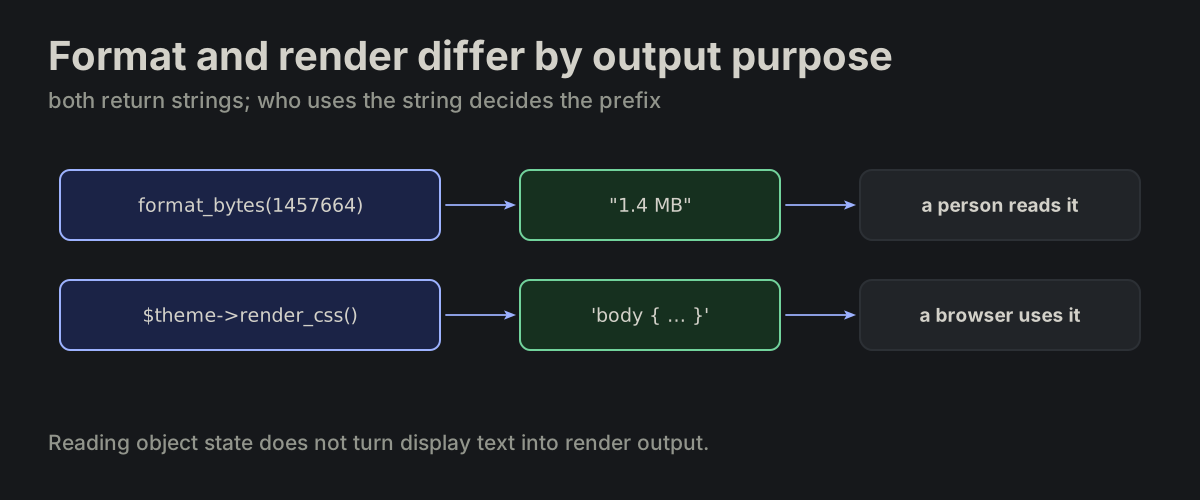
Format and render differ by output purpose. format_* returns a string a person reads; render_* constructs asset content. Both may return strings; reading object state does not turn display text into render output.

format_xxx.md
format_bytes(1457664)   // "1.4 MB", human-facing text
$theme->render_css()   // CSS asset content
format_bytes returns text a person reads; render_css returns CSS a browser usesformat_bytes returns text a person reads; render_css returns CSS a browser uses
FN-10

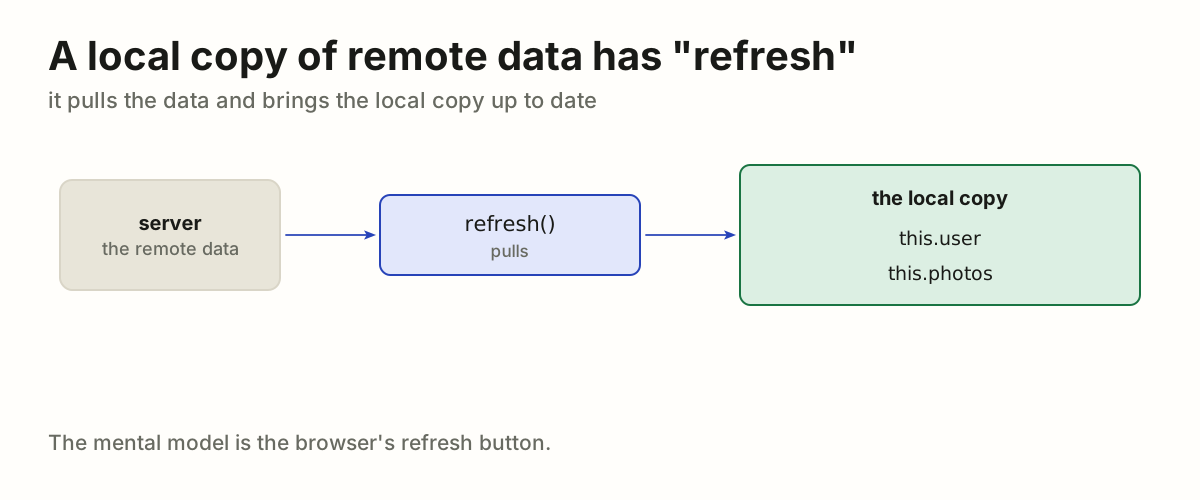
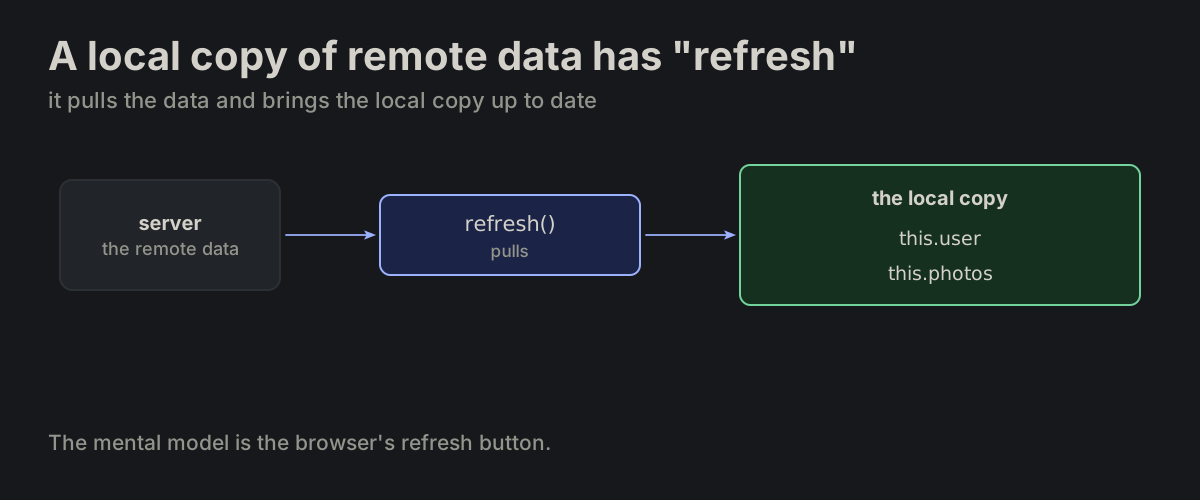
A local copy of remote data has "refresh". Anything that holds a local copy of remote data has refresh() — it pulls the data and brings the local vars up to date. Mental model: the browser refresh button.

refresh.md
refresh: async function () {
    await Promise.all([
        this.refresh_user(),
        this.refresh_photos(),
    ]);
},
refresh pulls the remote data into the local copy, this.user and this.photosrefresh pulls the remote data into the local copy, this.user and this.photos
FN-11

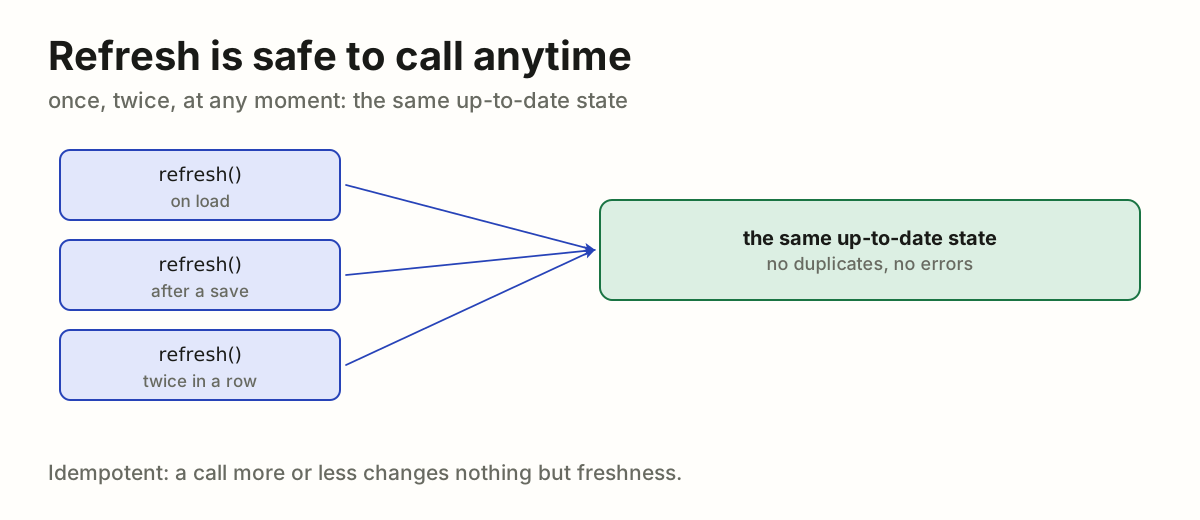
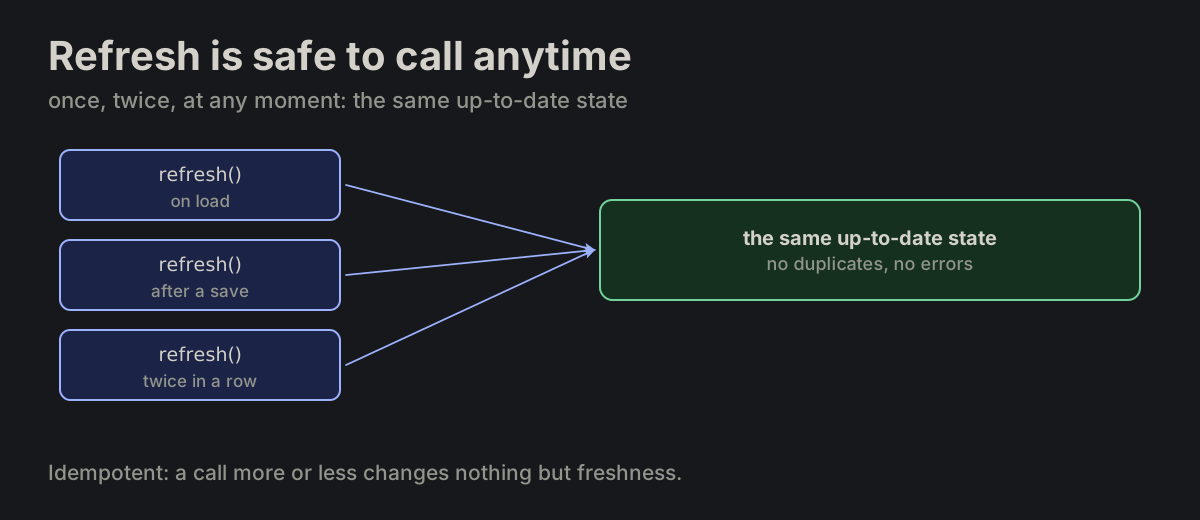
Refresh is safe to call anytime. refresh() is idempotent — safe to call at any moment, any number of times.

refresh.md
refresh called on load, after a save and twice in a row reaches the same up-to-date staterefresh called on load, after a save and twice in a row reaches the same up-to-date state
FN-12

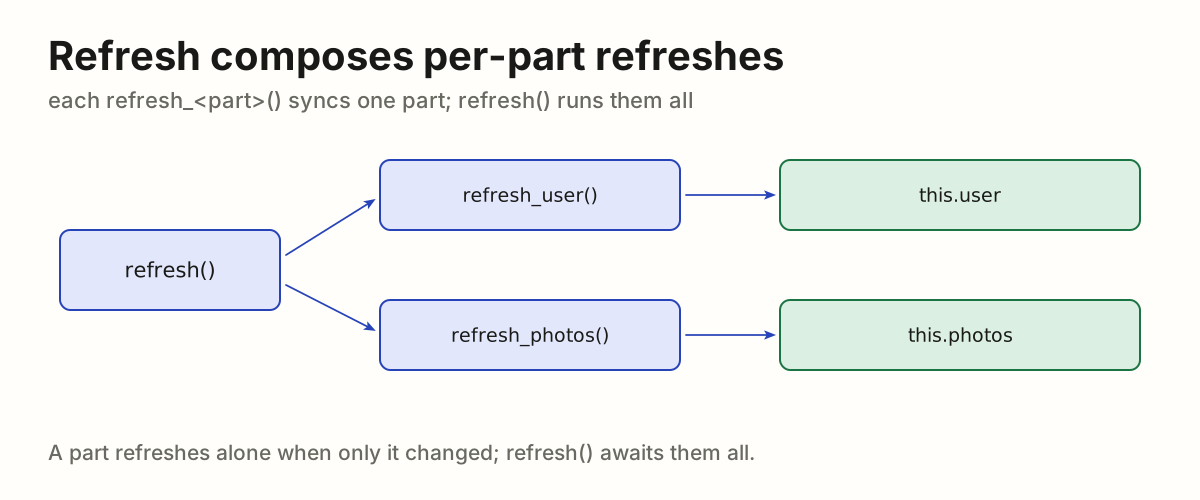
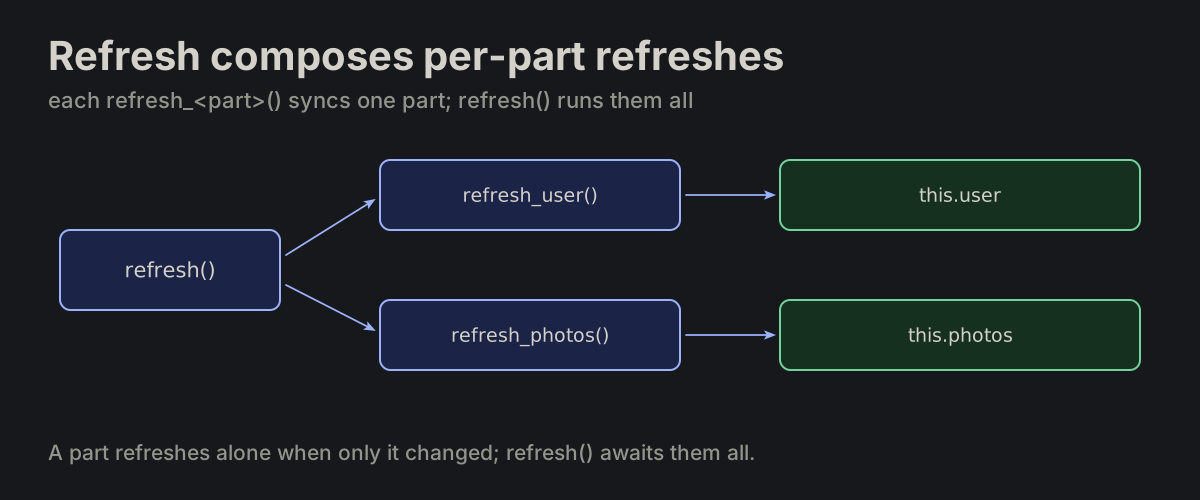
Refresh composes per-part refreshes. A fine-grained refresh_<part>() syncs one part of the state; refresh() composes them.

refresh.md
refresh_user: async function () {
    this.user = await fetch_user();
},
refresh runs refresh_user and refresh_photos, each filling its own partrefresh runs refresh_user and refresh_photos, each filling its own part
FN-13

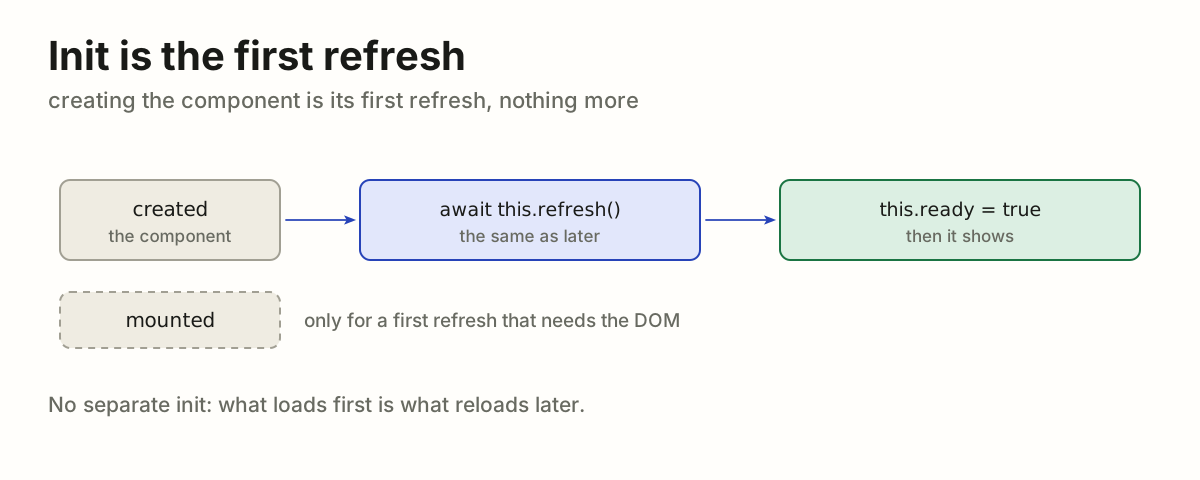
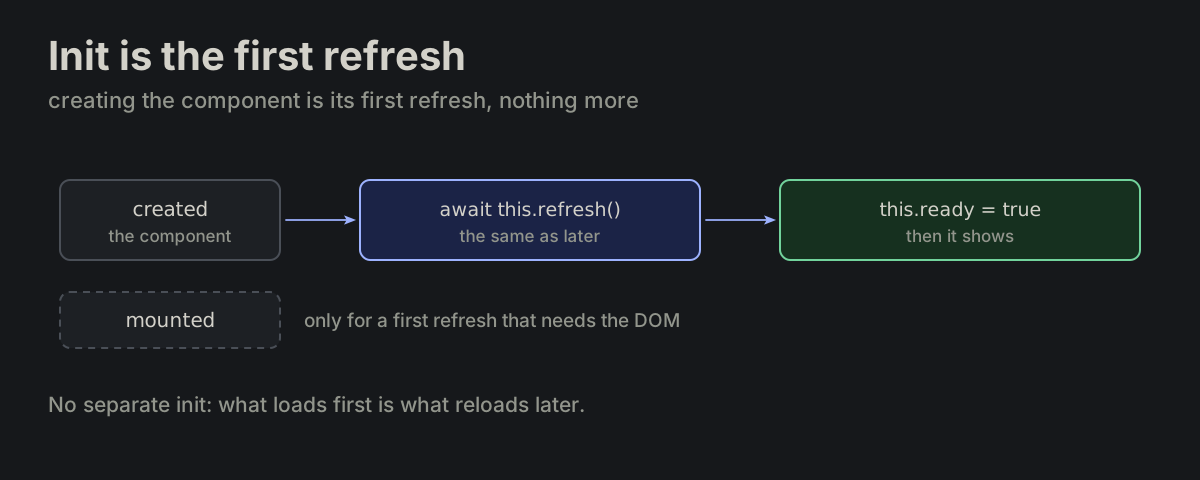
Init is the first refresh. With no other condition it stands in created: the component awaits refresh(), everything that loads from the backend, and only then sets ready. mounted is for an extra condition: a first refresh that needs the DOM.

refresh.md
created: async function () {
    await this.refresh();
    this.ready = true;
},
created awaits this.refresh(), then sets this.ready = true; mounted stands aside, only for a first refresh that needs the DOMcreated awaits this.refresh(), then sets this.ready = true; mounted stands aside, only for a first refresh that needs the DOM
FN-14

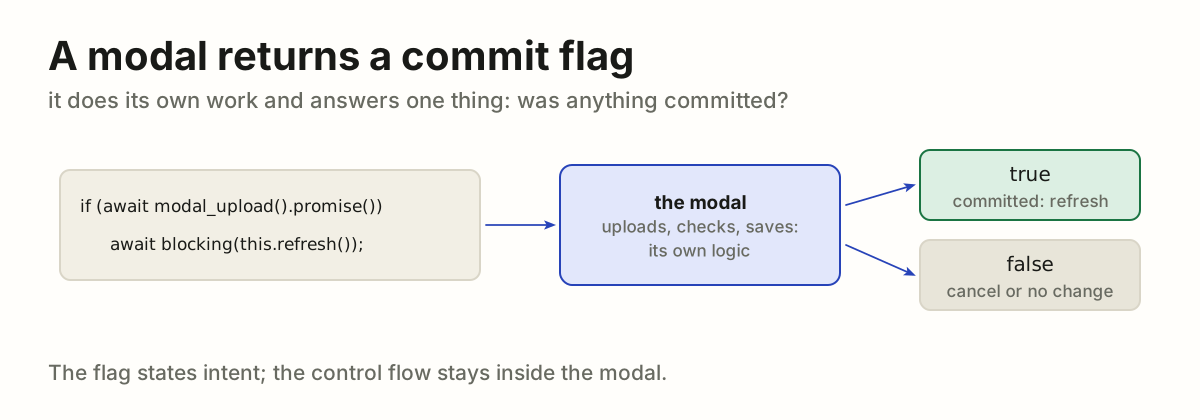
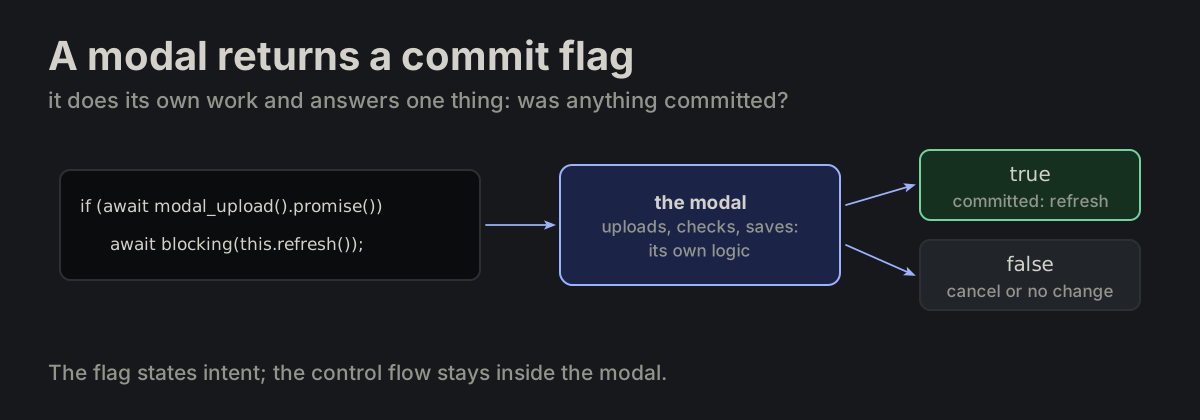
A modal returns a commit flag. An interaction — modal, popover — executes its own logic and returns a boolean commit flag. It expresses intent; it does not expose control flow. These are the best practices for vue-modal: modal.return(true) inside, await modal_x().promise() at the call site.

interactions-should-return-only-boolean-flag.md
// true  → changes were committed
// false → no-op (cancel, or no changes)
if (await modal_upload().promise()) {
    await blocking(this.refresh());
}
The caller awaits modal_upload; the modal does its own work and returns true, committed, or false, nothing to doThe caller awaits modal_upload; the modal does its own work and returns true, committed, or false, nothing to do
FN-15

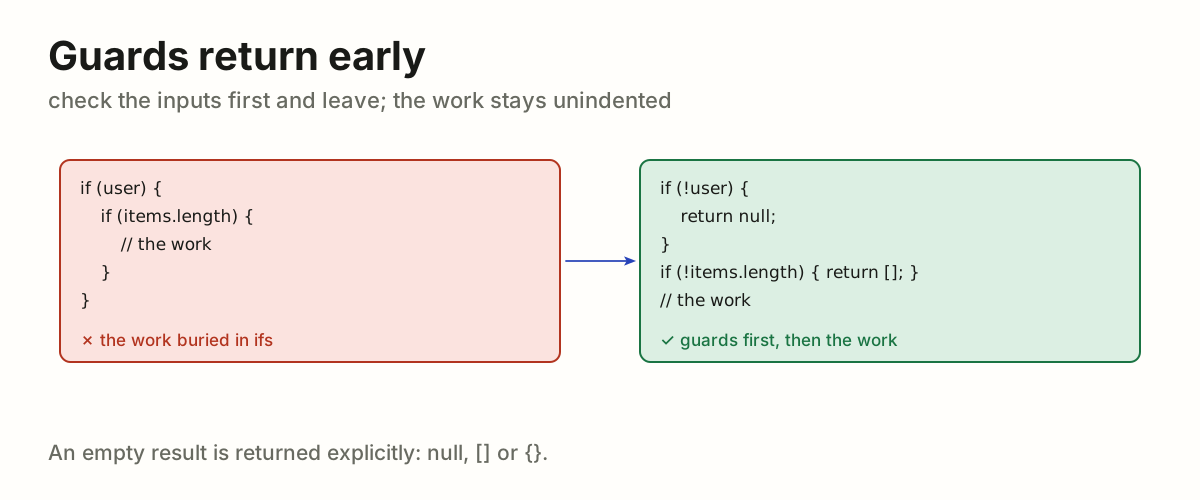
Guards return early. Validate inputs immediately and return null or empty values explicitly.

FORMATTING.md
The work buried in nested ifs rewritten as guards that return null and () firstThe work buried in nested ifs rewritten as guards that return null and () first
FN-16

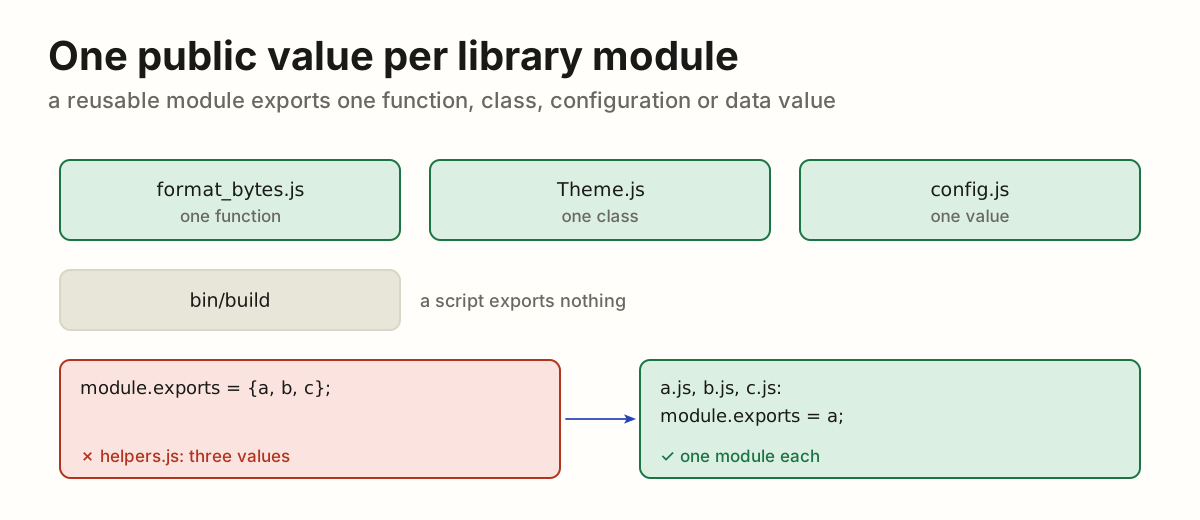
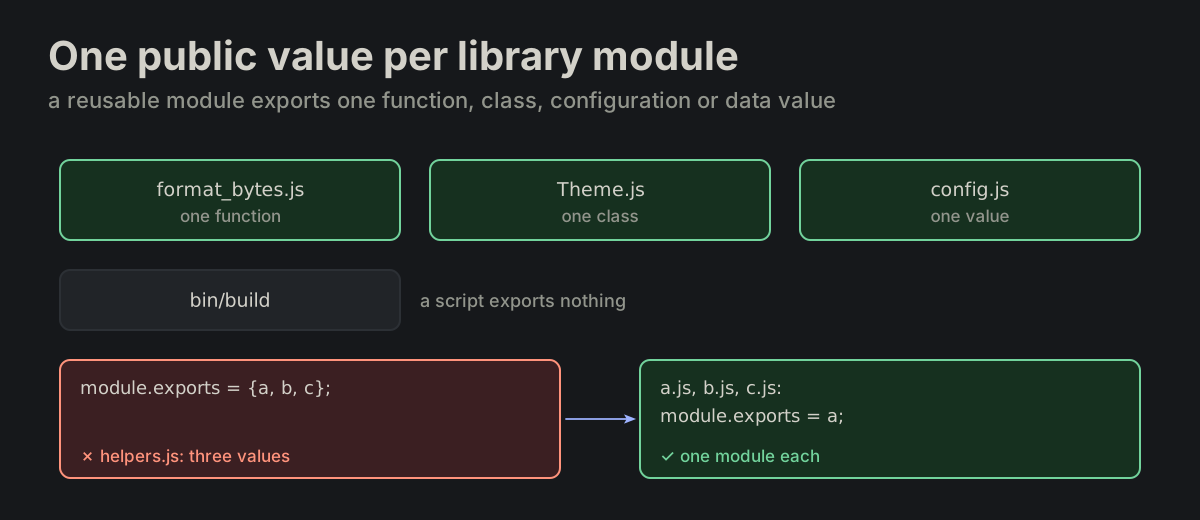
One public value per library module. A reusable module exports one function, class, configuration or data value. Executable scripts export nothing; tool-shaped files follow the tool.

FORMATTING.md
format_bytes.js, Theme.js and config.js export one value each, bin/build exports nothing; a helpers.js exporting three values split into three modulesformat_bytes.js, Theme.js and config.js export one value each, bin/build exports nothing; a helpers.js exporting three values split into three modules

FMTFormattingBraces, breaks, blank lines, comments.

FMT-02

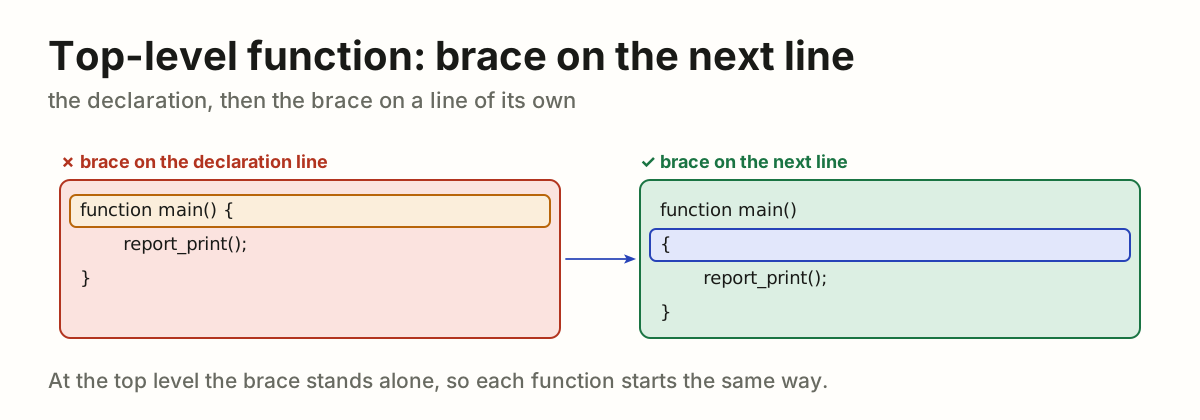
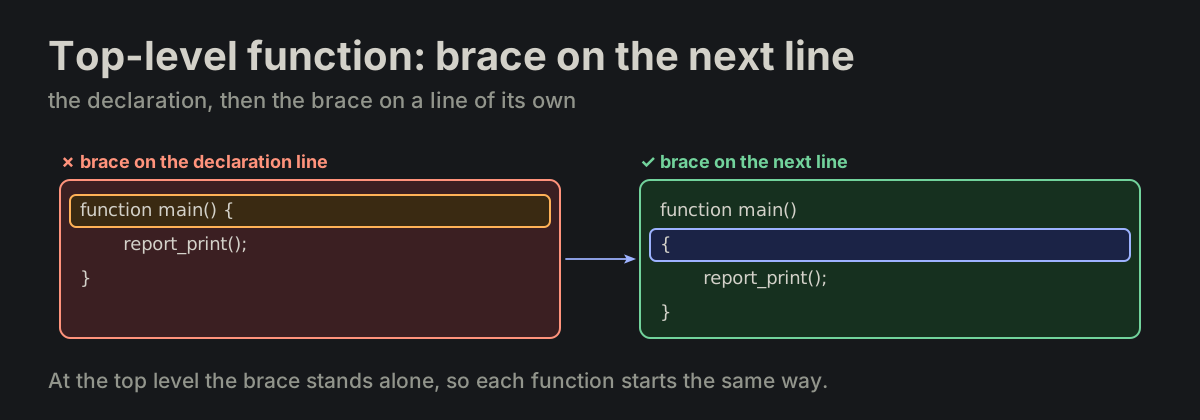
A top-level function declaration puts its opening brace on the next line.

FORMATTING.md
function main()
{
}
function main() { with the brace on its line, turned into the brace on the next linefunction main() { with the brace on its line, turned into the brace on the next line
FMT-03

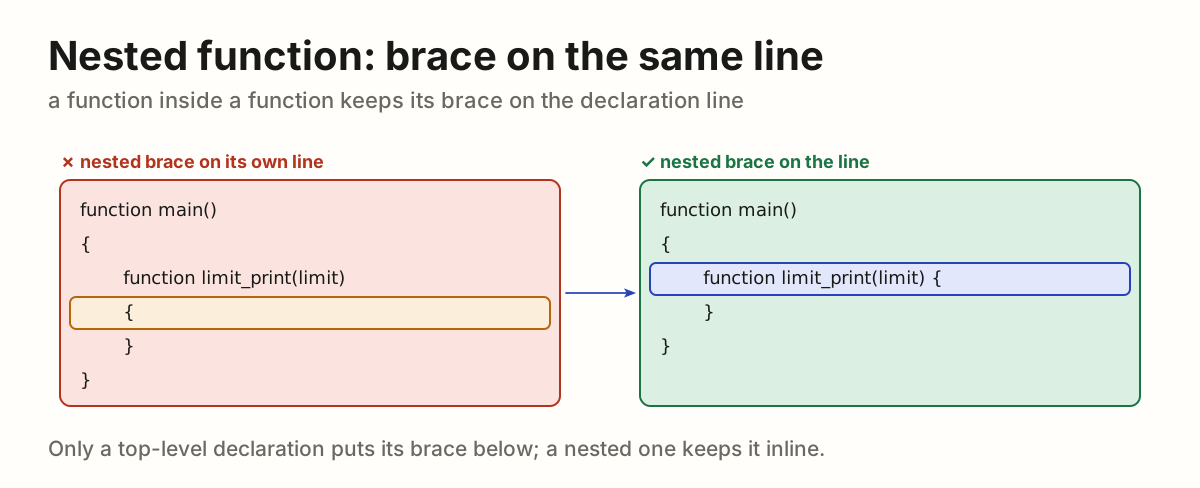
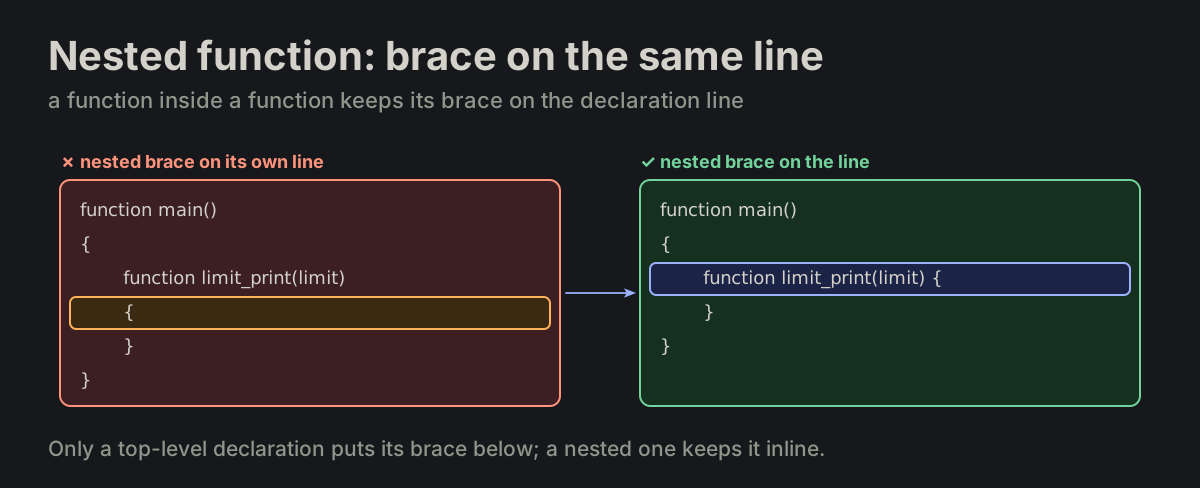
Nested function: brace on the same line. A function declared inside another function keeps its opening brace on the declaration line.

FORMATTING.md
function main()
{
    function limit_print(limit) {
    }
}
limit_print nested in main: its brace moves from a line of its own to the declaration linelimit_print nested in main: its brace moves from a line of its own to the declaration line
FMT-04

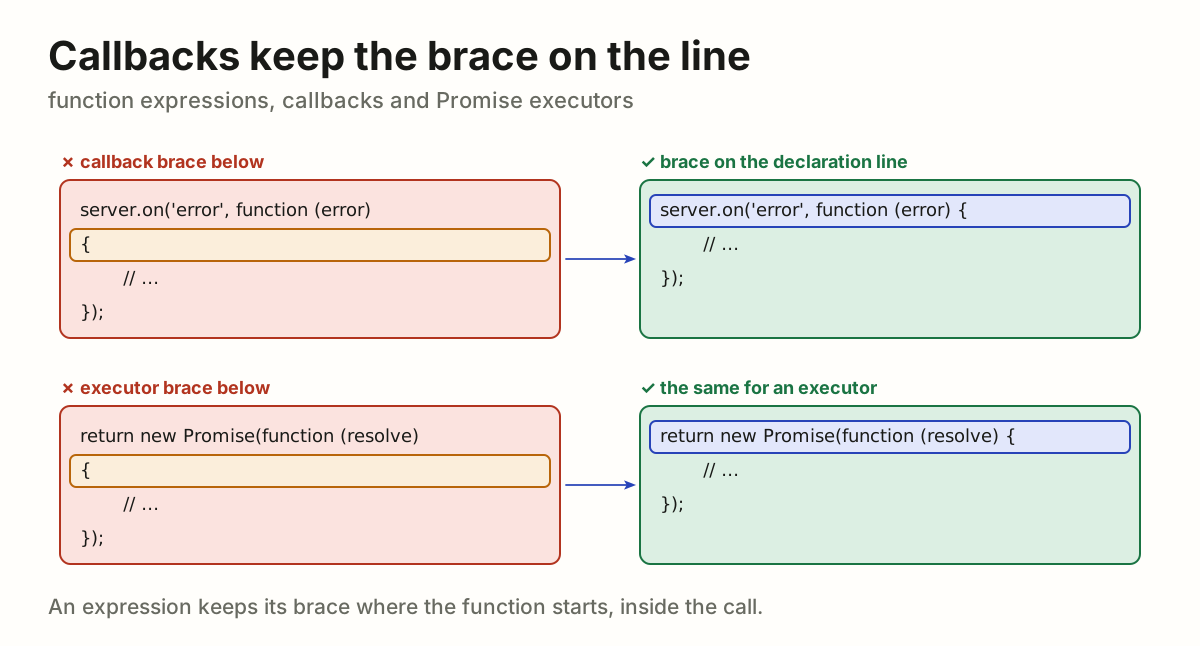
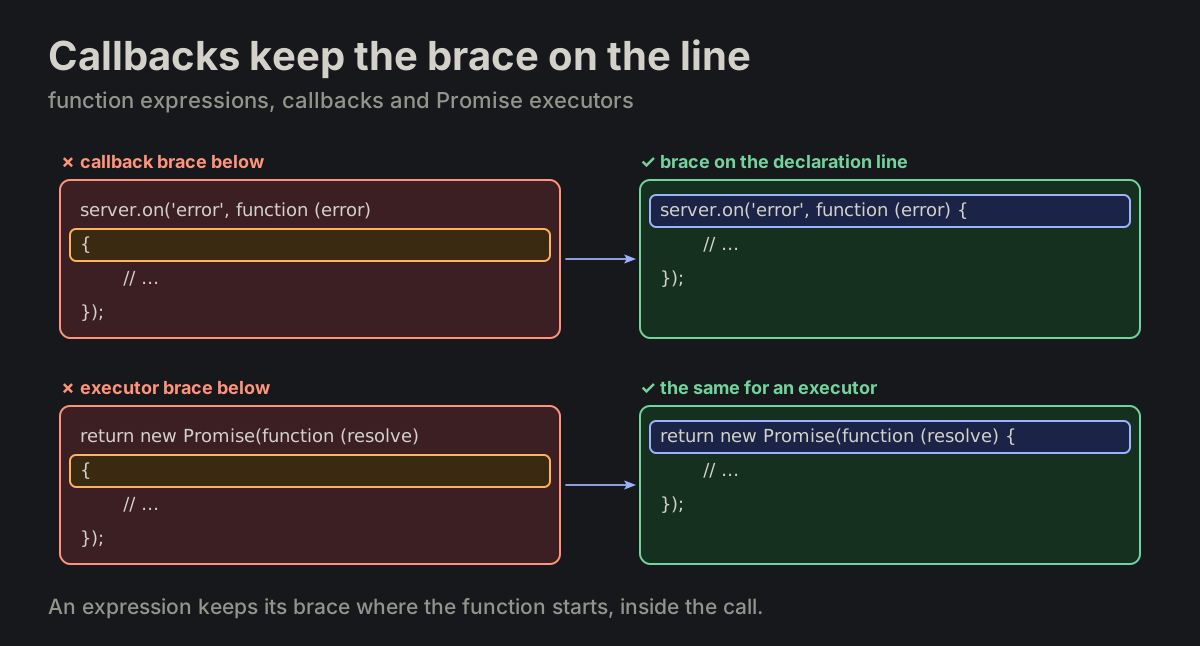
Callbacks keep the brace on the line. Function expressions, callbacks and Promise executors keep the opening brace on the declaration line.

formatting_blocks.md
server.on('error', function (error) {
    // ...
});

return new Promise(function (resolve, reject) {
    // ...
});
A callback and a Promise executor with the brace below, turned into the brace on the declaration lineA callback and a Promise executor with the brace below, turned into the brace on the declaration line
FMT-05

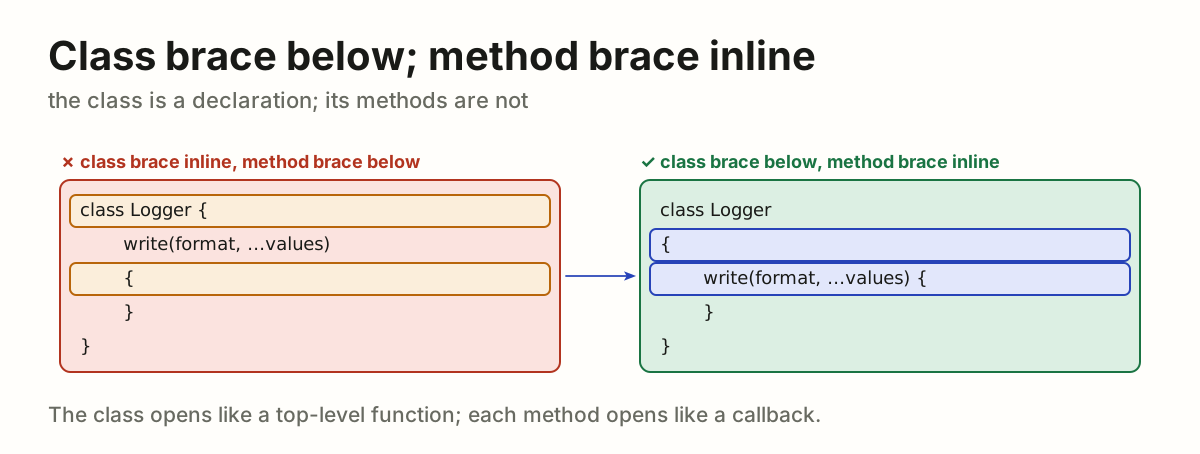
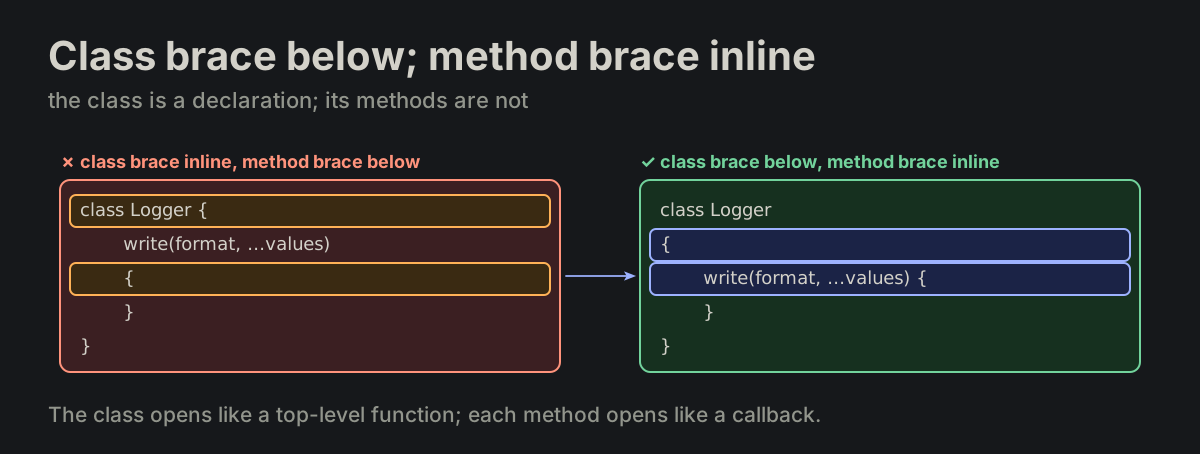
Class brace below; method brace inline. A class declaration puts its brace on the next line; its methods keep the brace on the declaration line.

formatting_blocks.md
class Logger
{
    constructor(parent_group_uid) {
    }

    write(format, ...values) {
    }
}
class Logger with its brace inline and a method brace below, turned into the class brace below and the method brace inlineclass Logger with its brace inline and a method brace below, turned into the class brace below and the method brace inline
FMT-07

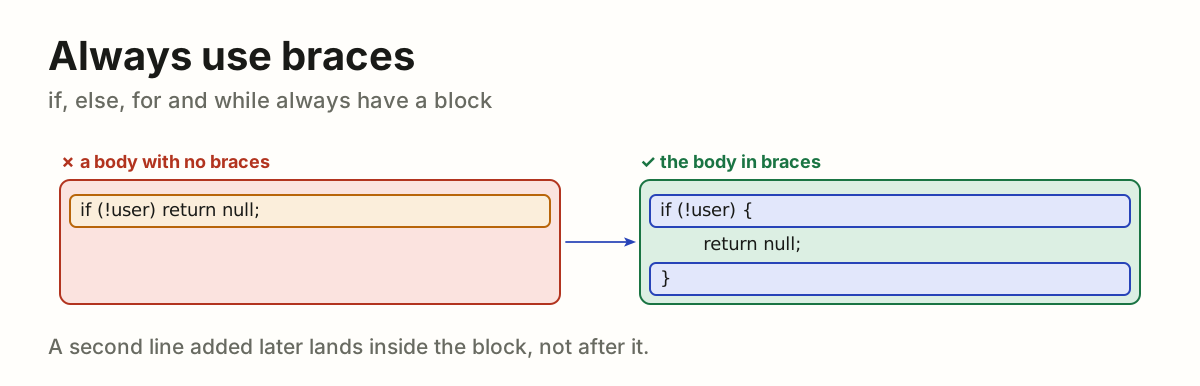
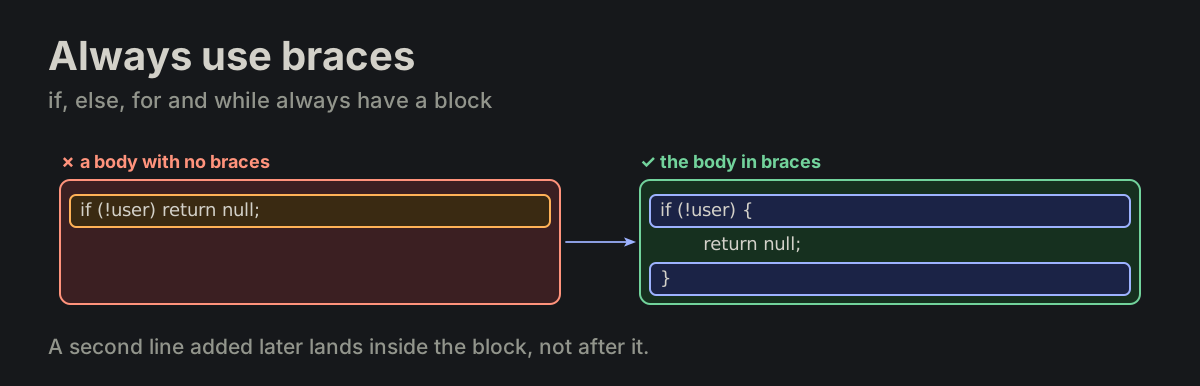
Always use braces. Always use braces for if, else, for, while. No single-line bodies.

FORMATTING.md
if (!user) return null;   ✗ no

if (!user) {              ✓ yes
    return null;
}
if (!user) return null; on one line, turned into the same body in bracesif (!user) return null; on one line, turned into the same body in braces
FMT-10

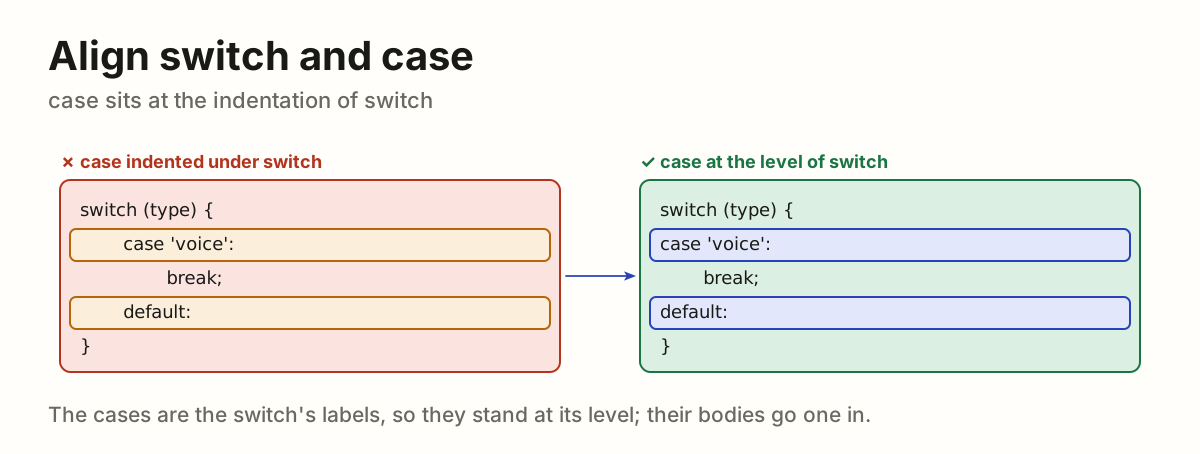
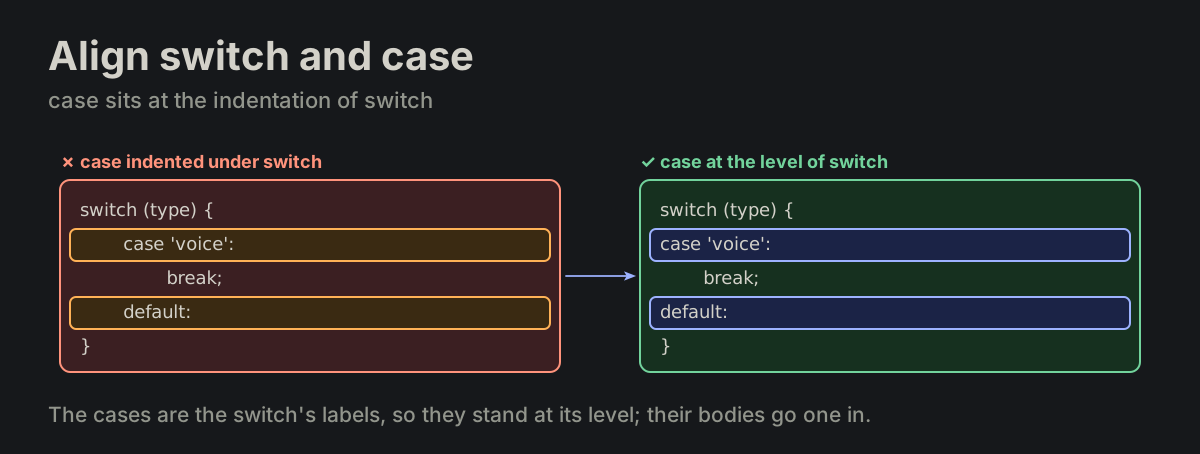
Align "switch" and "case". switch and case are aligned at the same indentation level.

FORMATTING.md
switch (type) {
case 'voice':
    break;
case 'text':
    break;
default:
}
case and default indented one level under switch, turned into aligned with switchcase and default indented one level under switch, turned into aligned with switch
FMT-11

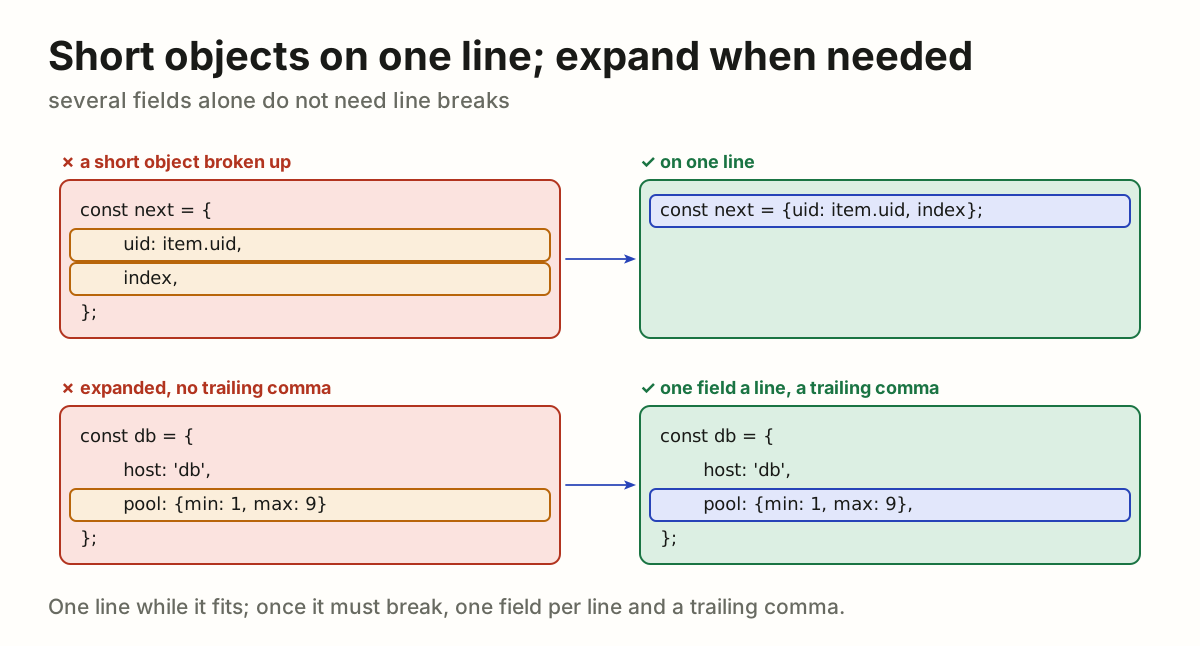
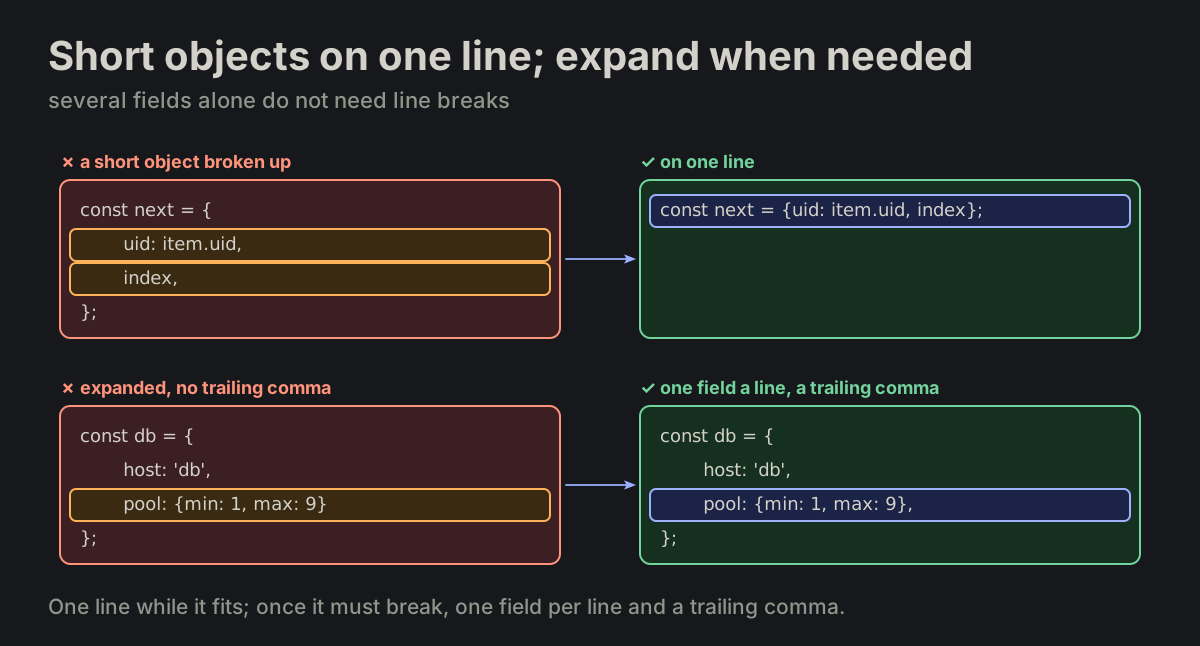
Keep short objects on one line; expand only when needed. Multiple fields alone do not require line breaks. When size or nested structure requires a multi-line object literal, use one field per line and a trailing comma.

formatting_blocks.md
const next = {uid: item.uid, parent_uid: item.parent_uid, index};
A short object broken over lines turned into one line, and an expanded object given its trailing commaA short object broken over lines turned into one line, and an expanded object given its trailing comma
FMT-12

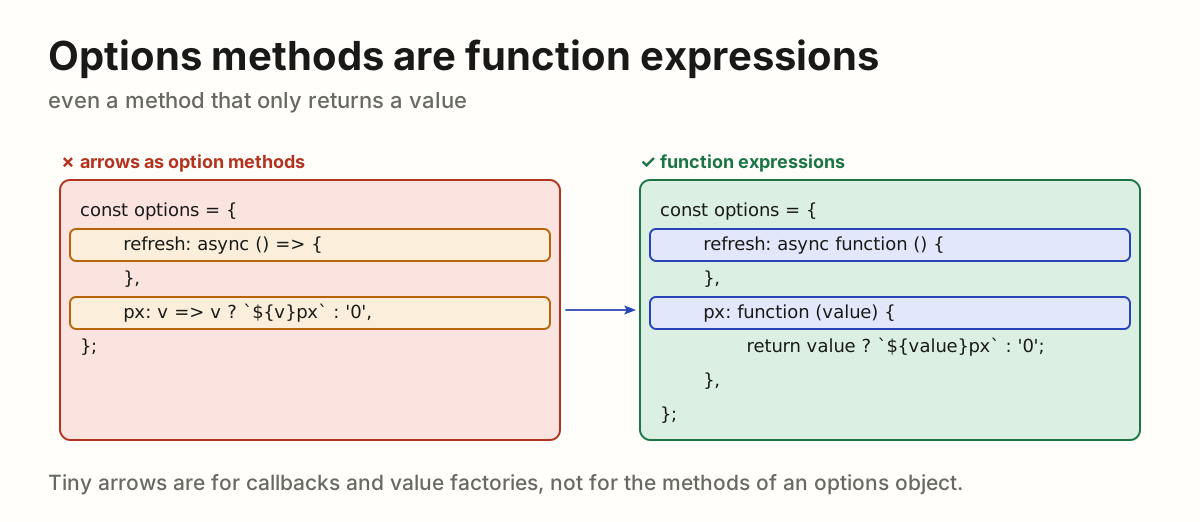
Options-style methods are always function expressions. Even a return-only method without its own this or arguments keeps that form; the tiny-arrow rule applies to callbacks and value factories.

formatting_blocks.md
const options = {
    refresh: async function () {
    },
    px: function (value) {
        return value ? `${value}px` : '0';
    },
};
An options object with arrow methods, turned into the same methods written as function expressionsAn options object with arrow methods, turned into the same methods written as function expressions
FMT-14

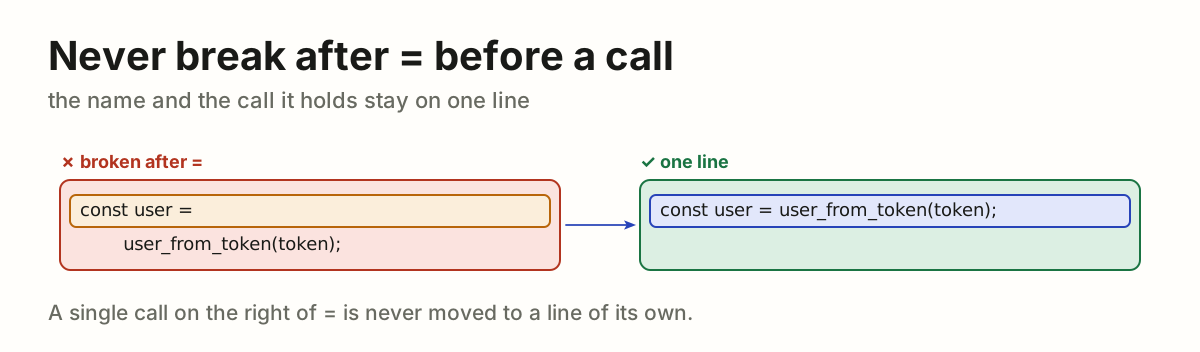
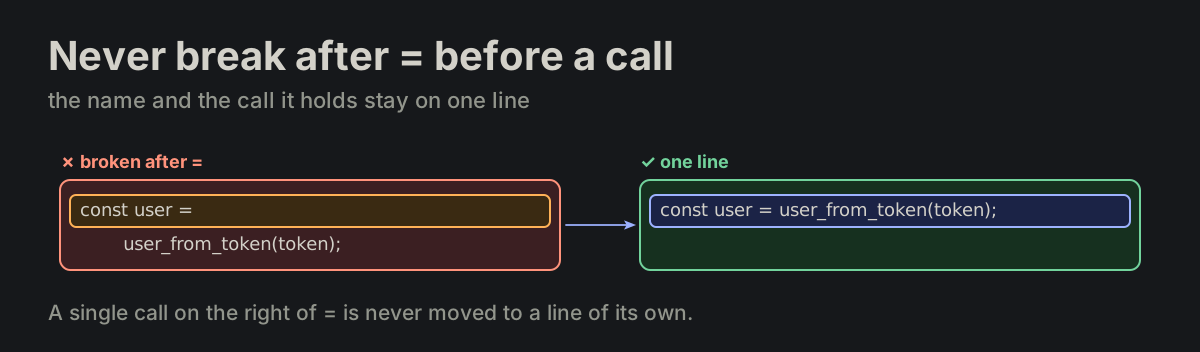
Never break after "=" before a call. Never split an assignment after = when its right-hand side is a single function call.

FORMATTING.md
const users_by_role =
    users_group_by_role(users);   ✗ no

const users_by_role = users_group_by_role(users);   ✓ yes
const user = with the call on the next line, turned into one lineconst user = with the call on the next line, turned into one line
FMT-15

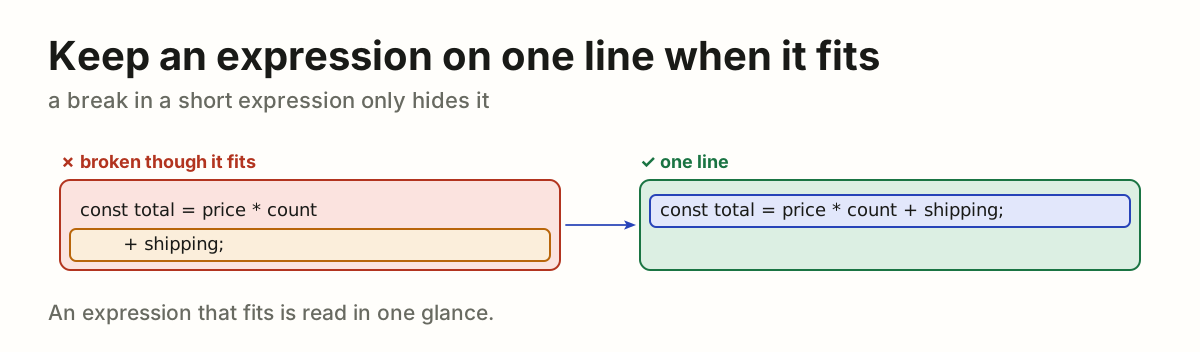
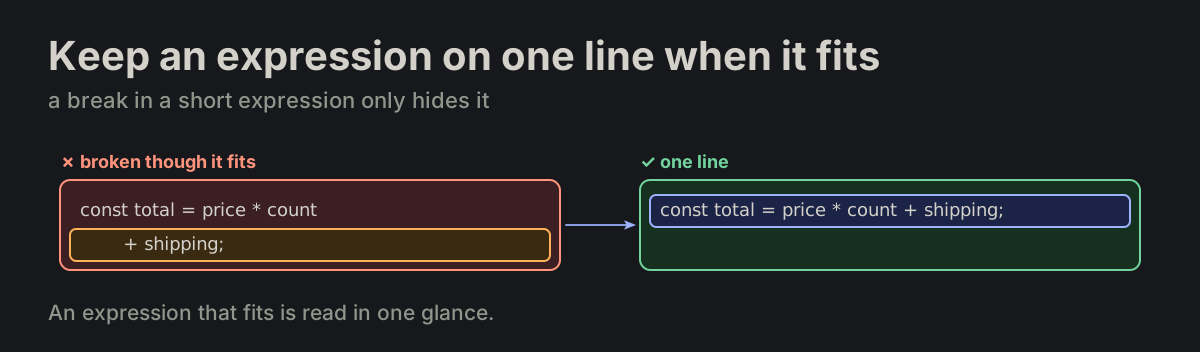
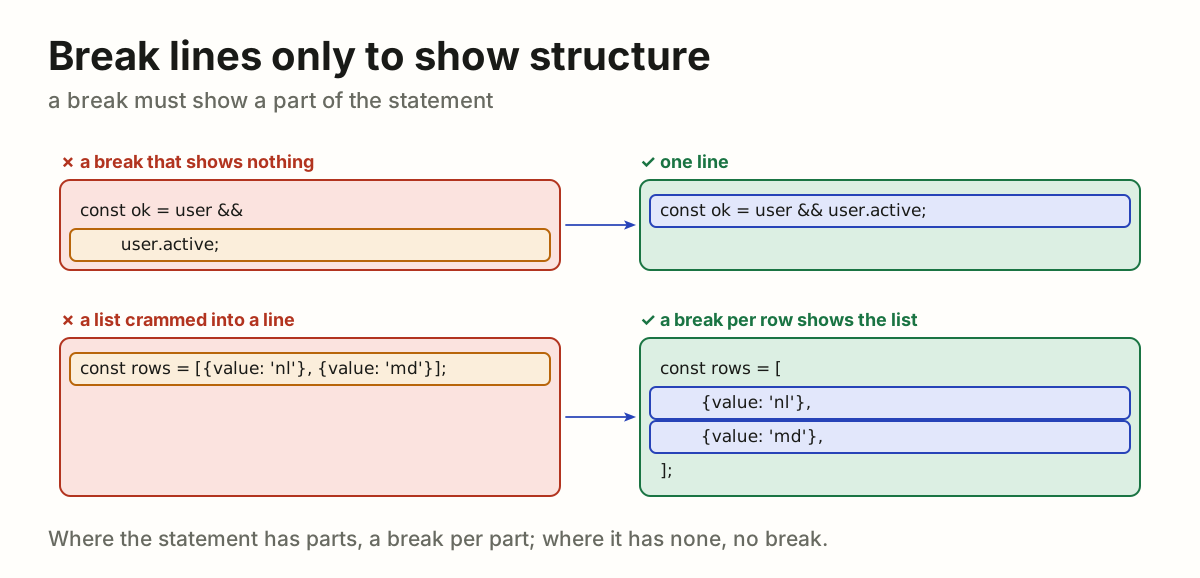
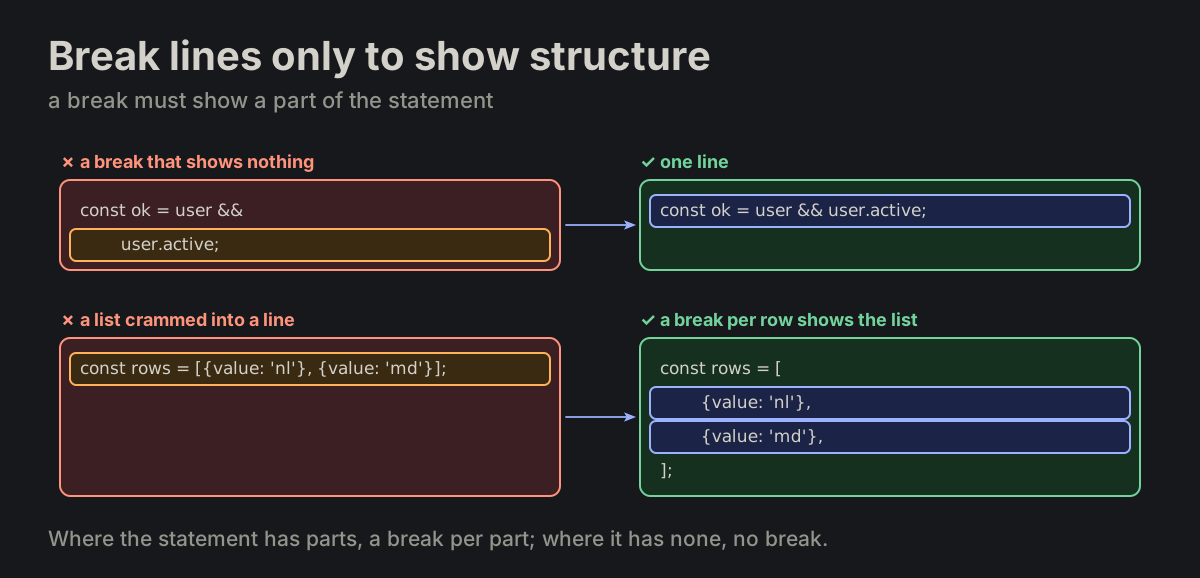
Break lines only to show structure. Break a statement only when its size or nested structure makes the break necessary. Line breaks must expose structure.

FORMATTING.md
A short condition broken for nothing turned into one line; a list of rows broken one row a lineA short condition broken for nothing turned into one line; a list of rows broken one row a line
FMT-16

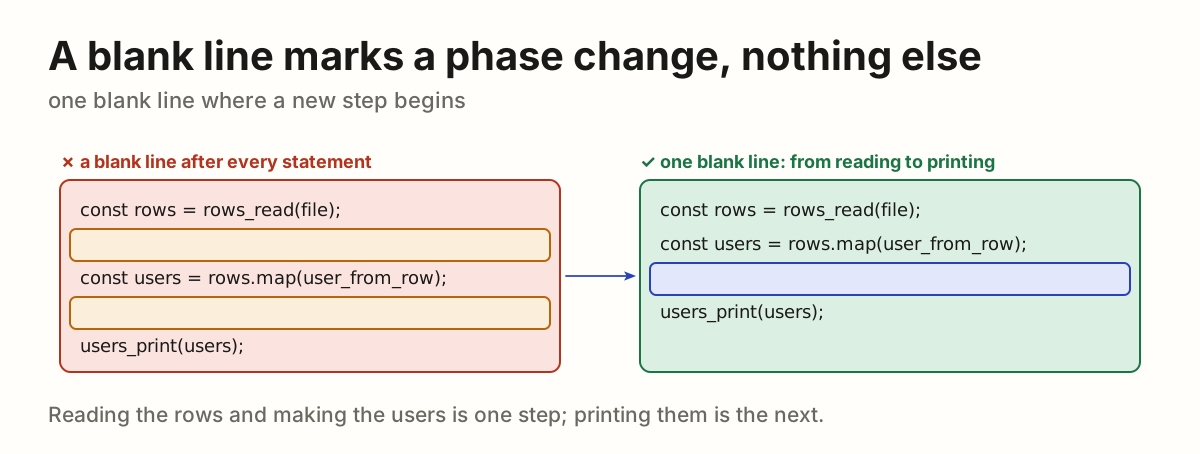
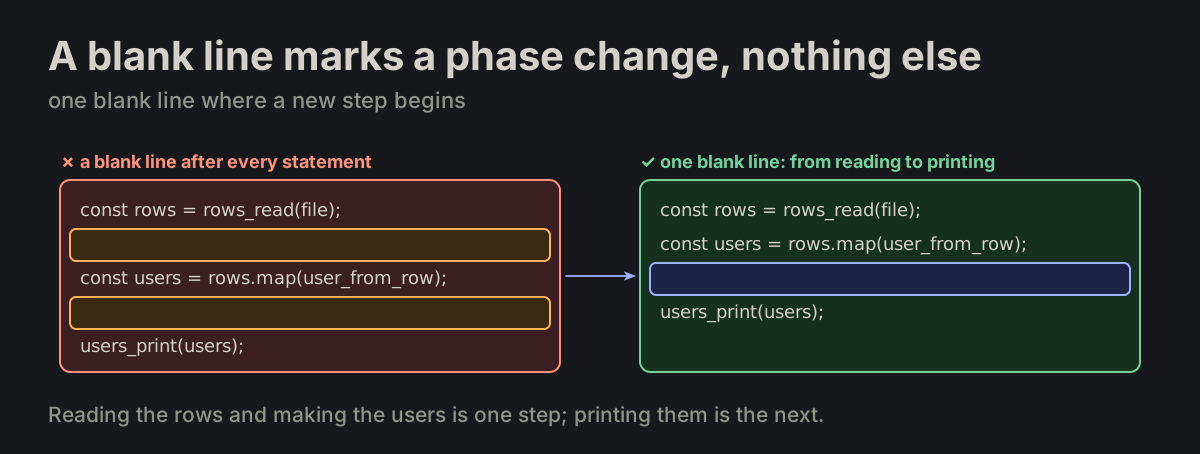
A blank line marks a phase change — nothing else. Add one only when the following statement begins an independent conceptual step.

FORMATTING.md
Blank lines after every statement, turned into one blank line before the printing stepBlank lines after every statement, turned into one blank line before the printing step
FMT-17

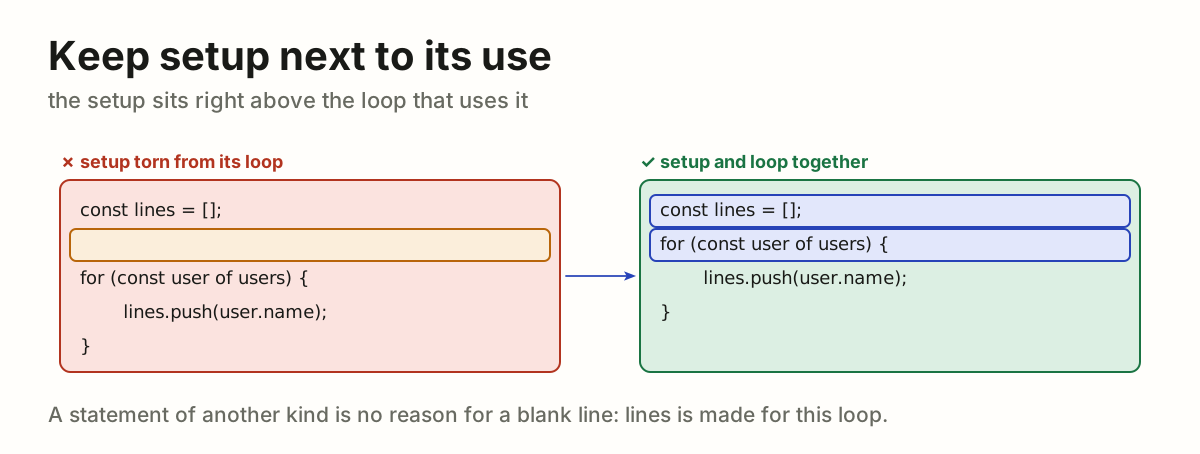
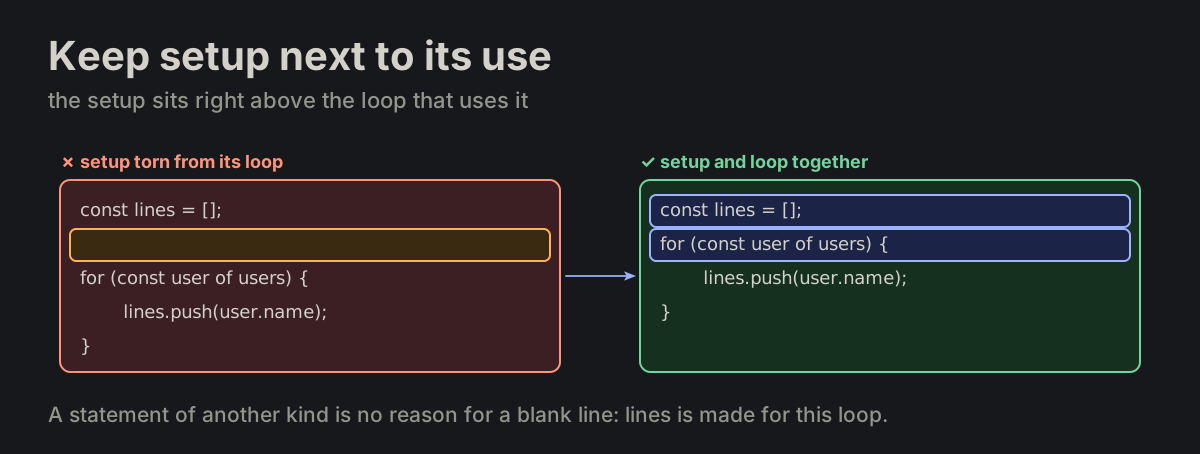
Keep setup next to its use. Keep setup adjacent to the loop, condition or call that immediately uses it. Tightly coupled setup and use are not separated merely because the statement type changes.

FORMATTING.md
const lines = () separated from its loop by a blank line, turned into right above itconst lines = () separated from its loop by a blank line, turned into right above it
FMT-18

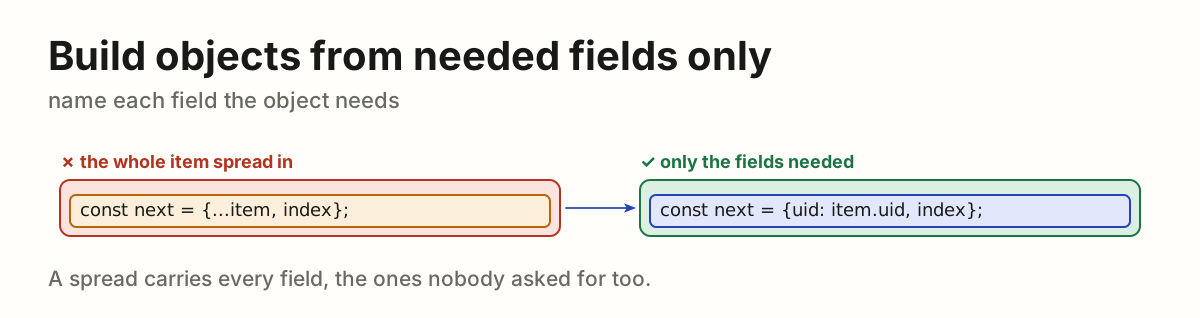
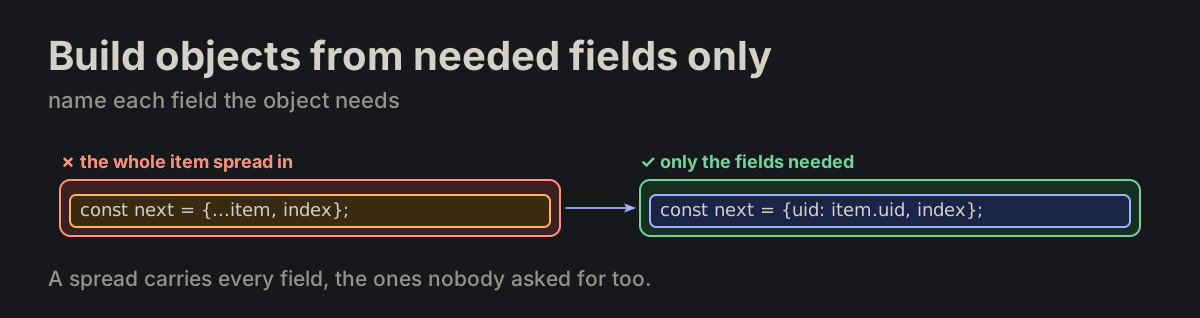
Build objects from needed fields only. Construct an object from the required fields only. Do not spread a full object when a subset is needed.

FORMATTING.md
{...item, index}                              ✗ bad
{uid: item.uid, parent_uid: item.parent_uid, index}   ✓ good
An object built by spreading the whole item, turned into one that names uid and indexAn object built by spreading the whole item, turned into one that names uid and index
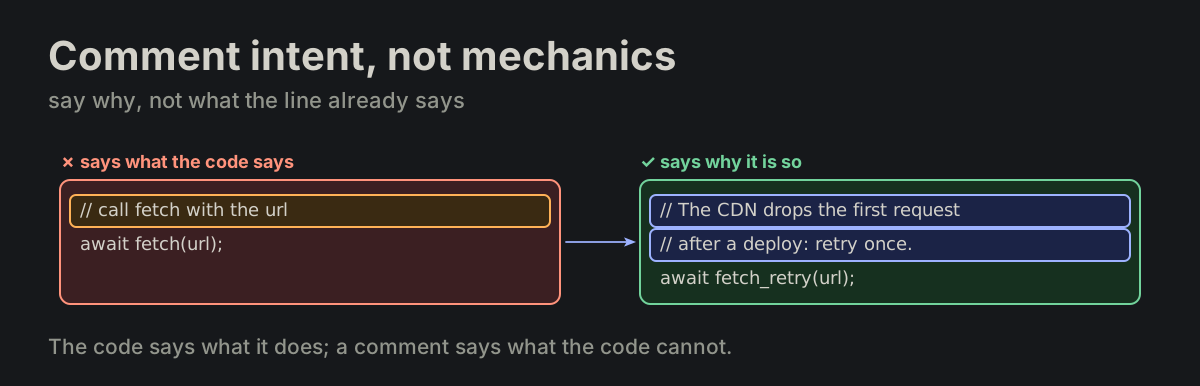
FMT-19

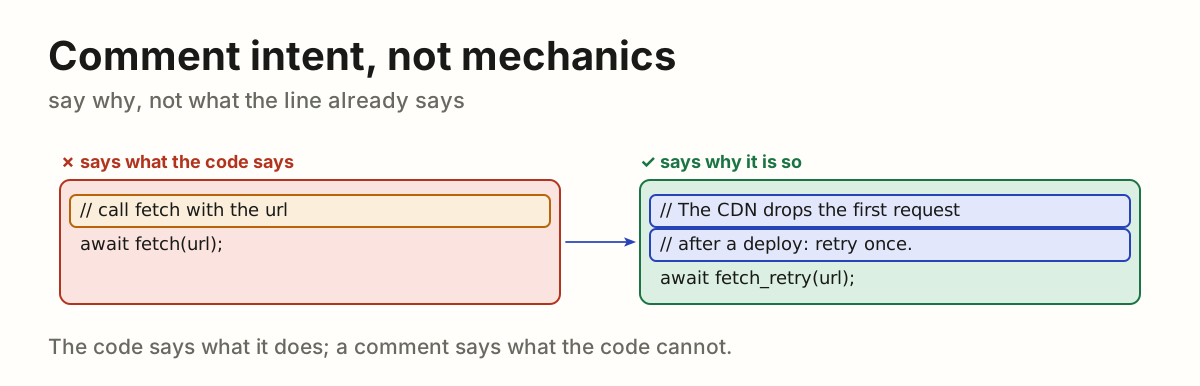
Comment intent, not mechanics. Comments explain intent or policy only. No comments for obvious mechanics. One exception: the route comment of FMT-21 states the route.

FORMATTING.md
A comment repeating the call, turned into one giving the reason for the retryA comment repeating the call, turned into one giving the reason for the retry
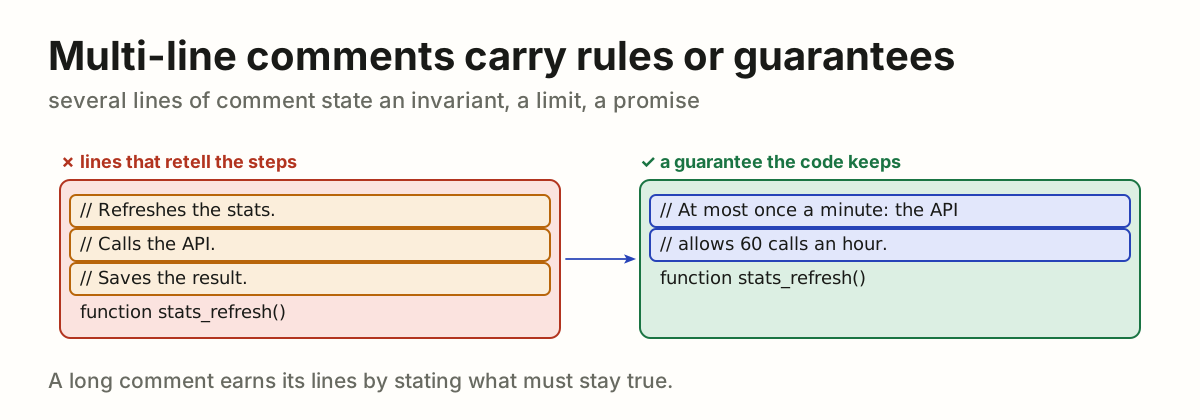
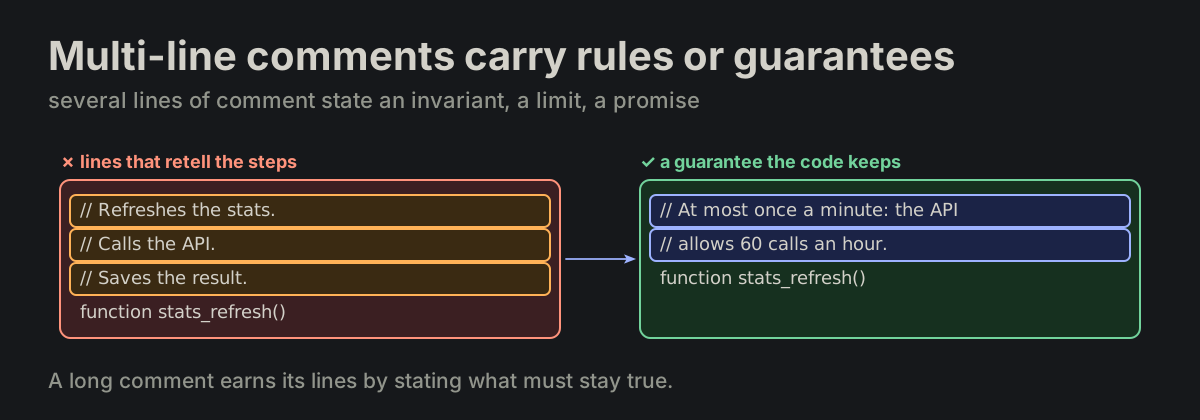
FMT-20

Multi-line comments carry rules or guarantees. A multi-line comment carries a rule, an invariant or a guarantee.

FORMATTING.md
A three-line comment retelling the steps, turned into a two-line limit the function keepsA three-line comment retelling the steps, turned into a two-line limit the function keeps
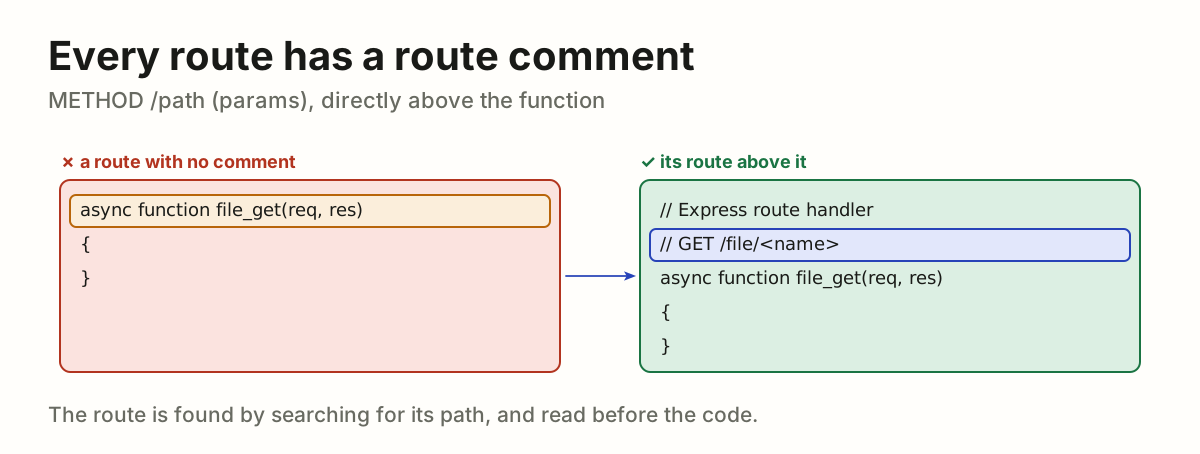
FMT-21

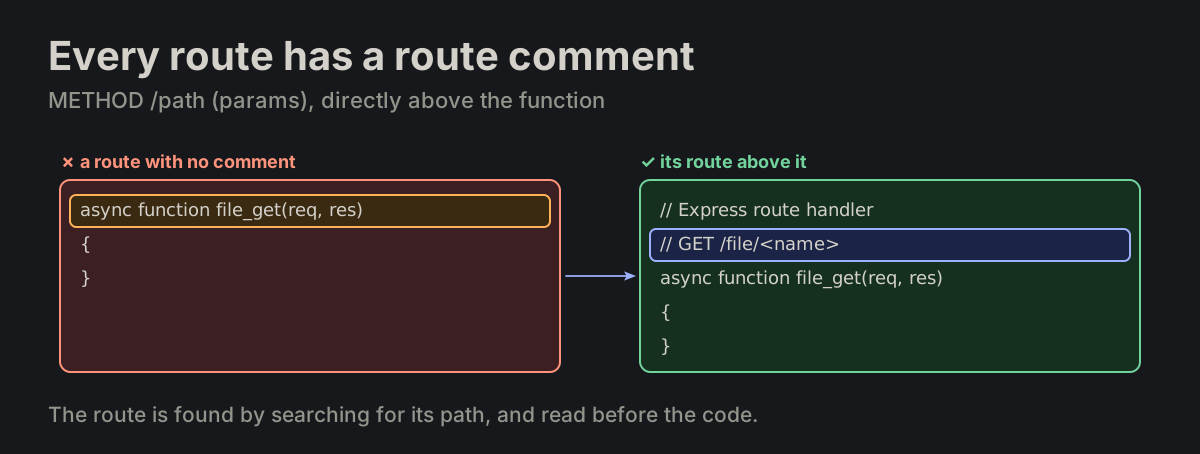
Every route has a route comment. Every route function carries a route comment directly above it: METHOD /path (params).

endpoint_comment.md
// Express route handler
// GET /file/<name>
async function file_get(req, res)
{
}
A route function with no comment, turned into one with its route comment, GET /file/<name>A route function with no comment, turned into one with its route comment, GET /file/<name>
FMT-22

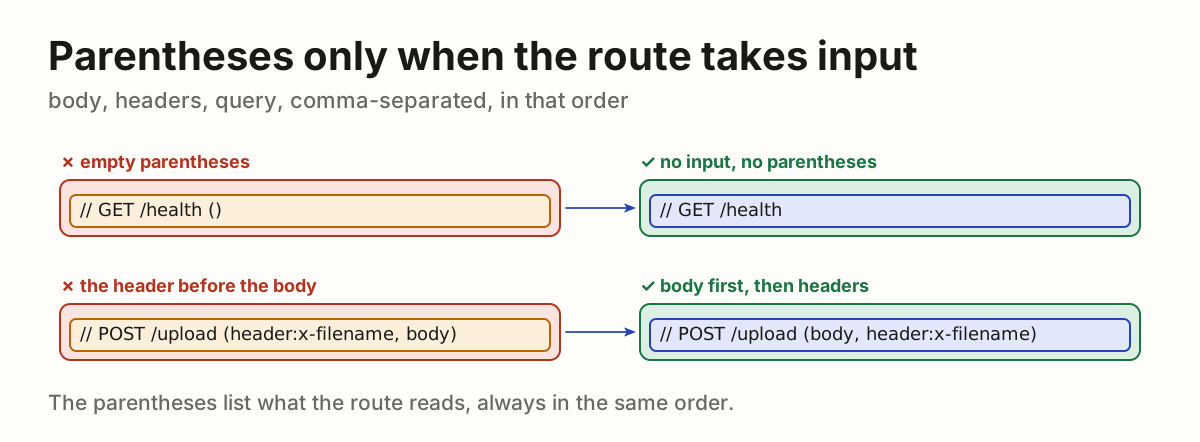
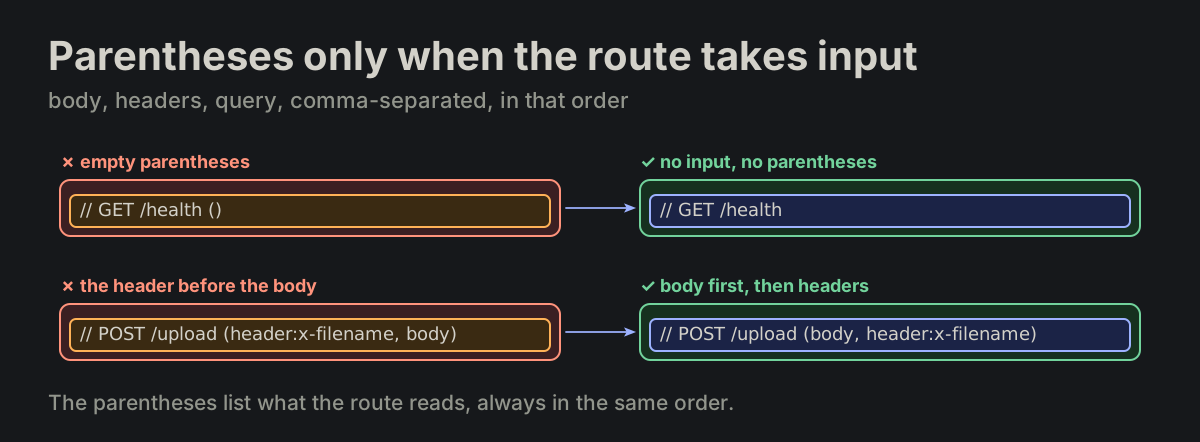
Parentheses only when the route takes input. Parentheses appear only when the endpoint takes input — body, headers, query, comma-separated, in that order.

endpoint_comment.md
// Express route handler
// POST /upload (body, header:x-filename)
function upload_post(req, res)
{
}
GET /health () losing its empty parentheses, and the upload route listing body before its headerGET /health () losing its empty parentheses, and the upload route listing body before its header
FMT-23

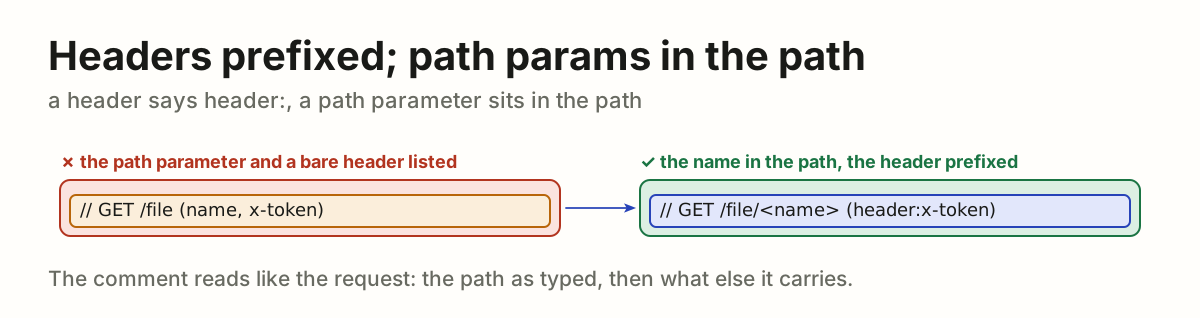
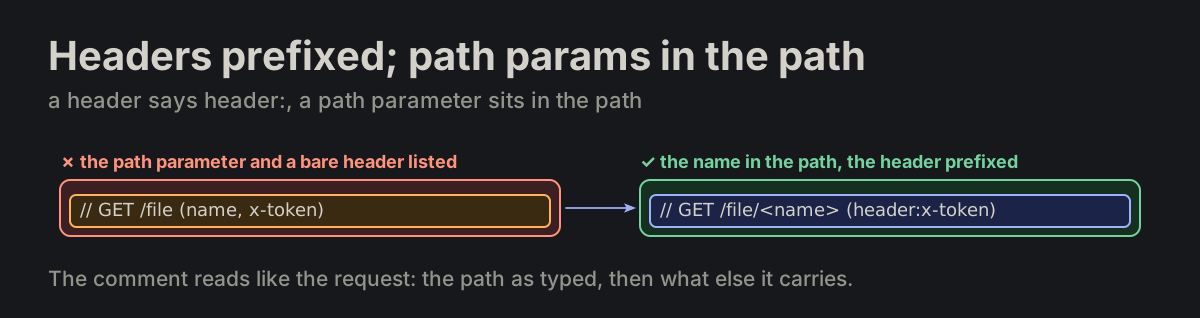
Headers prefixed; path params in the path. A header is prefixed with header:; a path parameter is spelled in the path itself.

endpoint_comment.md
header:x-filename
/file/<name>
GET /file (name, x-token) turned into GET /file/<name> (header:x-token)GET /file (name, x-token) turned into GET /file/<name> (header:x-token)
FMT-24

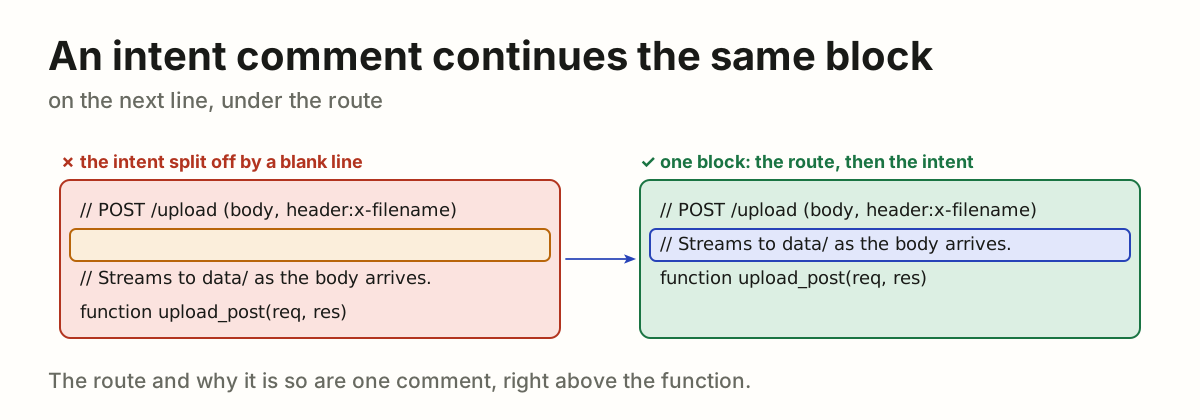
An intent comment continues the same block on the next line.

endpoint_comment.md
// POST /upload (body, header:x-filename)
// Streams to data/ before the body is fully read.
An intent comment split from the route comment by a blank line, turned into the next line of the same blockAn intent comment split from the route comment by a blank line, turned into the next line of the same block
FMT-25

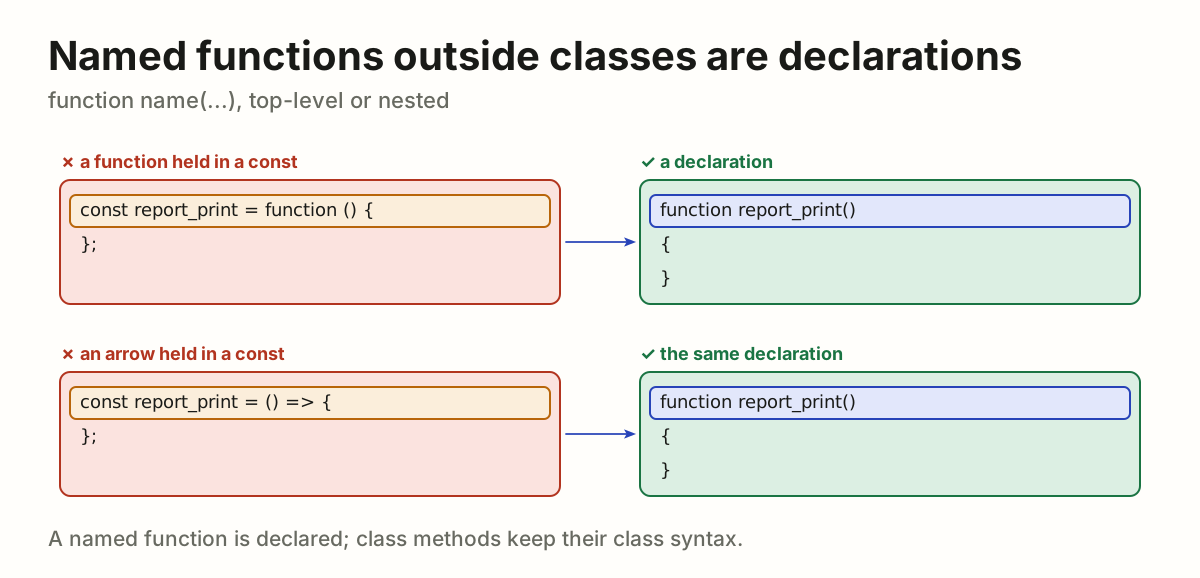
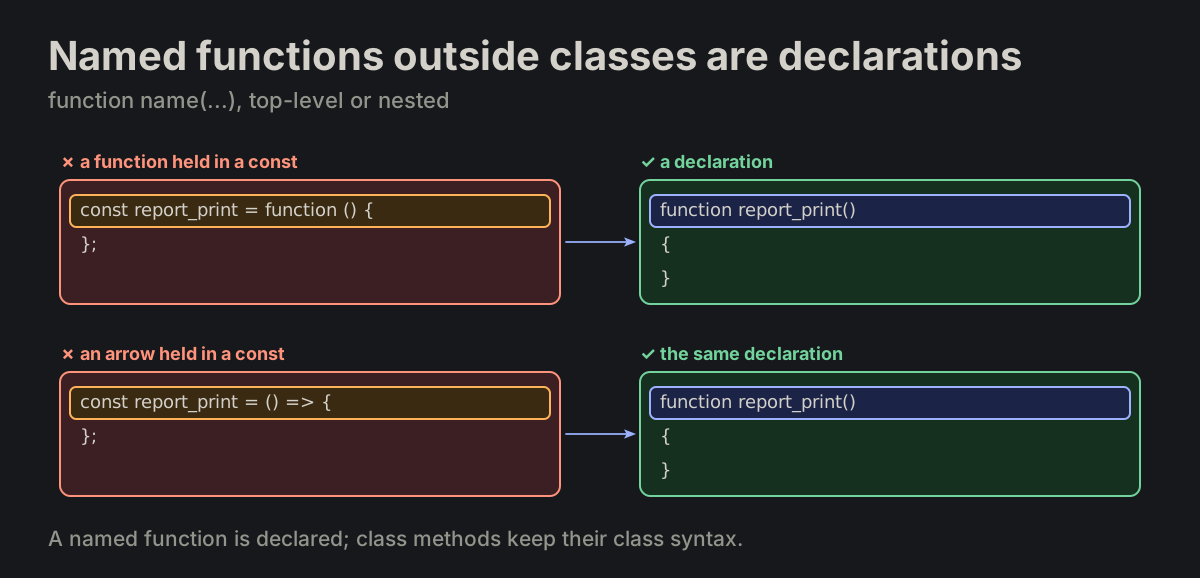
Named functions outside class bodies are "function" declarations. Every named function outside a class — top-level or nested — is a function name(...) declaration. Class methods use their class syntax.

FORMATTING.md
function report_print()
{
}
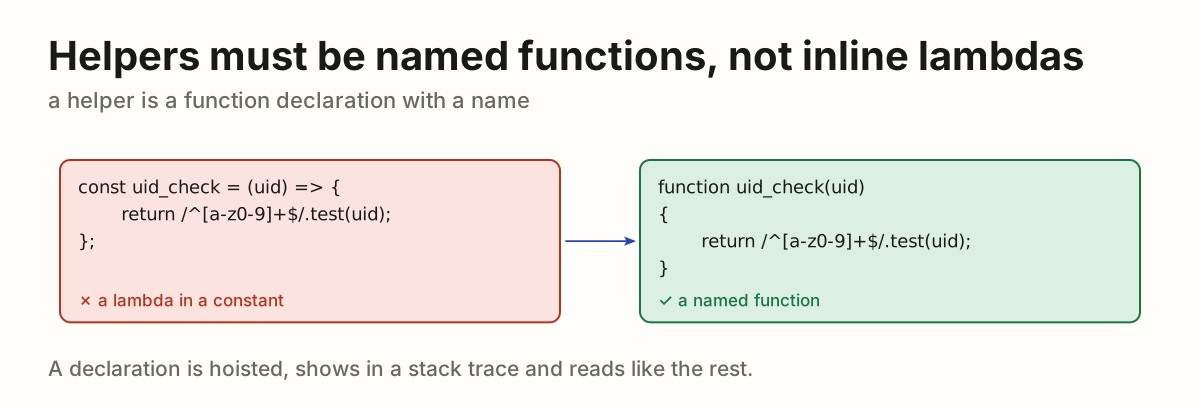
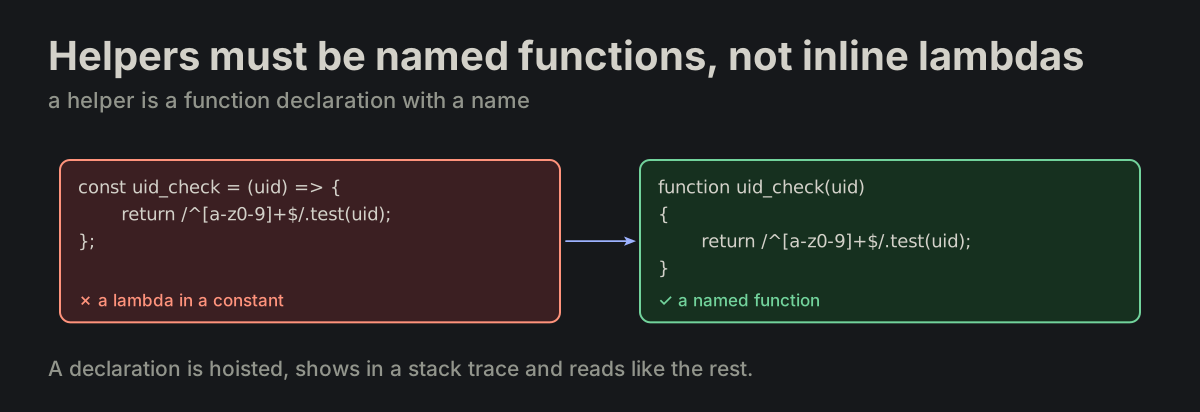
A function expression and an arrow held in const report_print, each turned into a function declarationA function expression and an arrow held in const report_print, each turned into a function declaration
FMT-26

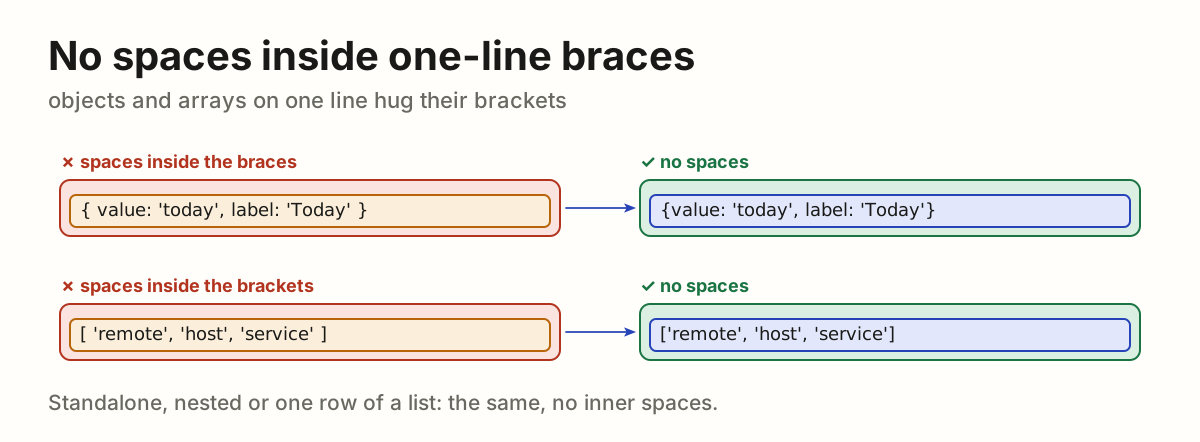
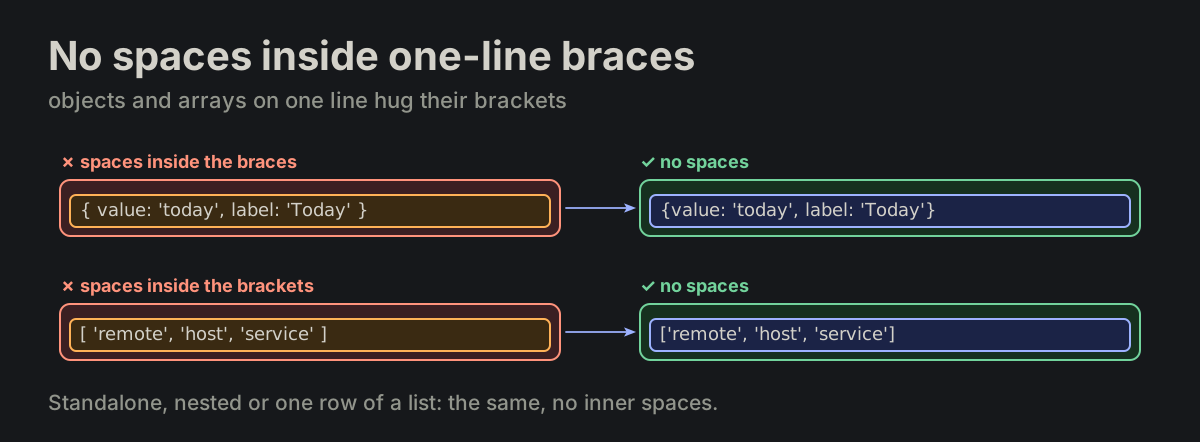
No spaces inside one-line braces. A single-line object or array literal has no space inside its braces or brackets — a standalone literal, a nested one, or one row of a list.

FORMATTING.md
{ value: 'today', label: 'Today' }   ✗ no
{value: 'today', label: 'Today'}     ✓ yes

[ 'remote', 'host', 'service' ]     ✗ no
['remote', 'host', 'service']       ✓ yes
An object and an array with spaces inside their braces, turned into the same with noneAn object and an array with spaces inside their braces, turned into the same with none
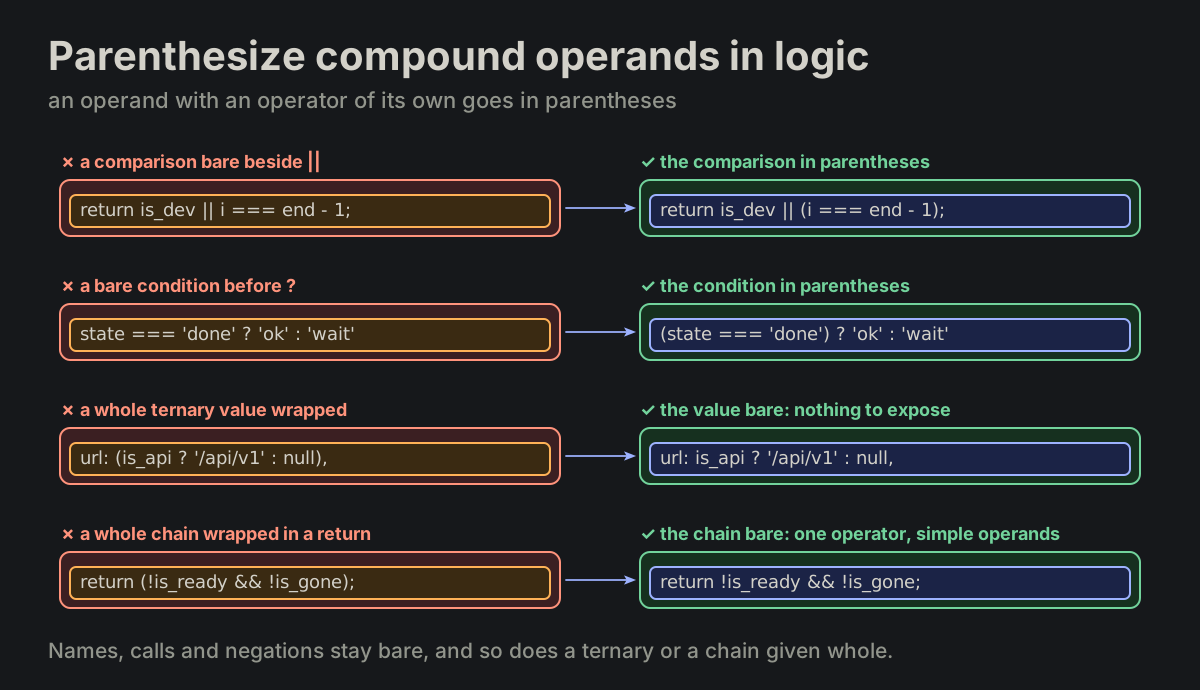
FMT-27

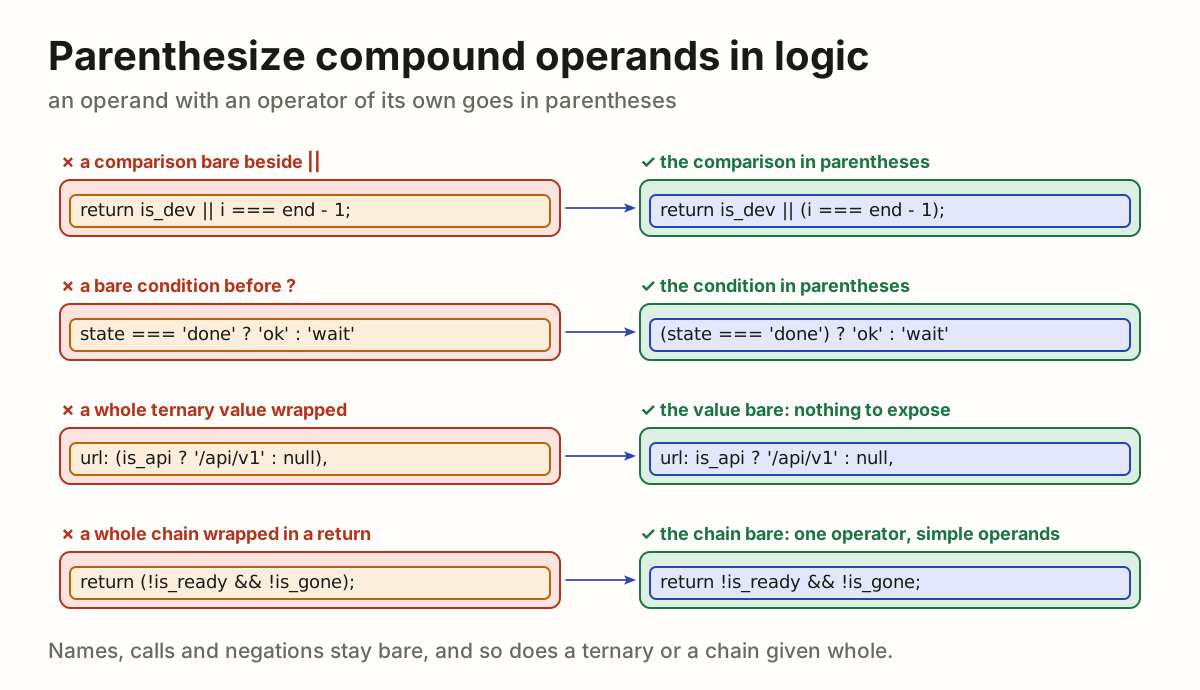
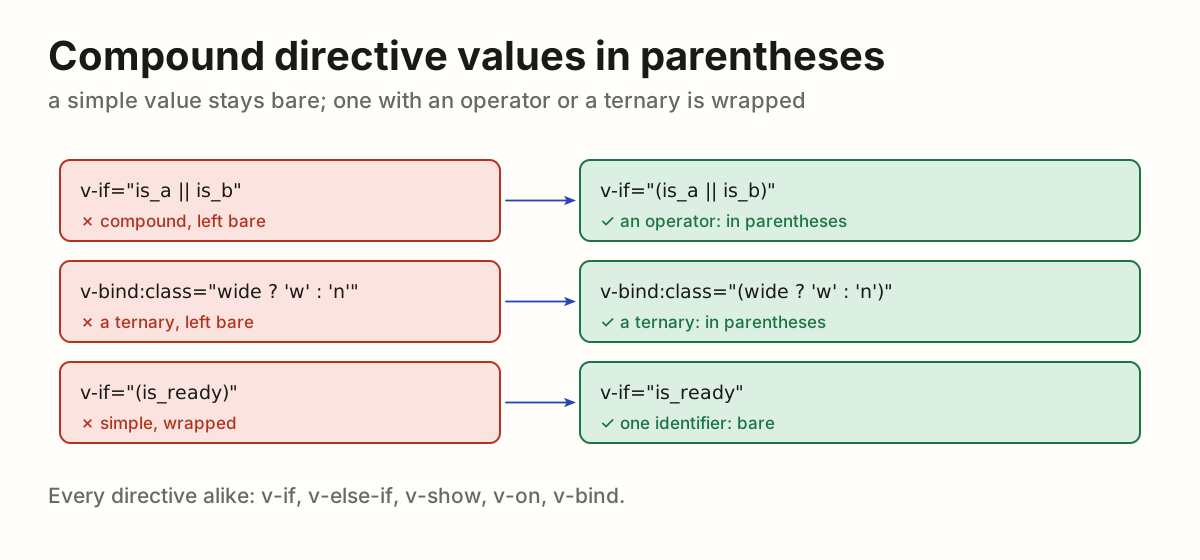
Parenthesize compound operands in logic. In a logical expression (&&, ||, ??) and in the condition of a ternary, an operand that carries an operator of its own is wrapped in parentheses. A simple operand — identifier, member access, call, template literal, unary negation — stays bare, and a chain of one logical operator is one expression. A ternary given whole — a value, an argument, a return — stays bare too: it is wrapped only as an operand of another operator. A Vue directive keeps its parentheses (VUE-06), and only a directive: a condition moved out of a v-if into a computed or a method loses them.

FORMATTING.md
return is_dev || i === end - 1;     ✗ no
return is_dev || (i === end - 1);   ✓ yes

return (!is_ready && !is_gone);   ✗ no
return !is_ready && !is_gone;     ✓ yes

(state === 'done') ? 'ok' : 'wait'

url: (is_api ? '/api/v1' : null),   ✗ no
url: is_api ? '/api/v1' : null,     ✓ yes
A comparison beside // and a ternary condition, each wrapped in parentheses, and a ternary or a chain given whole, bareA comparison beside // and a ternary condition, each wrapped in parentheses, and a ternary or a chain given whole, bare
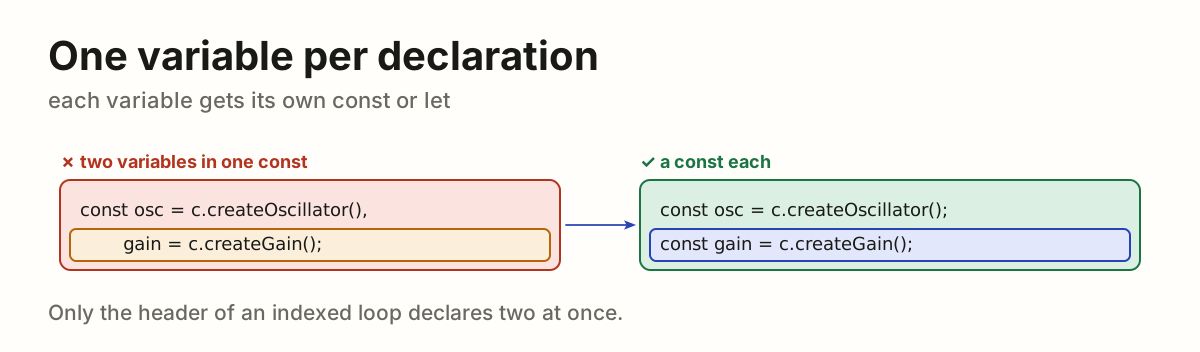
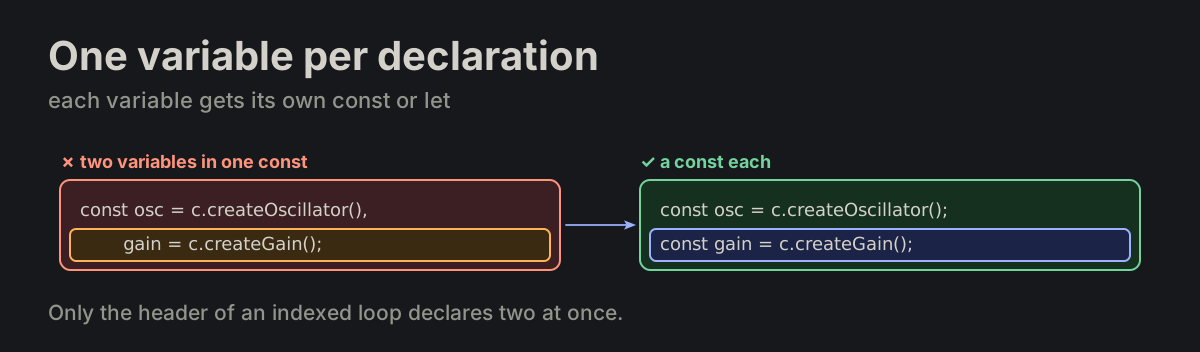
FMT-28

One variable per declaration. Each variable gets its own const or let statement; a declaration never lists several variables separated by commas. The header of an indexed loop is the exception.

FORMATTING.md
const osc = c.createOscillator(),
    gain = c.createGain();          ✗ no

const osc = c.createOscillator();
const gain = c.createGain();        ✓ yes
One const declaring osc and gain, turned into a const for eachOne const declaring osc and gain, turned into a const for each
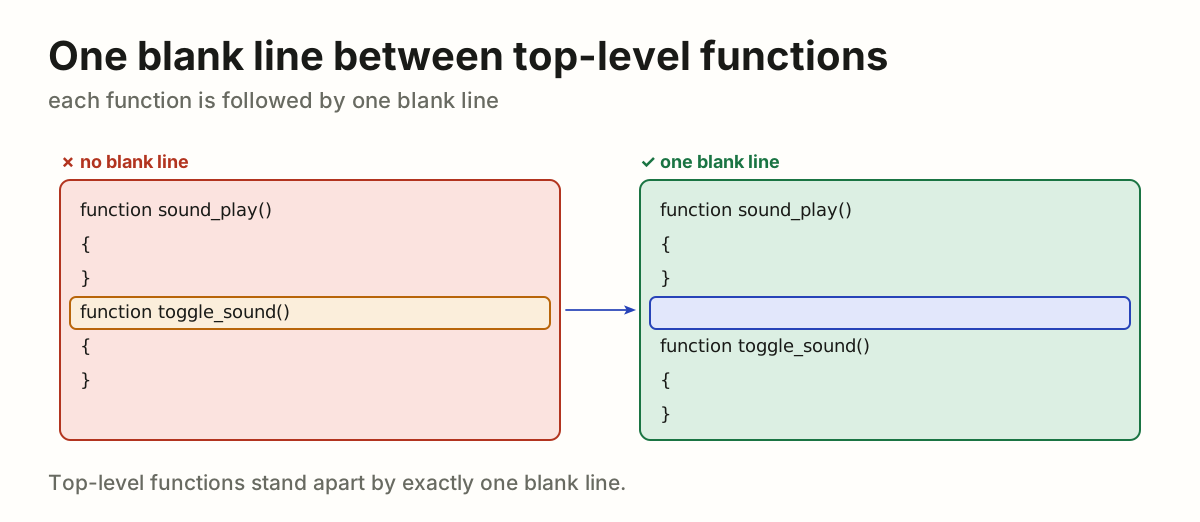
FMT-29

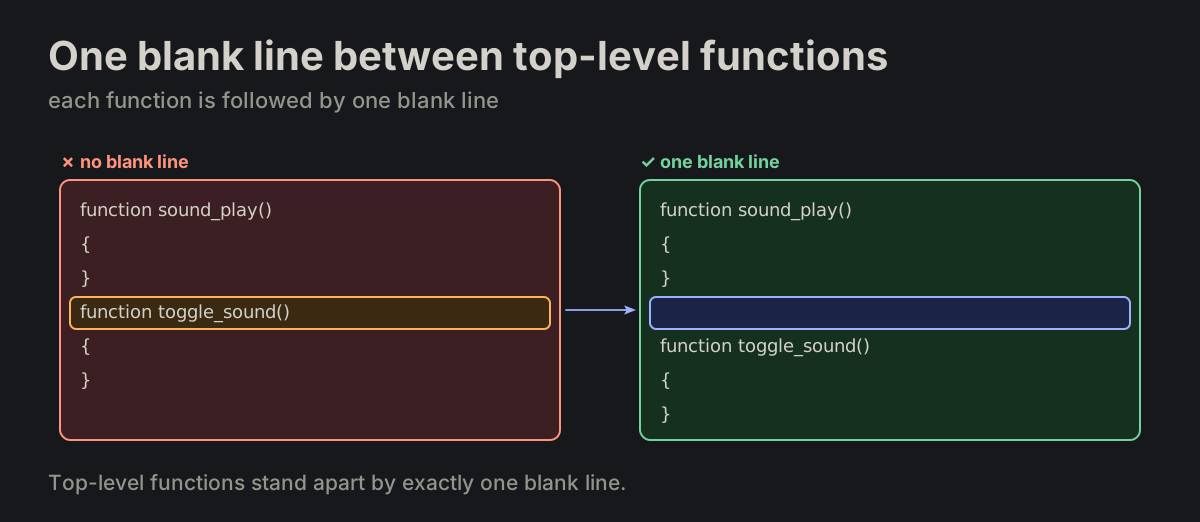
One blank line between top-level functions. Top-level functions stand one blank line apart: each function declared at module level is followed by one blank line before the next one.

FORMATTING.md
}
function toggle_sound()   ✗ no blank line

}

function toggle_sound()   ✓ one blank line
Two top-level functions with no blank line between them, turned into one blank line apartTwo top-level functions with no blank line between them, turned into one blank line apart
FMT-30

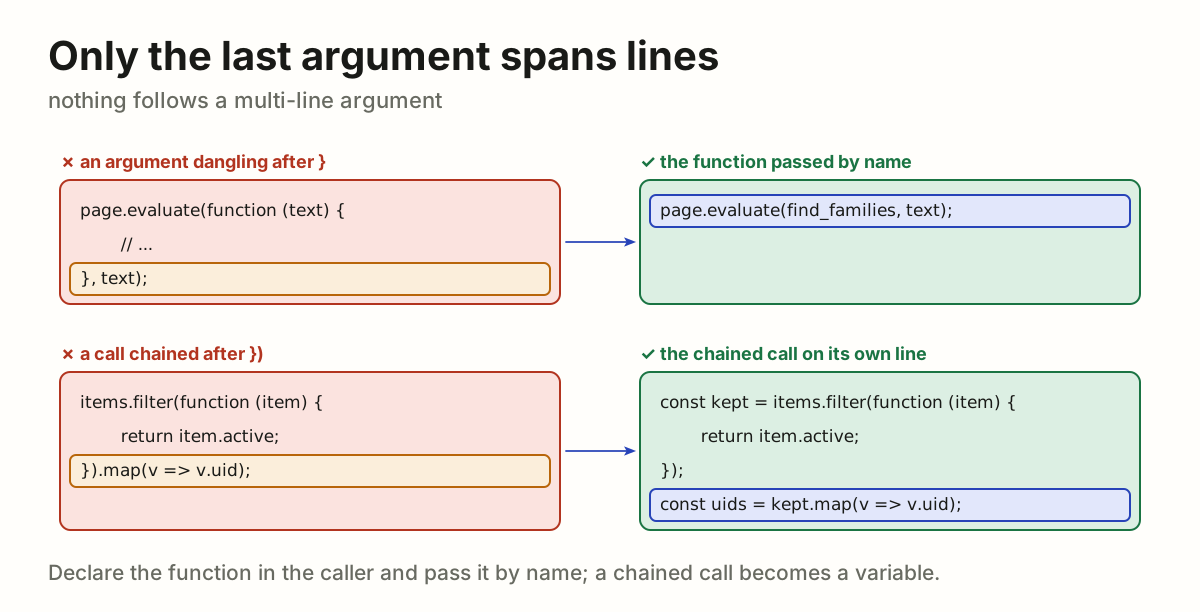
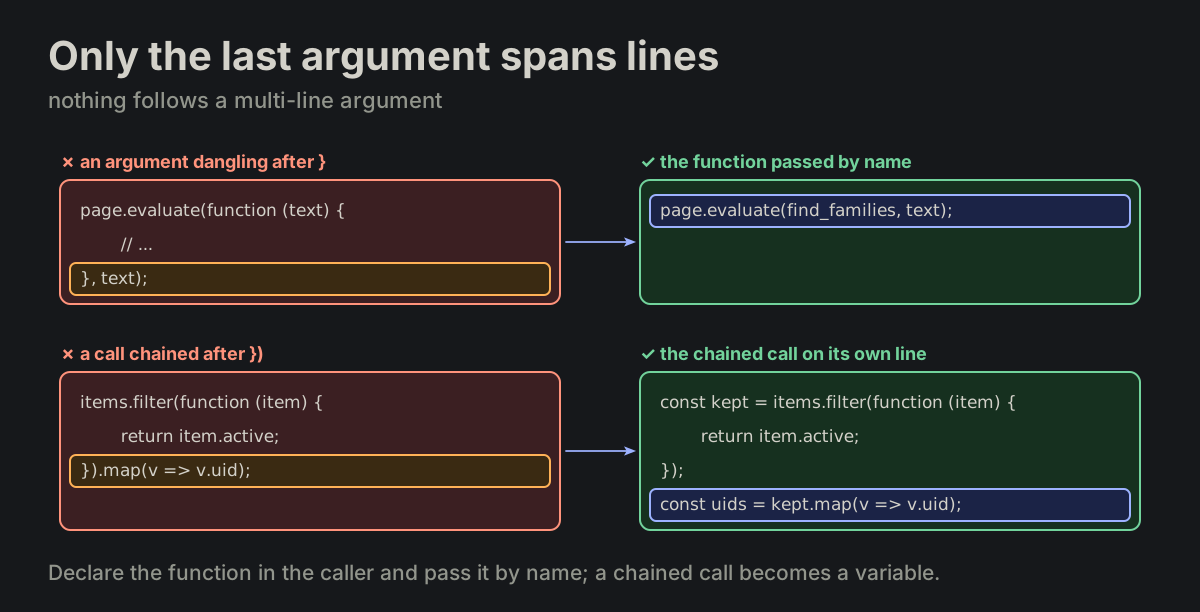
Only the last argument spans lines. Only the last argument of a call may span several lines; nothing follows a multi-line argument — no further argument after }, no chained call after }). A function that would leave arguments dangling is declared inside the caller and passed by name; a chained call becomes a variable.

FORMATTING.md
page.evaluate(function (text) {
    // ...
}, text);                          ✗ dangling

page.evaluate(find_families, text);   ✓ yes

items.filter(function (item) {
    // ...
}).map(v => v.uid);               ✗ dangling
A call with an argument after its multi-line function, and a call chained after one, each rewritten so nothing danglesA call with an argument after its multi-line function, and a call chained after one, each rewritten so nothing dangles
FMT-31

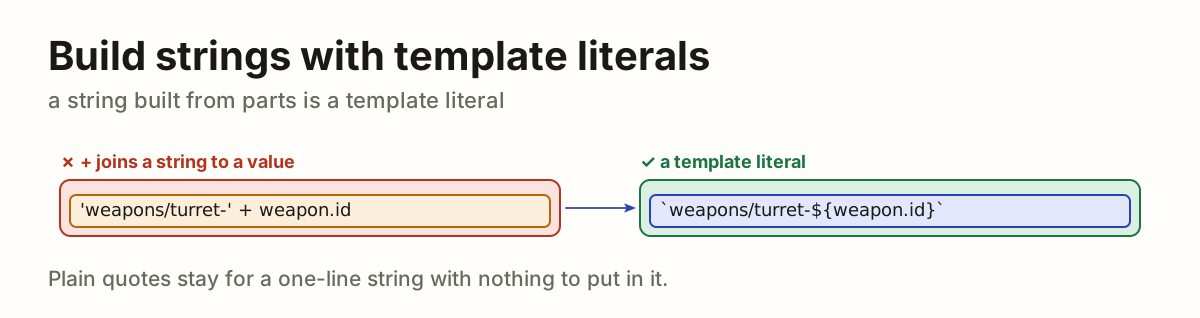
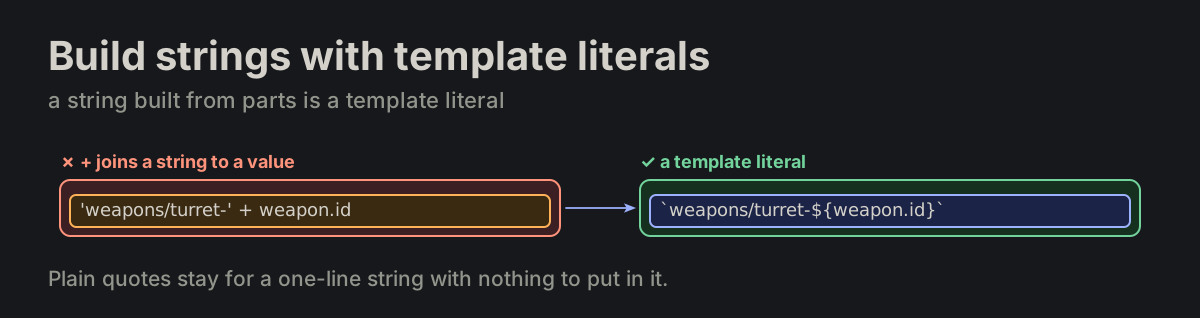
Do not glue strings; when one cannot be avoided, a template literal. A string is not built from parts: a phrase, a path or a message is written whole. Only when a value has to go inside it and nothing else will do, it is built, and then as a template literal; + never joins a string to a value. Plain quotes stay for a one-line string with nothing to interpolate; a string that spans lines is a template literal (SQL-01).

FORMATTING.md
'weapons/turret-' + weapon.id    ✗ no
`weapons/turret-${weapon.id}`    ✓ yes
'weapons/turret-' + weapon.id turned into a template literal'weapons/turret-' + weapon.id turned into a template literal
FMT-32

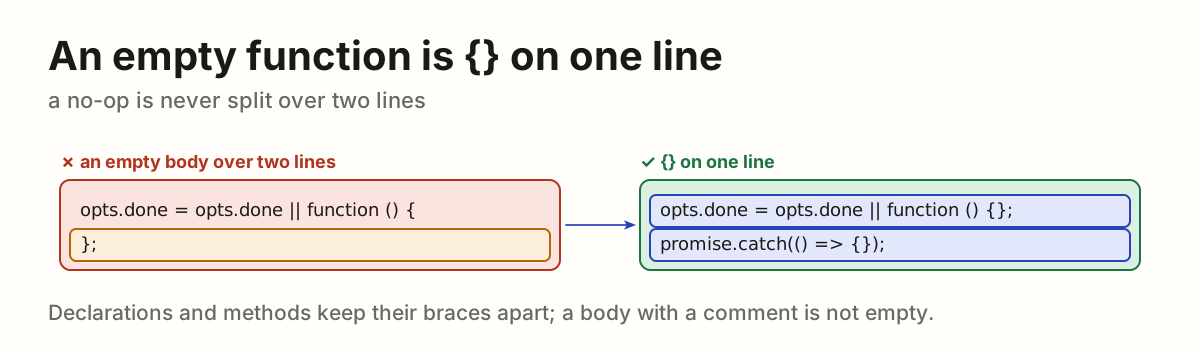
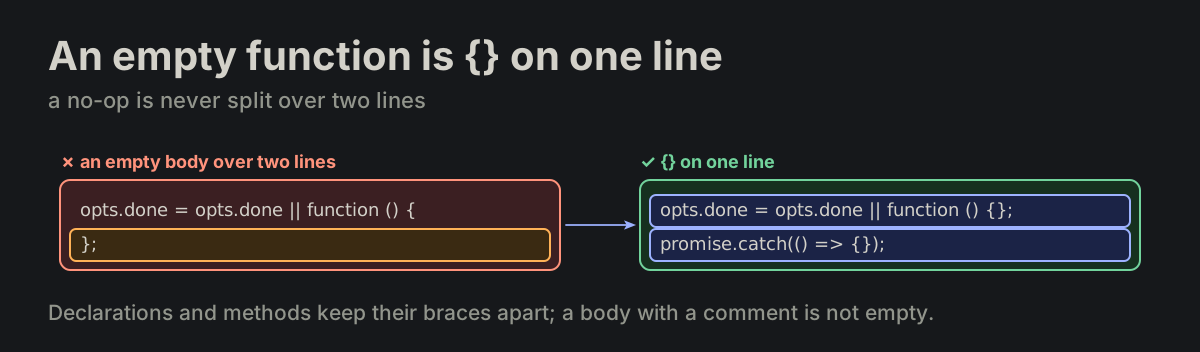
An empty function is {} on one line. An empty function expression or arrow is a no-op, as ignore is: its body is {} on one line, never split over two. A function declaration and a method keep their braces on lines of their own; a body holding only a comment is not empty.

FORMATTING.md
params.update = params.update || function () {
};                                                ✗ no

params.update = params.update || function () {};   ✓ yes
promise.catch(() => {});                          ✓ yes
An empty function expression split over two lines, turned into {} on one lineAn empty function expression split over two lines, turned into {} on one line
FMT-33

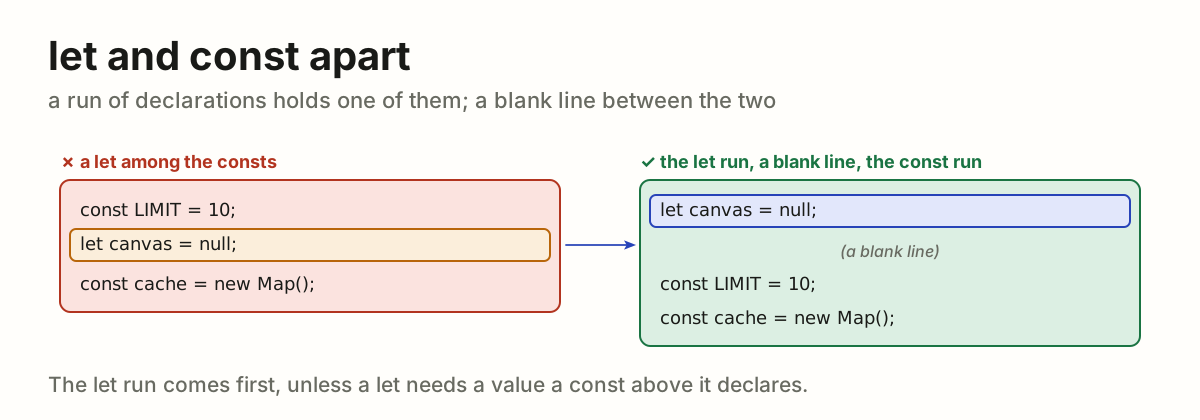
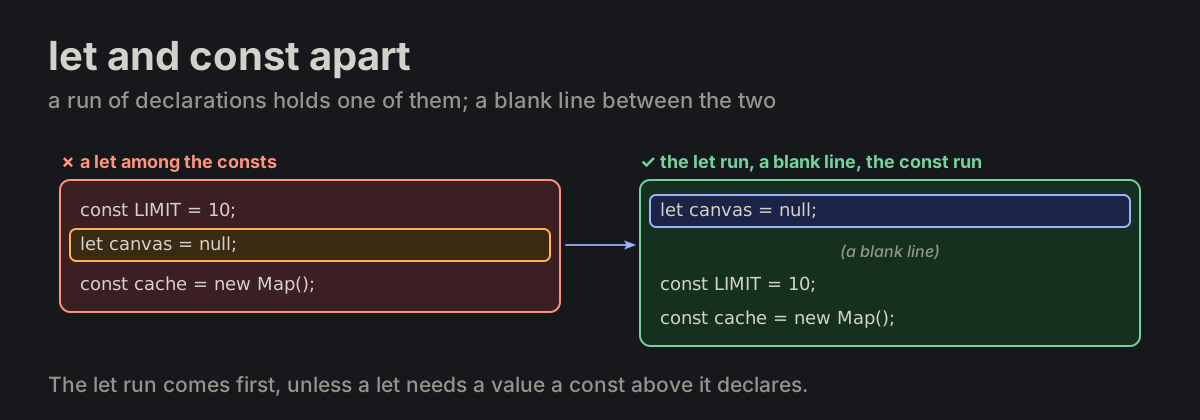
let and const never share a run of declarations. A run of declarations, lines with no blank line between them, holds only let or only const. When a block needs both, they are two runs with one blank line between, the let run first, unless a let needs a value a const above it declares. That blank line is the one FMT-16 allows besides a phase change.

FORMATTING.md
const LIMIT = 10;
let canvas = null;          ✗ no
const cache = new Map();

let canvas = null;          ✓ yes

const LIMIT = 10;
const cache = new Map();
A let among the consts, turned into the let run, a blank line, then the const runA let among the consts, turned into the let run, a blank line, then the const run
FMT-34

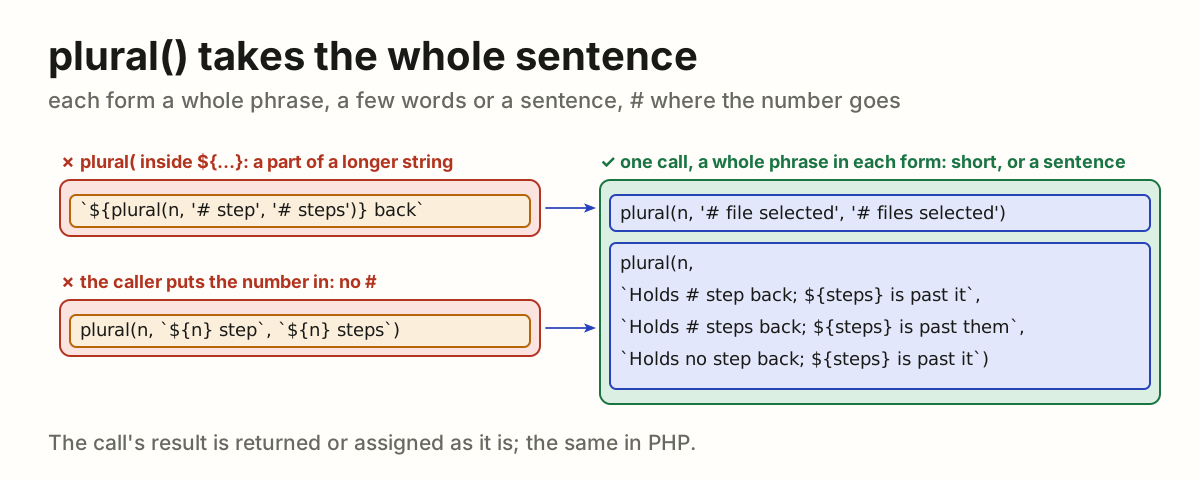
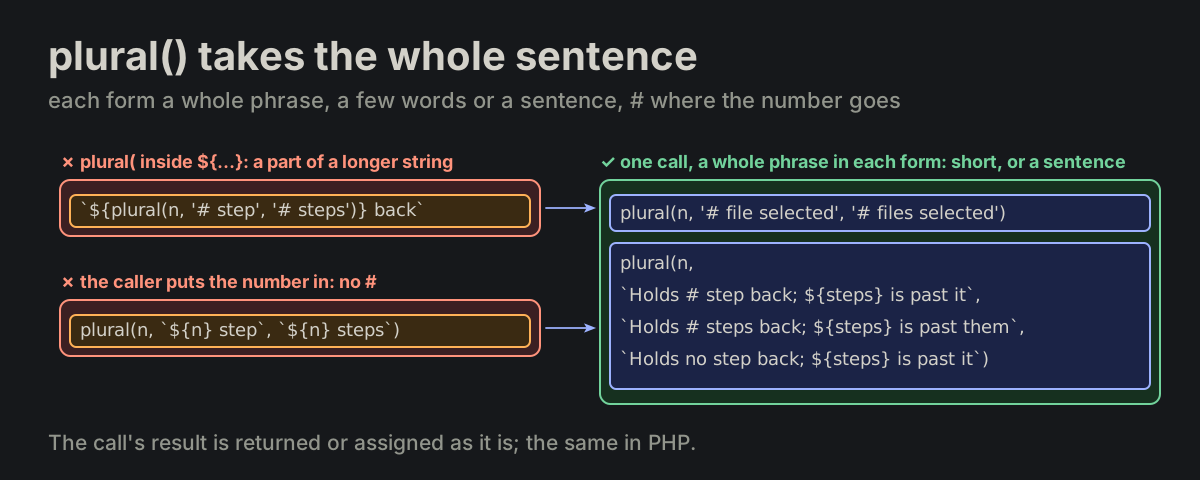
plural() takes the whole sentence. Each form is a whole phrase, usually a sentence, # where the number goes. The call's result is returned or assigned as it is, never a part of a longer string: no ${plural(…)}. The same in PHP.

FORMATTING.md
`${plural(n, '# step', '# steps')} back`   ✗ inside ${…}
plural(n, `${n} step back`, `${n} steps back`)  ✗ no #

plural(n, '# file selected', '# files selected')   ✓ yes

plural(n,
    `Holds # step back; ${steps} is past it`,
    `Holds # steps back; ${steps} is past them`,
    `Holds no step back; ${steps} is past it`)   ✓ yes
A plural() call inside a longer string, and forms that put the number in themselves, each turned into one call with a whole phrase in each form, a few words or a whole sentence, # where the number goesA plural() call inside a longer string, and forms that put the number in themselves, each turned into one call with a whole phrase in each form, a few words or a whole sentence, # where the number goes
FMT-35

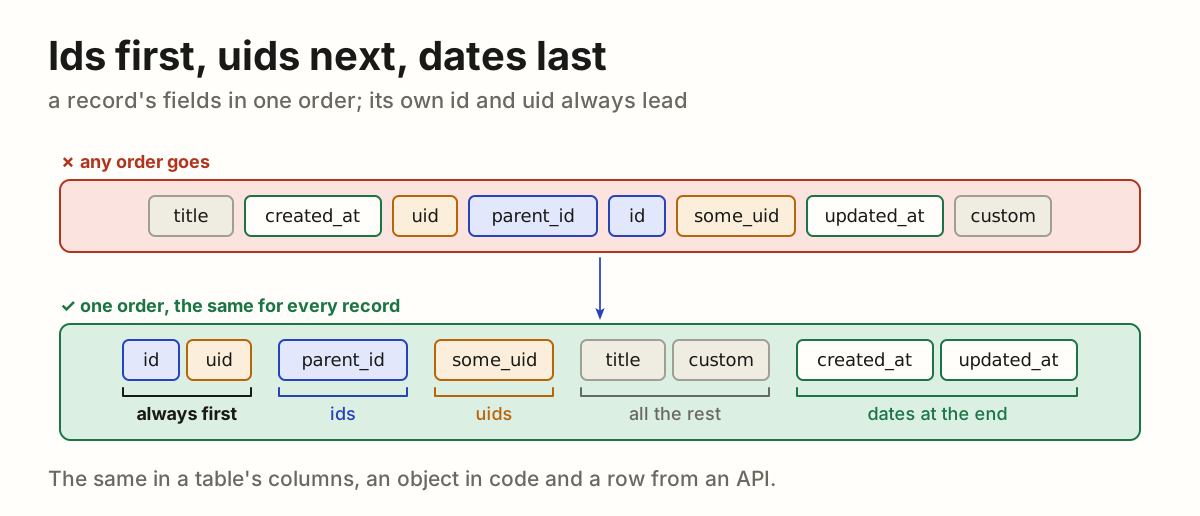
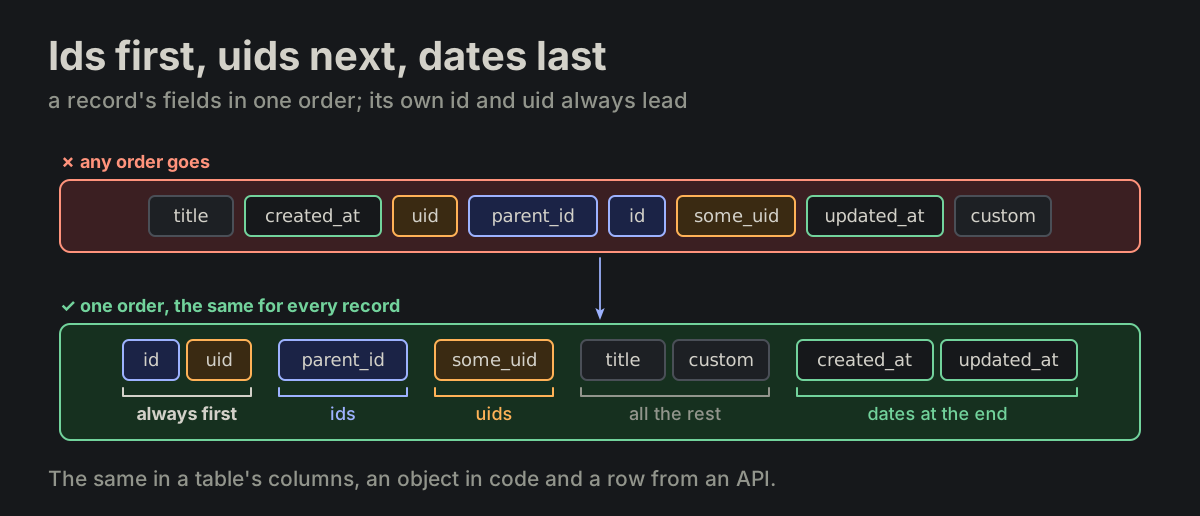
Ids first, uids next, dates last. The fields of a record stand in one order: its own id and uid always first, then the ids of other records, then their uids, then all the rest, the dates at the end. A table's columns, an object in code and a row from an API alike.

record_fields.md
{id, uid, parent_id, some_uid, title, custom, created_at, updated_at}
The fields of a record in any order, turned into one order: id and uid always first, then ids, uids, all the rest, dates at the endThe fields of a record in any order, turned into one order: id and uid always first, then ids, uids, all the rest, dates at the end
FMT-36

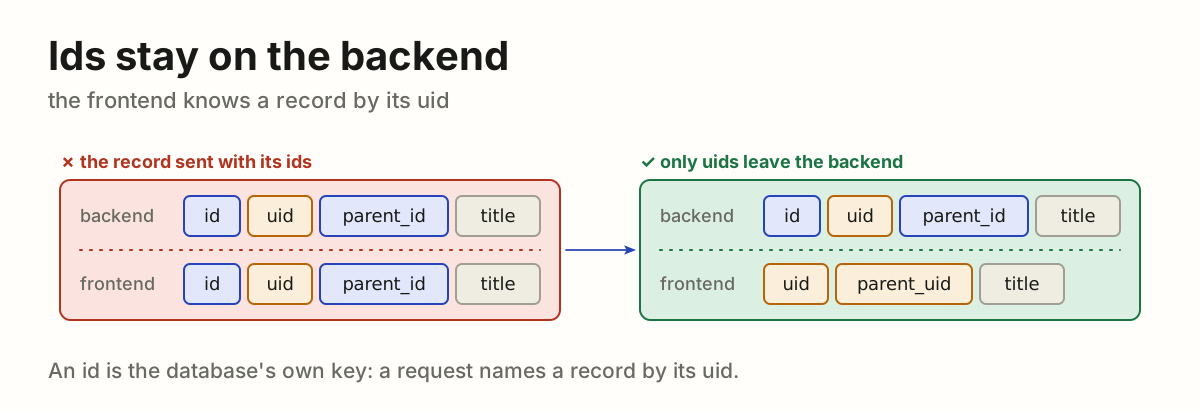
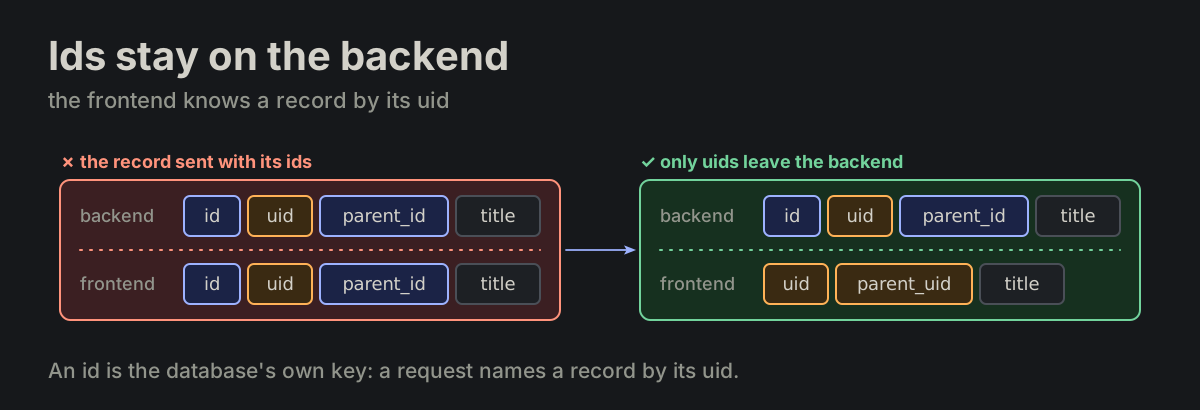
Ids stay on the backend; the frontend gets uids. A record's id and every …_id are private values of the backend: no response, URL or page carries one. The frontend knows a record by its uid, another record by its …_uid.

record_fields.md
{id, uid, parent_id, title}   ✗ on the frontend
{uid, parent_uid, title}      ✓ yes
A record on the backend and on the frontend: sent with id and parent_id, turned into uid and parent_uid onlyA record on the backend and on the frontend: sent with id and parent_id, turned into uid and parent_uid only
FMT-37

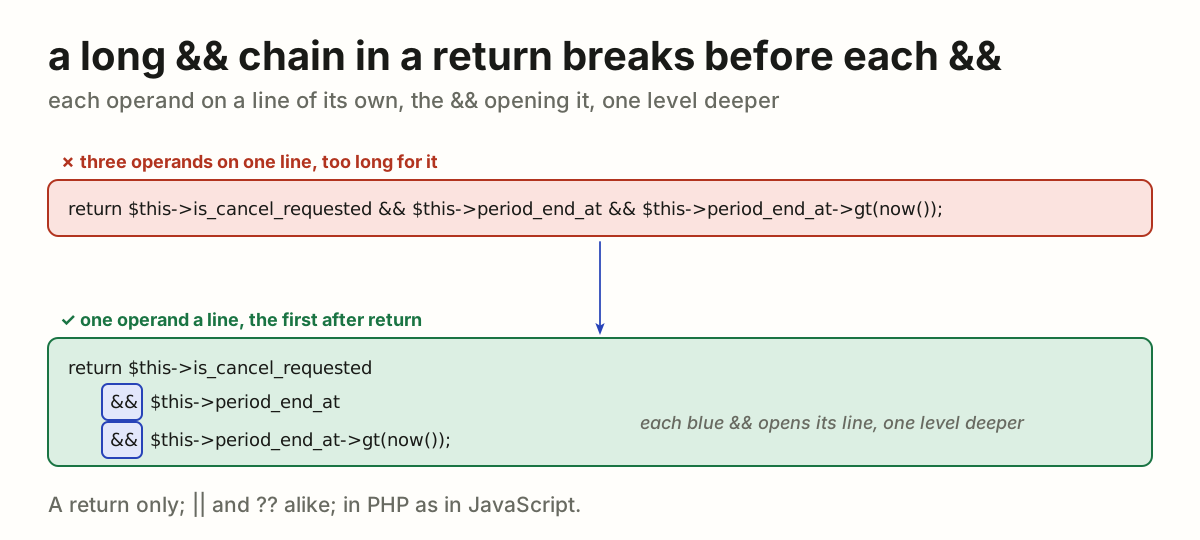
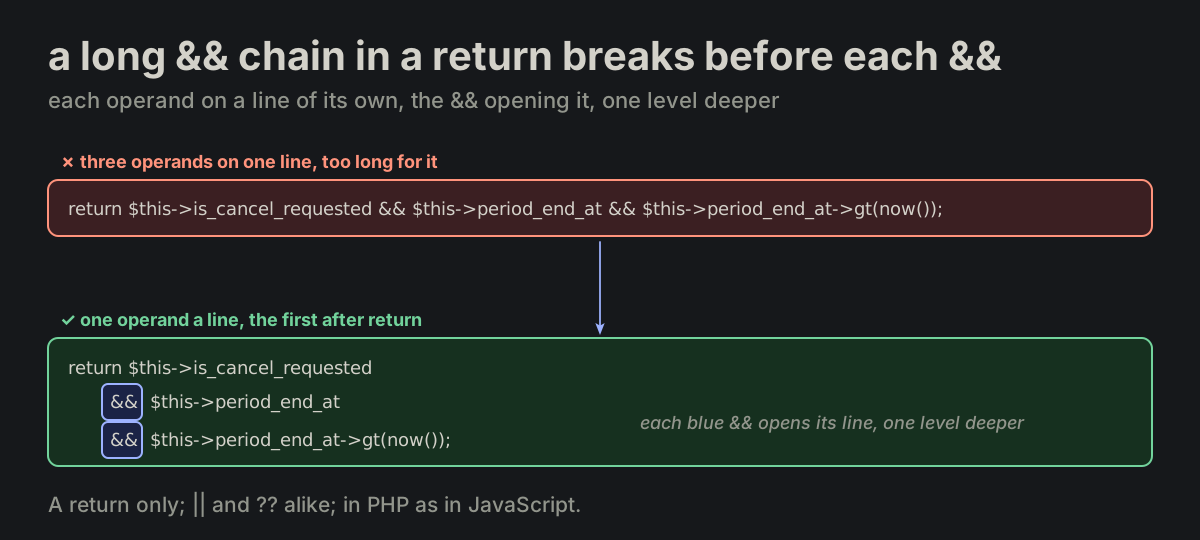
A long && chain in a return breaks before each &&. A return of && too long for one line puts each operand on a line of its own: the first stays after return; each next one opens its line with &&, one level deeper. Never two operands on one line, never an && at the end of a line; an operand in parentheses (FMT-27) stays whole on its line. One that fits stays on one line (FMT-13). || and ?? alike, in PHP as in JavaScript. A return only: an if ( condition or an assignment is not covered.

FORMATTING.md
return $this->is_cancel_requested &&   ✗ no
    $this->period_end_at &&
    $this->period_end_at->gt(now());

return $this->is_cancel_requested      ✓ yes
    && $this->period_end_at
    && $this->period_end_at->gt(now());
A return of three operands on one line, too long, turned into three lines: the first after return, each next one opening its line with &&, one level deeperA return of three operands on one line, too long, turned into three lines: the first after return, each next one opening its line with &&, one level deeper

FLOWControl flowImperative, explicit, no magic.

FLOW-02

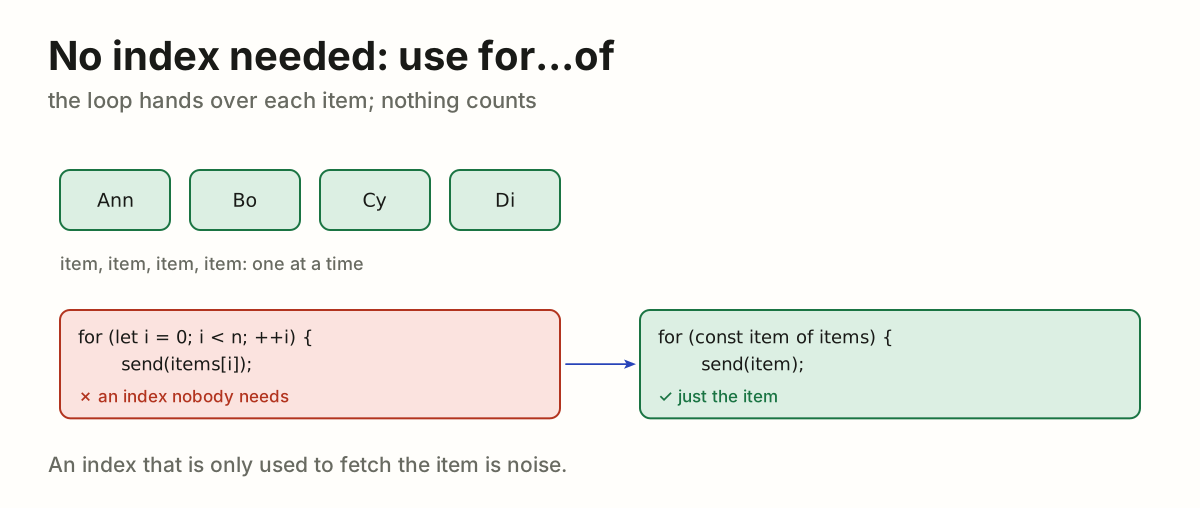
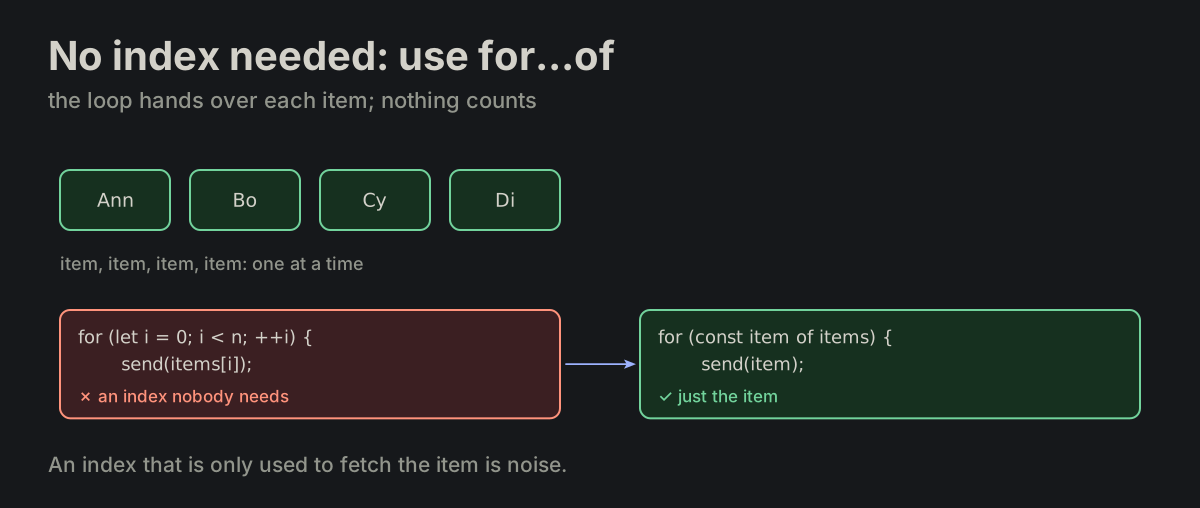
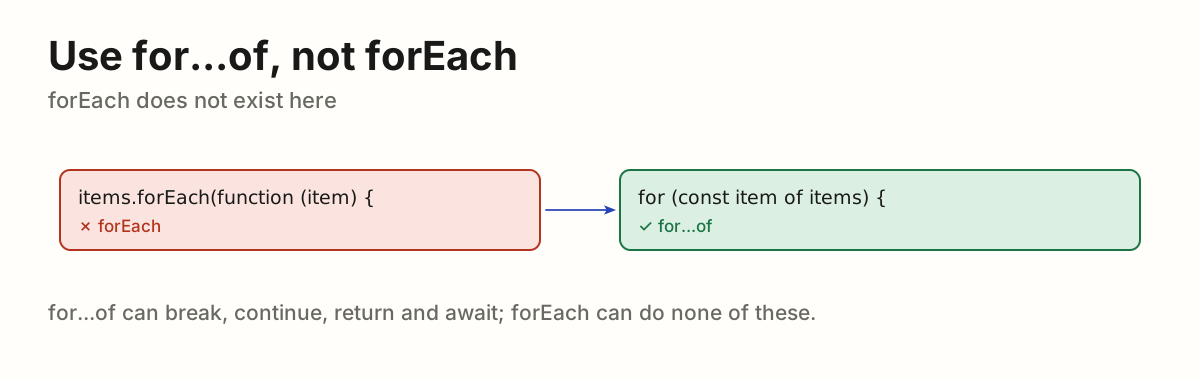
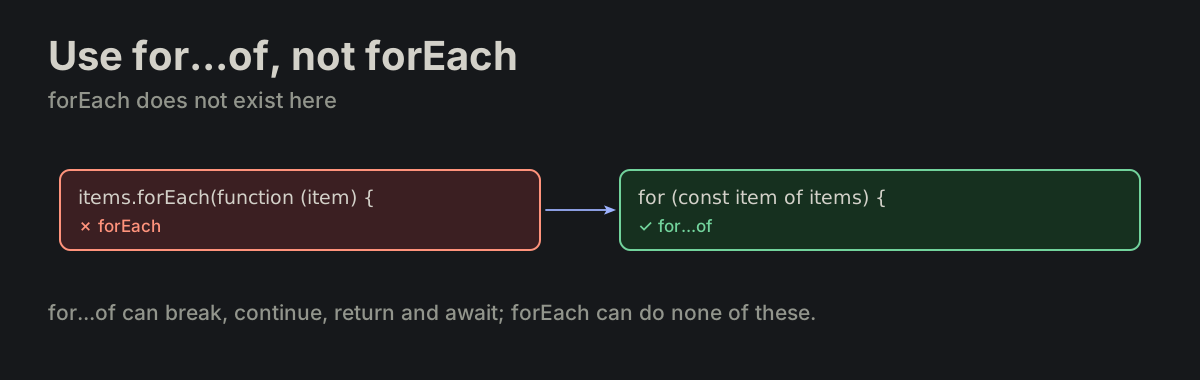
No index needed: use for...of. Prefer for...of when the index is not needed.

for_of.md
for (const item of items) {
}
An indexed loop that only fetches items(i), turned into for (const item of items)An indexed loop that only fetches items(i), turned into for (const item of items)
FLOW-03

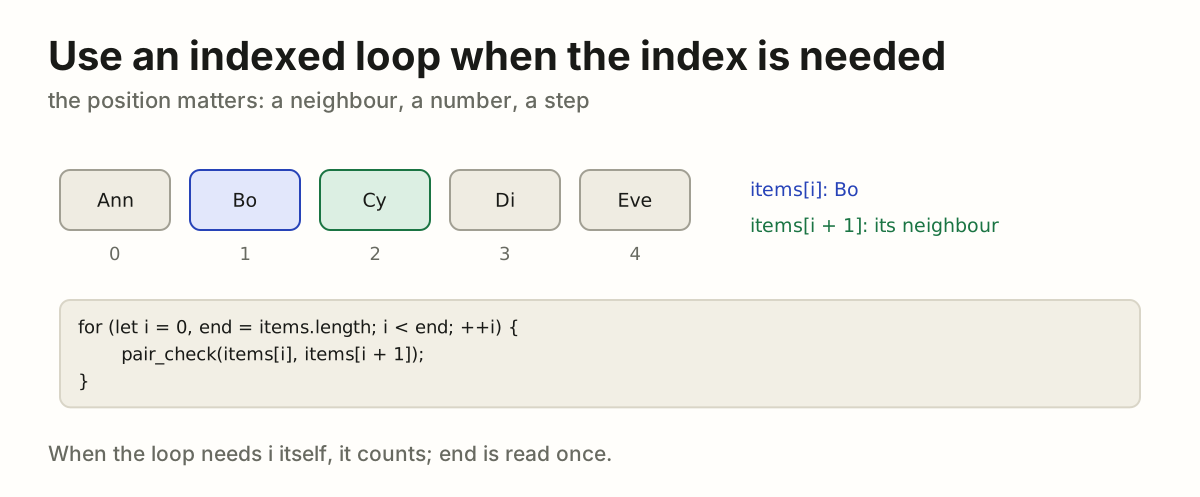
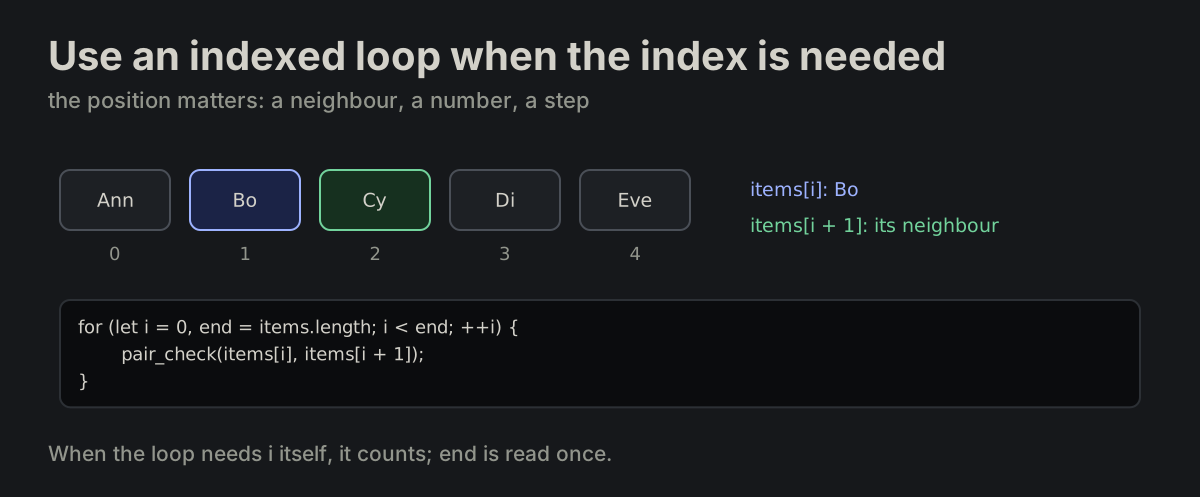
Use an indexed loop when the index is needed.

for_of.md
for (let i = 0, end = items.length; i < end; ++i) {
}
Five items with their indexes: items(i) and items(i + 1) read together, so the loop countsFive items with their indexes: items(i) and items(i + 1) read together, so the loop counts
FLOW-05

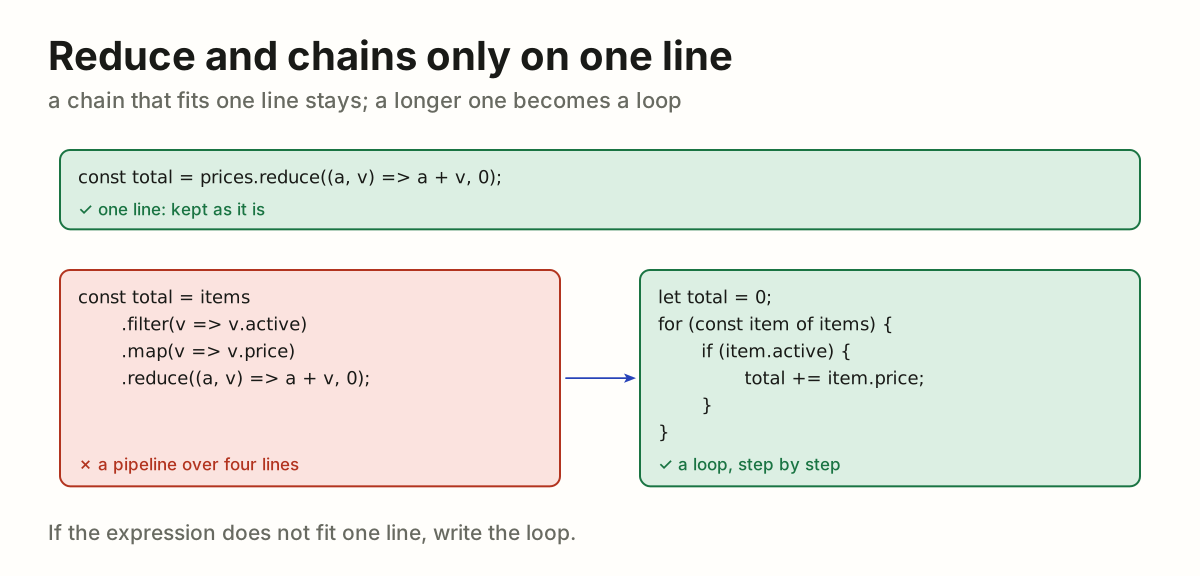
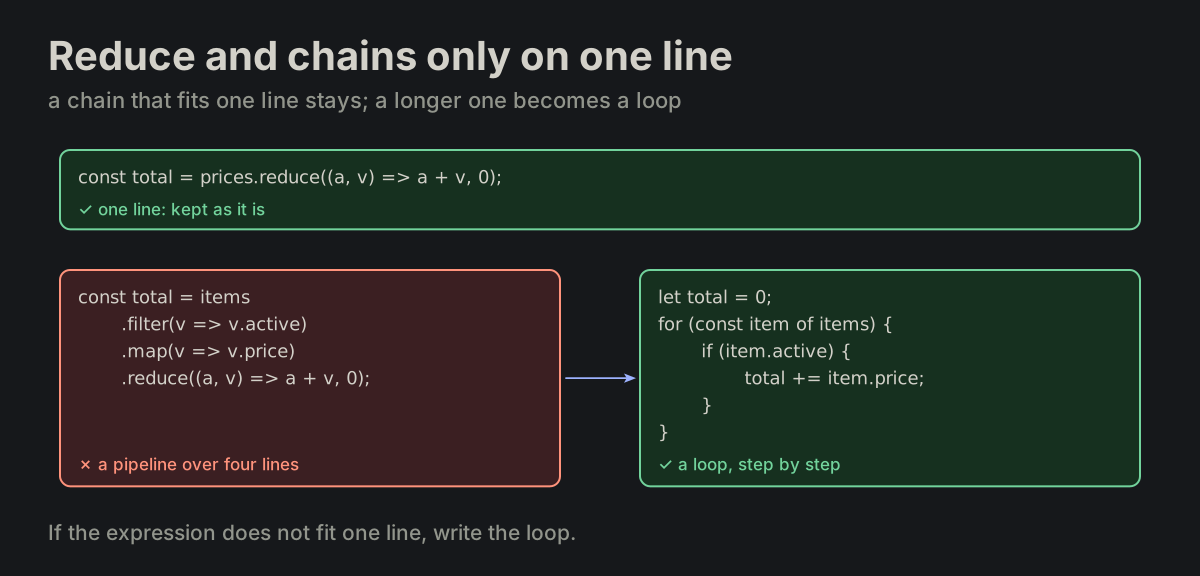
Reduce and chains only on one line. reduce, deep chaining and functional pipelines are allowed only if the entire expression fits on a single line.

FORMATTING.md
A one-line reduce kept; a four-line filter, map and reduce chain turned into a loopA one-line reduce kept; a four-line filter, map and reduce chain turned into a loop
FLOW-06

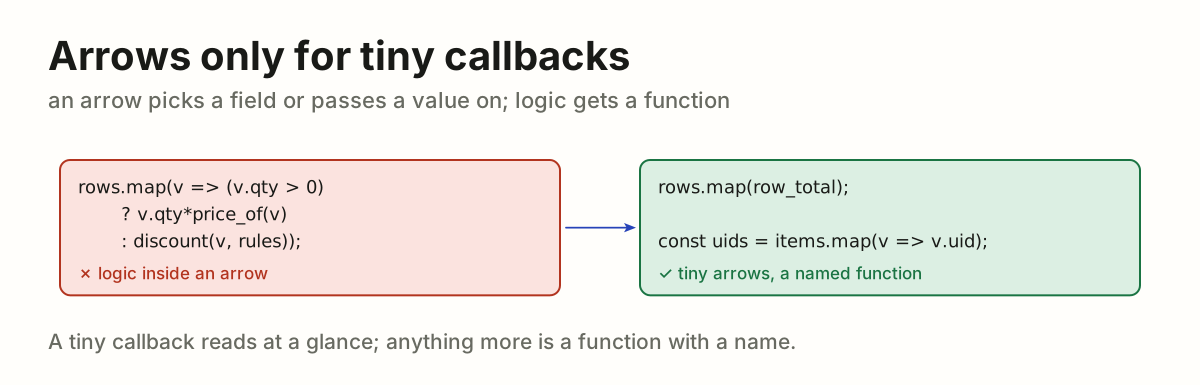
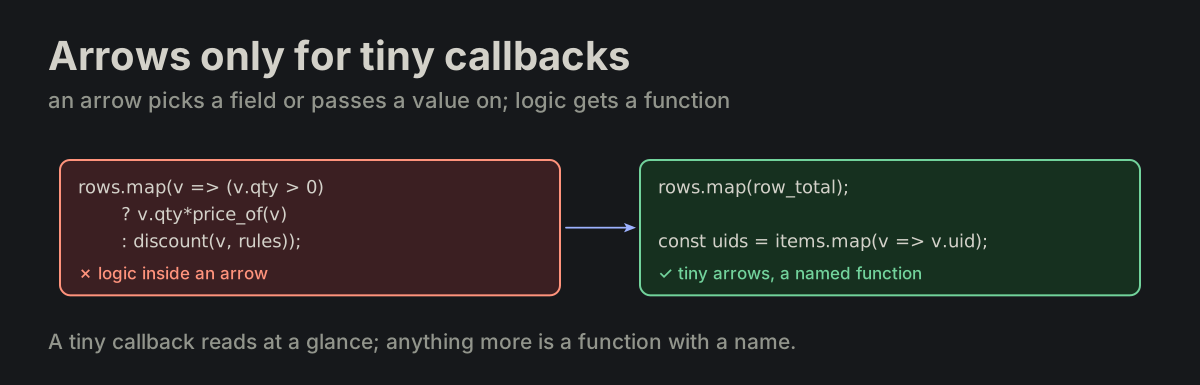
Arrows only for tiny callbacks. Do not use arrow functions for non-trivial logic. Arrows are allowed only for tiny callbacks.

FORMATTING.md
const uids = items.map(v => v.uid);
fresh.catch(ignore);
An arrow holding a conditional computation, turned into a named function; tiny arrows keptAn arrow holding a conditional computation, turned into a named function; tiny arrows kept
FLOW-07

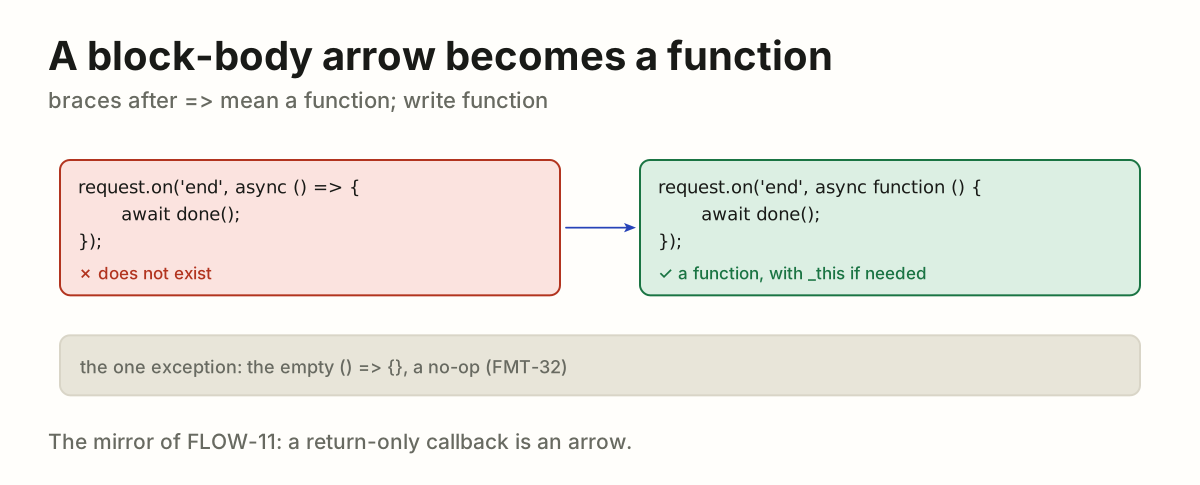
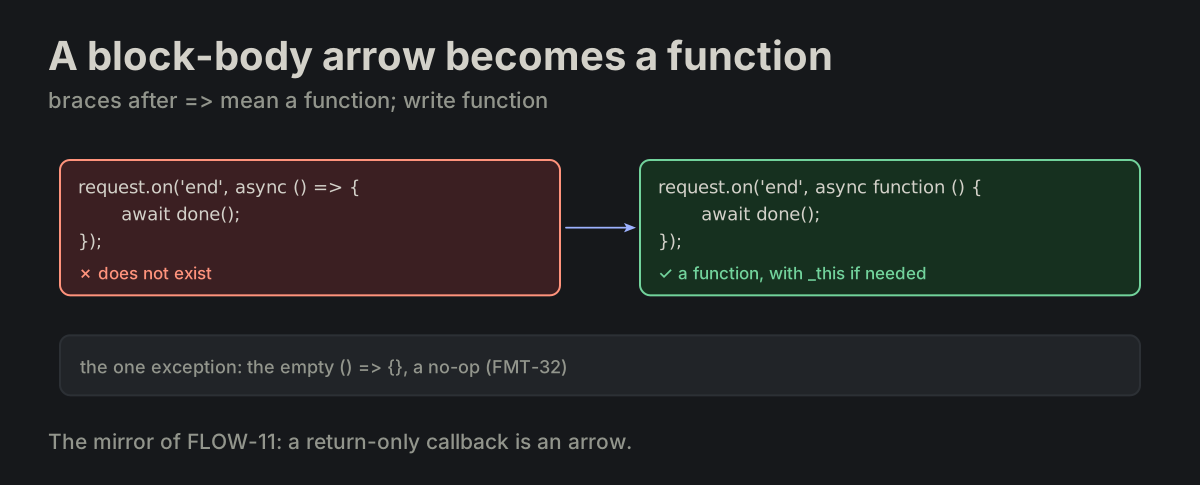
A block-body arrow becomes a function. An arrow with a block body does not exist — it becomes function (...) {}, with an optional _this inside. The empty () => {}, a no-op, is the one exception (FMT-32).

formatting_blocks.md
request.on('end', async () => {          ✗ does not exist
});

request.on('end', async function () {     ✓ this
});
An async arrow with a block body, turned into async function; the empty () => {} is the exceptionAn async arrow with a block body, turned into async function; the empty () => {} is the exception
FLOW-09

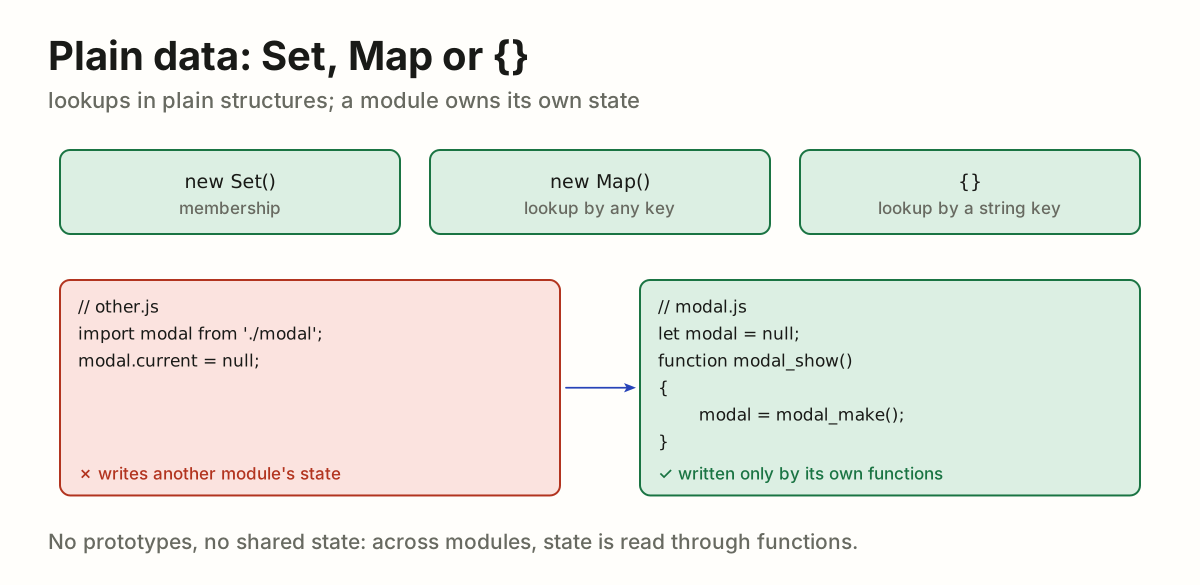
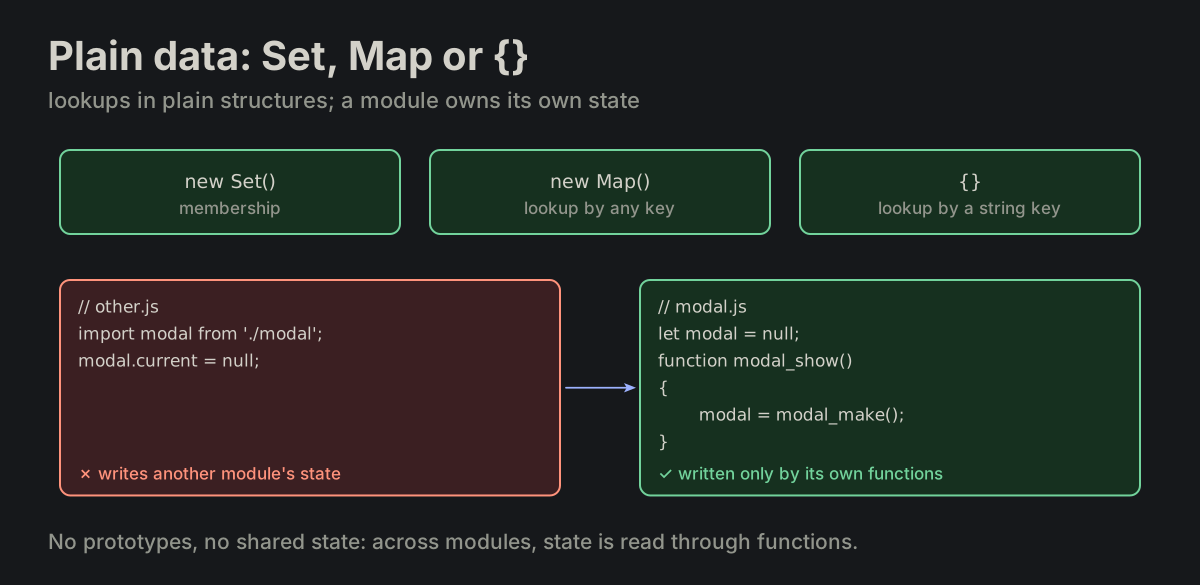
Plain data: Set, Map or {}. Use plain data structures — Set, Map or plain {} for lookups. No prototypes, no mutation via shared state. A module may own its state, a singleton over its own data, written only by its own functions; shared means across modules, and that is what is forbidden.

FORMATTING.md
let modal = null;    // the module's own

function modal_show()
{
    modal = modal_make();
}
Set, Map and {} for lookups; another module writing modal state, turned into a module writing only its ownSet, Map and {} for lookups; another module writing modal state, turned into a module writing only its own
FLOW-10

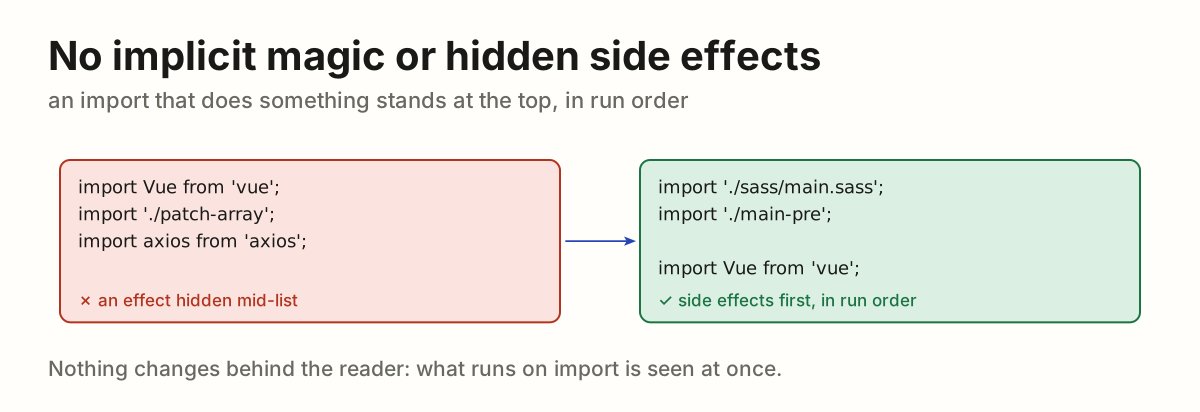
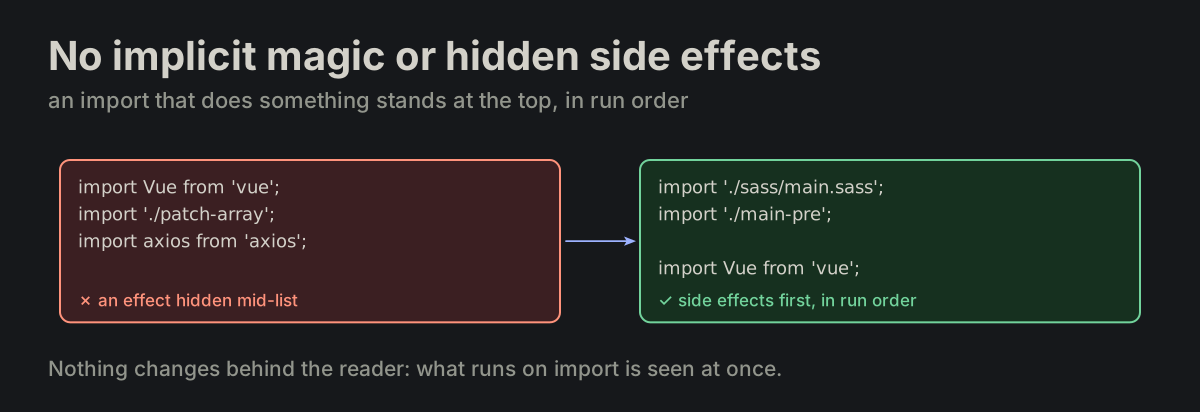
No implicit magic or hidden side effects. No implicit magic. No hidden side effects, no reliance on execution-order side effects. The one visible exception: side-effect imports, which sit at the very top of the file, in the order they run (FILE-11).

FORMATTING.md
import './sass/main.sass';   // the top of the file, in run order
import './main-pre';

import Vue from 'vue';
A side-effect import hidden mid-list, moved to the top block in run orderA side-effect import hidden mid-list, moved to the top block in run order
FLOW-11

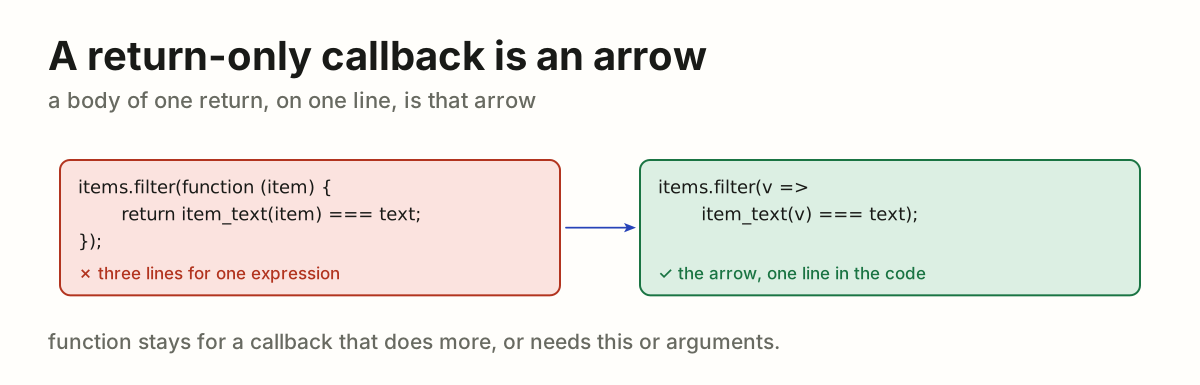
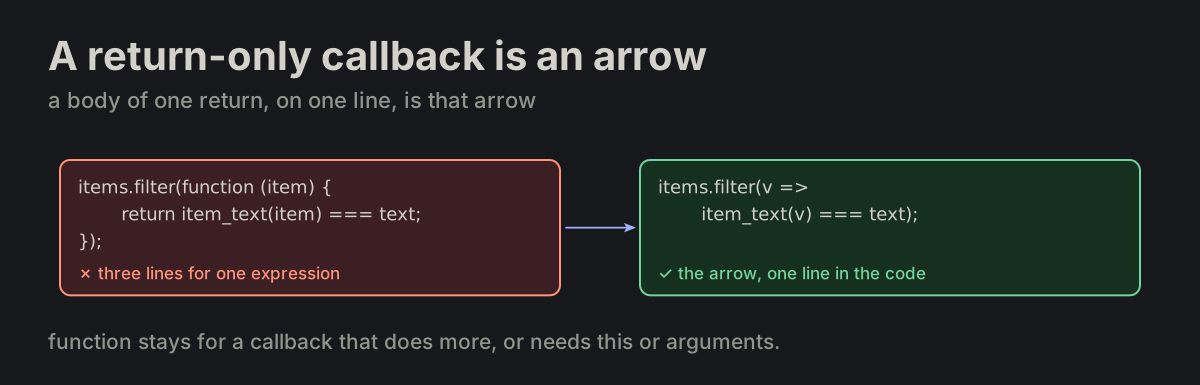
A return-only callback is an arrow. Options-style methods retain function expressions (FMT-12). A callback whose body is only return <expression>, and whose arrow fits on one line, is written as that arrow — the mirror of FLOW-07. function stays for a callback that does more, or that needs this or arguments.

FORMATTING.md
items.filter(function (item) {
    return item_text(item) === text;
});                                       ✗ no

items.filter(v => item_text(v) === text);   ✓ yes
A filter callback that only returns, turned from a function into an arrowA filter callback that only returns, turned from a function into an arrow
FLOW-12

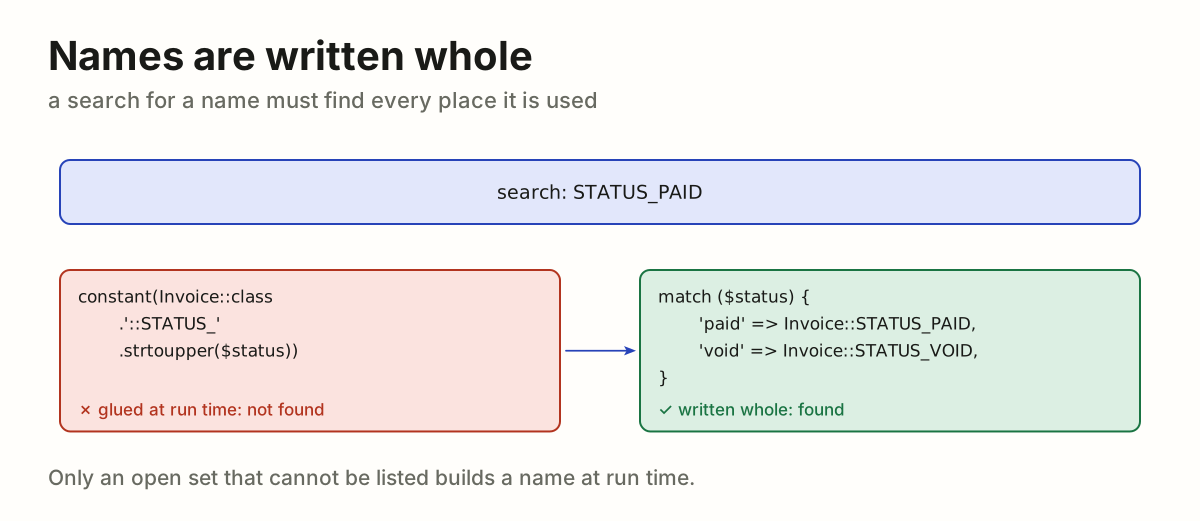
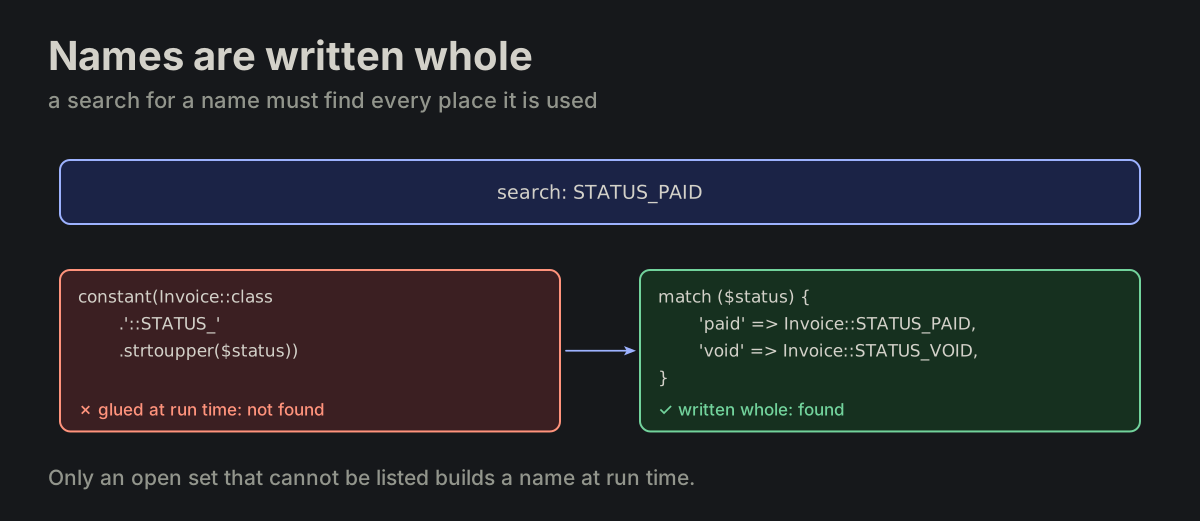
Names are written whole. A constant, function, method, class or property is never glued together from strings at run time; a search or a rename must find it. A value that picks one of a few known names lists them with match (PHP) or switch (JavaScript). A name built at run time only for an open set that cannot be listed.

names_written_whole.md
constant(Invoice::class.'::STATUS_'.strtoupper($status))   ✗ no

match ($status) {                                          ✓ yes
    'paid' => Invoice::STATUS_PAID,
    'void' => Invoice::STATUS_VOID,
}
A search for STATUS_PAID misses a name glued at run time and finds it in a match that lists it wholeA search for STATUS_PAID misses a name glued at run time and finds it in a match that lists it whole
FLOW-13

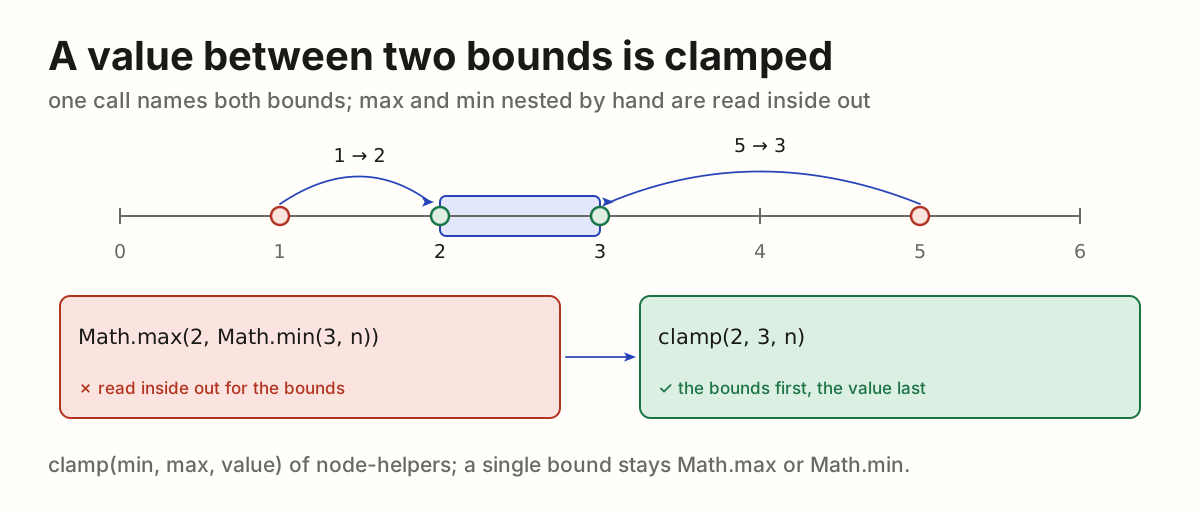
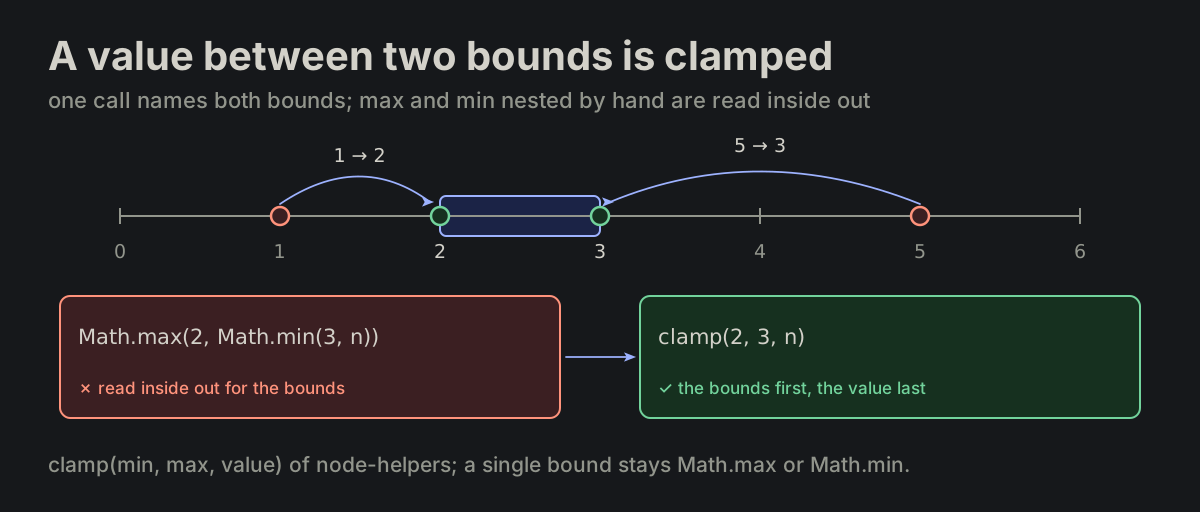
A value between two bounds is clamped. In JavaScript, a value held between a low and a high bound is one call, clamp(min, max, value) of @vbarbarosh/node-helpers: the bounds first, the value last. The bounds, most often constants, are seen at once; the value, often a long expression, comes after them. Never Math.max and Math.min nested by hand, either way round. A single bound stays Math.max or Math.min.

clamp_two_bounds.md
Math.max(2, Math.min(3, n))   ✗ no
clamp(2, 3, n)                ✓ yes
A count of 1 and a count of 5 pulled into the band from 2 to 3; Math.max(2, Math.min(3, n)) read inside out beside clamp(2, 3, n), the bounds firstA count of 1 and a count of 5 pulled into the band from 2 to 3; Math.max(2, Math.min(3, n)) read inside out beside clamp(2, 3, n), the bounds first

FILEFile and module structureOne entry function, one fixed order.

FILE-01

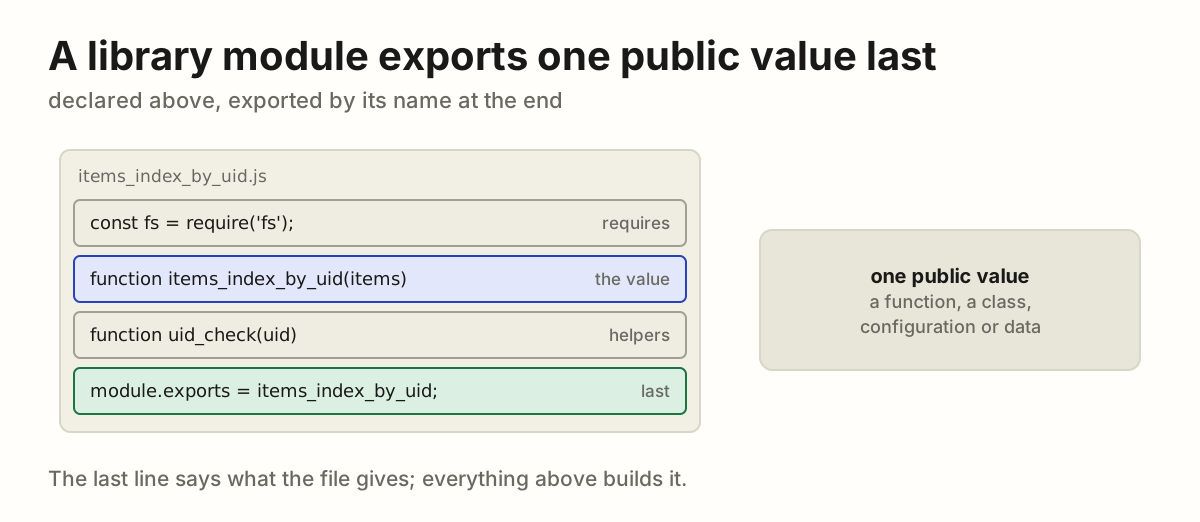
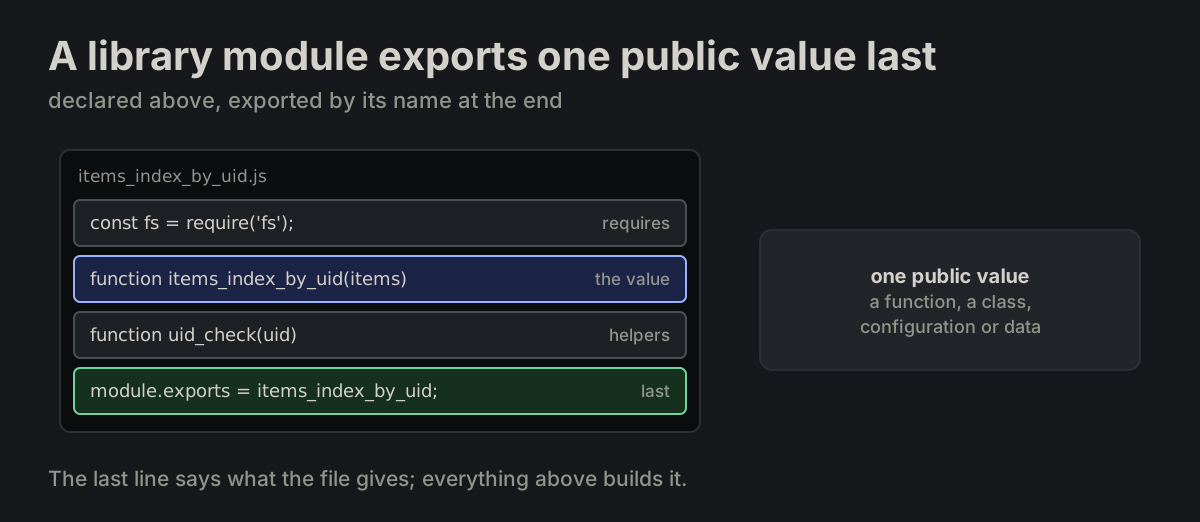
A library module exports one public value last. The value may be a function, class, configuration or data. Declare it above and export its name at file end; tool-shaped files follow their tool.

FORMATTING.md
module.exports = items_index_by_uid;
A library file: requires, the value, helpers, and module.exports of that one value lastA library file: requires, the value, helpers, and module.exports of that one value last
FILE-02

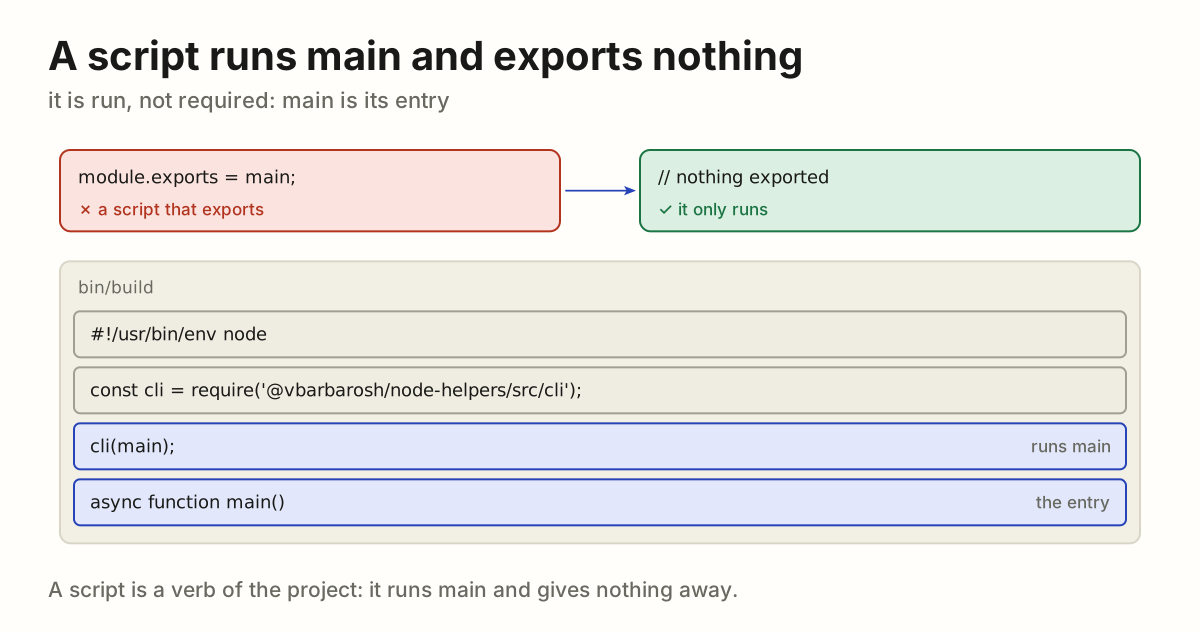
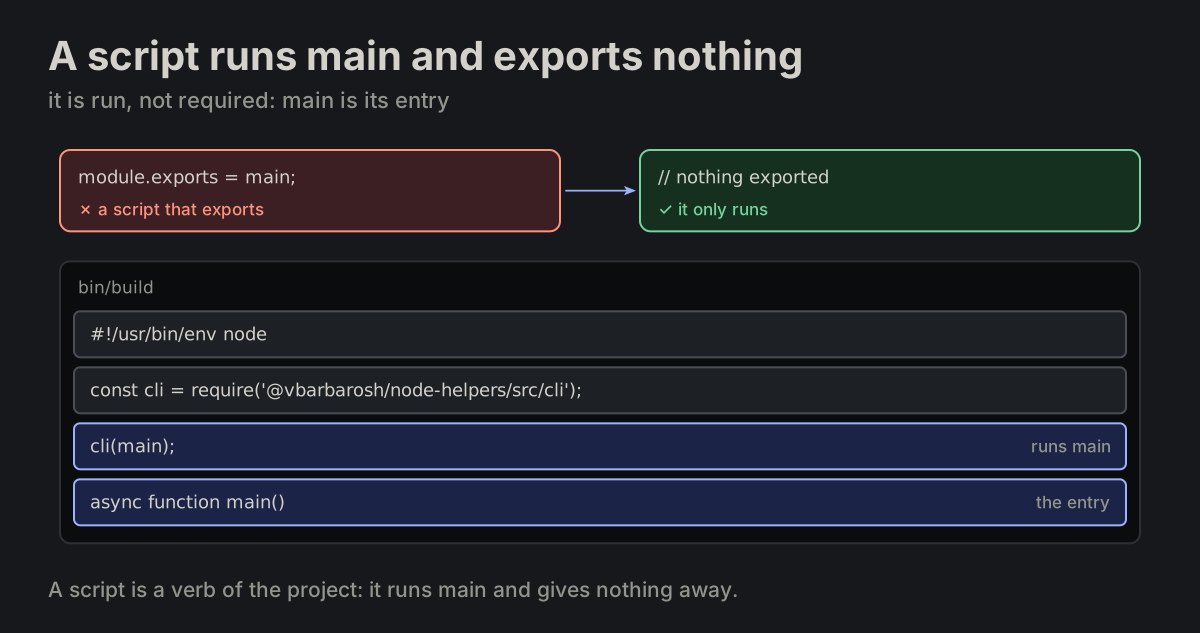
A script runs main and exports nothing. An executable script uses main as its entry function and does not export.

FORMATTING.md
A script that exports, turned into one that only runs: shebang, requires, cli(main), mainA script that exports, turned into one that only runs: shebang, requires, cli(main), main
FILE-03

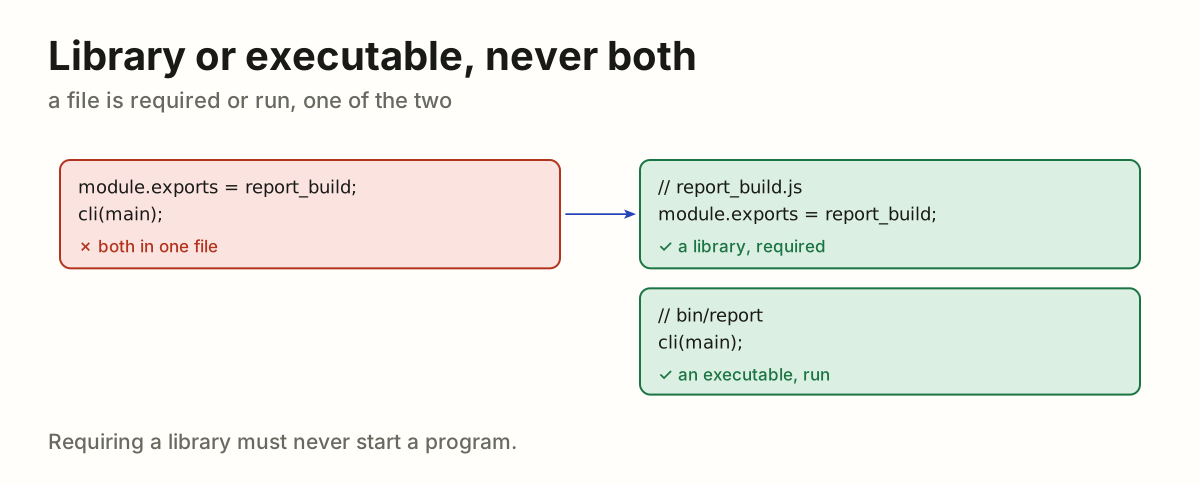
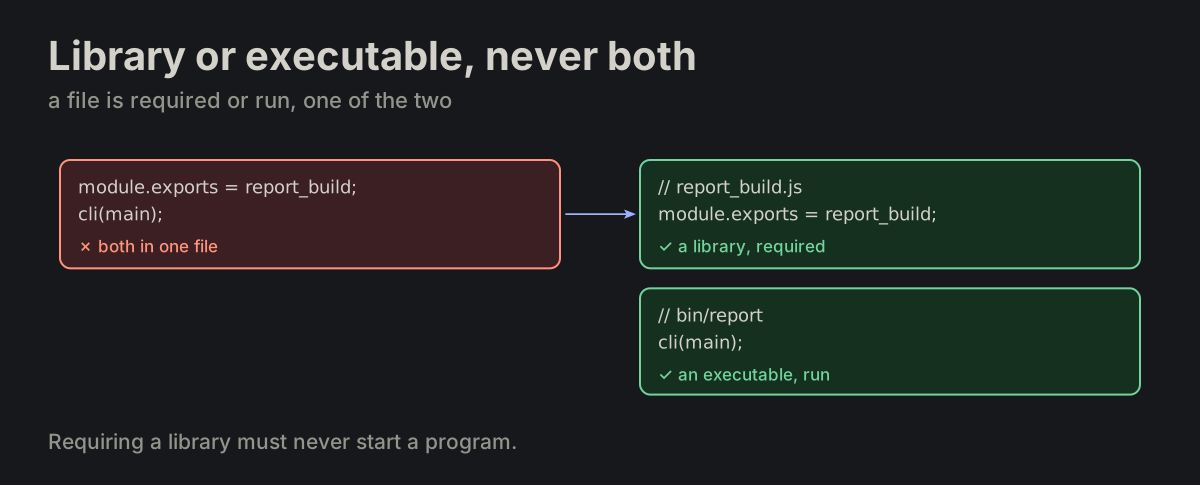
Library or executable, never both. Do not combine a library export and an executable invocation in the same file.

FORMATTING.md
A file that both exports and runs, split into a library and an executableA file that both exports and runs, split into a library and an executable
FILE-04

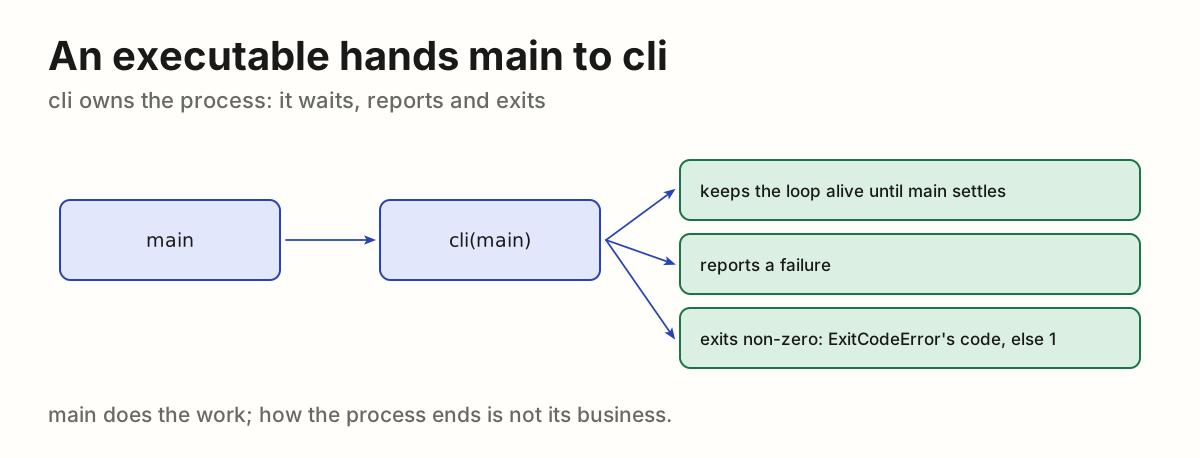
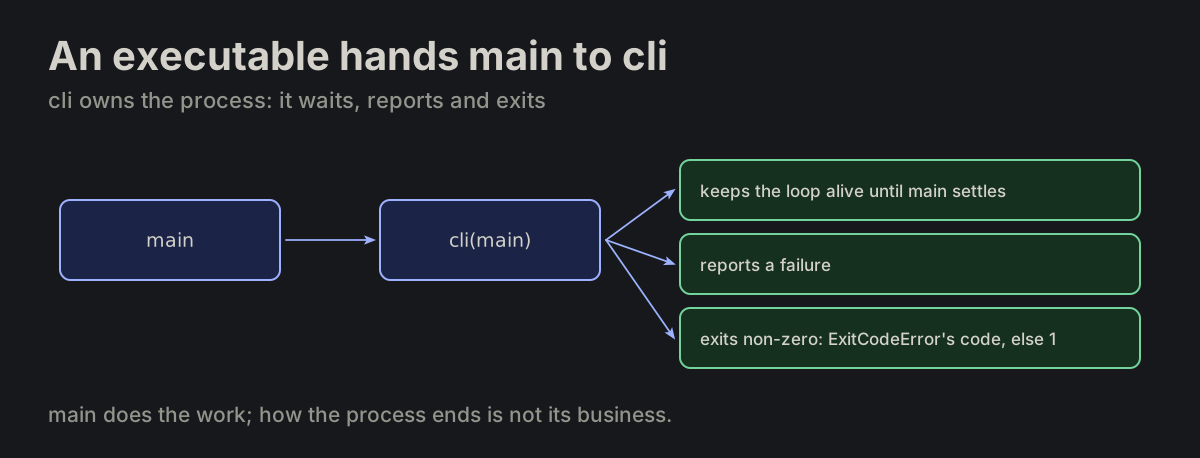
An executable hands main to cli. An executable hands its entry function to cli. cli owns the process contract: it keeps the event loop alive until main settles, reports a failure, and exits non-zero — ExitCodeError picks the code, any other error exits 1. A browser page script has no cli; it calls main(); (MP-10).

cli_main.md
const cli = require('@vbarbarosh/node-helpers/src/cli');

cli(main);

async function main()
{
}
main handed to cli, which keeps the loop alive, reports a failure and exits non-zeromain handed to cli, which keeps the loop alive, reports a failure and exits non-zero
FILE-05

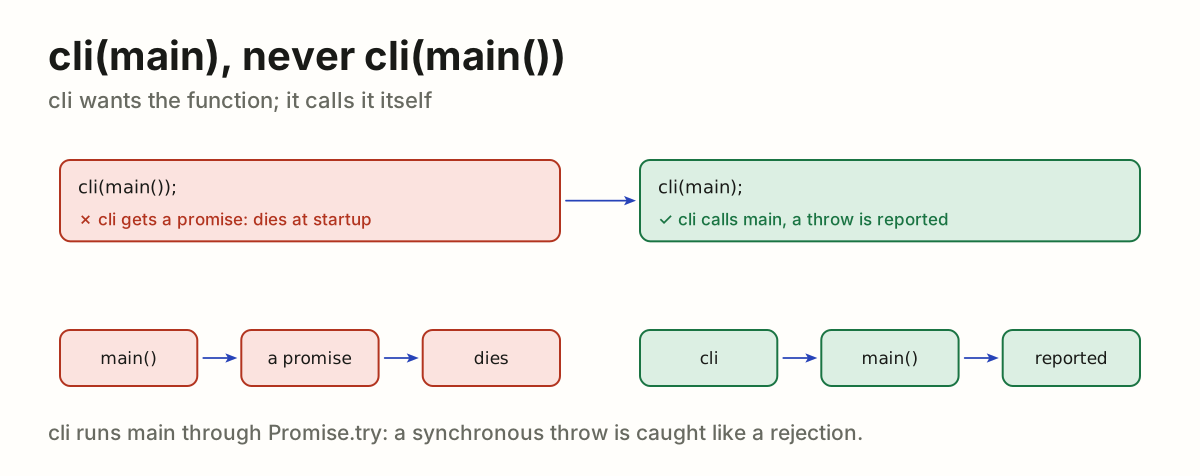
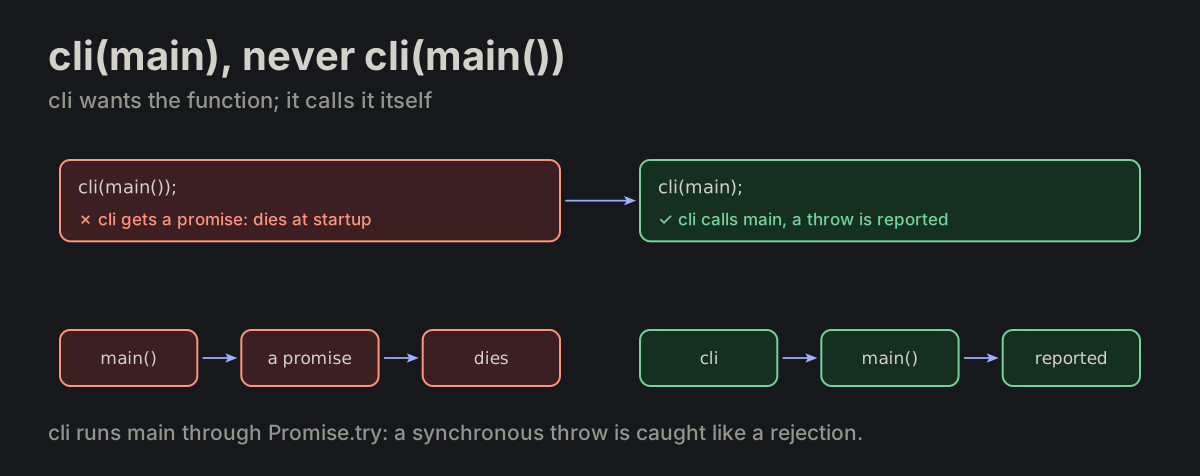
cli(main), never cli(main()). cli runs the function through Promise.try, so a synchronous throw is reported like a rejection; an already-invoked main() is a promise, and Promise.try rejects it with “expecting a function” — the app dies at startup.

cli_main.md
cli(main);     ✓ right
cli(main());   ✗ dies at startup
cli(main()) hands cli a promise and dies at startup; cli(main) lets cli call main and report a throwcli(main()) hands cli a promise and dies at startup; cli(main) lets cli call main and report a throw
FILE-06

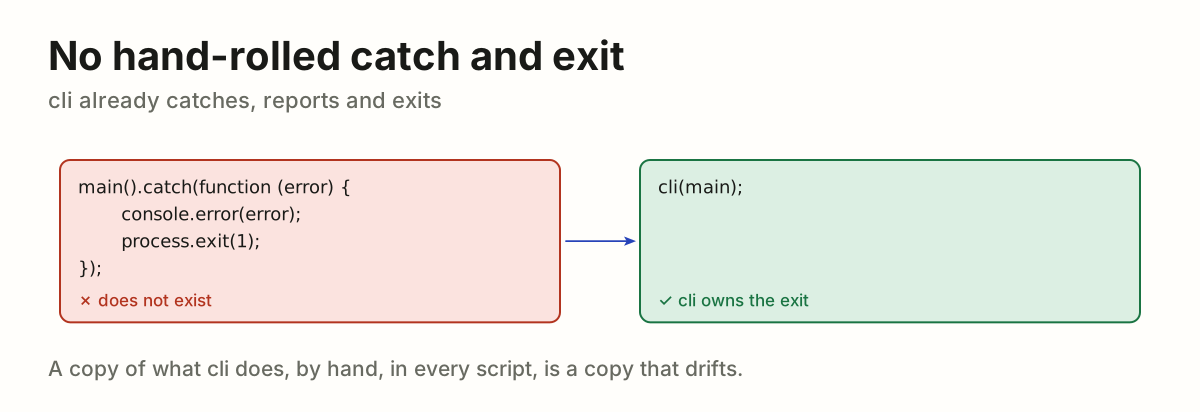
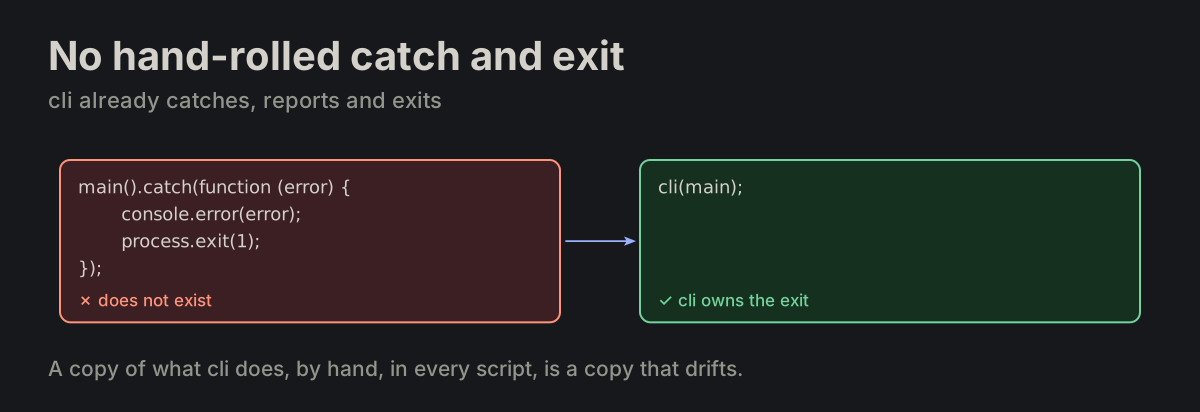
No hand-rolled catch and exit. A hand-rolled main().catch(...) with process.exit(1) does not exist.

cli_main.md
main().catch(function (error) {
    console.error(error);
    process.exit(1);
});                              ✗ does not exist
A hand-written main().catch with process.exit(1), replaced by cli(main)A hand-written main().catch with process.exit(1), replaced by cli(main)
FILE-07

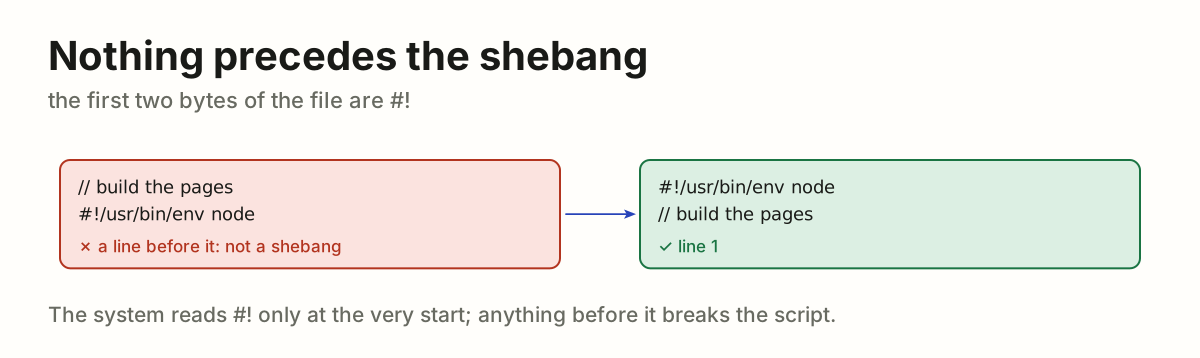
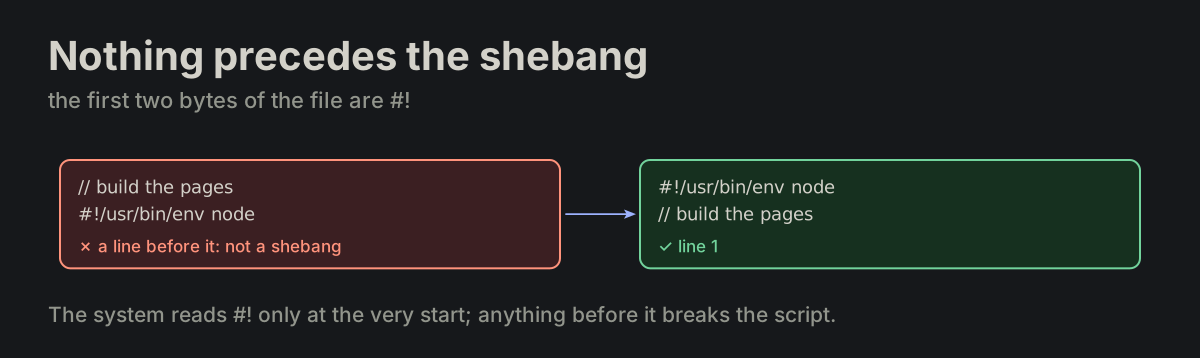
Nothing precedes the shebang. An executable script may start with a shebang; nothing may precede it.

FORMATTING.md
#!/usr/bin/env node
A comment above the shebang, moved below it so #! is line 1A comment above the shebang, moved below it so #! is line 1
FILE-08

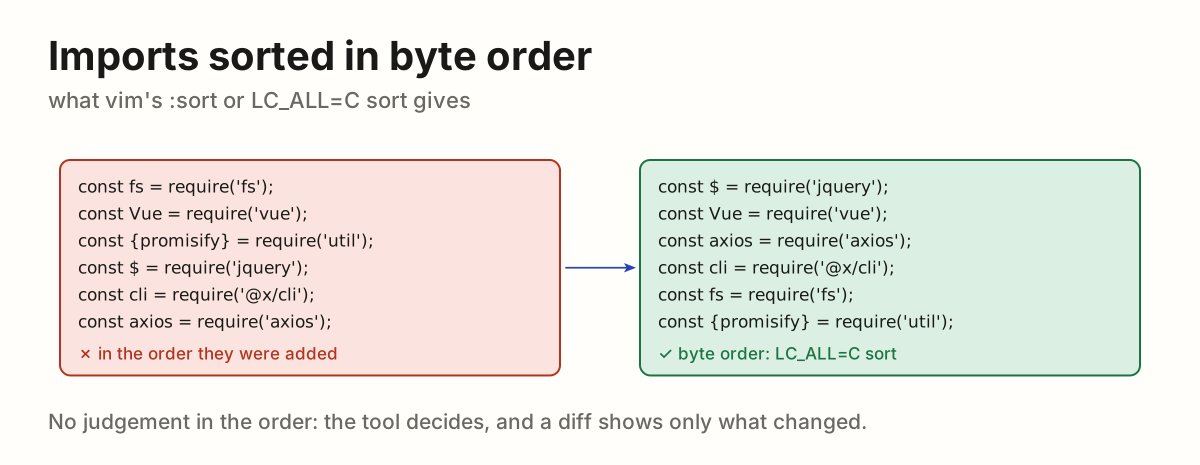
Imports sorted in byte order. The import block is sorted as plain text lines in byte order — what vim’s :sort over the block, or LC_ALL=C sort, produces. require and import alike.

FORMATTING.md
const $ = require('jquery');
const Vue = require('vue');
const axios = require('axios');
const cli = require('@vbarbarosh/node-helpers/src/cli');
const fs = require('fs');
const {promisify} = require('util');
Six requires in the order they were added, sorted in byte order as LC_ALL=C sort doesSix requires in the order they were added, sorted in byte order as LC_ALL=C sort does
FILE-09

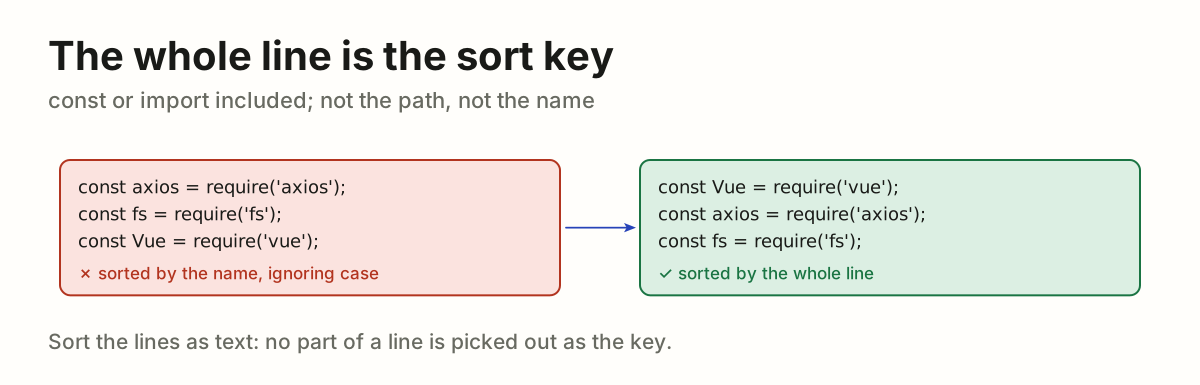
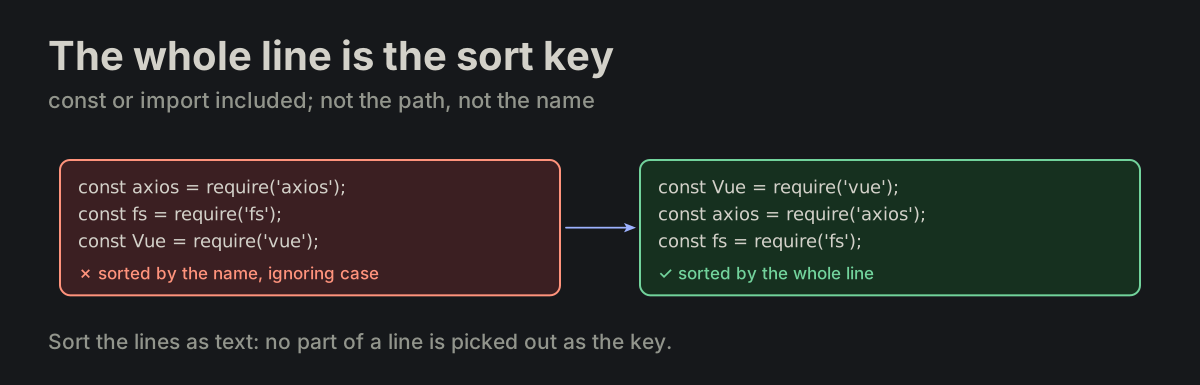
The whole line is the sort key. The whole line is the sort key — const or import included, not the module path and not the variable name.

imports_sorted.md
Requires sorted by name ignoring case, re-sorted by the whole lineRequires sorted by name ignoring case, re-sorted by the whole line
FILE-10

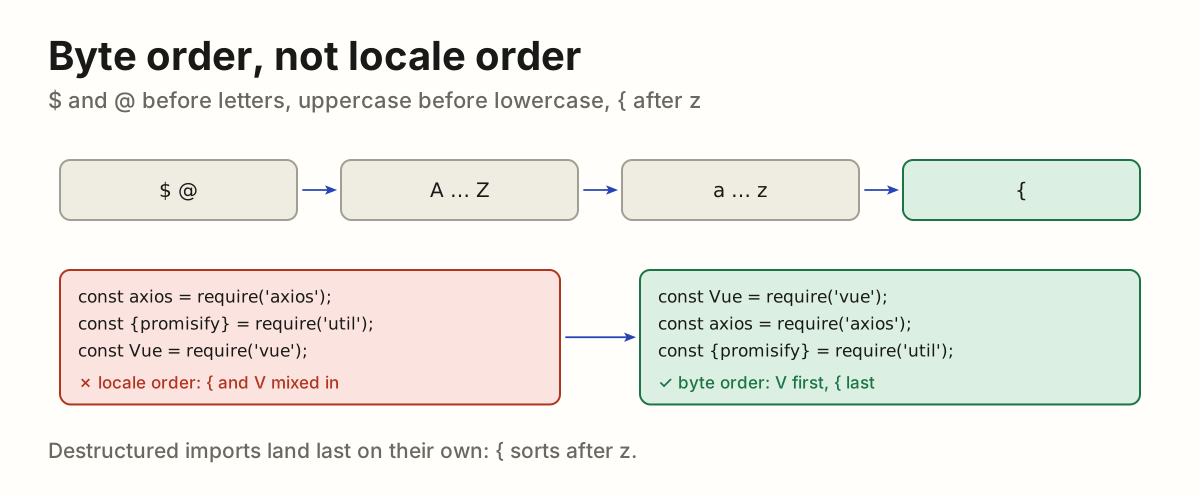
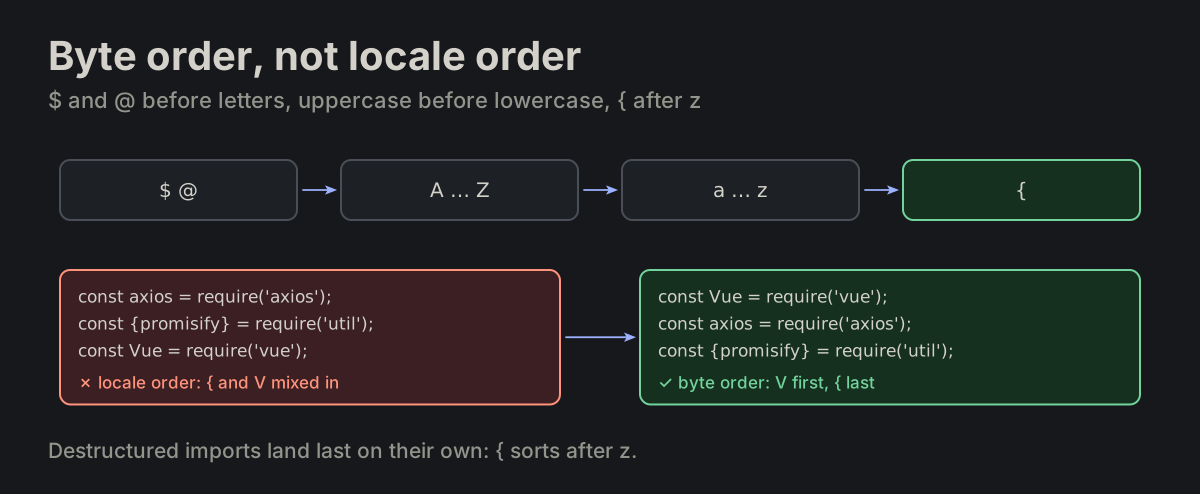
Byte order, not locale order. Byte order, not locale order: @ and $ come before letters, uppercase before lowercase, and { after z — destructured imports land last.

imports_sorted.md
const Vue = require('vue');       ← V before a
const axios = require('axios');
const {promisify} = require('util'); ← { after z
Byte order: $ and @, then A to Z, a to z, then {; a locale-sorted list re-sorted that wayByte order: $ and @, then A to Z, a to z, then {; a locale-sorted list re-sorted that way
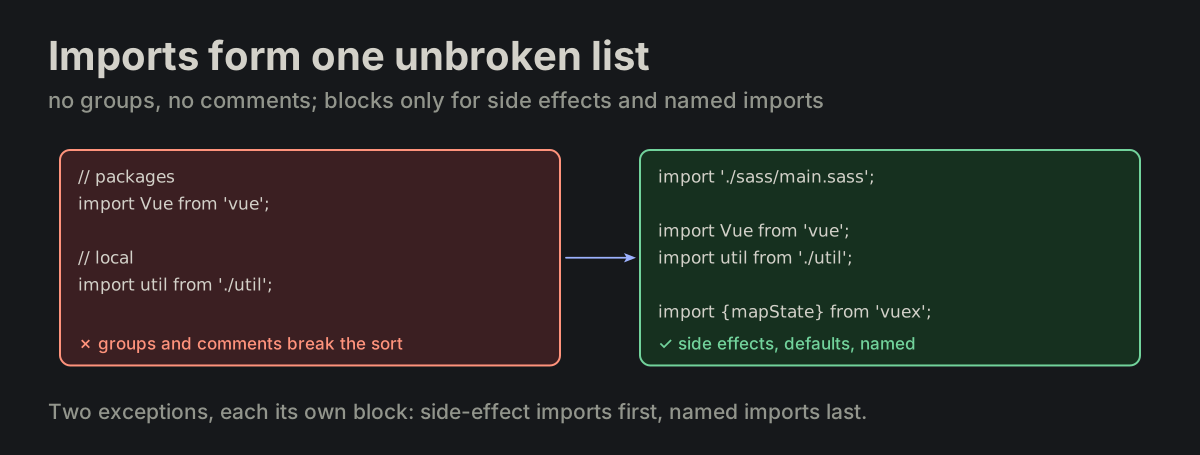
FILE-11

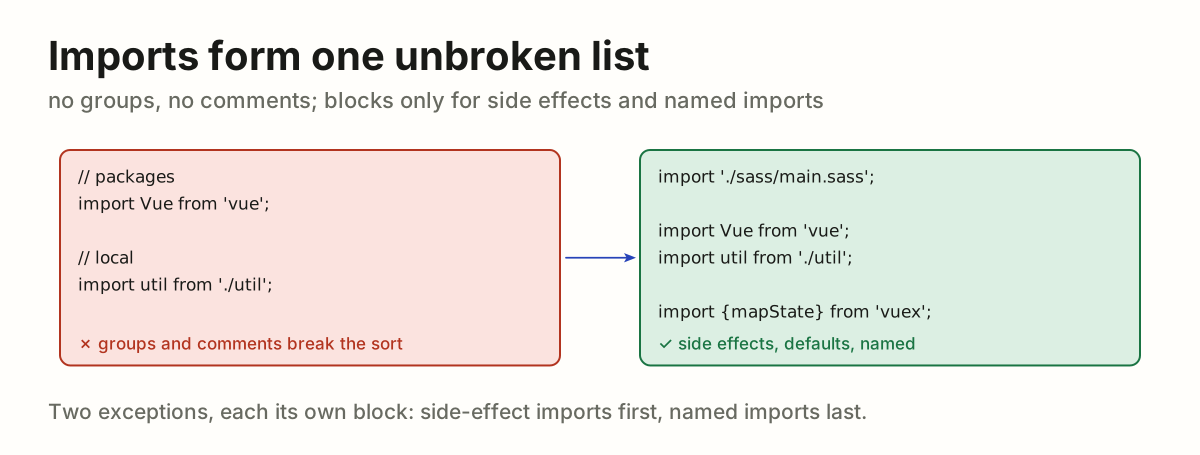
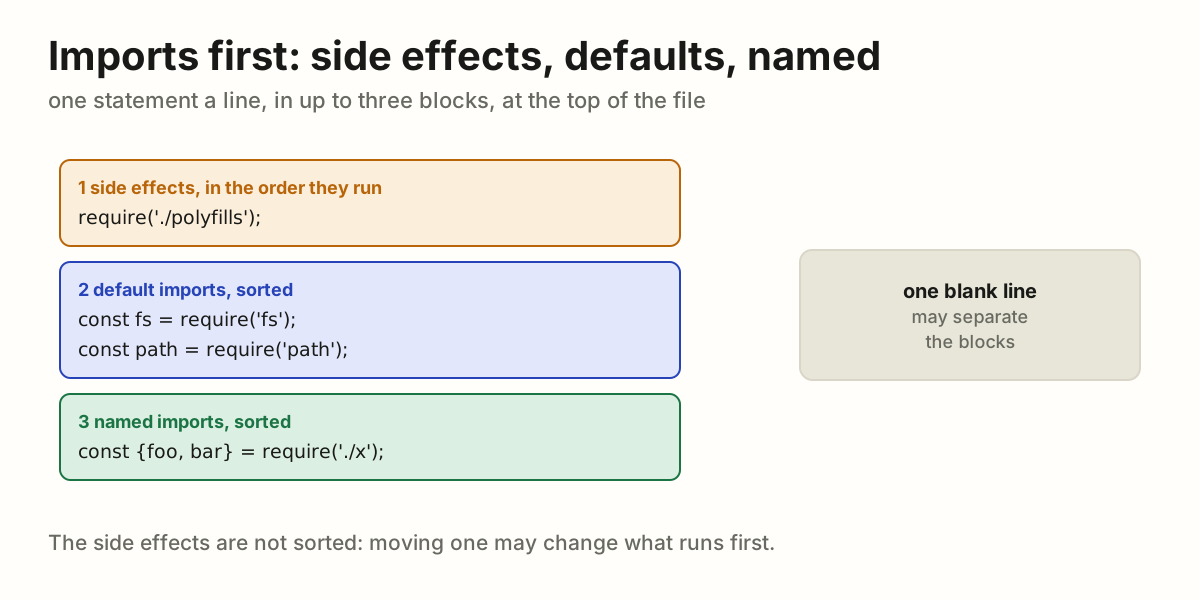
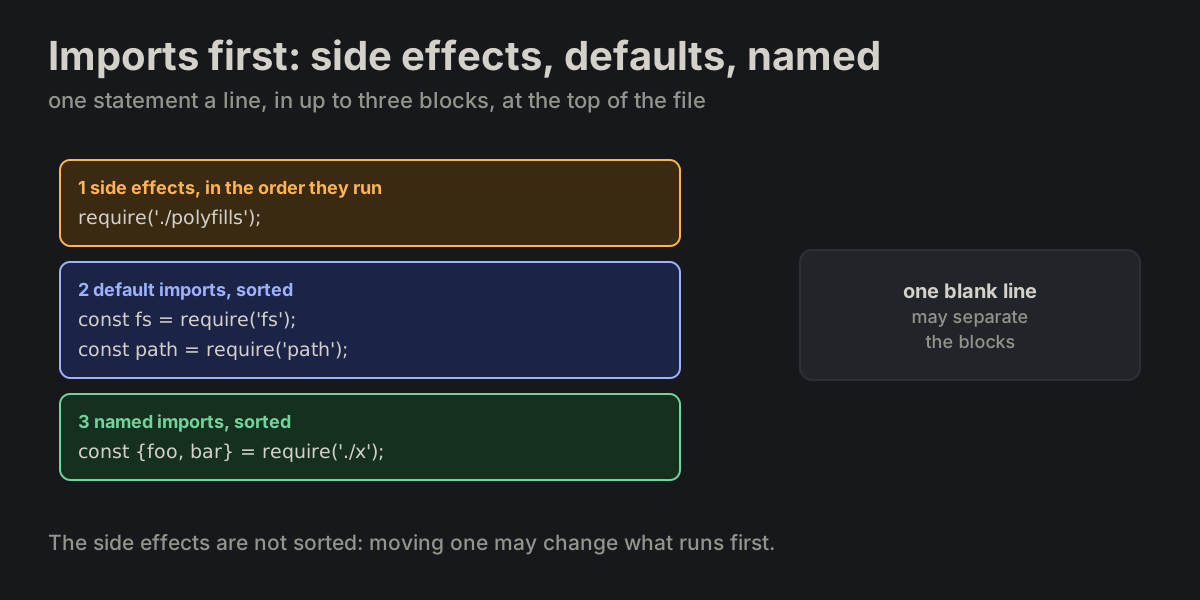
Imports form one unbroken list. The import block is one contiguous list: no groups for builtins, packages and local files, and no blank lines or comments inside it — either one breaks the sort. Two exceptions: a side-effect import keeps its run order in its own block at the top, and the named imports ({foo, bar}) may stand apart after the default ones — one blank line between blocks.

imports_sorted.md
import './sass/main.sass';
import './main-pre';

import Vue from 'vue';
import axios from 'axios';

import {mapState} from 'vuex';
import {promisify} from 'util';
Imports split by comments into groups, turned into one list with side-effect and named blocksImports split by comments into groups, turned into one list with side-effect and named blocks
FILE-12

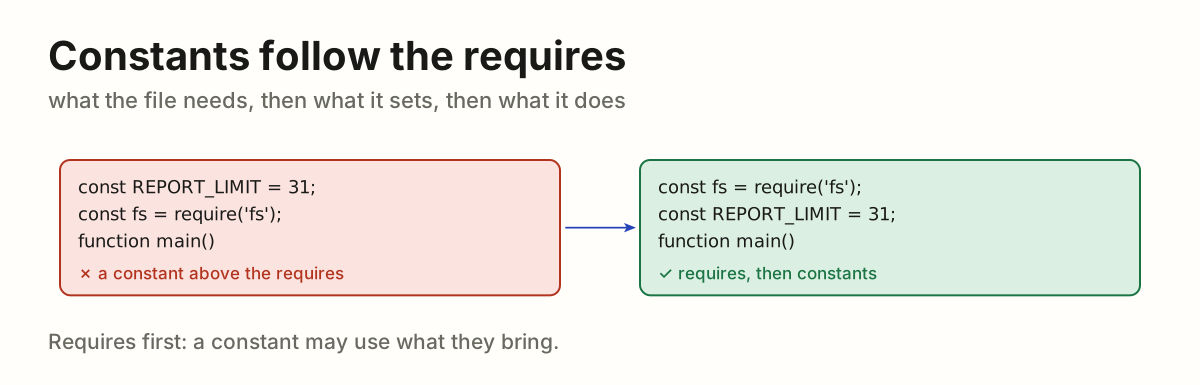
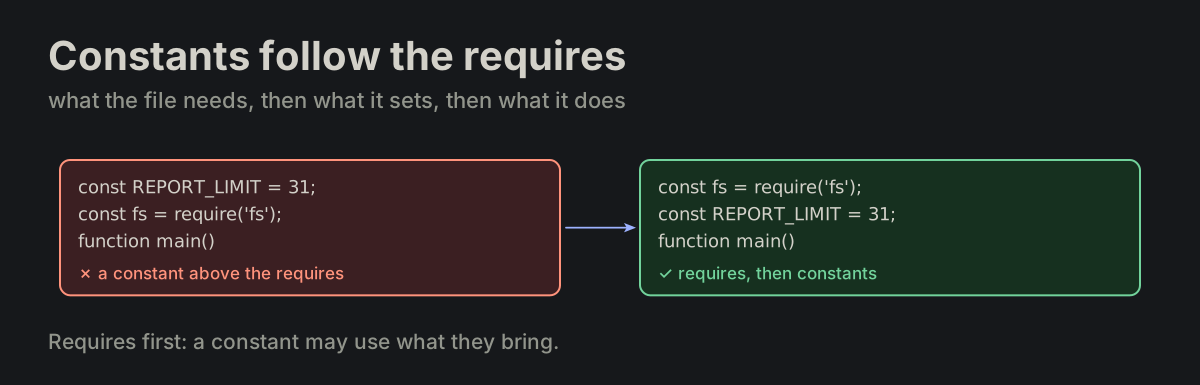
Constants follow the requires. File-level constants and variables follow the require statements.

FORMATTING.md
const REPORT_LIMIT = 31;
A constant above the requires, moved below themA constant above the requires, moved below them
FILE-13

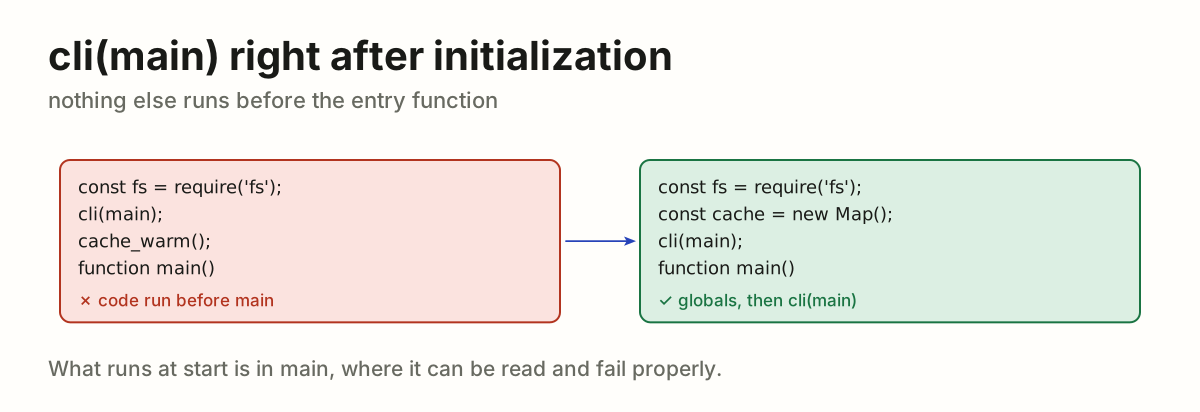
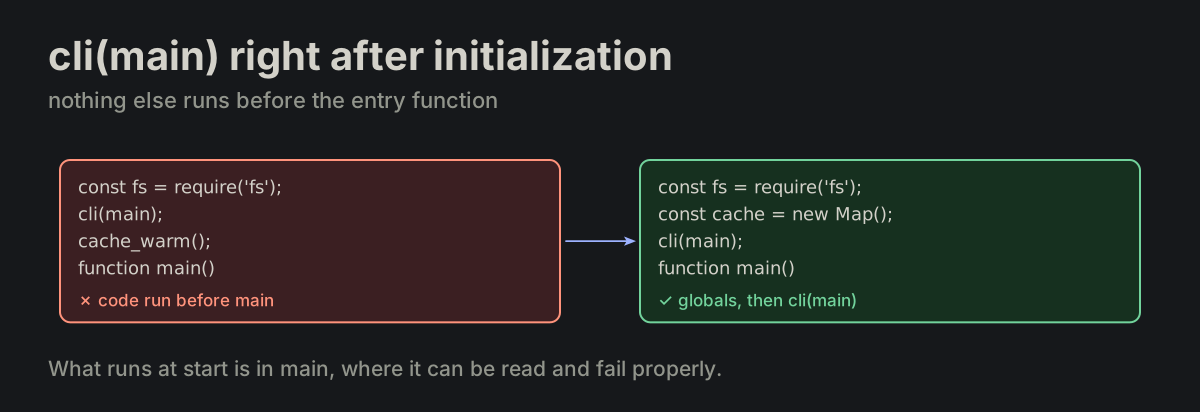
cli(main) right after initialization. cli(main); comes immediately after all global initialization, and no executable code other than that call may appear before the public entry function.

FORMATTING.md
Code run between cli(main) and main, turned into globals followed by cli(main)Code run between cli(main) and main, turned into globals followed by cli(main)
FILE-14

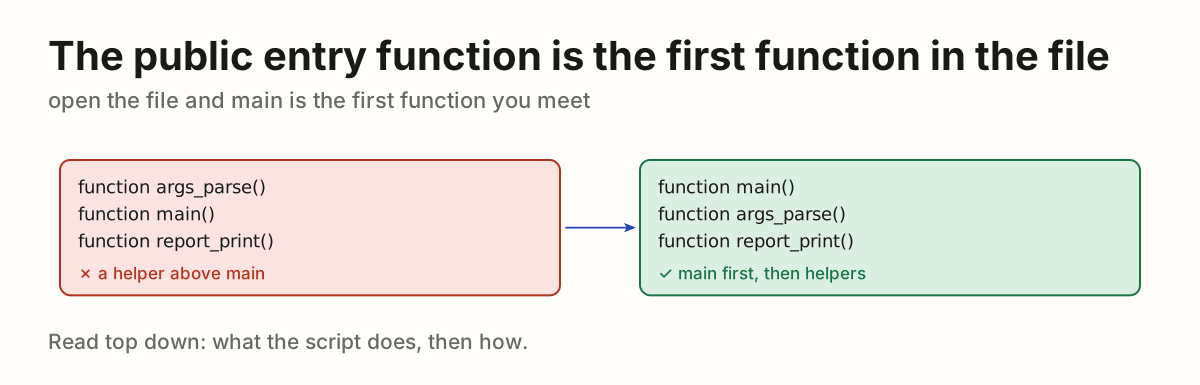
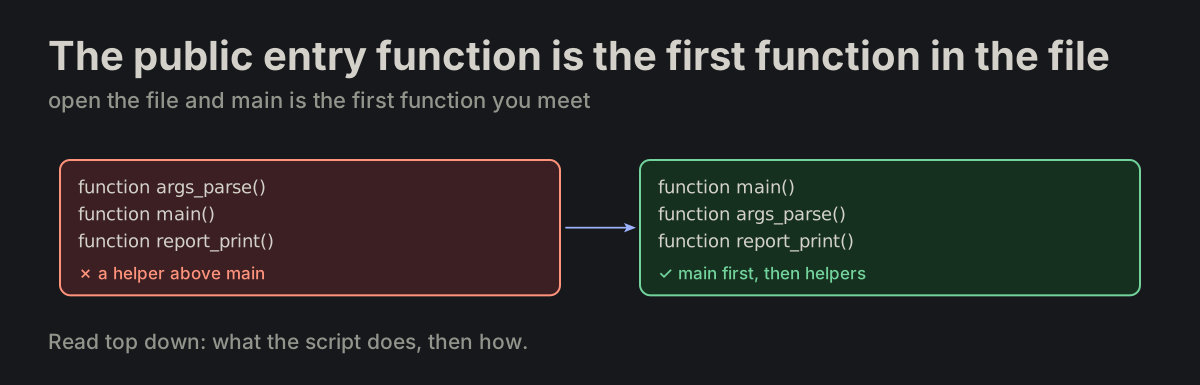
The public entry function is the first function in the file. In an executable, the first function declaration is function main().

FORMATTING.md
A helper above main, moved below so main is the first functionA helper above main, moved below so main is the first function
FILE-15

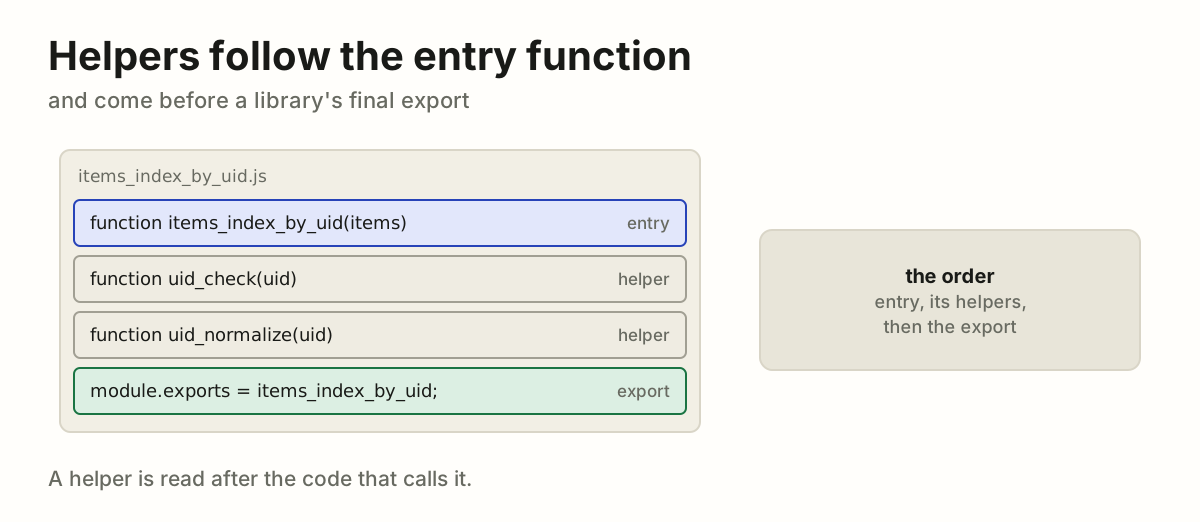
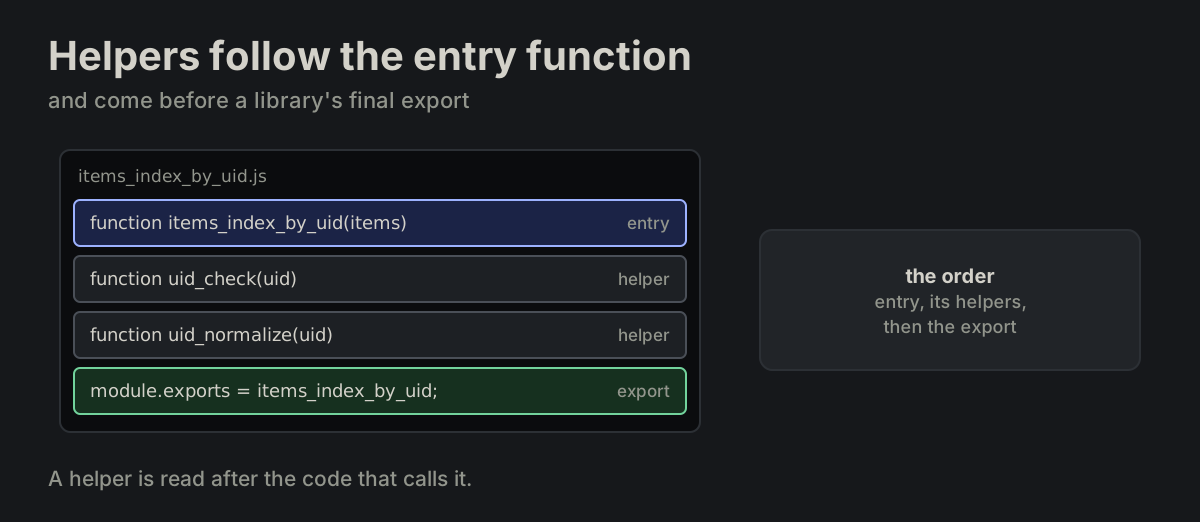
Helpers follow the entry function. Helpers are defined after the public entry function, and before a library’s final export.

FORMATTING.md
A library file: the entry function, its helpers, then the exportA library file: the entry function, its helpers, then the export
FILE-17

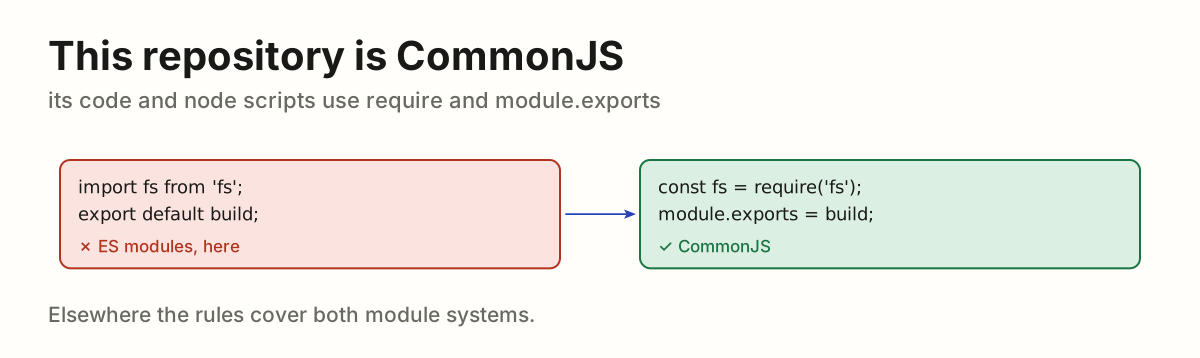
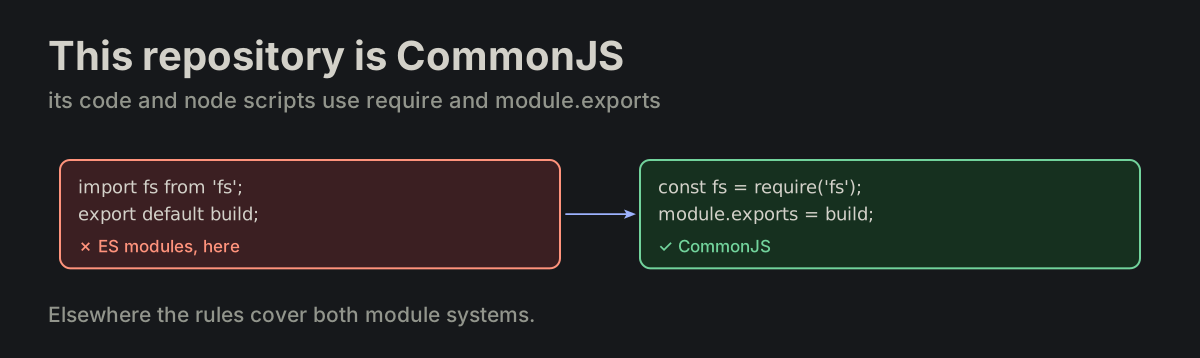
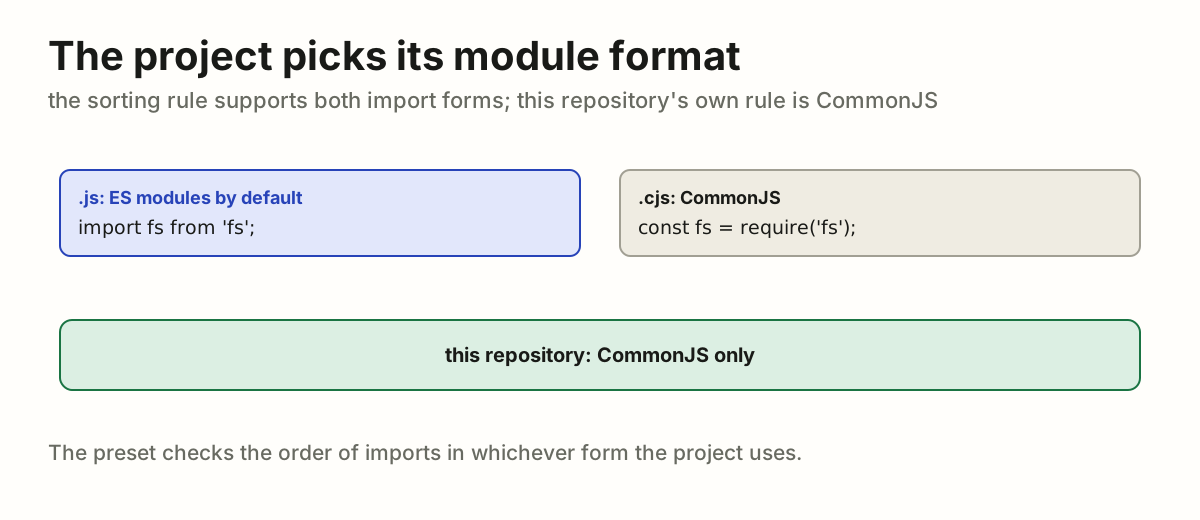
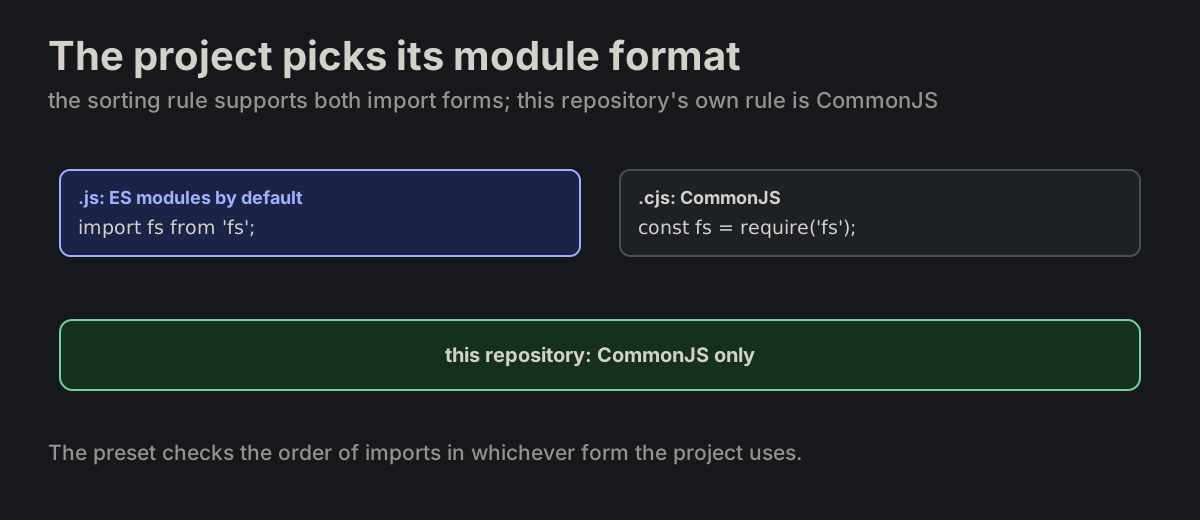
This repository is CommonJS. This repository's own code and node scripts are CommonJS: const <name> = require('<module>');, never import or export. Elsewhere the rules cover both module systems.

FORMATTING.md
import and export default, turned into require and module.exports in this repositoryimport and export default, turned into require and module.exports in this repository
FILE-18

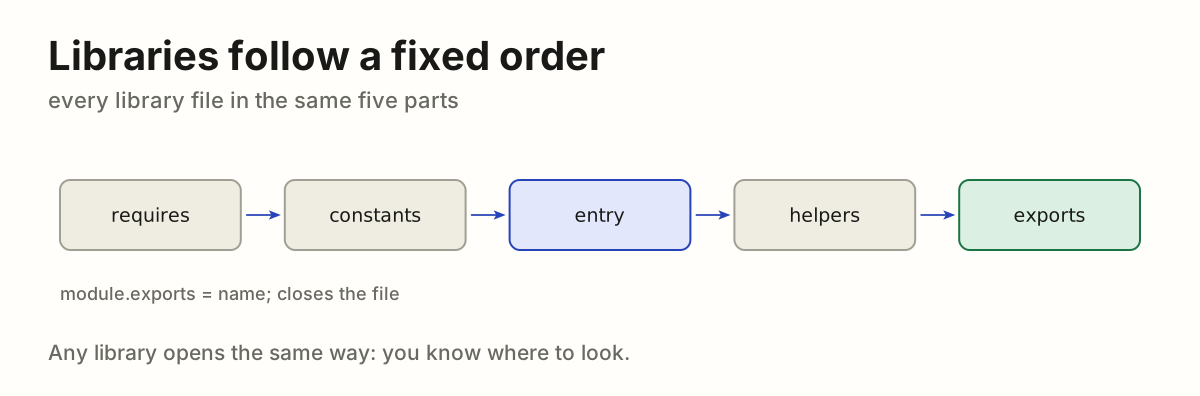
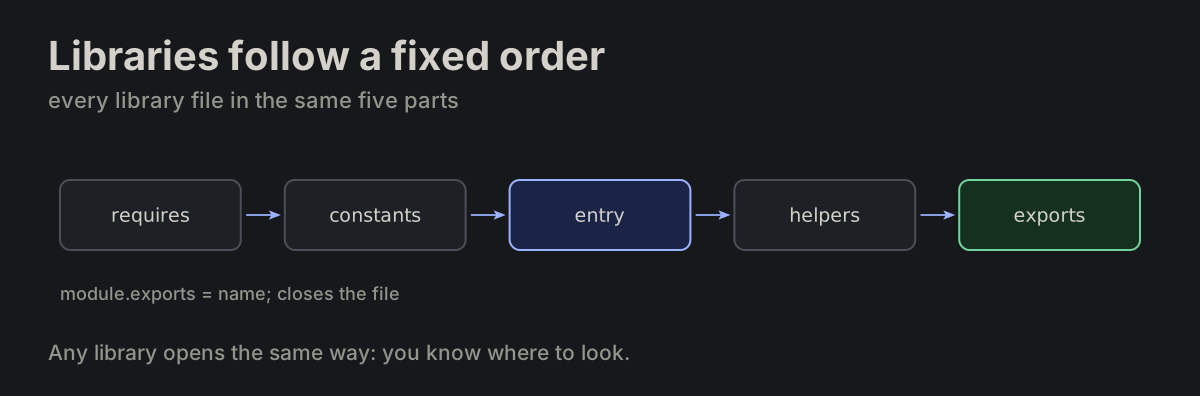
Libraries follow a fixed order. Library order is fixed.

FORMATTING.md
requires → constants → public entry → helpers → module.exports
The five parts of a library in order: requires, constants, entry, helpers, exportsThe five parts of a library in order: requires, constants, entry, helpers, exports
FILE-19

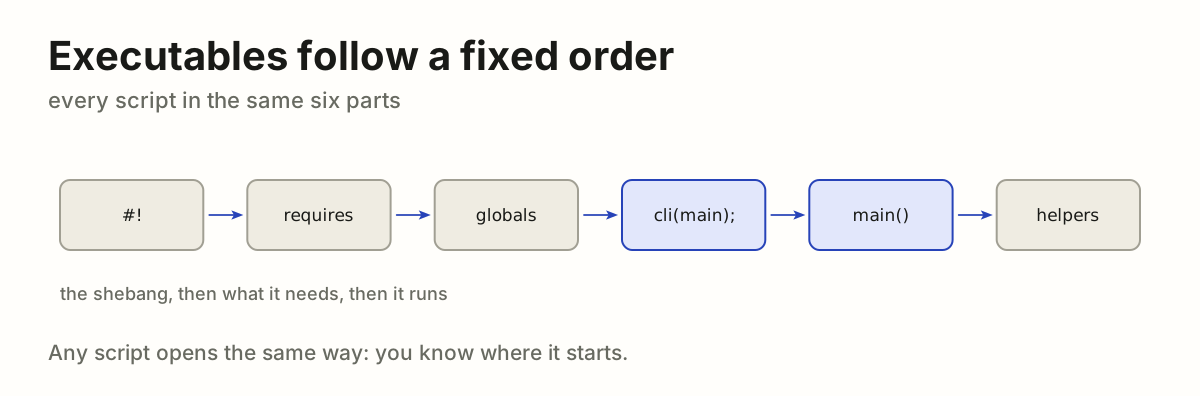
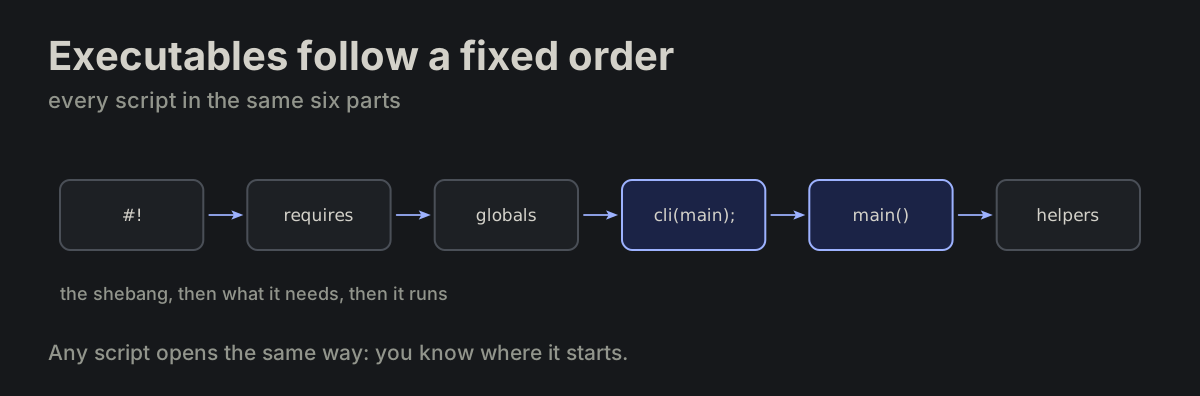
Executables follow a fixed order. Executable order is fixed.

FORMATTING.md
shebang → requires → globals → cli(main); → main() → helpers
The six parts of a script in order: shebang, requires, globals, cli(main), main, helpersThe six parts of a script in order: shebang, requires, globals, cli(main), main, helpers
FILE-20

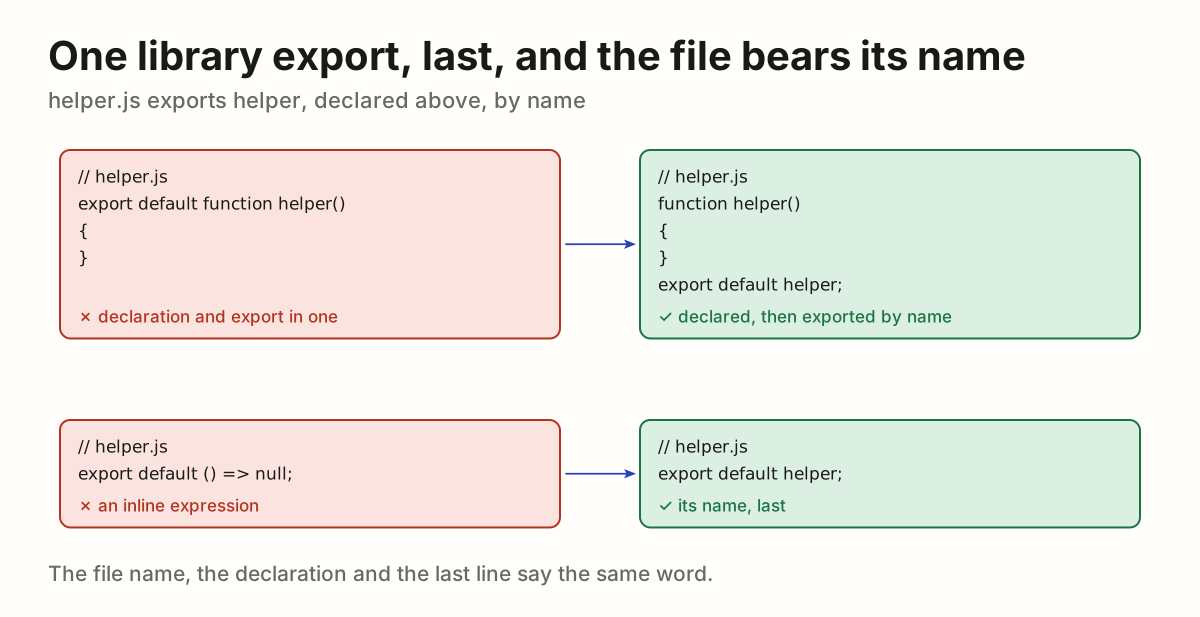
One library export, last, and the file bears its name. A reusable/library module exports one public value; the file is named after that value. Declare it above and export its name last: module.exports = name; or export default name;. Never combine an ES-module declaration with its export or export an inline expression. Executable scripts export nothing; tool-shaped files follow the tool. The tool decides the export's shape, never the file's name (MP-53).

one_export_per_file.md
// helper.js
function helper()
{
    return null;
}

export default helper;
helper.js exporting a combined declaration or an inline expression, turned into helper declared, then exported by namehelper.js exporting a combined declaration or an inline expression, turned into helper declared, then exported by name
FILE-21

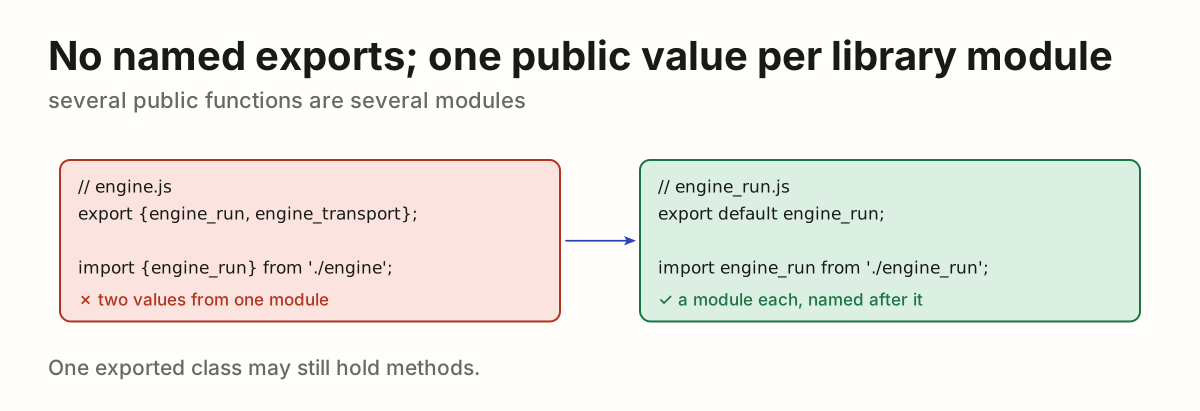
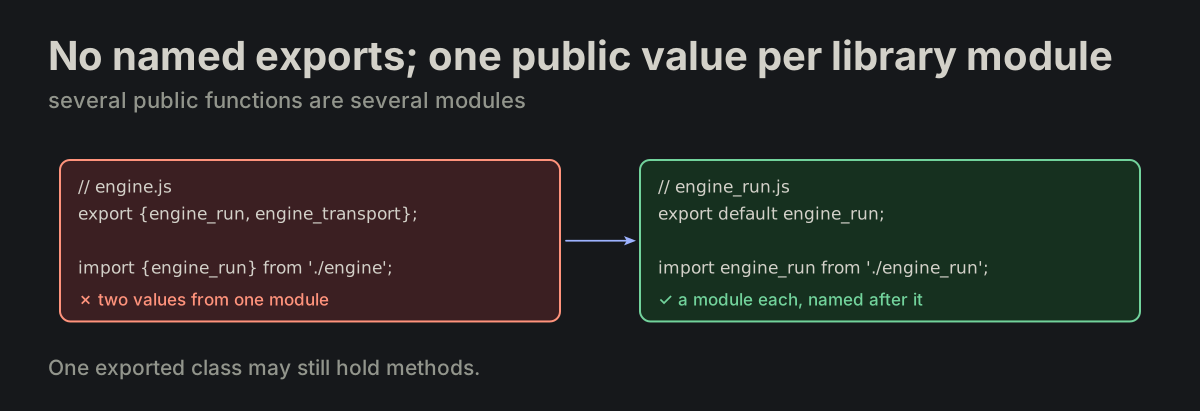
No named exports; one public value per library module. Several independent public functions are several modules, each named after its export. One exported class can contain methods. Several names are never taken from a local module.

one_export_per_file.md
export {engine_run, engine_transport};                   ✗ no
import {engine_run, engine_transport} from './engine';   ✗ no

import engine_run from './engine_run';                   ✓ yes
import engine_transport from './engine_transport';
engine.js with two named exports, split into engine_run.js exporting one valueengine.js with two named exports, split into engine_run.js exporting one value
FILE-23

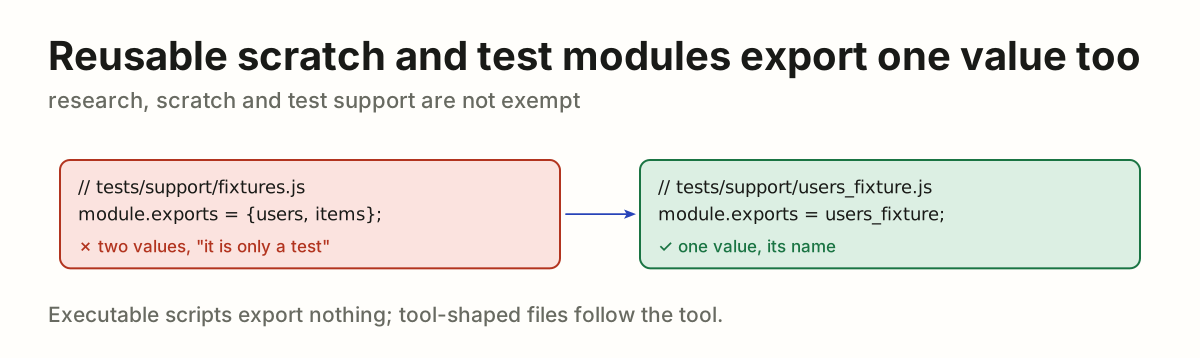
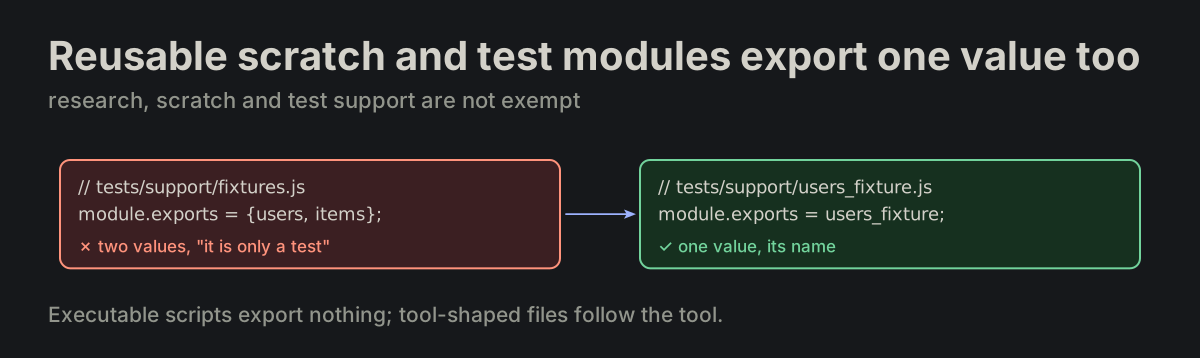
Reusable scratch and test modules export one value too. Research, scratch and test-support modules are not exempt. Executable scripts export nothing; tool-shaped files follow the tool.

one_export_per_file.md
A test fixtures module exporting two values, turned into users_fixture.js exporting oneA test fixtures module exporting two values, turned into users_fixture.js exporting one
FILE-24

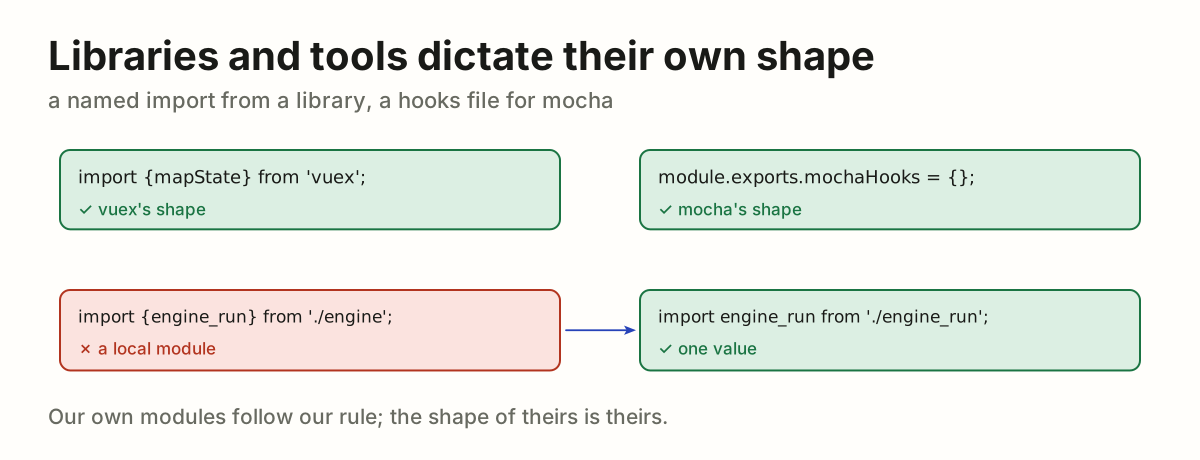
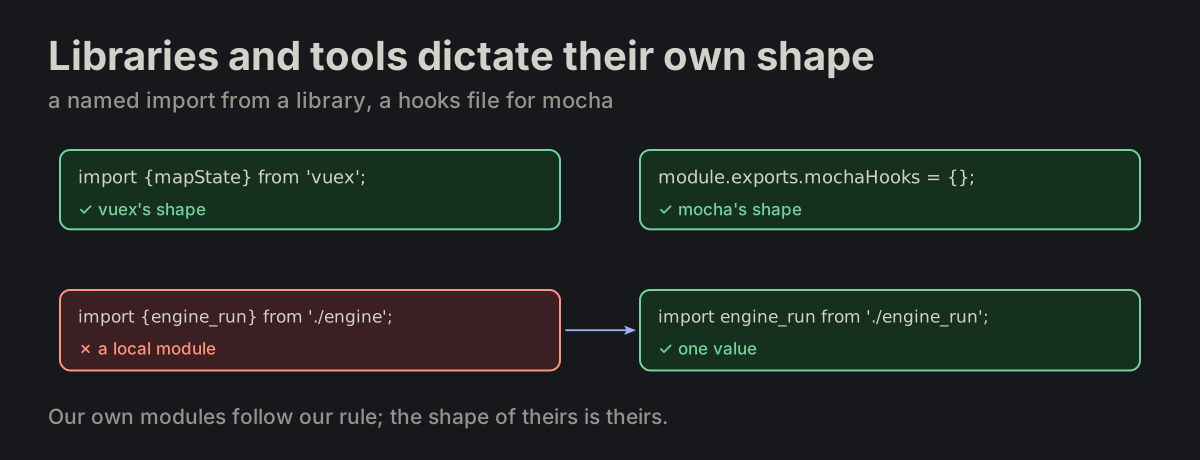
Libraries and tools dictate their own shape. A named import from a library is the library’s shape, and a file whose shape is dictated by a tool follows the tool — module.exports.mochaHooks in a mocha hooks file.

one_export_per_file.md
import {mapState} from 'vuex';
vuex's named import and mocha's hooks file keep their tools' shape; a named import from a local module becomes one valuevuex's named import and mocha's hooks file keep their tools' shape; a named import from a local module becomes one value
FILE-25

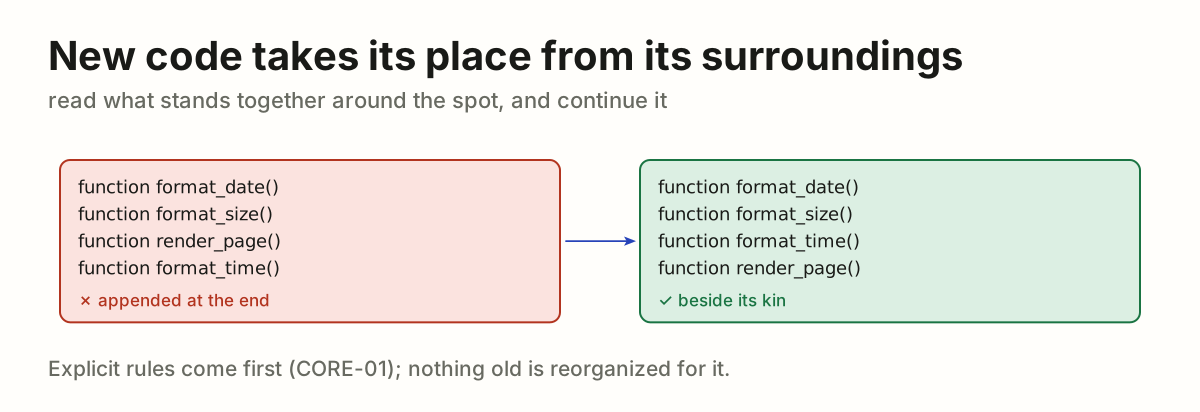
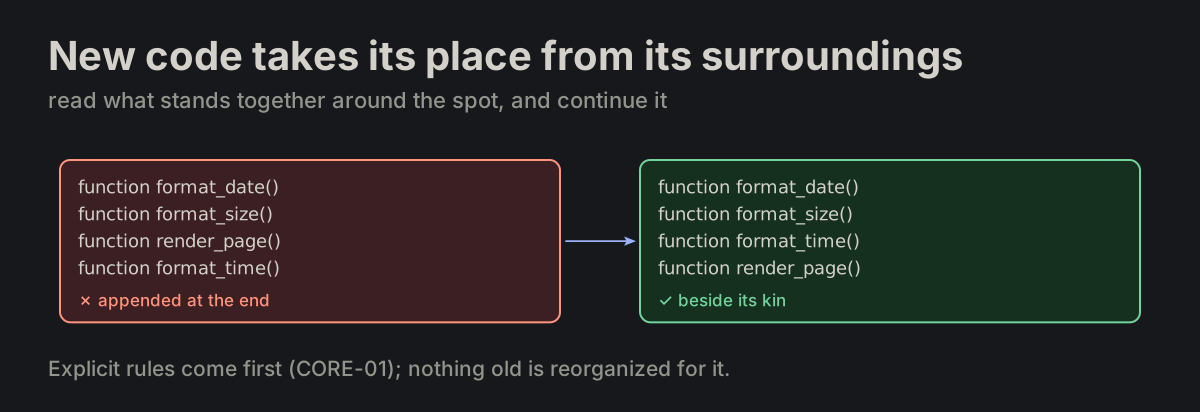
New code takes its place from its surroundings where no explicit rule applies. Read the code around the insertion point — what stands together, in what order — and continue it within that scope. Explicit rules take priority (CORE-01); this does not require reorganizing existing code.

new_code_placement.md
format_time appended after render_page, moved beside the other format_ functionsformat_time appended after render_page, moved beside the other format_ functions
FILE-26

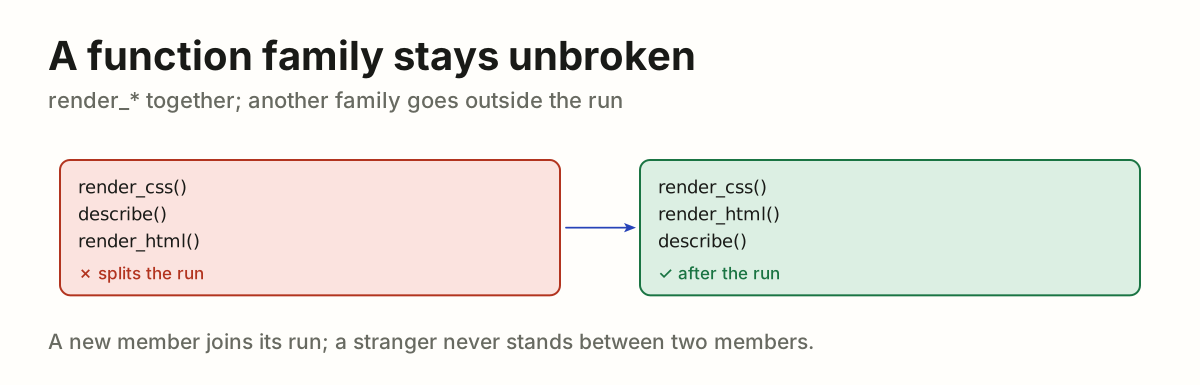
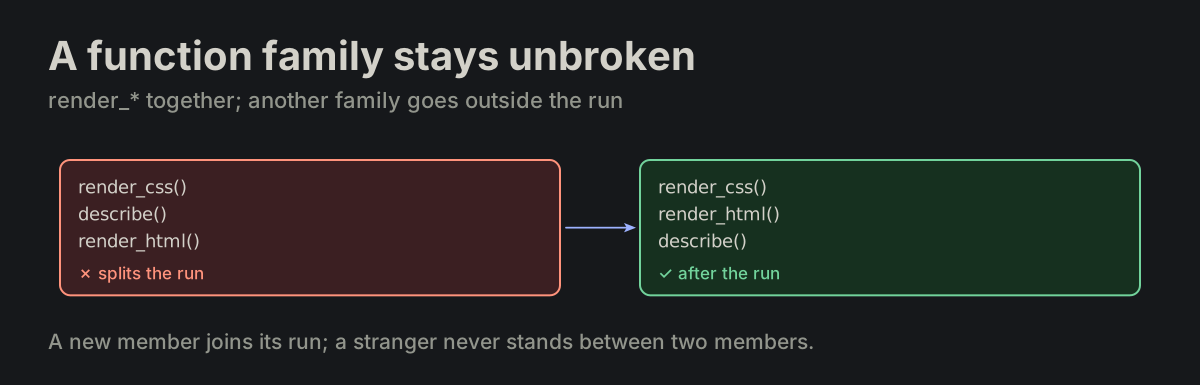
A function family stays unbroken. A run of functions of one family — render_*, format_*, click_* — stays unbroken. A new member joins the run; a function of another family goes outside it, never between two members.

new_code_placement.md
render_css()
describe()            ✗ splits the run
render_html()

render_css()
render_html()
describe()            ✓ after the run
describe() between render_css and render_html, moved after the render rundescribe() between render_css and render_html, moved after the render run
FILE-27

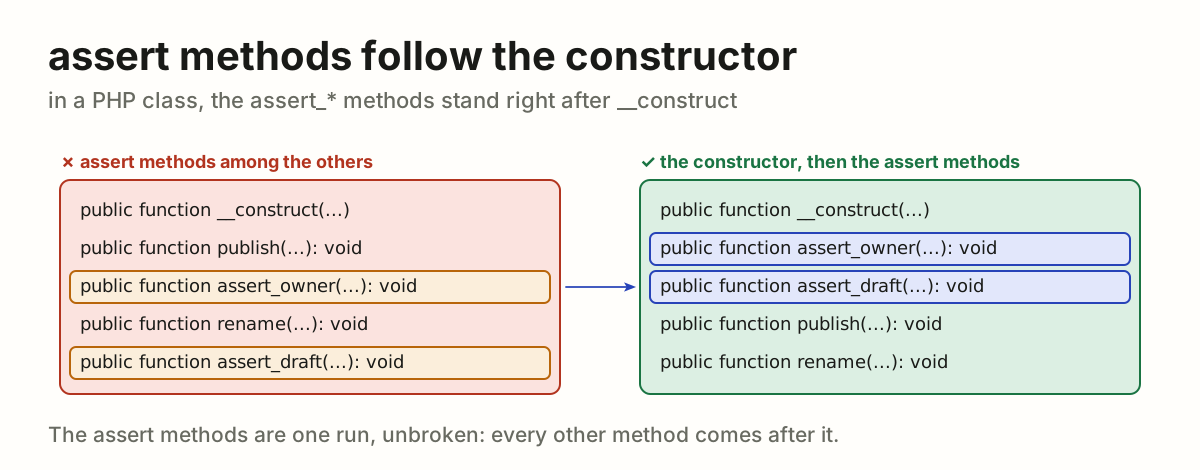
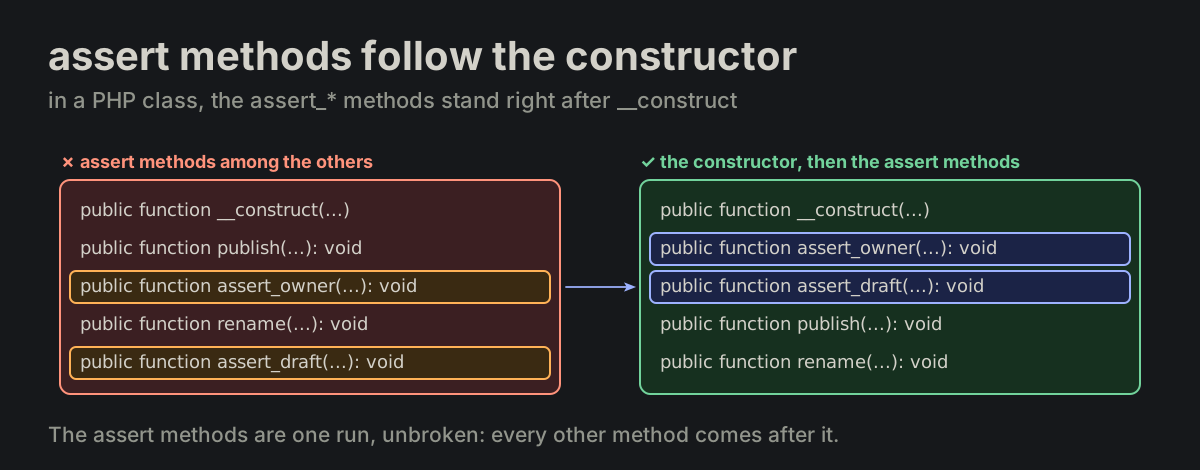
In a PHP class, the assert_* methods follow the constructor. The methods named assert_*, public function assert_*(...): void, stand right after __construct, before every other method. They are one family, a run that stays unbroken (FILE-26).

php_assert_methods.md
public function __construct(...)
{
}

public function assert_*(...): void
{
}
assert_owner and assert_draft scattered among the other methods of a class, moved right after __construct, publish and rename after themassert_owner and assert_draft scattered among the other methods of a class, moved right after __construct, publish and rename after them

PROJProject layoutA directory is a program; bin/ holds its verbs.

PROJ-01

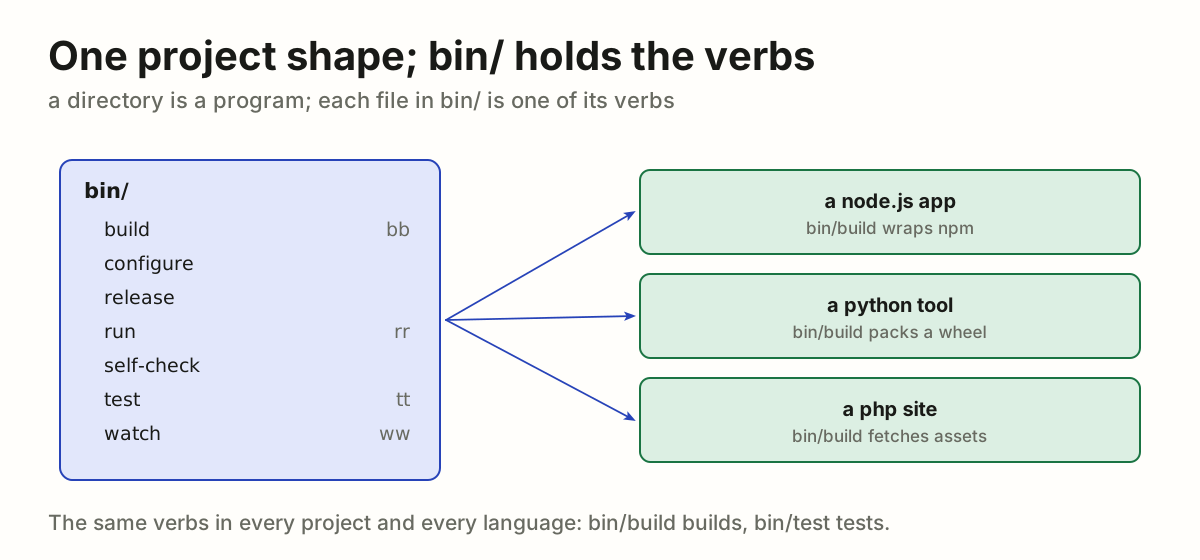
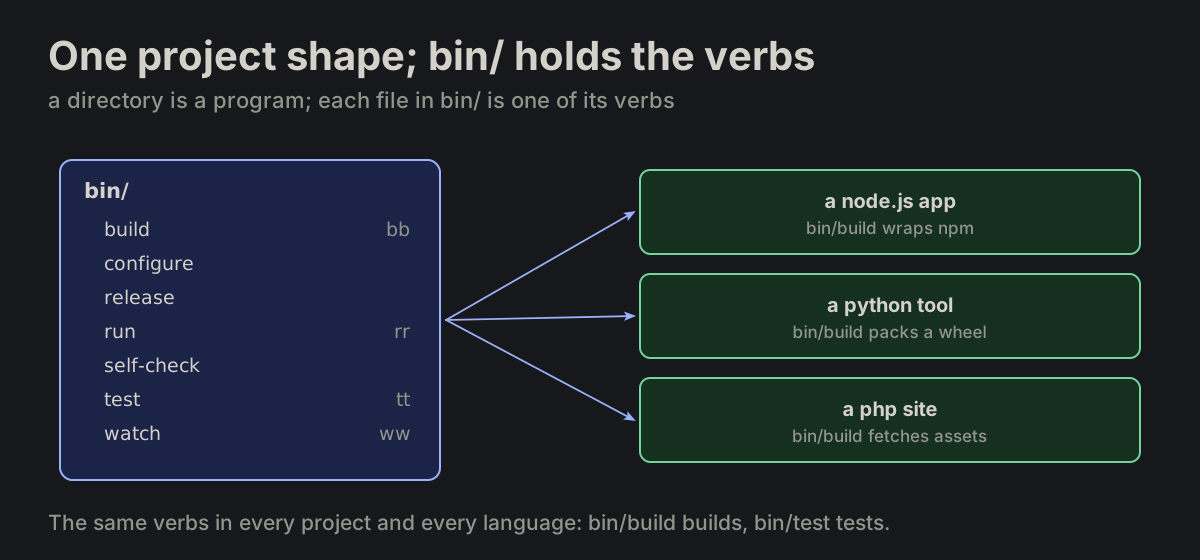
One project shape; bin/ holds the verbs. Every project keeps one shape. A directory is a program, and bin/ holds its methods — one executable per verb, working the same in every language.

layout.md
bin/build      bb
bin/configure
bin/release
bin/run        rr
bin/self-check
bin/test       tt
bin/watch      ww
The bin/ folder with build, configure, release, run, self-check, test and watch, and the same verbs in a node.js, a python and a php projectThe bin/ folder with build, configure, release, run, self-check, test and watch, and the same verbs in a node.js, a python and a php project
PROJ-02

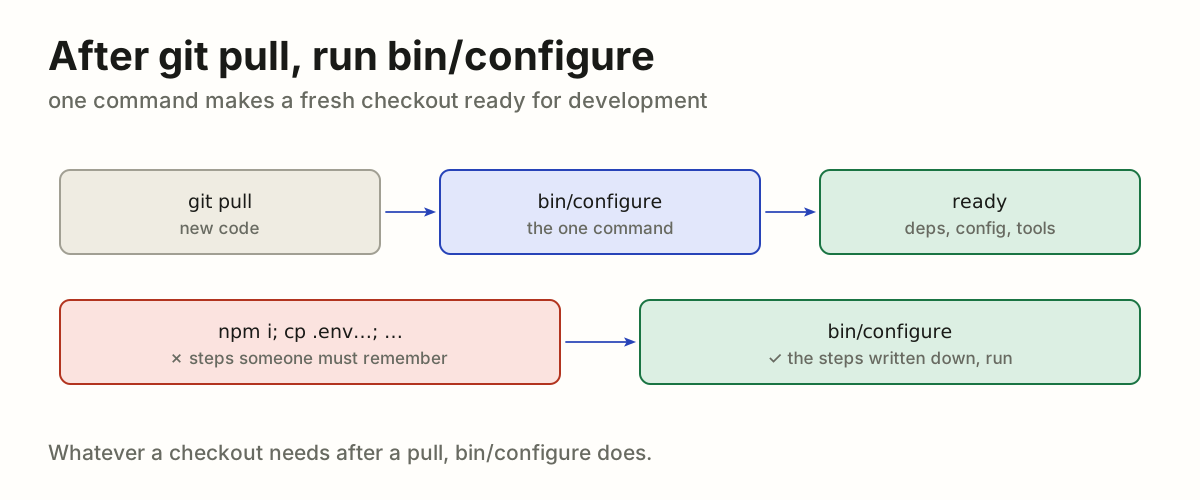
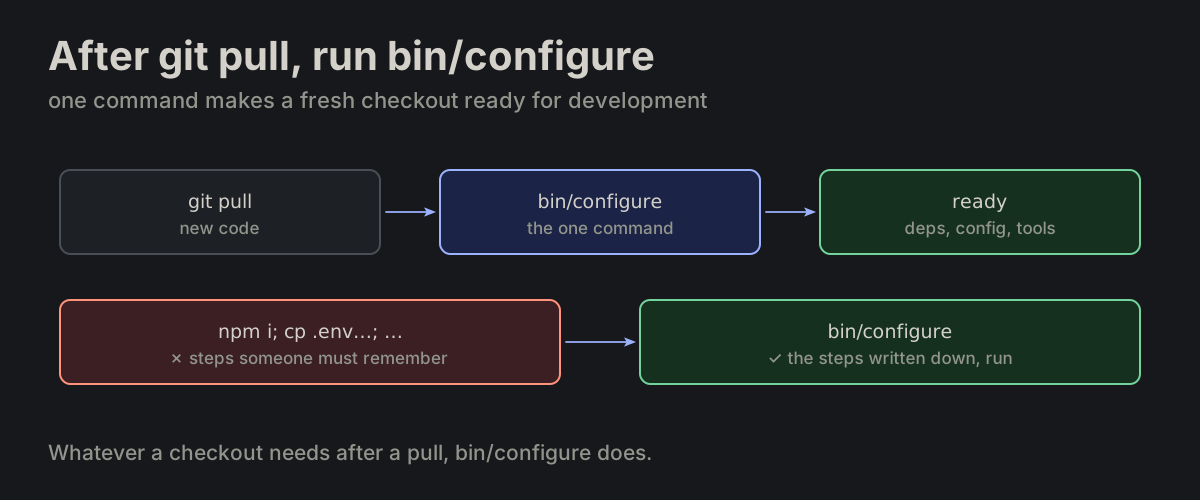
After git pull, run bin/configure. bin/configure is the only command to run after git pull to make a checkout ready for development.

layout.md
git pull, then bin/configure, then a checkout ready to work in; a list of remembered steps is replaced by that one commandgit pull, then bin/configure, then a checkout ready to work in; a list of remembered steps is replaced by that one command
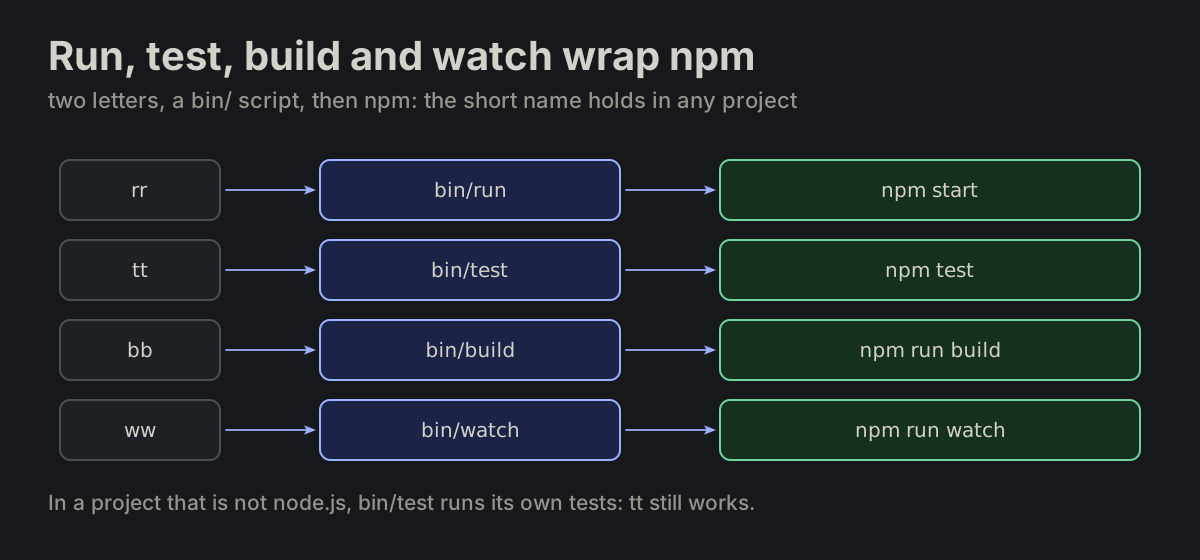
PROJ-03

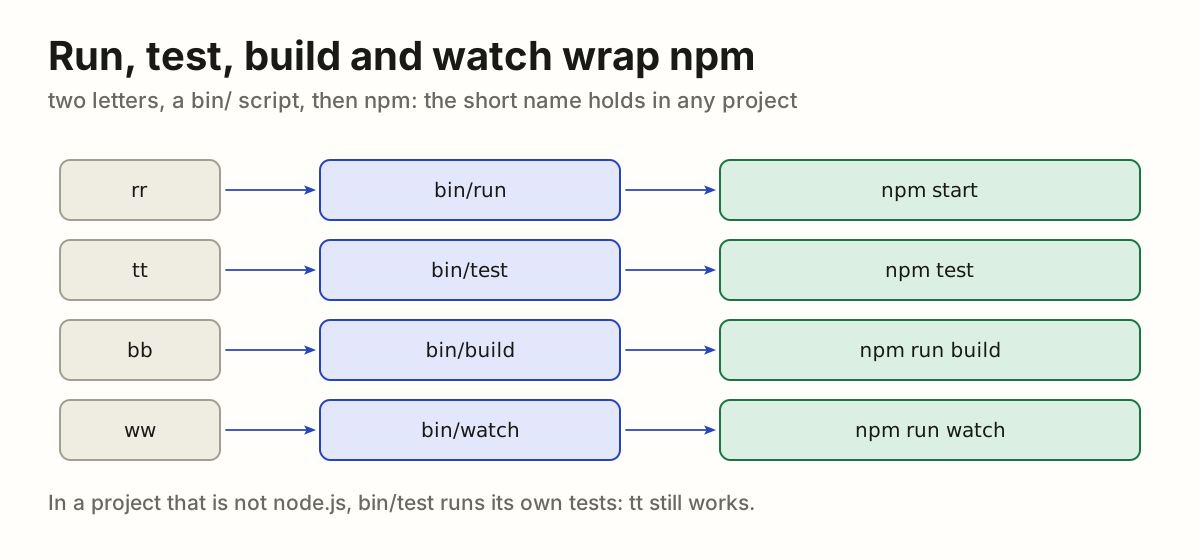
Run, test, build and watch wrap npm. In a node.js project run, test, build and watch are usually thin wrappers over npm. The wrappers still earn their keep: rr, tt, bb, ww are shorter than any npm form, and the names hold for projects that are not node.js.

layout.md
alias rr='bin/run'
alias tt='bin/test'
alias bb='bin/build'
alias ww='bin/watch'
rr, tt, bb and ww call bin/run, bin/test, bin/build and bin/watch, which in a node.js project call npm start, npm test, npm run build and npm run watchrr, tt, bb and ww call bin/run, bin/test, bin/build and bin/watch, which in a node.js project call npm start, npm test, npm run build and npm run watch
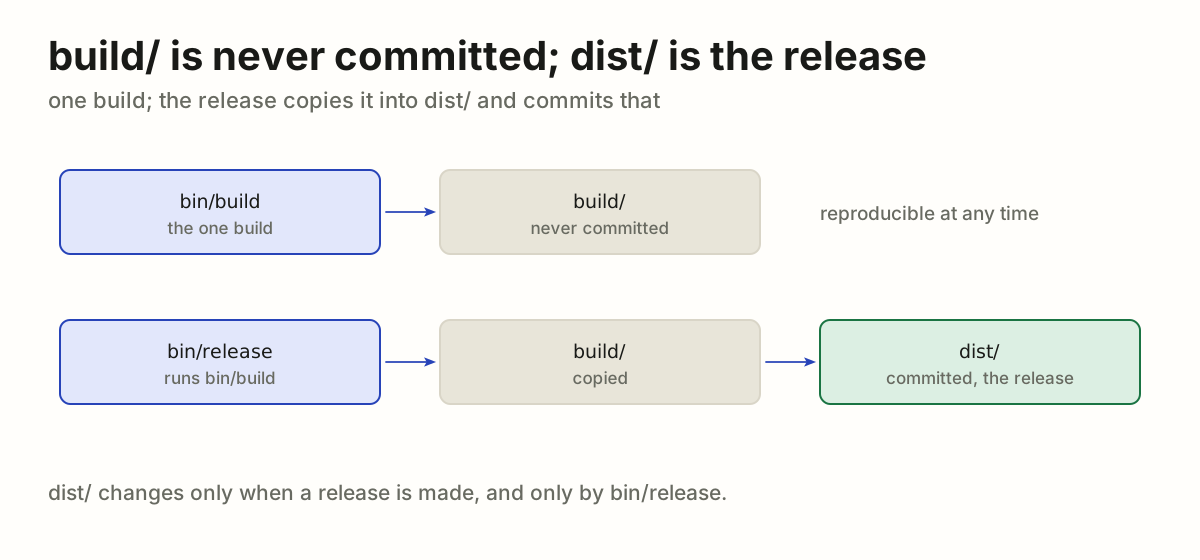
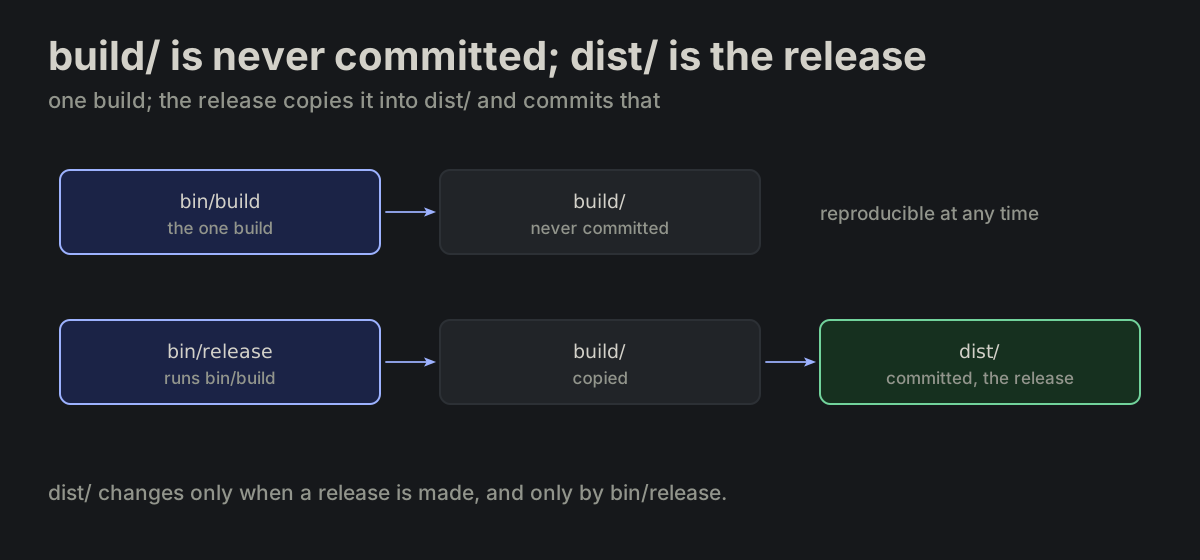
PROJ-04

build/ is never committed; dist/ is the release. bin/build puts what it builds into build/. build/ is temporary: it and everything in it are never committed. Taking something out of it into the repository is a decision of its own, as bin/release does with dist/. dist/ holds the released build, committed by bin/release at release time only. There is one build: bin/release runs it and copies build/ into dist/.

layout.md
build/   bin/build output, temporary, never committed
dist/    released build, committed by bin/release
bin/build writes build/, never committed; bin/release runs the build and copies build/ into dist/, committed at release time onlybin/build writes build/, never committed; bin/release runs the build and copies build/ into dist/, committed at release time only
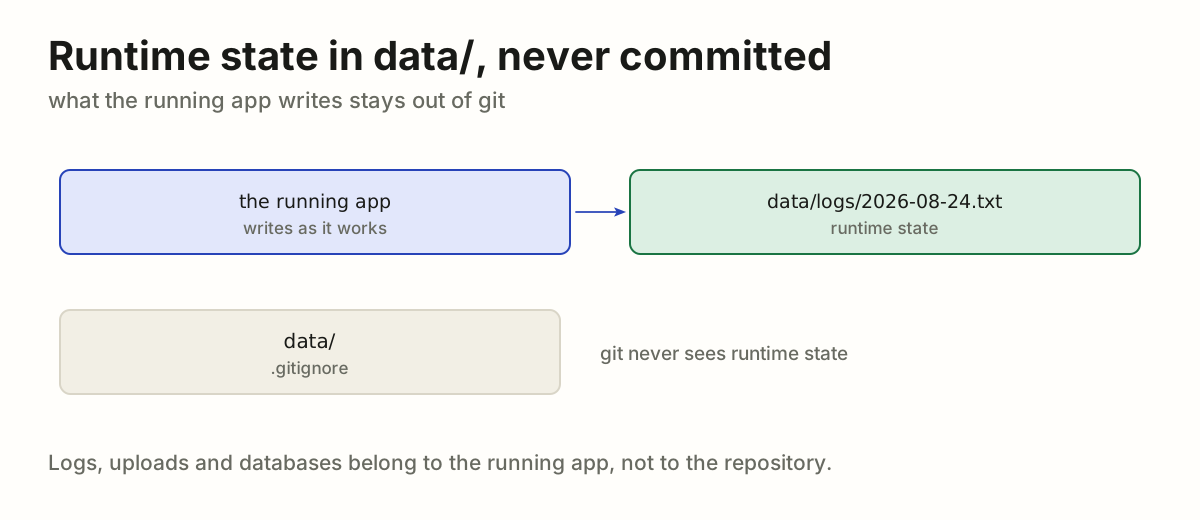
PROJ-05

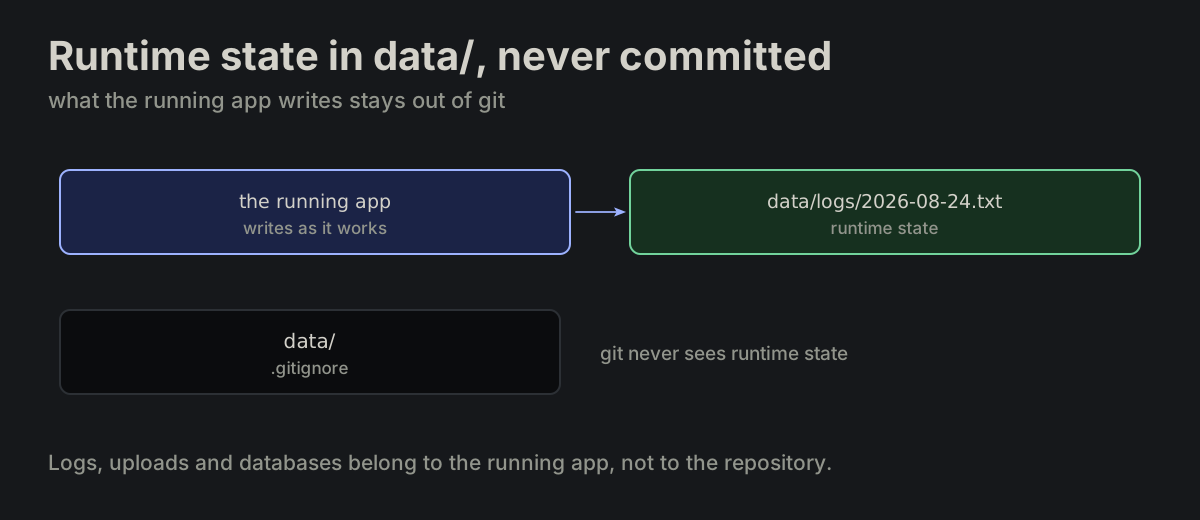
Runtime state in data/, never committed. data/ holds runtime state. Never committed.

layout.md
data/logs/2026-08-24.txt
The running app writes data/logs/2026-08-24.txt; .gitignore lists data/, so git never sees itThe running app writes data/logs/2026-08-24.txt; .gitignore lists data/, so git never sees it
PROJ-06

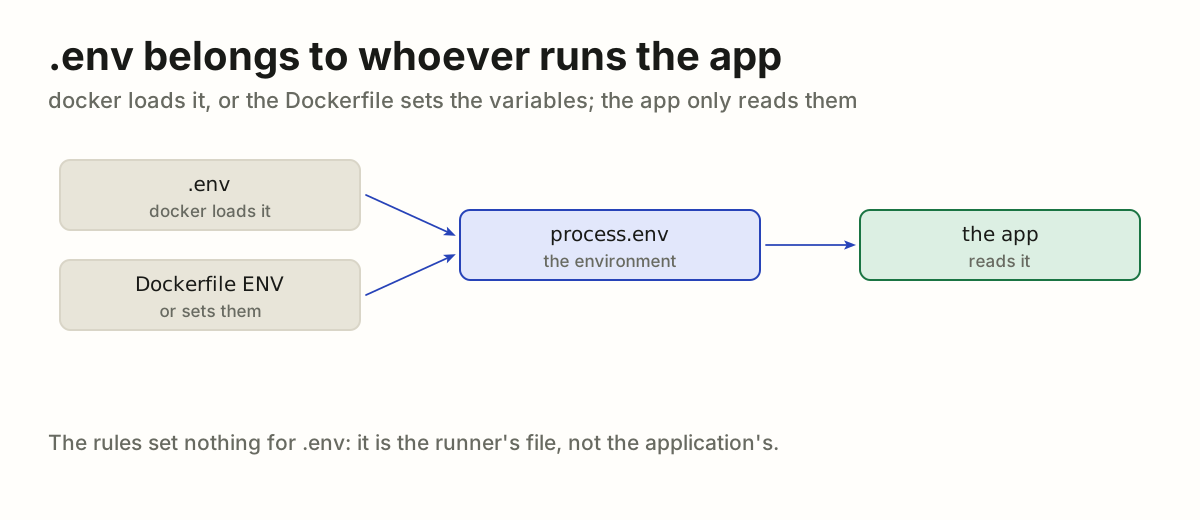
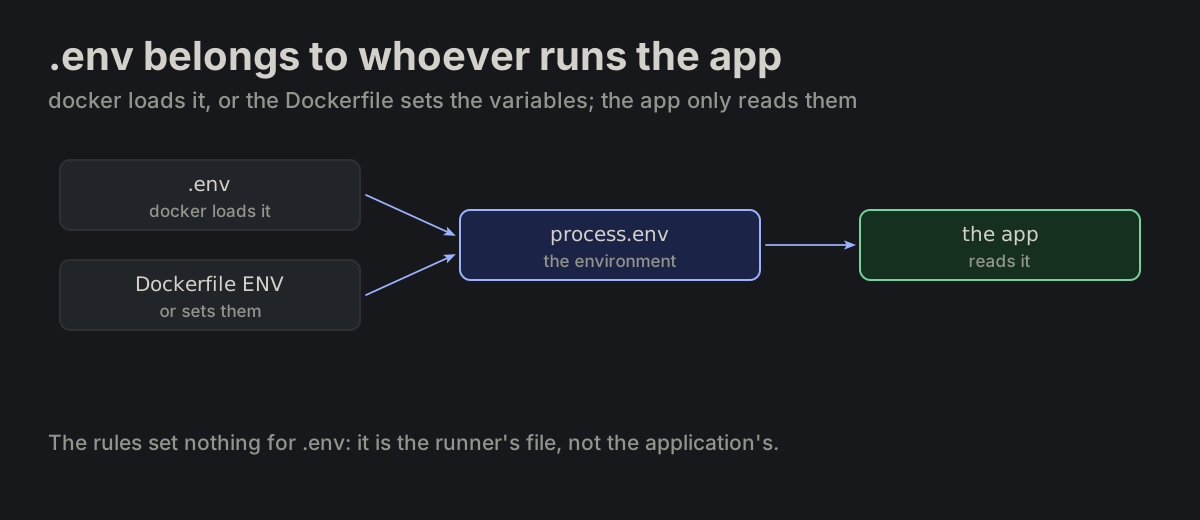
.env belongs to whoever runs the app. .env is not the application's: docker loads it, or the Dockerfile sets the variables. The rules set nothing for it.

layout.md
docker loads .env, or the Dockerfile sets the variables, into the environment; the app only reads process.envdocker loads .env, or the Dockerfile sets the variables, into the environment; the app only reads process.env
PROJ-07

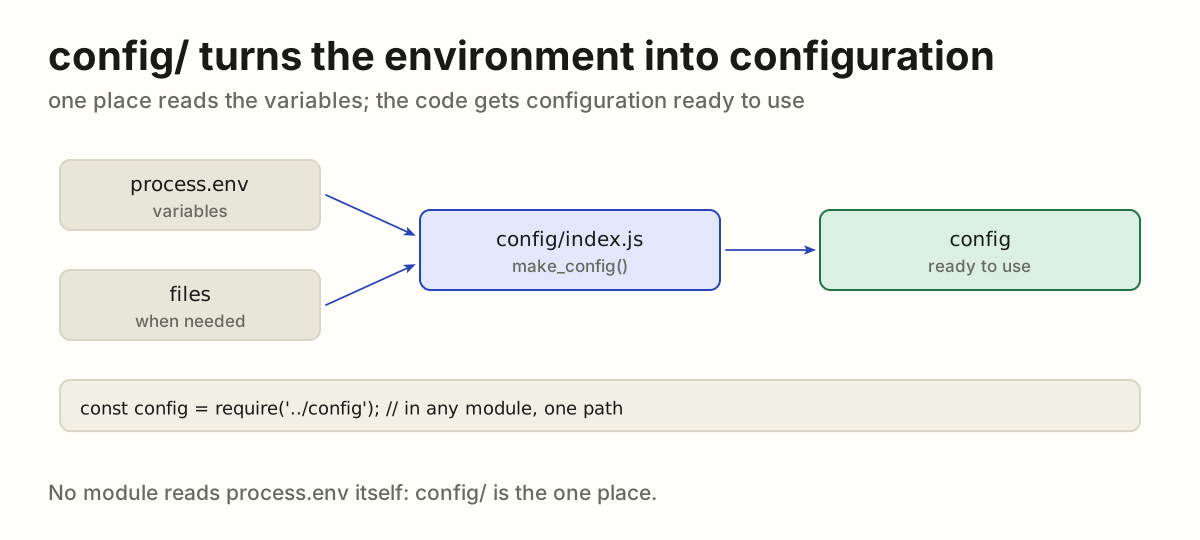
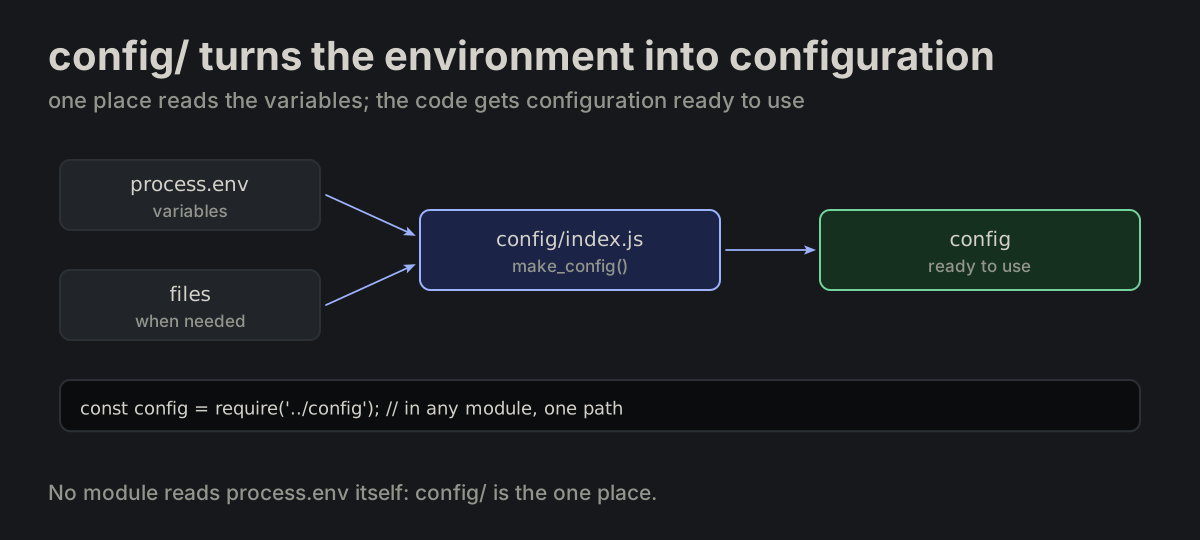
config/ turns the environment into configuration. config/ is the one place of the application's configuration. config/index.js reads the environment variables, may load files, the settings kept in data/ among them, and gives the code its configuration ready to use, through one path.

layout.md
// config/index.js
module.exports = make_config(process.env);

const config = require('../config');
process.env and files go into config/index.js, which gives the code one configuration object, read everywhere through require of configprocess.env and files go into config/index.js, which gives the code one configuration object, read everywhere through require of config
PROJ-08

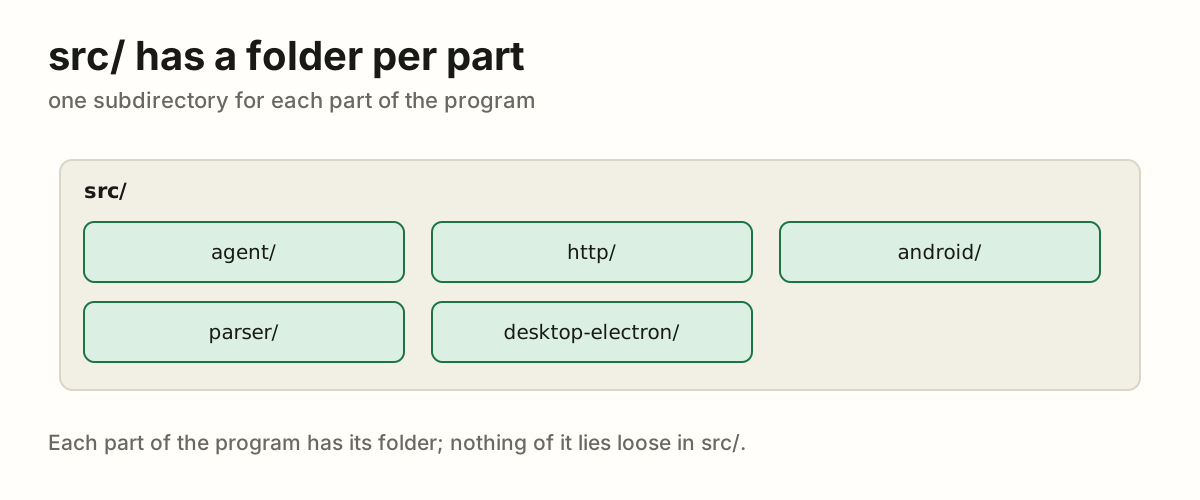
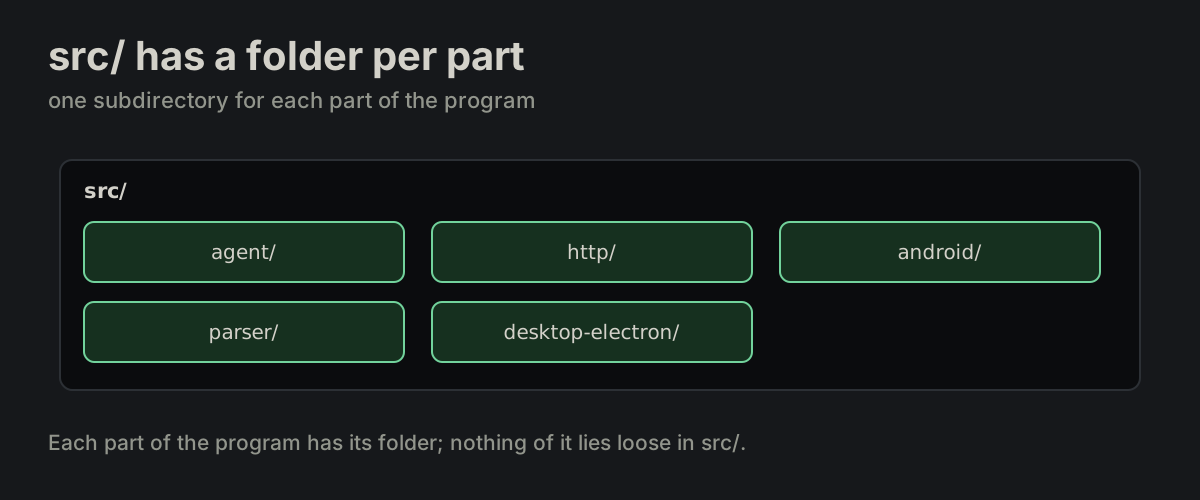
src/ has a folder per part. src/ holds one subdirectory per part of the program.

layout.md
src/agent/    src/http/
src/android/  src/parser/
src/desktop-electron/
src/ holding one folder per part: agent, http, android, parser and desktop-electronsrc/ holding one folder per part: agent, http, android, parser and desktop-electron
PROJ-09

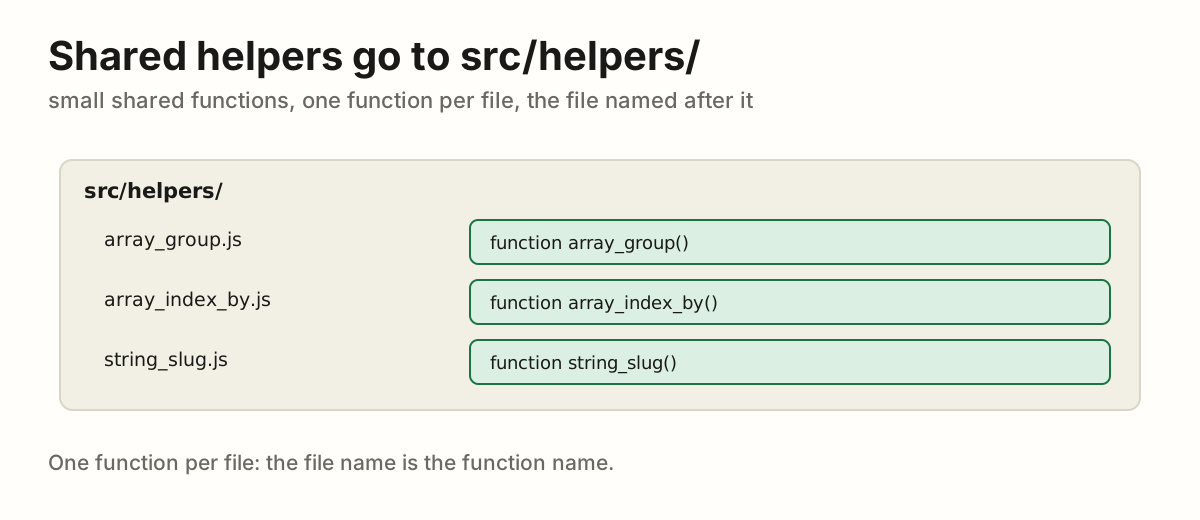
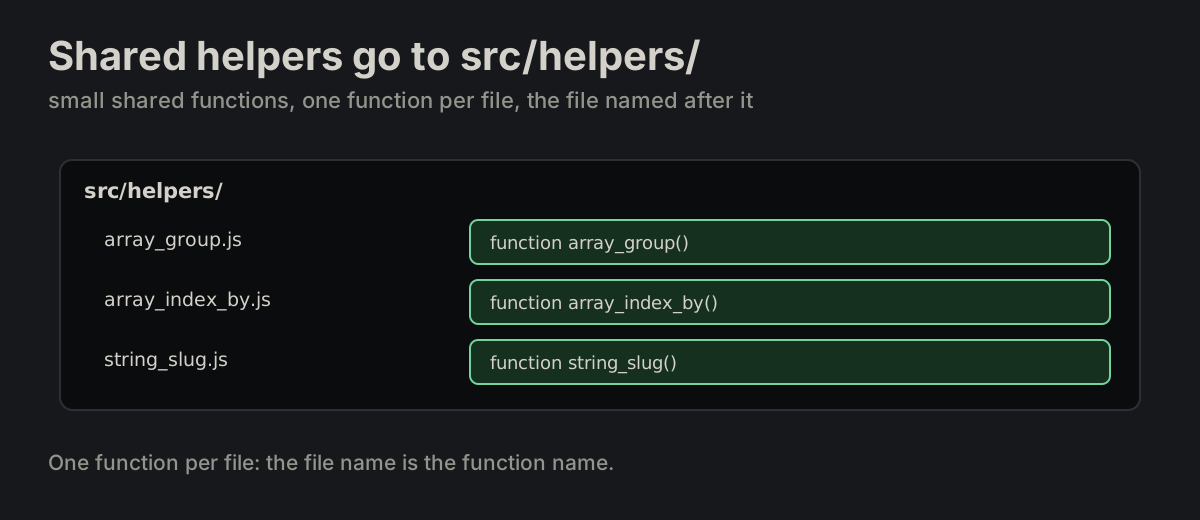
Shared helpers go to src/helpers/. Small shared functions go to src/helpers/, one function per file.

layout.md
src/helpers/array_group.js
src/helpers/ with array_group.js, array_index_by.js and string_slug.js, each holding the one function it is named aftersrc/helpers/ with array_group.js, array_index_by.js and string_slug.js, each holding the one function it is named after
PROJ-10

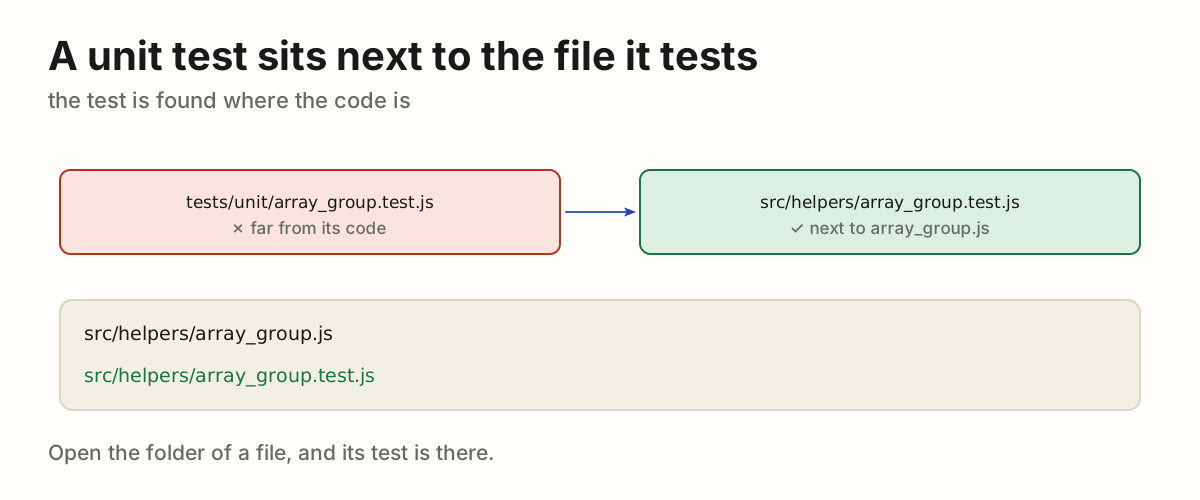
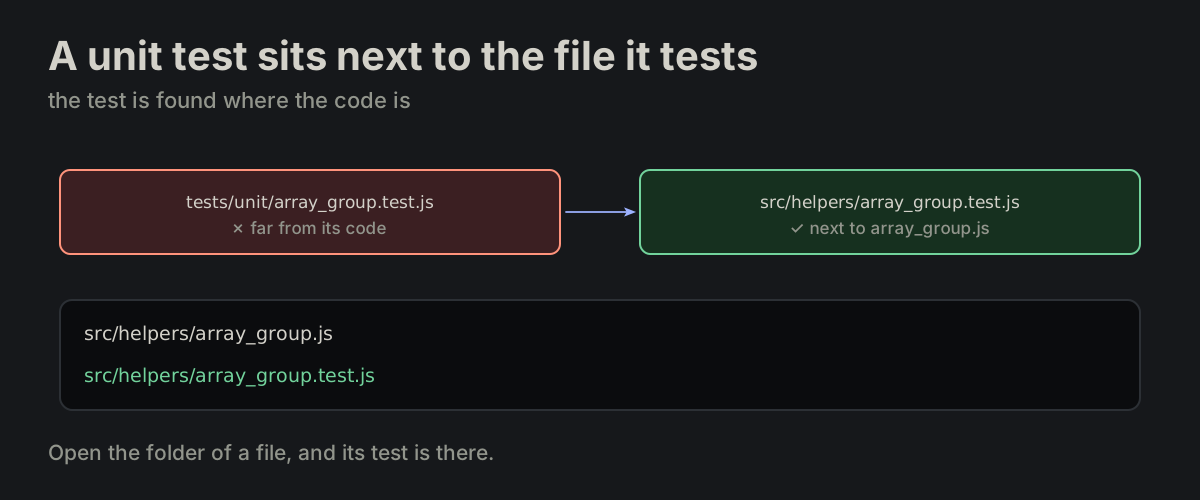
A unit test sits next to the file it tests.

layout.md
src/helpers/array_group.js
src/helpers/array_group.test.js
array_group.test.js beside array_group.js in src/helpers/, instead of far away in tests/unit/array_group.test.js beside array_group.js in src/helpers/, instead of far away in tests/unit/
PROJ-11

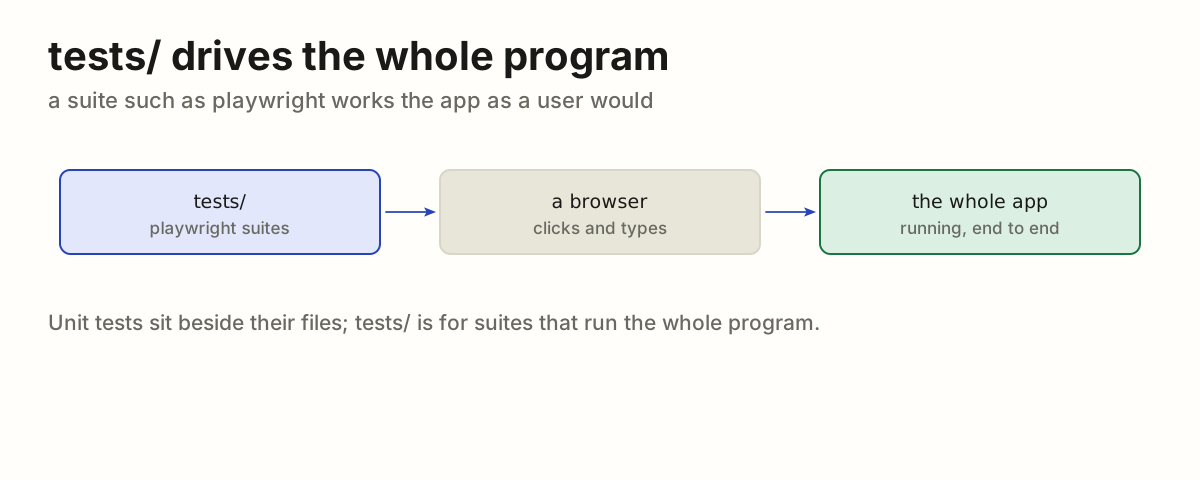
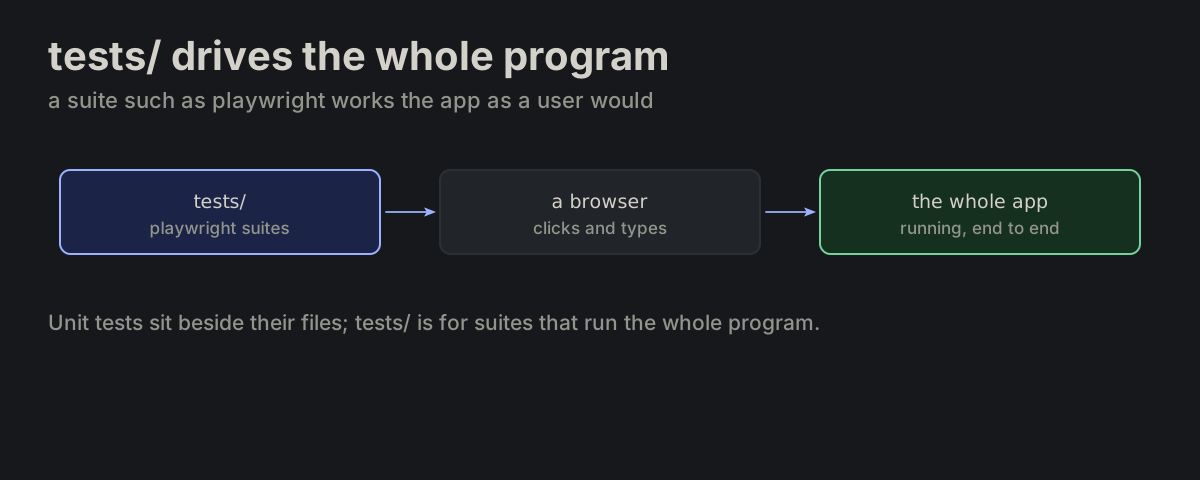
tests/ drives the whole program. tests/ holds suites that drive the whole program, such as playwright.

layout.md
A playwright suite in tests/ drives a browser, which drives the whole running appA playwright suite in tests/ drives a browser, which drives the whole running app
PROJ-12

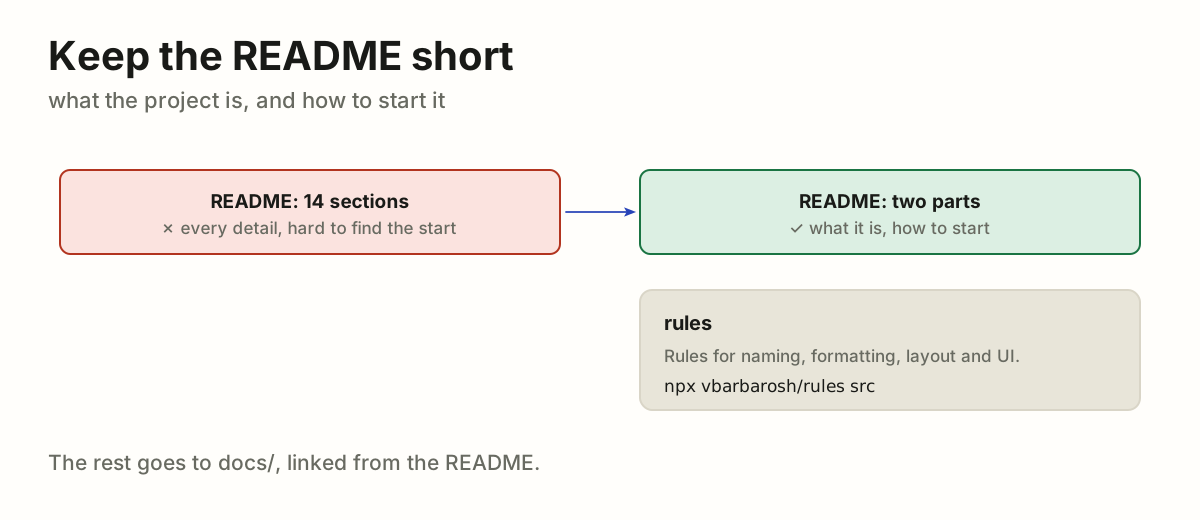
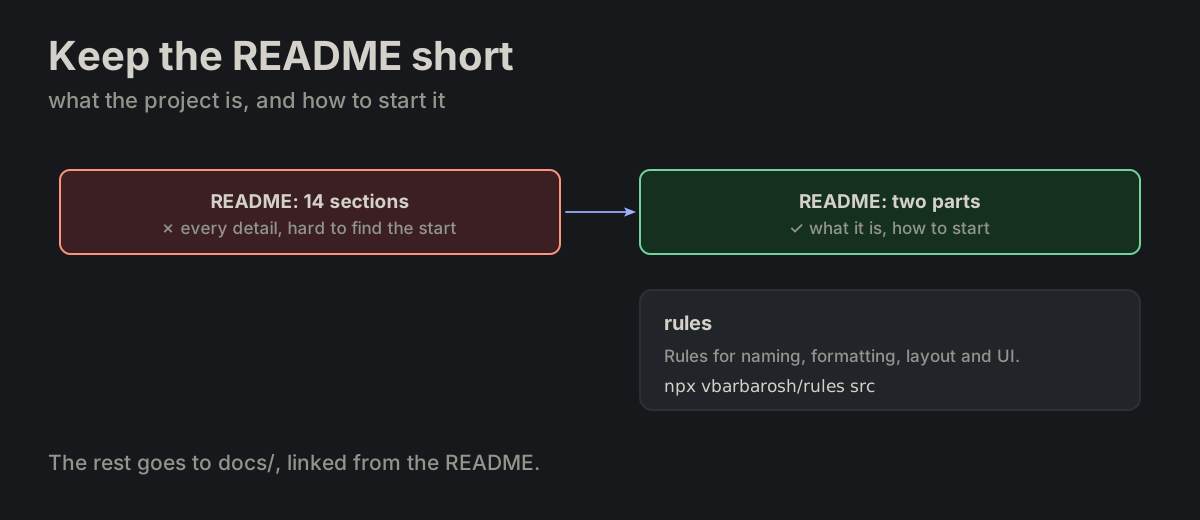
Keep the README short. README.md stays short: what the project is and how to start it.

layout.md
A short README with what the project is and how to start it; a long README of every detail is replaced by it and links to docsA short README with what the project is and how to start it; a long README of every detail is replaced by it and links to docs
PROJ-13

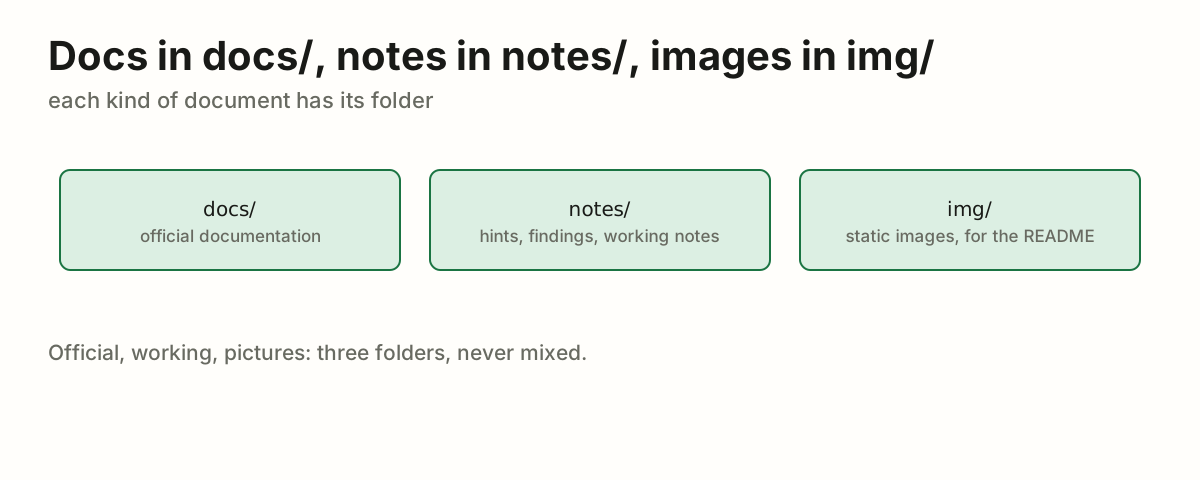
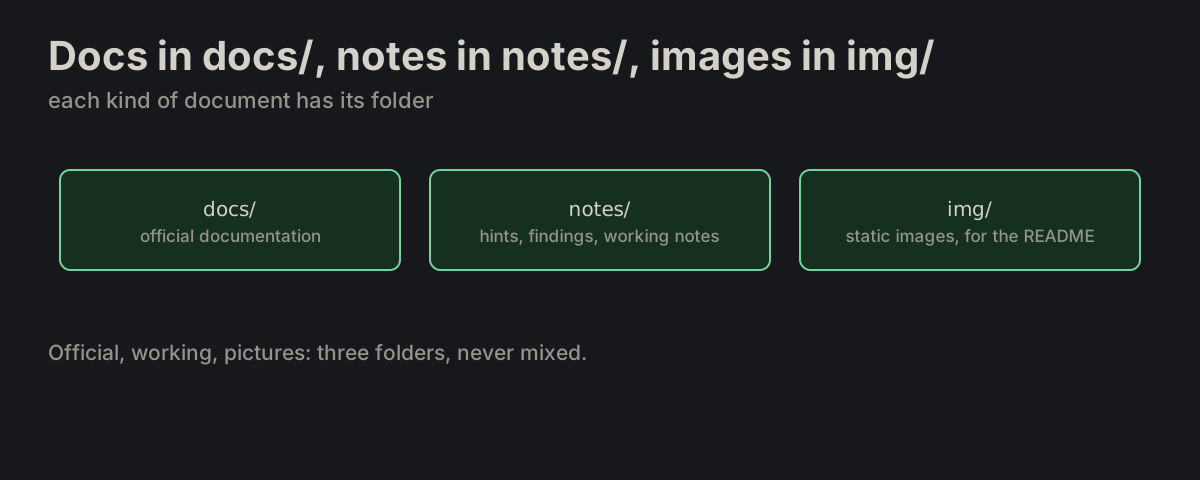
Docs in docs/, notes in notes/, images in img/. docs/ holds the official documentation, notes/ holds working notes — hints and findings made during development — and img/ holds static images, mostly for the README.

layout.md
docs/ holds the official documentation, notes/ the working notes made during development, img/ the static images, mostly for the READMEdocs/ holds the official documentation, notes/ the working notes made during development, img/ the static images, mostly for the README
PROJ-14

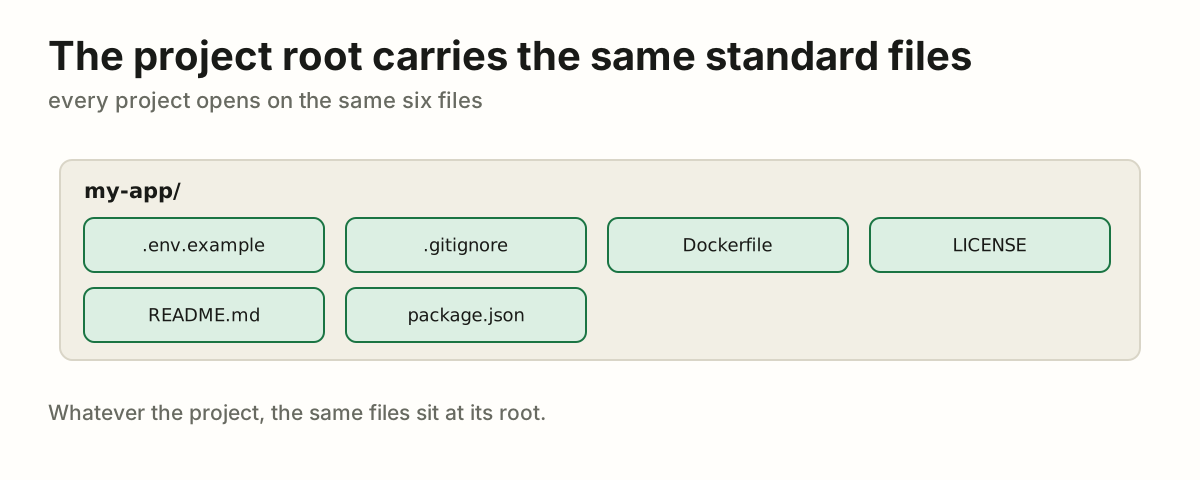
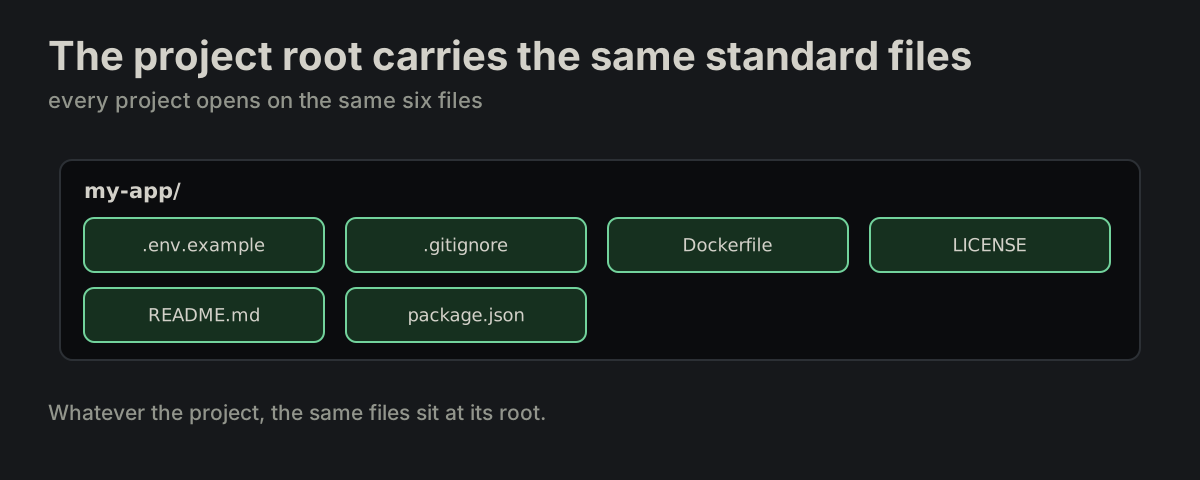
The project root carries the same standard files. .env is not one of them: it is there only when the runner puts it there (PROJ-06).

layout.md
.env.example  .gitignore  Dockerfile  LICENSE
README.md  package.json
The project root with .env.example, .gitignore, Dockerfile, LICENSE, README.md and package.jsonThe project root with .env.example, .gitignore, Dockerfile, LICENSE, README.md and package.json
PROJ-15

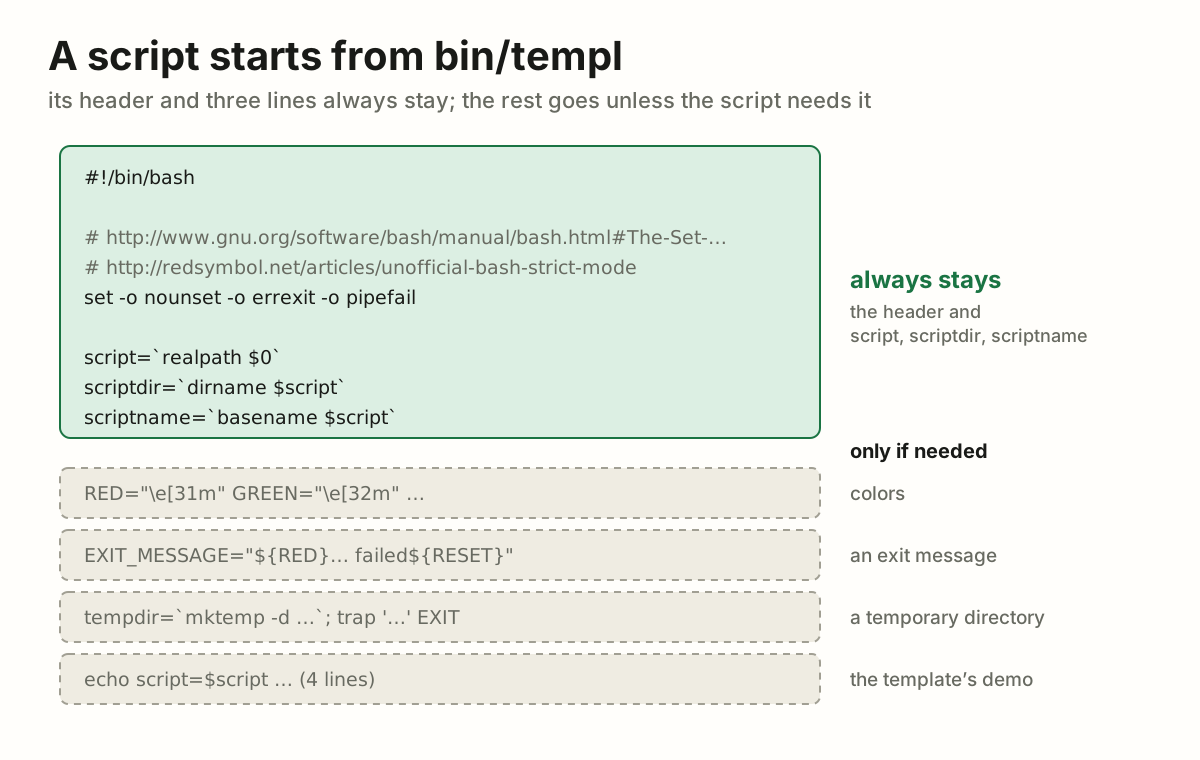
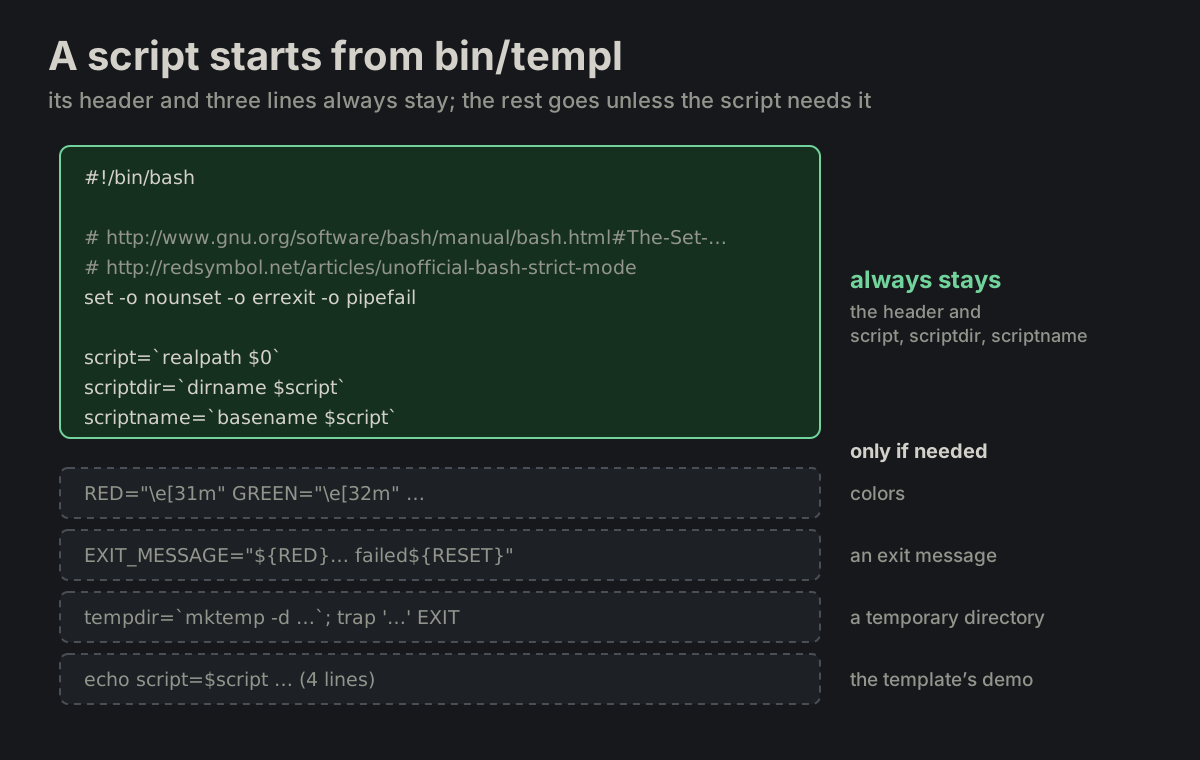
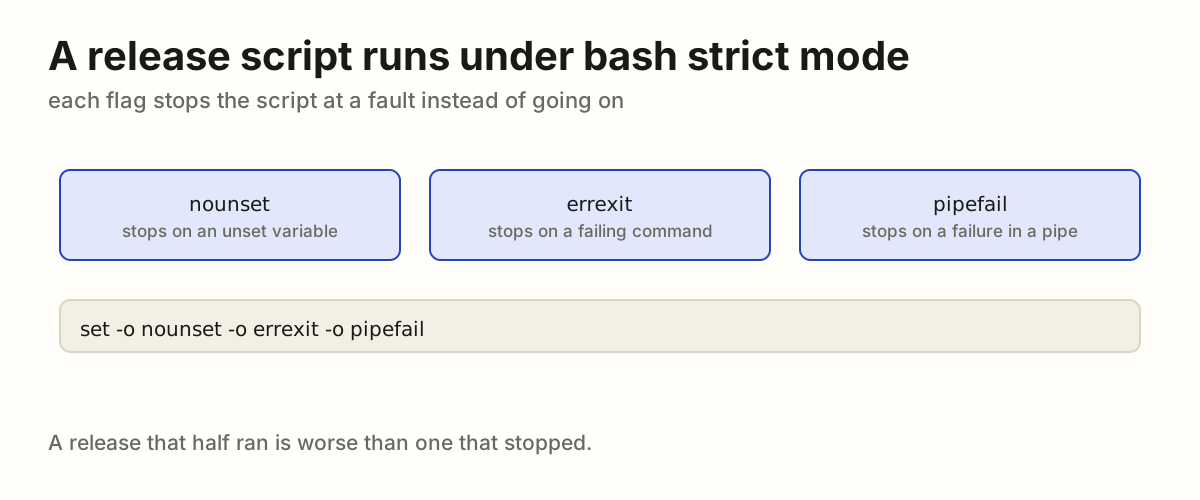
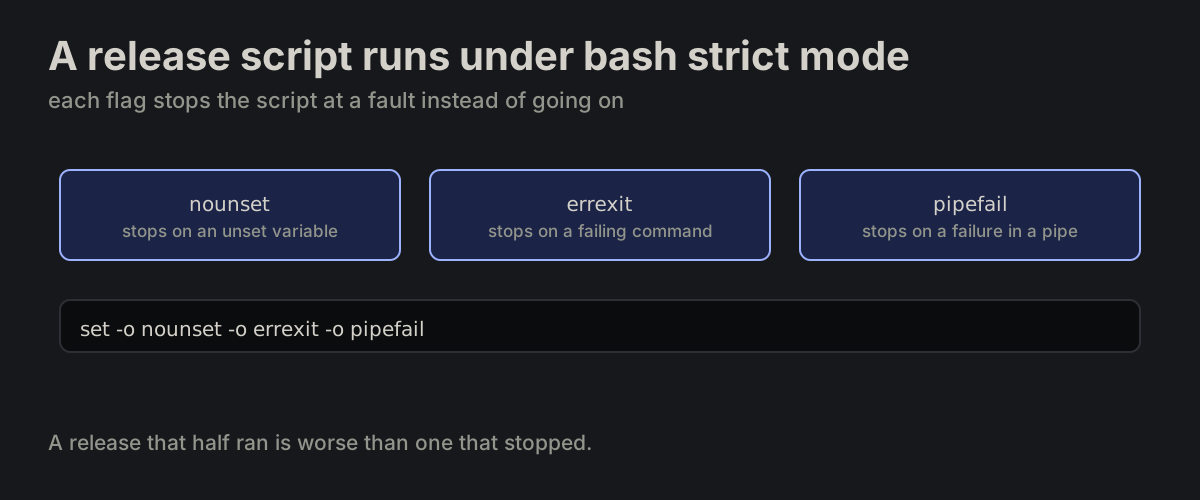
A script starts from bin/templ. A new bash script is a copy of bin/templ with what it does not need thrown away. Its header, strict mode included, and the script / scriptdir / scriptname lines always stay; the colors, the exit message, the temporary directory with its EXIT trap and the four echo lines stay only if the script uses them.

templ
#!/bin/bash

# http://www.gnu.org/software/bash/manual/bash.html#The-Set-Builtin
# http://redsymbol.net/articles/unofficial-bash-strict-mode
set -o nounset -o errexit -o pipefail

script=`realpath $0`
scriptdir=`dirname $script`
scriptname=`basename $script`
bin/templ: the header and the script, scriptdir and scriptname lines always stay; the colors, the exit message, the temporary directory and the echo lines only if the script needs thembin/templ: the header and the script, scriptdir and scriptname lines always stay; the colors, the exit message, the temporary directory and the echo lines only if the script needs them
PROJ-16

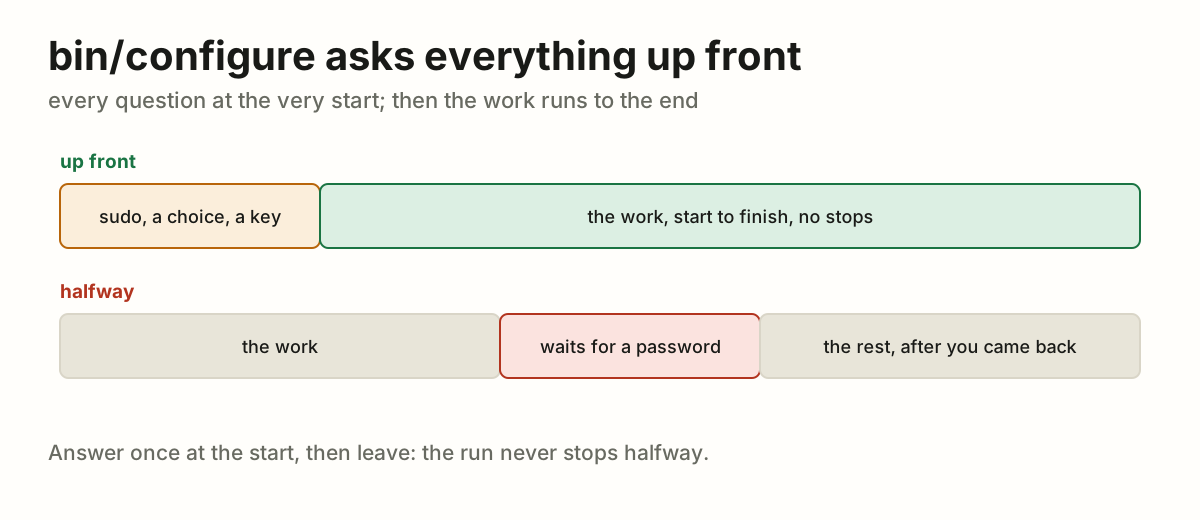
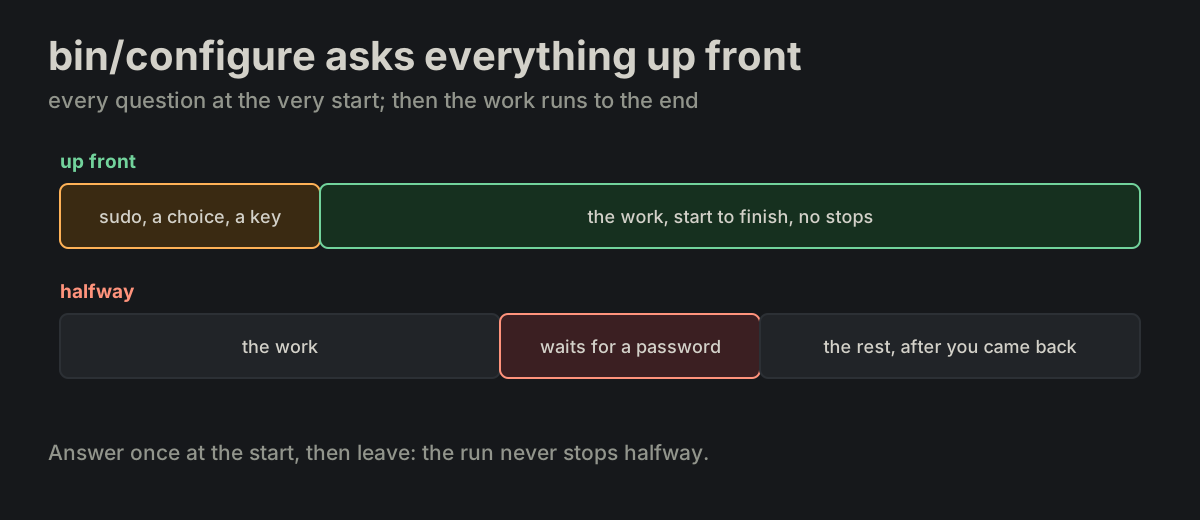
bin/configure asks everything up front. bin/configure asks every question it may have — the sudo password, a choice, a key — at the very start, before any work. Once the work has started there are no more questions; it never stops halfway, waiting for a password.

configure.md
Questions for a password, a choice and a key come first and the work runs to the end; a run that stops halfway to ask for a password is the wrong wayQuestions for a password, a choice and a key come first and the work runs to the end; a run that stops halfway to ask for a password is the wrong way
PROJ-17

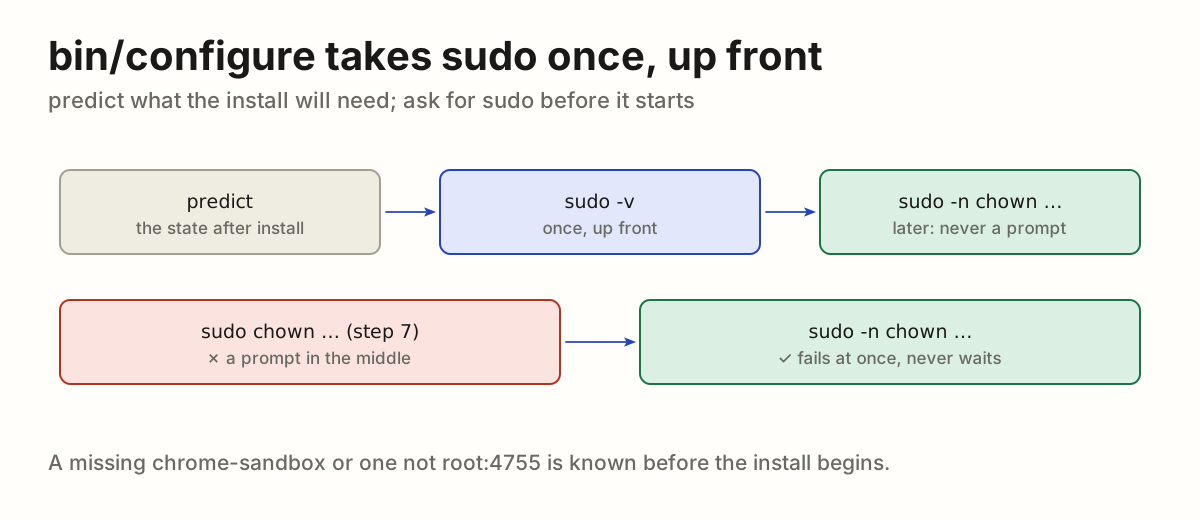
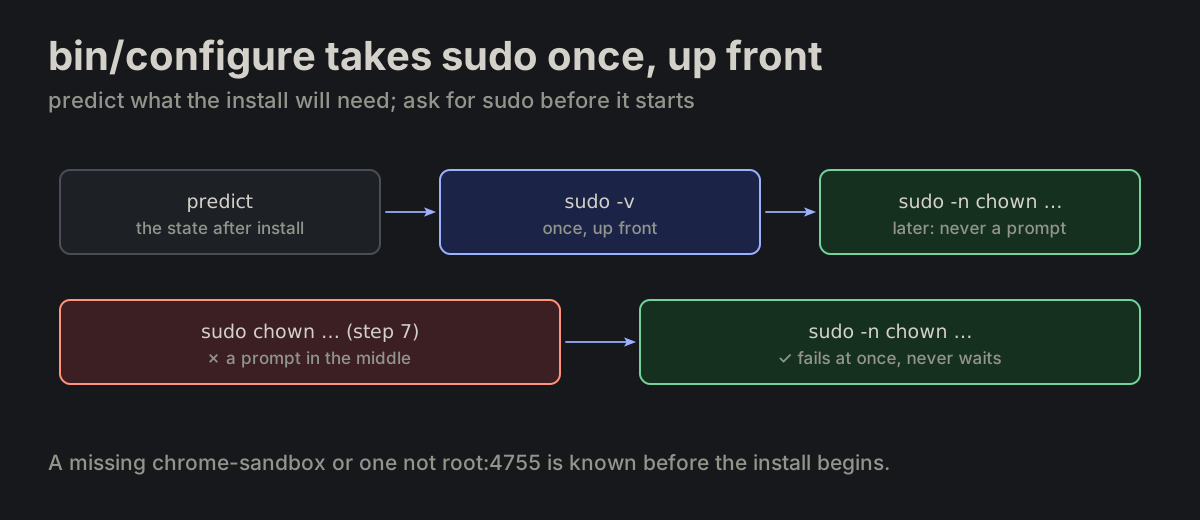
bin/configure takes sudo once, up front. bin/configure first works out what the run will need, predicting the state after the install. When a step will need sudo — an Electron chrome-sandbox that is missing, not root:4755, or about to be replaced by the install — it takes sudo -v up front, and the later calls are sudo -n, which fail at once rather than prompt.

configure.md
sandbox=node_modules/electron/dist/chrome-sandbox
state=`stat -c %U:%a $sandbox 2>/dev/null`
wanted=…      # electron in package-lock.json
installed=…   # electron in node_modules
if [ "$wanted" != "$installed" ] || [ "$state" != "root:4755" ]; then
    sudo -v
fi

sudo -n chown root:root $sandbox   # later: never a prompt
bin/configure predicts the state after the install, takes sudo -v once if a step will need it, and later calls sudo -n, which never promptsbin/configure predicts the state after the install, takes sudo -v once if a step will need it, and later calls sudo -n, which never prompts
PROJ-18

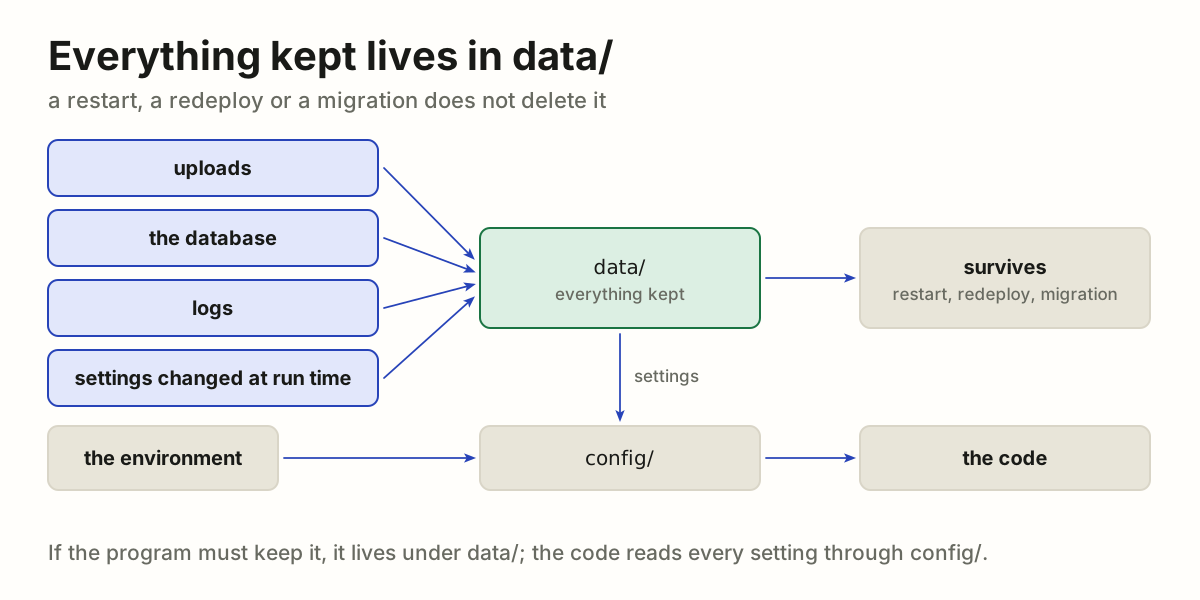
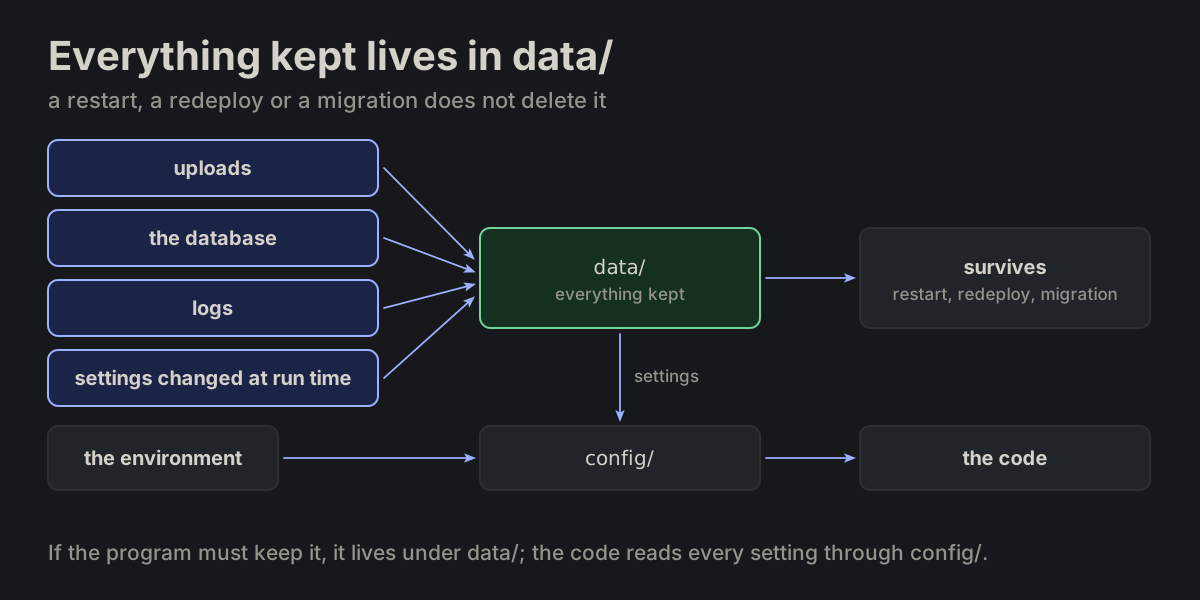
Everything kept lives in data/. data/ is the project's permanent data: a restart, a redeploy or a migration does not delete it. Everything the program writes and has to keep lives under data/, and nowhere else. A setting changed while the program runs is kept there too, and the code still reads it through config/, which loads it from data/ (PROJ-07).

data.md
Uploads, the database and logs written by the program all live under data/, which survives restarts, redeploys and migrations; a setting changed at run time is kept there too, and the code reads it only through config/Uploads, the database and logs written by the program all live under data/, which survives restarts, redeploys and migrations; a setting changed at run time is kept there too, and the code reads it only through config/
PROJ-19

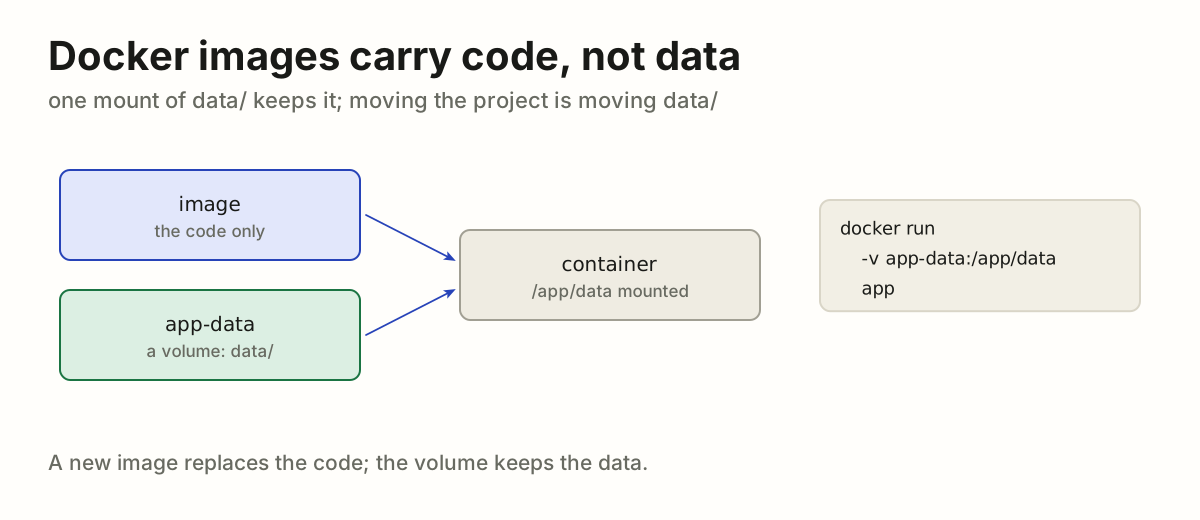
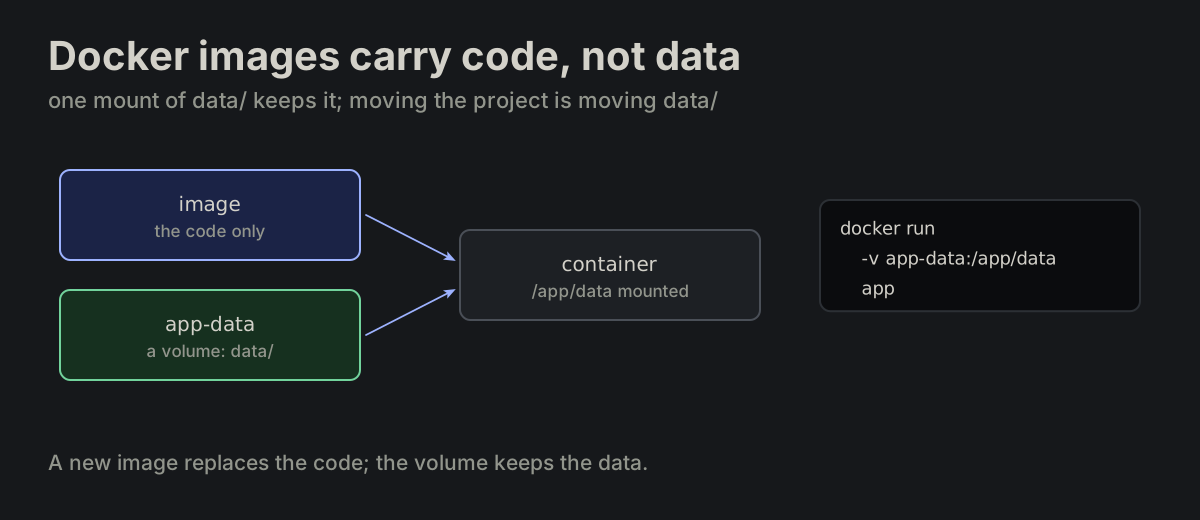
Docker images carry code, not data. A docker image carries the code, never the data. One mount of data/ — a named volume or a host directory — is all it takes to keep it; moving the project is moving its data/ and running it with the same environment.

data.md
docker run -v app-data:/app/data app
docker run -v /srv/app/data:/app/data app
An image with the code and a data/ volume mounted into the container; docker run -v app-data:/app/data appAn image with the code and a data/ volume mounted into the container; docker run -v app-data:/app/data app
PROJ-20

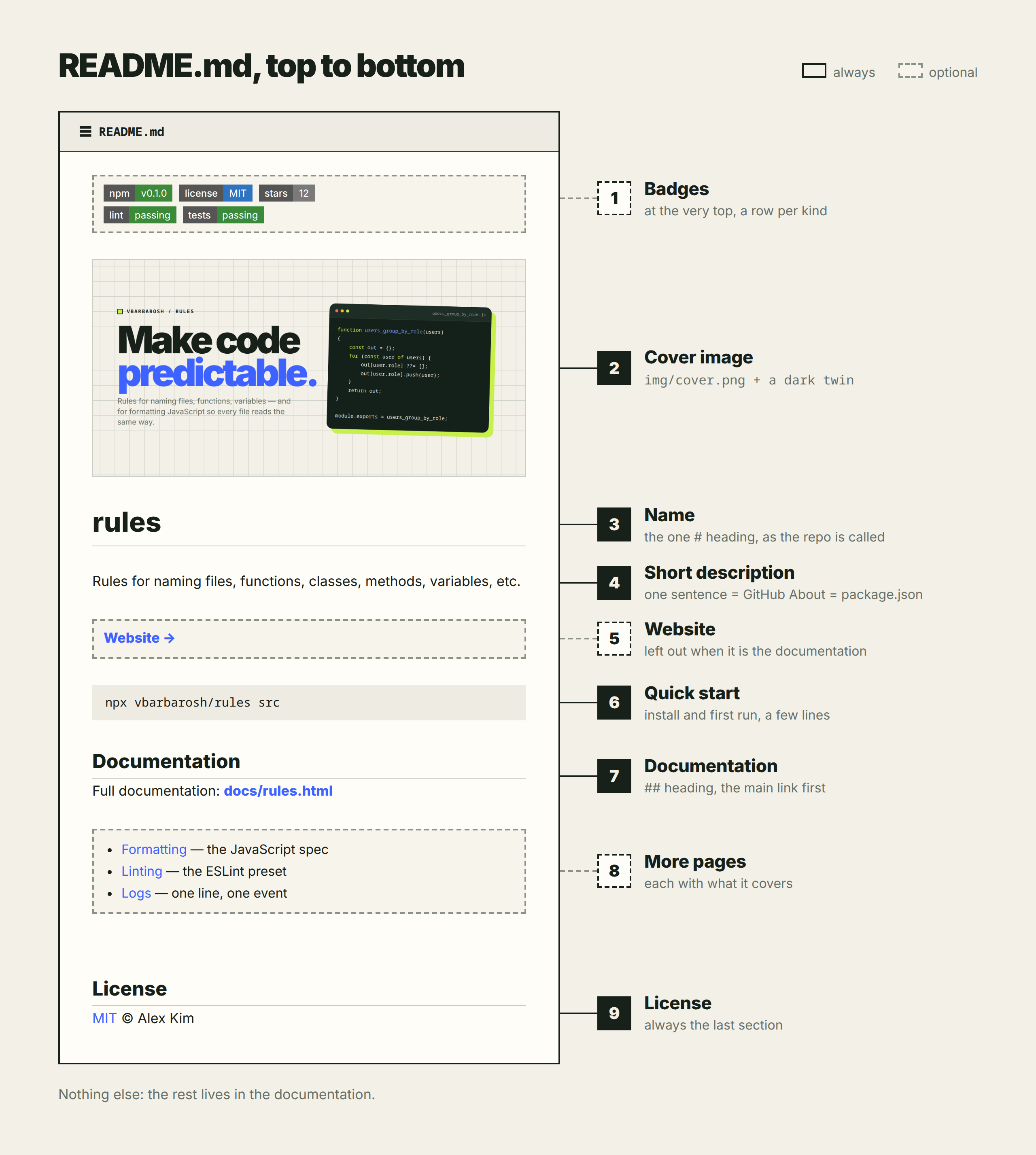
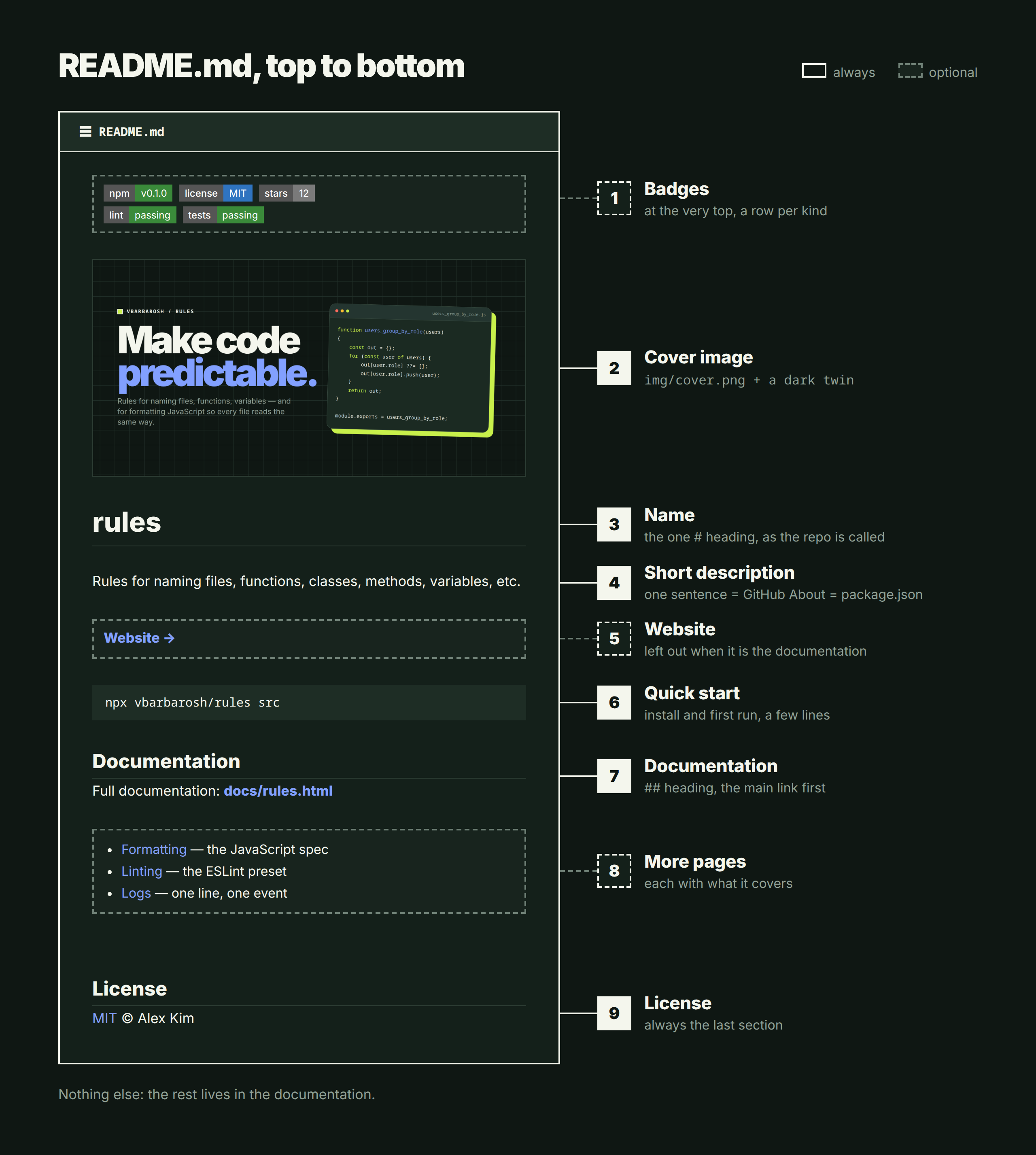
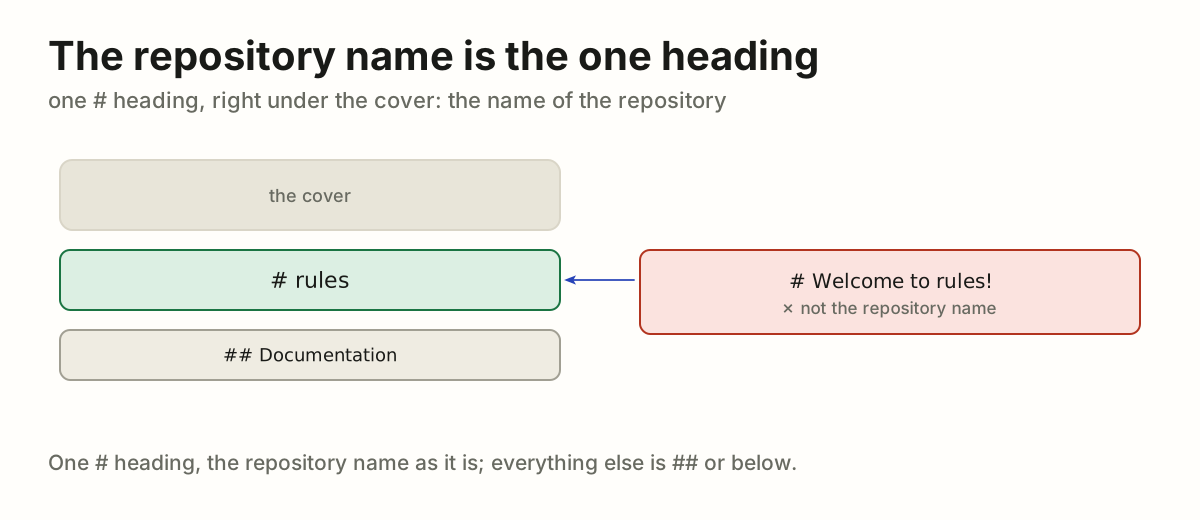
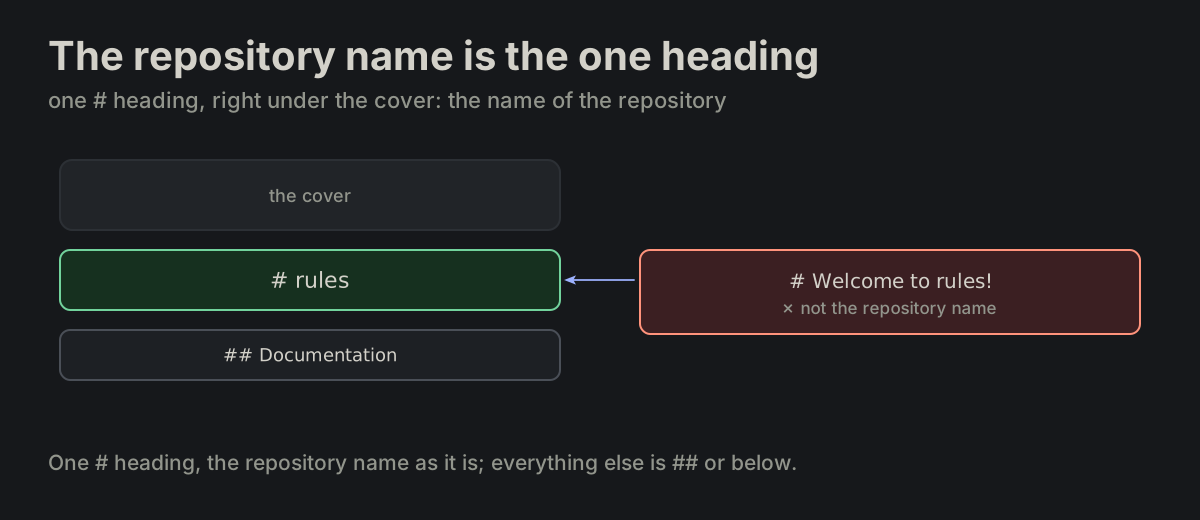
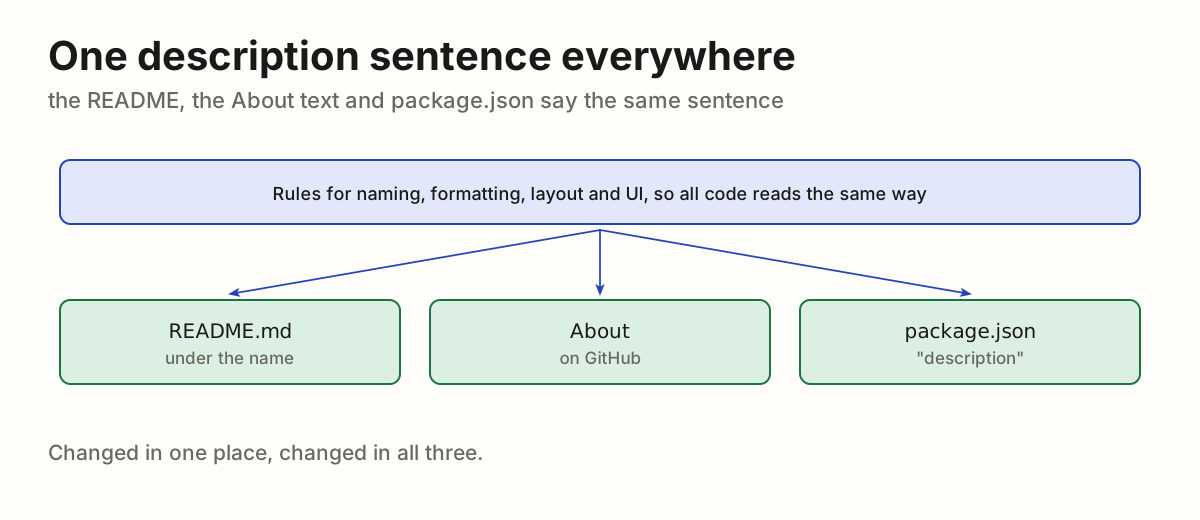
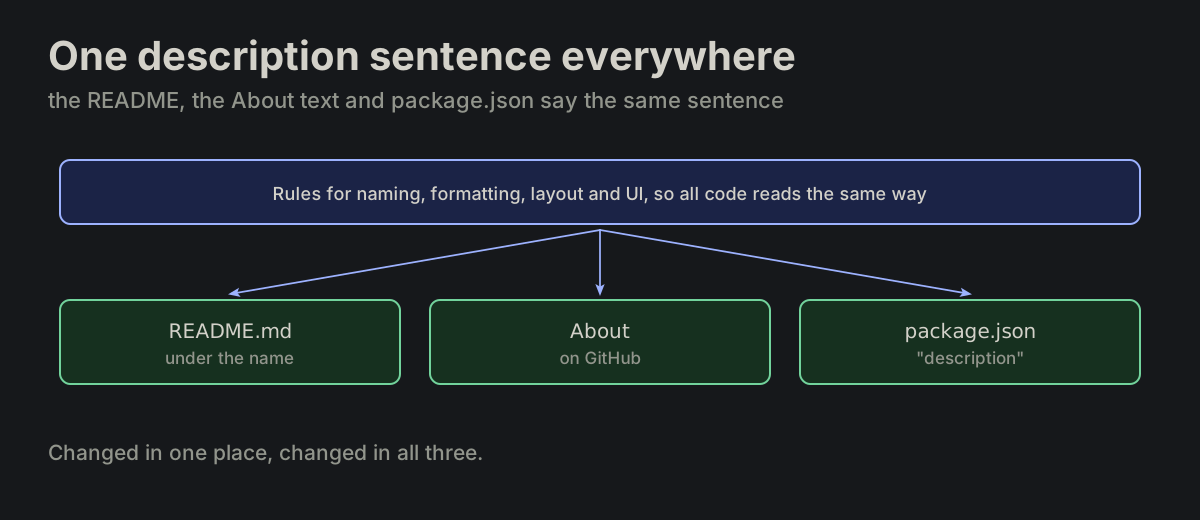
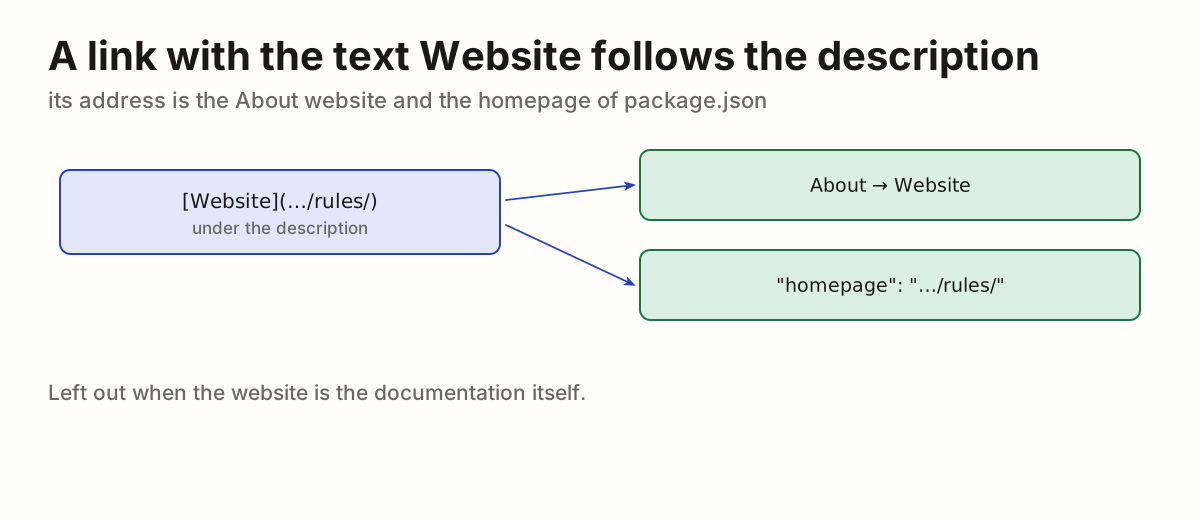
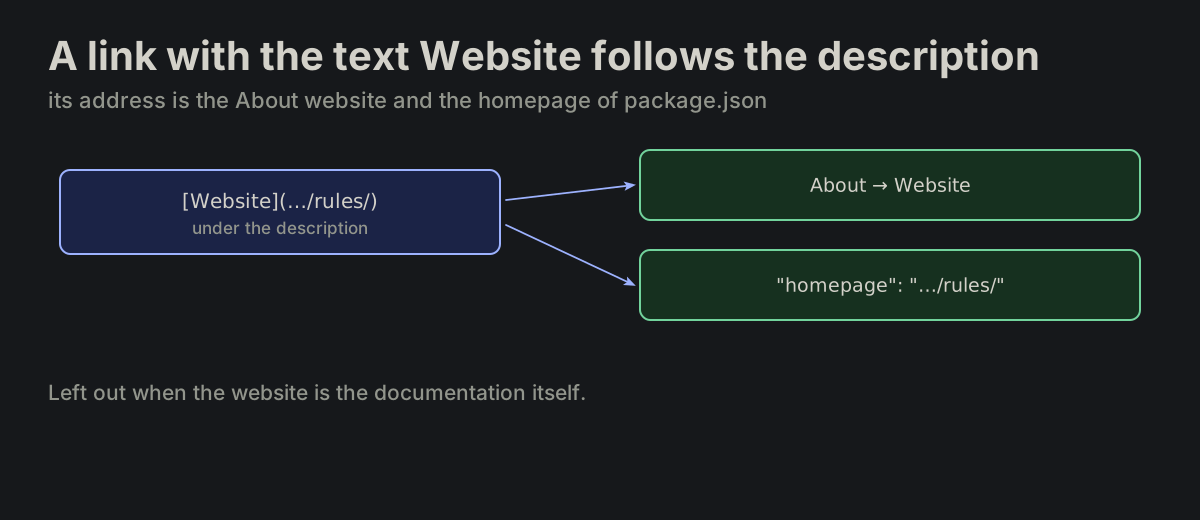
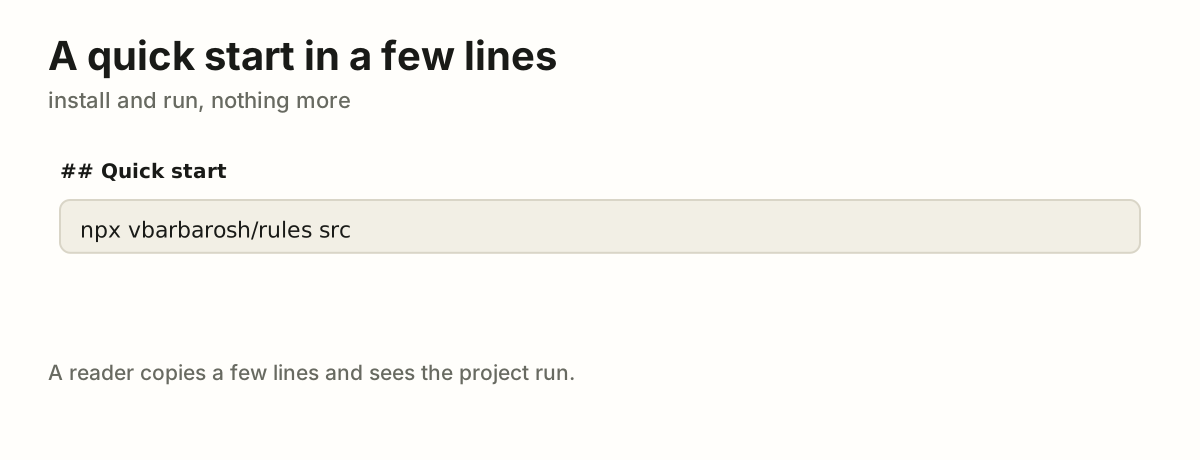
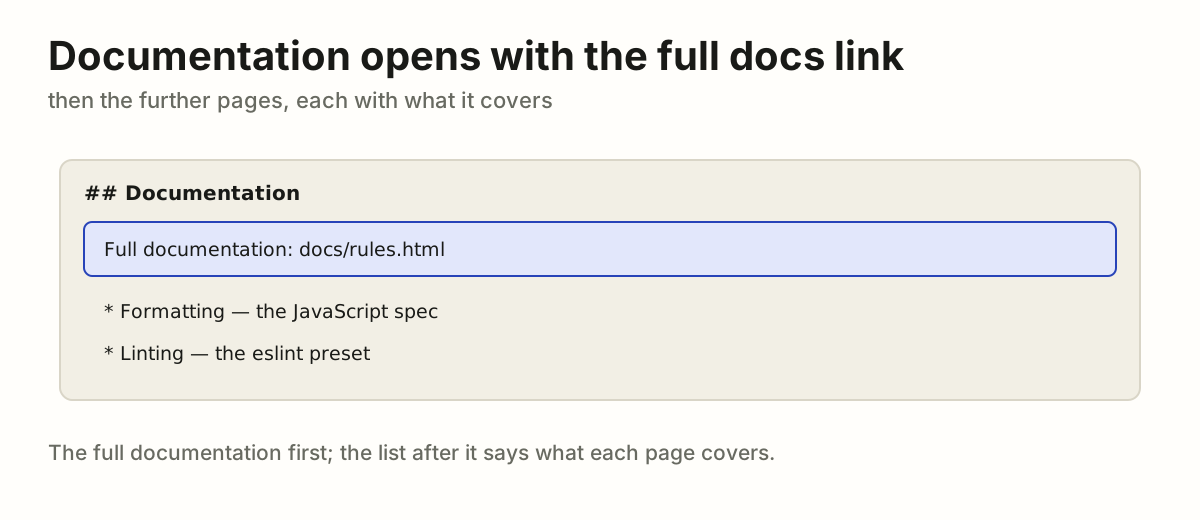
The README runs in a fixed order. A GitHub README.md runs in one order: badges, cover image, name, short description, website, quick start, documentation, license. Badges and the further documentation pages may be absent, and the website link is left out when the website is the documentation; the rest are always there.

README.md
the parts of a README, top to bottomthe parts of a README, top to bottom
PROJ-21

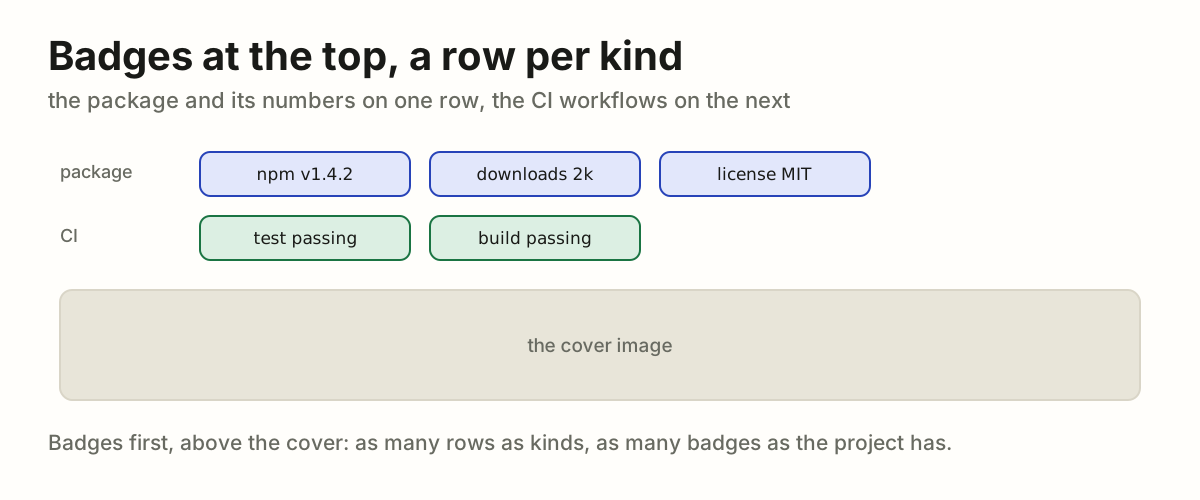
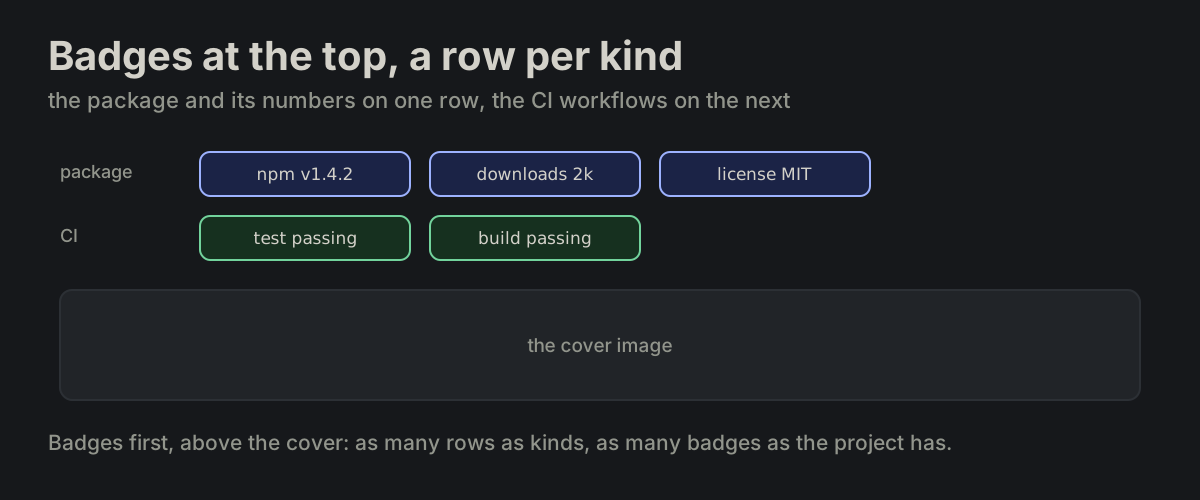
Badges at the top, a row per kind. Badges are optional. When there are any, they sit at the very top, above the cover, a row per kind: the package and its numbers on one row, the CI workflows on the next. As many as the project has.

README.md
The top of a README: a row of package badges, a row of CI badges, then the cover imageThe top of a README: a row of package badges, a row of CI badges, then the cover image
PROJ-22

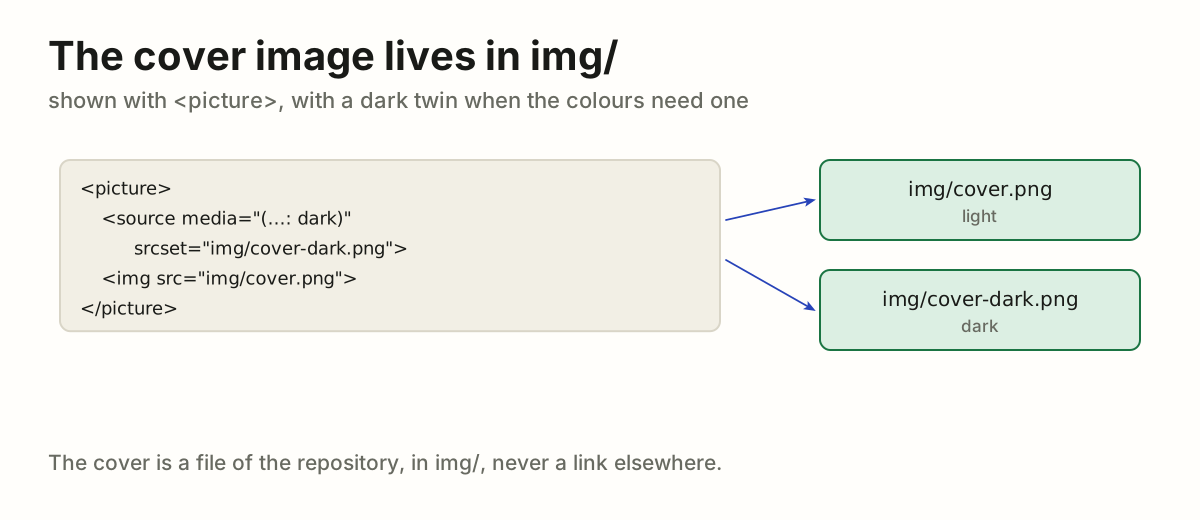
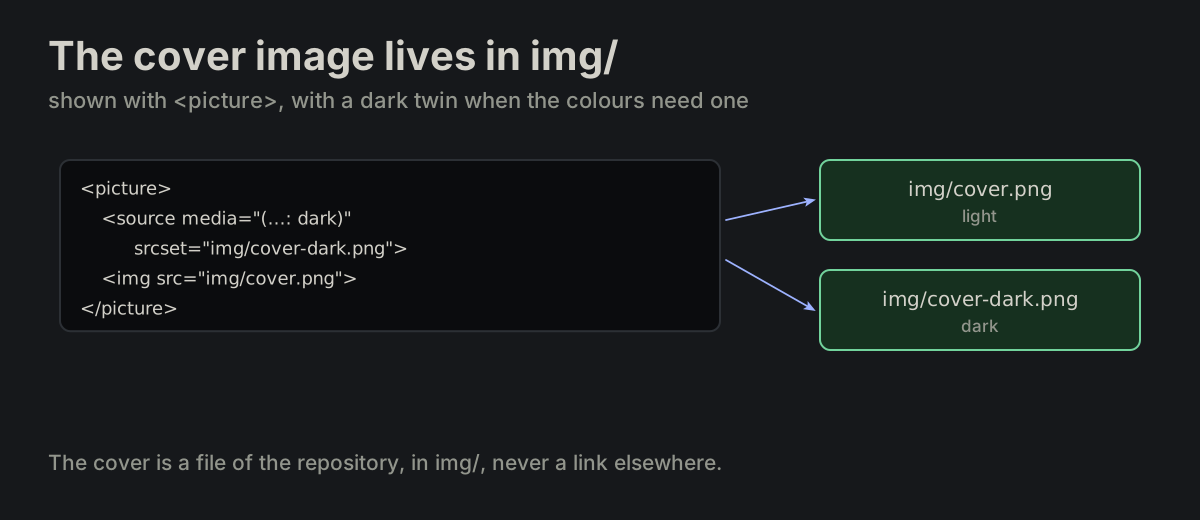
The cover image lives in img/. The cover image is a file in img/, shown with <picture> and a dark twin when the colours need one.

README.md
<picture>
  <source media="(prefers-color-scheme: dark)" srcset="img/cover-dark.png">
  <img alt="rules" src="img/cover.png">
</picture>
The README shows the cover through <picture>: img/cover.png in light, img/cover-dark.png in darkThe README shows the cover through <picture>: img/cover.png in light, img/cover-dark.png in dark
PROJ-23

The repository name is the one heading. The name is the one # heading, right under the cover: the name of the repository.

README.md
# rules
A README with the cover, then # rules as its one level-one heading, then ## sectionsA README with the cover, then # rules as its one level-one heading, then ## sections
PROJ-24

One description sentence everywhere. The short description is one sentence on its own line, and the same sentence is the repository's About text and the description of package.json.

README.md
One sentence, written once, appears as the README description, the GitHub About text and the description of package.jsonOne sentence, written once, appears as the README description, the GitHub About text and the description of package.json
PROJ-25

A link with the text Website follows the description. Its address is the repository's About → Website and the homepage of package.json. It is left out when the website is the documentation.

README.md
**[Website](https://vbarbarosh.github.io/rules/)**
A Website link under the description, with the same address as the GitHub About website and the homepage field of package.jsonA Website link under the description, with the same address as the GitHub About website and the homepage field of package.json
PROJ-26

A quick start in a few lines. A quick start shows how to install and run the project, in a few lines.

README.md
npx vbarbarosh/rules src
A quick start of one line, npx vbarbarosh/rules src, that installs and runs the projectA quick start of one line, npx vbarbarosh/rules src, that installs and runs the project
PROJ-27

Documentation opens with the full docs link. A ## Documentation section opens with the link to the full documentation. Further pages follow as a short list, each with what it covers.

README.md
## Documentation

Full documentation: **[docs/rules.html](docs/rules.html)**

* [Formatting](FORMATTING.md) — the JavaScript spec
A Documentation section: the full documentation link first, then a short list of further pages with what each coversA Documentation section: the full documentation link first, then a short list of further pages with what each covers
PROJ-28

License is the last section. ## License is the last section: the license named and linked to LICENSE.

README.md
## License

[MIT](LICENSE)
The README sections in order with ## License last, linking to the LICENSE fileThe README sections in order with ## License last, linking to the LICENSE file
PROJ-29

Demos live in demos/. Small demos — a short runnable file that shows how something is used — live in demos/, never in examples/.

layout.md
demos/items_by.js      ✓ right
examples/items_by.js   ✗ wrong
examples/items_by.js is wrong; the same demo lives in demos/items_by.jsexamples/items_by.js is wrong; the same demo lives in demos/items_by.js
PROJ-30

The build ends with the self-check. The last step of bin/build runs bin/self-check: the application's own check that it is fit to work, one probe per thing it needs, the programs it calls and what the build was to produce; a lit lamp names what to fix (TEST-09). A build that fails it ships nothing.

layout.md
# bin/build, the last step
bin/self-check

[ffmpeg] ffmpeg version 6.1.1
[pyftsubset] zopfli: 4120 < 5312 bytes
build/front.d: missing      ✗ ships nothing
bin/build ends with bin/self-check, whose probes find ffmpeg and pyftsubset but a missing build/front.d, so the build ships nothingbin/build ends with bin/self-check, whose probes find ffmpeg and pyftsubset but a missing build/front.d, so the build ships nothing

RELPackaging and releaseShip a prebuilt dist/.

REL-01

A project can ship a prebuilt dist/. A project can distribute a prebuilt dist/ from the repository, the way Vue, VueRouter, Vuex, jQuery, Bootstrap, Axios, Cuid and Jsondiffpatch do.

packaging.md
<script src="https://unpkg.com/vue@2.6.11/dist/vue.js"></script>
dist/vue.js in the repository, served by unpkg, loaded by a page with a script tag, with no build on the user sidedist/vue.js in the repository, served by unpkg, loaded by a page with a script tag, with no build on the user side
REL-02

Release order: clean, bump, build, commit, tag. The release workflow is fixed: ensure there are no changes, increase the version, update dist/, commit, tag. dist/ is updated by the one build, then a copy of build/ (MP-32).

packaging.md
test -z "$(git status --porcelain)"
npm version $1 --no-git-tag-version
rm -rf build
npm run build
rm -rf dist
cp -r build dist
git add package.json package-lock.json dist
git commit -m "release: v$(...)"
git tag v$(...)
A release in five steps: no changes, bump the version, build and copy build/ into dist/, commit, tagA release in five steps: no changes, bump the version, build and copy build/ into dist/, commit, tag
REL-03

The script commits and tags, not the bump. Bump the version without committing or tagging, then own both steps in the script.

packaging.md
npm version $1 --no-git-tag-version
npm version without its git tag bumps the version only; the release script then commits and tagsnpm version without its git tag bumps the version only; the release script then commits and tags
REL-04

One command does the whole release. bin/release major|minor|patch performs the whole release.

packaging.md
bin/release patch
bin/release patch runs the whole release: clean, bump, build, commit, tagbin/release patch runs the whole release: clean, bump, build, commit, tag
REL-05

A release script runs under bash strict mode.

packaging.md
set -o nounset -o errexit -o pipefail
set -o nounset stops on an unset variable, errexit on a failing command, pipefail on a failure inside a pipeset -o nounset stops on an unset variable, errexit on a failing command, pipefail on a failure inside a pipe
REL-06

A bad argument prints usage to stderr and exits 1.

packaging.md
echo usage: release 'major|minor|patch' >&2
exit 1
bin/release banana prints usage: release major/minor/patch to stderr and exits 1bin/release banana prints usage: release major/minor/patch to stderr and exits 1

GITCommitsA lowercase title, scope first; details below; 72 characters a line.

GIT-01

A commit title is a scope, a colon and a short description. The scope is one or two words: the part of the project the commit changes, its category.

commits.md
maps: placement rules for gates and portals, and map-check
The title maps: placement rules for gates and portals, and map-check, as a scope, a colon and a descriptionThe title maps: placement rules for gates and portals, and map-check, as a scope, a colon and a description
GIT-02

Commit titles are lowercase. The title is all lowercase, names included.

commits.md
readme: elites and arcade saves as the code has them   ✓ yes
README: Elites and arcade saves                        ✗ no
README: Elites and arcade saves is wrong; readme: elites and arcade saves as the code has them is rightREADME: Elites and arcade saves is wrong; readme: elites and arcade saves as the code has them is right
GIT-03

A commit title is 72 characters at most. The whole title, scope included, stays within 72 characters. Short is the rule; 72 is the ceiling, not a target.

commits.md
maps: one name for the gate jump reach     38
docs: build-docs and a github pages workflow     44
72 at most
Title lengths as bars against a line at 72 characters: 38 and 44 fit, 89 runs past it; the long one is cut to fitTitle lengths as bars against a line at 72 characters: 38 and 44 fit, 89 runs past it; the long one is cut to fit
GIT-04

A short body, only when needed. Details go in a body after one blank line, only when they are really needed. A body is short, in ordinary sentences.

commits.md
docs: link the placement rules, gates and portals as they stand

docs/README.md lists placement.md; objects.md describes gates and
portals as the placement rules now put them.
A commit with a title, a blank line and a two-line body, beside a commit that needs no bodyA commit with a title, a blank line and a two-line body, beside a commit that needs no body
GIT-05

A body wraps at 72 characters. Every line of the body stays within 72 characters, as the title does, and breaks between words. A path, a URL or a command longer than that keeps a line of its own, whole.

commits.md
docs: the agents page has a picture for each guide

Consequences first: the task, its four what-if questions and what each
shapes. One example, all cases: only the shown dropdown fixed against
every case found.
A commit body wrapped at 72 characters, each line ending before a red line at column 72A commit body wrapped at 72 characters, each line ending before a red line at column 72

LOGLogsOne line, one event, four fields.

LOG-01

One line, one event, four fields. A log is one stream of lines, as if one infinite file; its files may be split by day (PROJ-05). One physical line records one event, in four fields and nothing else.

logs.md
[time][group_uid][sender] details
A log line as its four fields, time, group_uid, sender and details, each with what it holds, above three such lines of one logA log line as its four fields, time, group_uid, sender and details, each with what it holds, above three such lines of one log
LOG-02

Measurements go in details. Elapsed time, status and every other measurement belong in details, not in a field of their own.

logs.md
[cd8e5vqp][db_query_end_error] 30.001s ETIMEDOUT
The fields of a line with the measurements in details; a fifth bracketed field for 30.001s beside the same line with it in detailsThe fields of a line with the measurements in details; a fifth bracketed field for 30.001s beside the same line with it in details
LOG-03

time is ISO-8601 UTC with milliseconds.

logs.md
2026-08-17T16:09:20.185Z
An ISO-8601 UTC time split into date, T, time, milliseconds and Z; a local time and an epoch each beside the ISO formAn ISO-8601 UTC time split into date, T, time, milliseconds and Z; a local time and an epoch each beside the ISO form
LOG-04

Omit time when the runtime stamps it. Include time when writing directly to a file; omit it when the runtime already timestamps the line, as docker does.

logs.md
[2026-08-17T16:09:20.185Z][cd8e5vqp][db_query_begin] name=select_users
[cd8e5vqp][db_query_begin] name=select_users
A line written to a file carries its time; under docker, docker's timestamp stands before the app's line, and a doubled time beside the line written onceA line written to a file carries its time; under docker, docker's timestamp stands before the app's line, and a doubled time beside the line written once
LOG-05

Every event carries its group uid. A group is one unit of work — a request, a job, a cron run. Every event carries its group’s uid, an opaque string, usually a cuid.

logs.md
Four lines of one request, each starting with its group uid cd8e5vqp; a line without a uid beside the same line with itFour lines of one request, each starting with its group uid cd8e5vqp; a line without a uid beside the same line with it
LOG-06

A group opens with group_spawn. The first event of a group is group_spawn, emitted synchronously before the uid is passed to other work or another event is emitted for the group. A root group omits parent=.

logs.md
[new_group_uid][group_spawn] parent=old_group_uid
[c1a0root][group_spawn]
A child group and a root group, each opening with group_spawn; a spawn after the first work beside the spawn firstA child group and a root group, each opening with group_spawn; a spawn after the first work beside the spawn first
LOG-07

The caller's uid becomes the parent. Messages and requests carry the caller’s uid; the receiver uses it as the parent of its new group.

logs.md
A web group sends a job, the message carries its uid, and the worker's group_spawn names it as parent; a spawn without parent beside one with parent=aaaA web group sends a job, the message carries its uid, and the worker's group_spawn names it as parent; a spawn without parent beside one with parent=aaa
LOG-08

A sender names one call site. sender identifies one logging call site, and the name is unique in the whole codebase — a grep for it lands on one place. Think of it as a const in a single namespace.

logs.md
A grep for a sender lands on one line of code; one sender in two places beside a name for each placeA grep for a sender lands on one line of code; one sender in two places beside a name for each place
LOG-10

Every begin is closed by its end. A _begin event is closed by the same stem with _end_ok or _end_error, in the same group. An end never appears without its begin in that group.

logs.md
[c9k2vf3p][group_spawn]
[c9k2vf3p][mp4gif_worker_begin]
[c9k2vf3p][mp4gif_worker_end_ok] 4.512s

[c7t0xb1m][group_spawn]
[c7t0xb1m][mp4gif_worker_begin]
[c7t0xb1m][mp4gif_worker_end_error] 0.884s ffmpeg exit=1
A begin closed by end_ok and a begin closed by end_error; an end with no begin beside the begin and its endA begin closed by end_ok and a begin closed by end_error; an end with no begin beside the begin and its end
LOG-11

A plain end when the outcome speaks. Use _end when the logged outcome — an HTTP status, say — already says what happened and classifying it as ok or error would mislead.

logs.md
An HTTP request closed by a plain end with its 404; an end_error for the 404 beside the plain endAn HTTP request closed by a plain end with its 404; an end_error for the 404 beside the plain end
LOG-12

Spawn a group only when it pays. A group costs at least three lines. Spawn one only when the work earns them: seconds of work, or many logging call sites. Do not spawn a group for one short call.

logs.md
[bbb][group_spawn] parent=aaa
[bbb][process_begin]
[bbb][process_end_ok] 0.000s      ✗ noise
Three lines of a group spawned for one short call beside the two lines on the caller's group; a group earns its lines with seconds of work or many call sitesThree lines of a group spawned for one short call beside the two lines on the caller's group; a group earns its lines with seconds of work or many call sites
LOG-13

Log short work on the caller’s group, not a new one. When nothing is reported between the two ends, record one event.

logs.md
[aaa][process_begin]
[aaa][process_end_ok] 0.000s

[aaa][process_handled] 0.000s     ✓ even better
A group spawned for nothing beside the begin and end on the caller's group, and one process_handled line, even betterA group spawned for nothing beside the begin and end on the caller's group, and one process_handled line, even better
LOG-14

No lone end in a new group. Two lines are the same noise when a new group holds a lone end. The matching begin was emitted on the parent — keep the pair there.

logs.md
[bbb][group_spawn] parent=aaa
[bbb][process_end_ok] 0.000s      ✗ noise
An end that strayed into a new group beside the begin and end together on the parentAn end that strayed into a new group beside the begin and end together on the parent
LOG-15

Details are terse, on one line. details are human-readable and terse, and never contain a physical newline.

logs.md
A details with a newline, its second line without fields, beside the same event on one terse lineA details with a newline, its second line without fields, beside the same event on one terse line
LOG-16

No secrets or payloads in details. details never contain secrets, tokens, signed URLs, URL query values, bodies or headers. Prefer a reference to the payload over the payload.

logs.md
A token, a signed URL and a body each beside a reference that replaces it: a user uid, a file path, a sizeA token, a signed URL and a body each beside a reference that replaces it: a user uid, a file path, a size
LOG-17

Simple words bare, the rest JSON-quoted. A printable ASCII word without spaces, double quotes, backslashes or square brackets is written bare — exactly the bytes that were sent, so it cannot span words, break the line, or mint a fake tag. Every other string is JSON-quoted.

logs.md
name=select_users
reason="db timeout"
value=""
A bare word and two JSON-quoted values with why; an unquoted value with a space and a bracketed value each beside its quoted formA bare word and two JSON-quoted values with why; an unquoted value with a space and a bracketed value each beside its quoted form
LOG-18

Structures as compact JSON. Arrays, objects, booleans and null use compact JSON.

logs.md
retry=true limits={"soft":10,"hard":25}
retry and limits as compact JSON; spaced JSON and a yes for a boolean each beside the compact formretry and limits as compact JSON; spaced JSON and a yes for a boolean each beside the compact form
LOG-19

An unordered list is sorted and prefixed with its count. Ordered values are not sorted.

logs.md
3:[180,783,846]
2:["bar","foo"]
0:[]
Three lists turned into their sorted, counted form; a list in order of arrival beside 3:(180,783,846)Three lists turned into their sorted, counted form; a list in order of arrival beside 3:(180,783,846)
LOG-20

Truncate on UTF-8, count what is cut. Truncation preserves valid UTF-8 and ends with the number of omitted bytes.

logs.md
...+4821
A long value cut and 4 821 bytes counted; a cut inside a character beside a whole one ending ...+4821A long value cut and 4 821 bytes counted; a cut inside a character beside a whole one ending ...+4821
LOG-21

Try to keep one log line under 2k UTF-8 bytes. A log line describes an event; it is not payload storage.

logs.md
A 120-byte event under the 2 KB mark and a 48 000-byte payload far past it; the payload beside a counted, truncated lineA 120-byte event under the 2 KB mark and a 48 000-byte payload far past it; the payload beside a counted, truncated line
LOG-22

group_exit is optional; nothing follows it. group_exit is optional and mainly serves to detect leaks. After it is emitted, no producer emits another event for that group; a parent may emit it for work it abandons. Consumers must accept groups without it — its absence makes no claim.

logs.md
[group_uid][group_exit]
A group closed by group_exit and a note that it is optional; an event after the exit beside the exit lastA group closed by group_exit and a note that it is optional; an event after the exit beside the exit last
LOG-23

After means emission order, not timestamps. “After” group_exit means producer emission order, not timestamp or collector ingestion order. Buffering may deliver an older event later; that alone is not an error. Without a causal-order signal — preserved per-group order, a shared sequence — cross-process detection is advisory.

logs.md
Two events emitted in one order and received in the other; judging by arrival beside judging by emissionTwo events emitted in one order and received in the other; judging by arrival beside judging by emission

CSSClasses and stylesA fixed class order; every class has a rule.

CSS-01

Utilities first, app classes next, local classes last. Classes inside one class="…" attribute keep a fixed order. Plain utilities lead; an app-prefixed class (vb-*, np-* — one prefix per app, app-* in these examples) sorts after all of them, base class included; a file-local #-* class is always last.

css_classes.md
layout  spacing  sizing  decoration  typography  app-prefix  local

<div class="flex-row-c #-root" />
<div class="fluid p30 xpt app-scrollbars-light #-grid" />
<div class="db w80 h80 br4 fit-cover cur-pointer app-background #-preset-img" />
<div class="flex-row-cl gap10 app-font-b14 #-title-trigger" />
The class order as chips, from layout to local, and an example class list labelled by family; local first beside utilities, app, localThe class order as chips, from layout to local, and an example class list labelled by family; local first beside utilities, app, local
CSS-02

Item class leads; gap closes the layout. Within the utilities: an item class (fluid, grow, shrink, flex-fluid, flex-grow, flex-nogrow, flex-shrink, flex-noshrink, flex-static) or a display or position utility (db, abs) leads where the element carries one; a gap* closes the layout group — every flex*, grid* or split class first, then the gap; grid* and flex* never share an element; ph* precedes pv*, and spacing comes before typography.

css_classes.md
fluid flex-row gap10 oa
flex-row flex-align-center gap10 mt10
flex-col-c gap15
grid-foo gap5
fluid flex-row gap10 oa and flex-row flex-align-center gap10 mt10 as labelled chips; gap first and flex with grid each beside its right orderfluid flex-row gap10 oa and flex-row flex-align-center gap10 mt10 as labelled chips; gap first and flex with grid each beside its right order
CSS-03

No class without a rule. Every class either has a rule in the file’s own style block or is an established project utility. An element that needs no styling stays classless — a label-only class rots and sends the next reader looking for a rule nobody wrote.

css_classes.md
<!-- the wrapper is not styled, so it carries no class -->
<div>
    <div class="#-funnel-bars">...</div>
</div>
A wrapper div without a class around a styled #-funnel-bars and its rule; a #-wrapper with no rule beside the classless wrapperA wrapper div without a class around a styled #-funnel-bars and its rule; a #-wrapper with no rule beside the classless wrapper
CSS-04

Gap for flex and grid, mg and mi for blocks. gap* spaces the children of a grid or flex container; mg* and mi* are the block-container forms. The two do not mix.

css_classes.md
A flex row spaced by gap10 and a block spaced by mg10; mg10 on a flex row beside gap10A flex row spaced by gap10 and a block spaced by mg10; mg10 on a flex row beside gap10
CSS-05

Fluid in a split, flex-fluid in a flex. fluid marks the filling child of an hsplit/vsplit (whose children default to flex: none); flex-fluid marks the growing child of a plain flex-row/flex-col. Same CSS — the choice states which container the element sits in.

css_classes.md
A fluid child filling an hsplit and a flex-fluid child growing in a flex-row; flex-fluid in a split beside fluidA fluid child filling an hsplit and a flex-fluid child growing in a flex-row; flex-fluid in a split beside fluid
CSS-06

Broad before narrow. An x* class usually comes before the setter it clears the way for — the broad class leads and the narrow one corrects it, whichever of the two is the reset.

css_classes.md
<div class="xm ml5" />   <!-- margin: 0; margin-left: 5px; -->
<div class="m5 xml" />   <!-- margin: 5px; margin-left: 0;  -->
xm ml5 and m5 xml with the margins each produces; the reset after the setter beside the reset firstxm ml5 and m5 xml with the margins each produces; the reset after the setter beside the reset first
CSS-07

Rows and columns are a table. Rows and columns are a <table>, not a stack of flex rows — the columns line up only until one cell is wider. Flex rows stay for content that is genuinely not tabular.

css_classes.md
A stack of flex rows whose columns drift beside a table whose columns line up, and their codeA stack of flex rows whose columns drift beside a table whose columns line up, and their code
CSS-08

Imports and includes come first. @import comes first in a block; @include comes first in a rule, ahead of the property declarations — the mixin brings the base, the block overrides it.

css_classes.md
.#-card
    @include app-transition(box-shadow, border-color)
    box-sizing: border-box
A rule with the include after a declaration beside the same rule with the include firstA rule with the include after a declaration beside the same rule with the include first
CSS-09

Transitions come from the mixin. A transition: property is not written by hand — @include app-transition(props…) fills it, expanding each property into <prop> <speed> at the shared default speed. app-transition-fast and app-transition-debug are the same mixin at the shared fast and debug speeds. List the exact properties that change, never all, and put the include on the base rule rather than the state variant, so the animation covers both directions. The mixin is Sass; plain .css files are not checked for it.

css_classes.md
@include app-transition(box-shadow, border-color)
The transition mixin expanding into each property at the shared speed; transition: all by hand beside the mixin with exact propertiesThe transition mixin expanding into each property at the shared speed; transition: all by hand beside the mixin with exact properties
CSS-10

Five families: layout, spacing, sizing, decoration, typography. What each family holds: layout is the flex/grid/split container and its flex-* modifiers; spacing is p* / m*; sizing is w* / h* / max-w* / min-h*; decoration is br*, fit-cover, cur-pointer and the other shape and surface utilities; typography is fs* fw* lh*, then alignment and nowrap.

css_classes.md
The five families, layout, spacing, sizing, decoration and typography, with examples; a mixed-up class list beside the family orderThe five families, layout, spacing, sizing, decoration and typography, with examples; a mixed-up class list beside the family order
CSS-11

A header aligns like its column. A table header is aligned the way its column's data is: centered data, centered header; right-aligned data, right-aligned header.

css_classes.md
A table with a centered header over right-aligned numbers beside one whose header aligns as its columnA table with a centered header over right-aligned numbers beside one whose header aligns as its column
CSS-12

One selector per line. A selector list puts each selector on its own line, the comma closing the line; the brace follows the last one.

css_classes.md
.docs th, .docs td {   ✗ no

.docs th,
.docs td {             ✓ yes
Two selectors on one line beside one selector a line, the comma closing eachTwo selectors on one line beside one selector a line, the comma closing each
CSS-13

One blank line between rules. Rules stand one blank line apart: each closing brace is followed by one empty line before the next selector — never two, never none.

css_classes.md
.hidden {
    display: none !important;
}
.intro {          ✗ no blank line

.hidden {
    display: none !important;
}

.intro {          ✓ one blank line
Two rules with no blank line between them beside the same rules one blank line apartTwo rules with no blank line between them beside the same rules one blank line apart

SQLSQL queriesMySQL: upper-case keywords; the query laid out like code.

SQL-01

A long query opens and closes on its own line. A query that spans lines opens its template literal with a line break and closes it on a line of its own; the query is indented one level deeper than the call that runs it.

sql.md
await knex.raw(`
    UPDATE
        user_identities
    ...
`);
A query glued to its knex.raw call beside the query opening and closing on its own lines, indented one levelA query glued to its knex.raw call beside the query opening and closing on its own lines, indented one level
SQL-02

Keywords upper case, names lower case. Every keyword, type and function is upper case; tables, columns, indexes and aliases stay lower case, spelled as the schema spells them.

sql.md
SELECT
    MIN(id) AS id
FROM
    user_identities   ✓ yes

select
    min(id) as id
from
    user_identities   ✗ no
A query's tokens as keywords and names; an all-lower-case query beside keywords upper case and names lower caseA query's tokens as keywords and names; an all-lower-case query beside keywords upper case and names lower case
SQL-03

Each clause on its own line. The dialect is MySQL. At the top level of a statement, each clause starts a line of its own — SELECT, FROM, every JOIN, UPDATE, SET, CREATE UNIQUE INDEX, ON, WHERE, ALTER TABLE, DROP INDEX — and what the clause takes goes on the next line, indented four spaces. A keyword of several words stays on one line.

sql.md
CREATE UNIQUE INDEX
    user_identities_primary_user_id_unique
ON
    user_identities (primary_user_id)

DROP INDEX
    user_identities_primary_user_id_unique
ON
    user_identities
A CREATE UNIQUE INDEX whose clauses run on beside each clause on its line with its operand indented under itA CREATE UNIQUE INDEX whose clauses run on beside each clause on its line with its operand indented under it
SQL-04

A subquery body is indented between its parentheses. A subquery opens with ( at the end of the line that uses it; its body is indented one level, and ) closes it on a line of its own at that line's indent, followed by the alias.

sql.md
WHERE id IN (
    SELECT id FROM (
        SELECT MIN(id) AS id
        ...
    ) AS oldest
)
A flat nested subquery beside the same subquery indented a level per pair of parenthesesA flat nested subquery beside the same subquery indented a level per pair of parentheses
SQL-05

Short expressions may stay on one line. A short expression can stay on one line: a WHERE that opens a subquery, even at the top level, and the clauses inside a subquery.

sql.md
WHERE id IN (
    SELECT id FROM (
        SELECT MIN(id) AS id
        FROM user_identities
A WHERE split to the word beside short expressions kept on one line inside the subqueryA WHERE split to the word beside short expressions kept on one line inside the subquery
SQL-06

One ALTER TABLE action per clause. Each action of an ALTER TABLE is a clause of its own, its operand indented under it; the comma between two actions ends the first operand's line. A column definition stays whole on its line.

sql.md
ALTER TABLE
    user_identities
DROP INDEX
    user_identities_primary_user_id_unique,
DROP COLUMN
    primary_user_id
An ALTER TABLE with its actions run together beside one action per clause, each operand indentedAn ALTER TABLE with its actions run together beside one action per clause, each operand indented

VUEVue 2Components that behave like the platform.

VUE-01

Every component is provided with three global methods through a mixin.

vue-globals.md
px(value)        // format a pixel value
uid([name])      // ids unique across components
emit_input(value) // return a value from an input
One globals mixin hands px, uid and emit_input to every componentOne globals mixin hands px, uid and emit_input to every component
VUE-02

Ids come from uid. Generated ids are bound to the current element and are what id and label[for] use. The name uid was chosen so it does not conflict with the id attribute every element may carry.

vue-globals.md
uid: function (name) {
    return name ? `c${this._uid}_${name}` : `c${this._uid}`;
},
The component's _uid 42 and uid('email') make the id c42_email, used by both the label and the inputThe component's _uid 42 and uid('email') make the id c42_email, used by both the label and the input
VUE-03

Spell out v-on and v-bind. The shorthands @ and : are not used.

vue-formatting.md
<img v-bind:src="photo.thumbnail_url" v-bind:alt="photo.title" />
The shorthands :src and @click beside the same element written with v-bind:src and v-on:clickThe shorthands :src and @click beside the same element written with v-bind:src and v-on:click
VUE-04

Attributes keep one order.

vue-formatting.md
ref v-if v-for v-on v-bind:ref v-bind [...] class type placeholder title
The ten attributes in their order, ref first and title last, and an input element written in that orderThe ten attributes in their order, ref first and title last, and an input element written in that order
VUE-05

Lift v-if off a v-for. Avoid v-if and v-for on the same component — lift the condition to a <template>.

vue-formatting.md
<template v-if="items">
    <div v-for="item in items" v-bind:key="item.uid">
        {{ item.title }}
    </div>
</template>
A div carrying both v-for and v-if beside the condition lifted to a template around the loopA div carrying both v-for and v-if beside the condition lifted to a template around the loop
VUE-06

Compound directive values in parentheses. A simple directive value stays bare; a compound one is wrapped in parentheses. Every directive — v-if, v-else-if, v-show, v-on, v-bind. Simple is a single identifier, member access, method call, template literal or unary negation; compound is anything carrying a binary operator or a ternary. Only in a template: inside an attribute's quotes a compound value is easy to miss, and the parentheses show it. The same value moved into script, a computed or a method, loses them and follows FMT-27.

vue-formatting.md
<template v-if="is_ready">
<template v-if="(is_loading_fonts || is_loading_images)">
<div v-bind:class="(compact ? 'narrow' : 'wide')" />
An operator and a ternary left bare beside the same values in parentheses, and a simple value wrapped beside it bareAn operator and a ternary left bare beside the same values in parentheses, and a simple value wrapped beside it bare
VUE-07

An input works like a native input. Anything which takes data from a user is called an input and must work as a normal INPUT element.

vue-input.md
  1. takes data from the value property
  2. emits an input event
  3. respects the disabled state
  4. respects the readonly attribute
  5. reacts to clicks on the associated LABEL
  6. reacts to mouse hover from that LABEL
  7. injects and uses app_form_input_id
  8. takes focus with the TAB key
app-input-email takes value, disabled and readonly, emits input, and answers a click on its label and the Tab key like an inputapp-input-email takes value, disabled and readonly, emits input, and answers a click on its label and the Tab key like an input
VUE-08

Avoid generic inputs. Avoid generic inputs — those with a lot of properties like min, max, step.

vue-input.md
One app-input-number with min, max, step and more beside app-input-percent, app-input-px and app-input-yearOne app-input-number with min, max, step and more beside app-input-percent, app-input-px and app-input-year
VUE-09

Forms submit by button and Enter. Compose forms from app-form-div and app-label, inside a <form> whose submit the submit button and the Enter key both reach.

vue-form.md
<form v-on:submit.prevent="submit" class="mg10">
    <app-form-div class="flex-row gap10">
        <app-label>Email:</app-label>
        <app-input-email v-model="user.email" />
    </app-form-div>
</form>
A form whose field (Enter) and Submit button both reach its one submit handlerA form whose field (Enter) and Submit button both reach its one submit handler
VUE-10

Cancel and submit close the form. A form’s buttons close the form: cancel returns false through vue-modal’s modal.return, submit is a type="submit" button.

vue-form.md
<app-button-orange v-on:click="modal.return(false)">
    Cancel
</app-button-orange>
<app-button-green type="submit">
    Submit
</app-button-green>
A Rename file form: Cancel returns false through modal.return and closes; Submit is a type submit button that saves and closesA Rename file form: Cancel returns false through modal.return and closes; Submit is a type submit button that saves and closes
VUE-12

A slider thumb moves from 0 to 100%. A slider is usually a container and a thumb. Prefer positioning the thumb with top or left from 0 to 100% — 0 means empty, 100% means full.

vue-slider.md
left: 0      // empty
left: 100%   // full
Three sliders with the thumb at left 0, 50% and 100%: empty, half and fullThree sliders with the thumb at left 0, 50% and 100%: empty, half and full
VUE-13

One SVG icon per file. Each SVG icon goes into its own svg-icon-*.vue file, containing only a TEMPLATE element with an SVG inside.

vue-svg-icon.md
<template>
    <svg viewBox="0 0 100 100" xmlns="http://www.w3.org/2000/svg">
        <path fill="currentColor" d="..." />
    </svg>
</template>
A folder of svg-icon-*.vue files and the one file content: a template with an SVG whose path fills currentColorA folder of svg-icon-*.vue files and the one file content: a template with an SVG whose path fills currentColor
VUE-14

Icons use currentColor. SVG icons respect the currentColor CSS property.

vue-svg-icon.md
<path fill="currentColor" d="..." />
The same archive icon in a plain, an accent and a danger button, taking each button text colourThe same archive icon in a plain, an accent and a danger button, taking each button text colour
VUE-15

Component options keep one order. The lifecycle hooks come last, two by two: creating, destroying, mounting, updating, activating, then errorCaptured at the end.

vue-components.md
props inject provide mixins
data computed watch methods
beforeCreate created
beforeDestroy destroyed
beforeMount mounted
beforeUpdate updated
activated deactivated
errorCaptured
The nineteen component options in their order: props to methods, then the lifecycle hooks in pairs, created and destroyed first, errorCaptured lastThe nineteen component options in their order: props to methods, then the lifecycle hooks in pairs, created and destroyed first, errorCaptured last
VUE-16

Name a handler by event and button text. An event handler is named after the UI part it is bound to — the event, then the button text.

vue-components.md
<button v-on:click="click_approve">
    Approve
</button>
The Approve button handled by click_approve; handle_click beside it, saying nothing of the buttonThe Approve button handled by click_approve; handle_click beside it, saying nothing of the button
VUE-17

A handler on an icon is named after the icon.

vue-components.md
<button v-on:click="click_icon_archive">
    <svg-icon-archive />
</button>
An archive icon button handled by click_icon_archive; click_button beside it, naming no buttonAn archive icon button handled by click_icon_archive; click_button beside it, naming no button
VUE-18

Rename the handler with its label. After the text or icon is changed, rename the corresponding event handler.

vue-components.md
Approve → Accept     // click_approve → click_accept
Approve with click_approve; after the label becomes Accept, click_approve left stale beside click_acceptApprove with click_approve; after the label becomes Accept, click_approve left stale beside click_accept
VUE-19

Empty elements close themselves. An element without a body closes itself — a component, an HTML element and a void element alike. This holds in .vue files and string templates; an in-DOM template is parsed by the browser first.

vue-formatting.md
<th></th>   ✗ no
<th />       ✓ yes

<app-input-email v-model="user.email" />
An empty th, an empty component and a bare br left open, each beside its self-closing formAn empty th, an empty component and a bare br left open, each beside its self-closing form
VUE-20

A piece shown in two places is a component. Whatever the screen shows in more than one place, a badge most often, is a Vue component of its own, used in each place. Never the same markup and classes copied: a change then reaches some copies and misses the others.

vue-components.md
<span class="flex-row-cl gap5 br999 #-reply">   ✗ no
    In progress {{ detail }}
</span>

<badge-in-progress v-bind:detail="detail" />   ✓ yes
One badge-in-progress component used in the list and in the detail, beside markup copied into each placeOne badge-in-progress component used in the list and in the detail, beside markup copied into each place
VUE-21

Named kind first. A component is named <kind>-<what it says>, as icons are svg-icon-*. Sorted by name, every component of a kind sits together.

vue-components.md
badge-filing
badge-in-progress
badge-no-reply
Components named what-kind scatter when sorted; named kind-what, each kind sorts togetherComponents named what-kind scatter when sorted; named kind-what, each kind sorts together
VUE-22

What changes is a prop. What differs from place to place goes in as a prop: a count, a time, a plan's progress. The component holds the rest.

vue-components.md
<badge-new v-bind:count="3" />              // 3 new
<badge-in-progress detail="for 4 h" />
badge-new with count 3 and 12 and badge-in-progress with a detail, each rendering its own badgebadge-new with count 3 and 12 and badge-in-progress with a detail, each rendering its own badge
VUE-23

A variant is a suffix. A smaller or otherwise different form is a component of its own, named with a suffix; never a second copy written by hand where it is needed.

vue-components.md
badge-in-progress → badge-in-progress-sm
badge-in-progress and its smaller badge-in-progress-sm; a badge shrunk by a class at one place beside the variantbadge-in-progress and its smaller badge-in-progress-sm; a badge shrunk by a class at one place beside the variant
VUE-24

A kind shares one look through one mixin. What every component of a kind shares, its shape, size and type, comes from one Sass mixin; each component sets only its own colours.

vue-components.md
.#-root
    @include app-badge
    background: var(--accent-soft)
    color: var(--accent)
The app-badge mixin gives shape, size and type to badge-new, badge-done and badge-waiting, each with its own coloursThe app-badge mixin gives shape, size and type to badge-new, badge-done and badge-waiting, each with its own colours
VUE-25

Component methods keep one order. On the very top, the functions the template needs that are written in other modules, listed by name; then refresh; then the component's own methods. A format_* written in the component stands below refresh: the names on top are no family's run (FILE-26).

vue-components.md
methods: {
    format_bytes,
    format_size,
    refresh: async function () {
    },
    format_title: function () {
    },
},
A methods table with format_bytes and format_size listed on top: format_title written between them and refresh, moved below refreshA methods table with format_bytes and format_size listed on top: format_title written between them and refresh, moved below refresh

UIUI appearanceHow a screen looks.

UI-01

Every screen has a light/dark switch. An app screen, a report, a standalone page: each shows a switch the reader can click. Following the OS setting alone does not count. One exception: a page made only to be photographed for a rule's picture keeps no switch.

theme_switch.md
An app screen, a report and a standalone page, each with a theme switch; following the OS setting alone beside a switch on every screenAn app screen, a report and a standalone page, each with a theme switch; following the OS setting alone beside a switch on every screen
UI-02

Two states, one shared icon button. Show the current theme: sun for Light, crescent for Dark. Use img/theme-sun.svg and img/theme-moon.svg; size and border may vary. Click toggles directly, with no menu, System or Auto option.

theme_switch.md
Sun: Light → Crescent: Dark → Sun: Light
One button cycling sun, crescent, sun with each click; a Light, Dark, System menu beside itOne button cycling sun, crescent, sun with each click; a Light, Dark, System menu beside it
UI-03

The dark theme redefines the light colors. The light colors live on :root; the dark theme sets the same variables under :root[data-theme="dark"].

theme_switch.md
:root {
    --color-bg: #FFFFFF;
    --color-text: #1B1F23;
}
:root[data-theme="dark"] {
    --color-bg: #15181C;
    --color-text: #E6E8EB;
}
:root sets --color-bg and --color-text; :root(data-theme="dark") sets the same names to other values:root sets --color-bg and --color-text; :root(data-theme="dark") sets the same names to other values
UI-04

The theme is set before the page shows. The page reads the saved choice from localStorage (the OS setting once, when nothing is saved), puts it on <html> as data-theme, and saves each new choice; storage access sits in try/catch.

theme_switch.md
document.documentElement.dataset.theme = theme;
The page reads localStorage and sets data-theme on html before the first paint; painting light then switching flashesThe page reads localStorage and sets data-theme on html before the first paint; painting light then switching flashes
UI-05

The switch stays in reach on a long page. When the header scrolls away, a copy of the switch appears at the right end of the sticky bar.

theme_switch.md
At the top the switch is in the header; scrolled, a copy rides at the right end of the sticky barAt the top the switch is in the header; scrolled, a copy rides at the right end of the sticky bar
UI-06

Every project page opens with the same header. The project on the left; GitHub and the theme switch on the right; search and section links between them, the search lined up with the content column.

page_header.md
the parts of a page header, left to rightthe parts of a page header, left to right
UI-07

Left: icon, name, version. The project's icon when it has one, its name, and its released version.

page_header.md
[icon]  Authwall Docs  v1.16.0
A header with the icon, the name Authwall Docs and the released version v1.16.0; an unreleased version beside itA header with the icon, the name Authwall Docs and the released version v1.16.0; an unreleased version beside it
UI-08

Right: the links, then the theme switch, always last. The GitHub icon links to the repository; other links, such as Twitter or Facebook, sit beside it. However many links a project has, the switch stays at the right edge, the same on every page. The icons look alike: one size, no frame on any of them.

page_header.md
[GitHub]  [Twitter]  [Current theme icon]
Headers with two links and with one, the theme switch last at the right edge in bothHeaders with two links and with one, the theme switch last at the right edge in both
UI-21

A table keeps its columns while they fit. With room on the screen every column stays on top, and the table is read at a glance, without a click. Only a table that turns into a grid — cells wrapping over several lines, words or paths broken mid-word, columns cut off — folds columns into its rows' details, and only as many as it must, at that width: the same table keeps more columns on a wide screen than on a phone.

table_details.md
on a wide screen a table folded down to name and state beside the same table with every column on top; at phone width a table broken mid-word into a grid beside the same rows with name and state, one opened to show what foldedon a wide screen a table folded down to name and state beside the same table with every column on top; at phone width a table broken mid-word into a grid beside the same rows with name and state, one opened to show what folded
UI-22

What a row is and its state never fold. The columns that tell what a row is and what state it is in always stay on top. The others fold one at a time, the least needed first, until the rest fit on one line; a column the reader compares across rows folds last.

table_details.md
wide:    logs  ~/logs.sock  vps1  ● ready
phone:   ▸ logs  ● ready
UI-23

A click opens what folded, below the row. A click on the row opens the folded columns right under it, as wide as the table: one line each, its label and its value; a long value wraps there whole. Only what folded is there, never a repeat of what the row shows; a table with nothing folded has no click and no chevron. Another click closes them; the row clicked stays where it was (UIM-01).

table_details.md
▾ charts-on-the-other-side  ● ready
    Listens on    laptop · ~/charts.sock
    Carried to    vps1 · 127.0.0.1:41941
    Last failure  ECONNRESET, 10:42

UIMUI mechanicsHow a screen works.

UIM-01

Nothing jumps. In a list or a grid, the item the reader works with, the one selected or being looked at, stays where it is on the screen while the app adds, removes or grows items above, below or beside it — a new message, a summary that finishes loading; the scroll position adjusts instead, as far as the list's ends allow. A control that docks or hides as the page scrolls is outside this rule.

scroll_anchoring.md
a summary grows above; on the left the message being read drops, on the right it staysa summary grows above; on the left the message being read drops, on the right it stays
UIM-02

Keep the place yourself; the browser won't. Before such a change, note the element in the middle of the view and where it is on the screen; after the change, scroll by however far it moved. The browser keeps the place only when the change is entirely above the view: not at the very top, not when the growing block is itself on screen, not after a re-render.

scroll_anchoring.md
const keep = scroll_keep(scroller);
await keep(async function () {
    summary.text = text;
    await vm.$nextTick();
});
A block above grows: alone the browser lets the line being read move 120 px; scroll_keep holds it at 0 pxA block above grows: alone the browser lets the line being read move 120 px; scroll_keep holds it at 0 px
UIM-03

Test it. For each kind of change, a test notes where the middle element is, makes the change, and checks it moved 0 px — at the top of the view and in the middle. One more check runs without the fix and must see the jump.

scroll_anchoring.md
assert.equal(shift, 0);
The test notes the middle element, makes the change, measures and asserts 0 px; without the fix it must see the jumpThe test notes the middle element, makes the change, measures and asserts 0 px; without the fix it must see the jump
UIM-04

A file input also takes a drop. Anything that lets the user pick files also takes files dragged onto it; anything that lets them pick a whole folder also takes a folder dragged onto it.

file_drop.md
a file field and a folder field: each picked with its button, or dragged onto ita file field and a folder field: each picked with its button, or dragged onto it
UIM-05

The drop takes what the dialog takes. The same file types, one or many; a whole folder when the dialog picks folders, read file by file. A dropped file goes down the same path as a picked one.

file_drop.md
file_drop_bind(element, input, take);

// the input says what the dialog takes
for (const entry of entries) {
    if (entry.isFile || input.webkitdirectory) {
        await entry_files_read(entry, files);
    }
}
take(files_as_dialog_takes(files.length ? files : [...event.dataTransfer.files], input));
A picked and a dropped file both go through files_as_dialog_takes to take(files)A picked and a dropped file both go through files_as_dialog_takes to take(files)
UIM-06

Show the drop target; never lose the page. The element lights up while files are dragged over it, and a file dropped beside it does not open in the tab.

file_drop.md
window.addEventListener('dragover', v => v.preventDefault());
window.addEventListener('drop', v => v.preventDefault());
A drop zone lit while dragging and a file dropped beside it ignored, beside a tab that opens the fileA drop zone lit while dragging and a file dropped beside it ignored, beside a tab that opens the file
UIM-07

Trust the user: no "Are you sure?". Delete, rename, move, cancel: it happens at once, and the user keeps working.

no_confirmations.md
not a dialog on every delete, but done at once with Undonot a dialog on every delete, but done at once with Undo
UIM-08

Undo instead. A deleted thing goes to a trash; a rename, an edit or a move can be undone. The way back is right there after the action.

no_confirmations.md
Deleted · Undo
A delete confirmation and a rename with no way back, beside Deleted · Undo and Renamed · UndoA delete confirmation and a rename with no way back, beside Deleted · Undo and Renamed · Undo
UIM-09

Confirm only what cannot be undone and costs a lot. Closing an account, erasing data for good. Even then, not an OK/Cancel box but a deliberate step: typing the name, or a link sent by email.

no_confirmations.md
An OK/Cancel box for closing an account beside typing the account name to close itAn OK/Cancel box for closing an account beside typing the account name to close it
UIM-10

Use optimistic updates; the user keeps working. Keep the backend snapshot immutable and local pending changes separate. Show the local change and send its update immediately. After acknowledgement, reread the backend, replace the snapshot, and clear only the pending change confirmed by that result; preserve later actions and reject stale refreshes. Show the change where the user made it, at once, marked as waiting, whatever route it takes inside. Keep failures visible as unsynchronized and retry safely; if only the reread failed, retry that step.

optimistic_updates.md
Read → local overlay → update → acknowledgement
→ refresh → replace snapshot → clear confirmed overlay
Send is pressed: on the left the comment is nowhere for 2 seconds, then it shows; on the right it shows at once marked Sending, and the mark goes when the server has itSend is pressed: on the left the comment is nowhere for 2 seconds, then it shows; on the right it shows at once marked Sending, and the mark goes when the server has it
UIM-11

Typing focuses the main search, first character included. On a page with one primary search/filter, typing outside editable fields focuses it immediately and enters the first character too. Local inputs retain their typing; respect shortcuts and native keyboard behavior.

main_search.md
Click background → type sm → main filter contains sm
Typing s then m outside a field puts sm in the main filter; a local field keeps its own typingTyping s then m outside a field puts sm in the main filter; a local field keeps its own typing
UIM-12

Select the first actionable item by default. In a list of action targets, the first visible actionable item in displayed order is selected by default; Enter acts on it. An explicit user selection wins. A new filtered list defaults to its first actionable item; an empty list has no action.

default_list_item.md
SQLite, LinkedIn → Enter opens SQLite
SQLite, first in the list, is selected, so Enter opens it; nothing selected beside itSQLite, first in the list, is selected, so Enter opens it; nothing selected beside it
UIM-13

Show only what works. A control the app already knows will fail is not drawn as if it would work: an expired option, the button of an ended chat, an action the user has no right to. Nobody presses a button to be told "Sorry, this has expired".

dead_controls.md
a support chat: on the left End chat answers Sorry, this option has timed out; on the right the expired options are gone and the reason is showna support chat: on the left End chat answers Sorry, this option has timed out; on the right the expired options are gone and the reason is shown
UIM-14

Ask the action first: a dry run. Every action can answer "would it work now?" without doing anything. The screen asks before drawing the control, and again whenever the answer can change; a button that expires on screen changes at that moment, not on the next click.

dead_controls.md
can_end_chat(chat) → false
→ no End chat button
can_end_chat(chat) is asked before drawing: true shows End chat, false draws none; a button that says Sorry after the click beside itcan_end_chat(chat) is asked before drawing: true shows End chat, false draws none; a button that says Sorry after the click beside it
UIM-15

No means hidden, or disabled with the reason on it. Hide what nobody would look for there; disable what the user expects in its place, with the reason written on it or beside it. Never a control whose only answer comes after the click.

dead_controls.md
Expired yesterday at 10:51
A control hidden where nobody looks for it, or disabled with Expired yesterday at 10:51 beside it; a Sorry after the click beside thatA control hidden where nobody looks for it, or disabled with Expired yesterday at 10:51 beside it; a Sorry after the click beside that

DOCWriting the rulesHow a document in this repo is built.

DOC-16

A text is written for a person. The first rule of writing: a text is short, compact and to the point, with no filler. The point comes first, and every word is needed.

text_for_a_person.md
I would like to let you know that,
after looking into it, the build
works again now.                   ✗ no

The build works again.             ✓ yes
The point buried in a greeting and a long preamble, beside the same point said alone: The build works again.The point buried in a greeting and a long preamble, beside the same point said alone: The build works again.
DOC-01

A document has two halves. The author writes the top half, compressed around what he already knows; the AI writes the bottom half, restating it for a reader who lacks that context.

WRITING.md
A document as two stacked halves: the author's compressed notes on top, the AI's restated explanation below, each written by one of themA document as two stacked halves: the author's compressed notes on top, the AI's restated explanation below, each written by one of them
DOC-02

Author sources govern the explanation. Read the top half and applicable manually approved rules. An approved entry may explicitly clarify older wording within its scope; if the sources disagree without such a decision, ask before regenerating.

WRITING.md
The author's half and the approved rules feed the AI, which writes the explanation; when they disagree with no approved entry, the AI asks firstThe author's half and the approved rules feed the AI, which writes the explanation; when they disagree with no approved entry, the AI asks first
DOC-03

No AI patches the top half. The one exception is an explicit request from the author.

WRITING.md
An AI rewording of the author's line, wrong, beside the line kept word for word; the one exception is the author asking for itAn AI rewording of the author's line, wrong, beside the line kept word for word; the one exception is the author asking for it
DOC-04

Regenerate the bottom half from both sources, never edit it. After the top half or an applicable manually approved rule changes, regenerate the explanation from both. Preserve approved decisions and their scope.

WRITING.md
A change on top leads to the whole bottom half written again from both sources; patching one line of the bottom is wrongA change on top leads to the whole bottom half written again from both sources; patching one line of the bottom is wrong
DOC-05

Usually a heading starts the bottom half. Most of the time the bottom half starts with a # heading, and that heading is the boundary. A --- line or a closing fence before it is decoration. There is no strict marker.

WRITING.md
--- ✨ AI-Generated Content Below ✨ ---
The author's notes, a decorative --- line, then the # heading that is the real boundary of the AI's halfThe author's notes, a decorative --- line, then the # heading that is the real boundary of the AI's half
DOC-06

One audit, one file; its register is the issue list. The report of a full audit is one file, notes/audit-<YYYY-MM-DD>.md. The projects have no issue tracker: the finding register of the newest audit note is the issue list, and later audits refer to findings by their ids.

audit_note.md
notes/audit-2026-09-02.md
The notes/ folder of audit files, the newest one's finding register serving as the issue list of idsThe notes/ folder of audit files, the newest one's finding register serving as the issue list of ids
DOC-07

Audit notes keep one section order. An audit note keeps one order: title, repository line, scope, verdict with a health-at-a-glance table, finding register, findings, what is good, recommended order of work, status of prior findings, file inventory.

audit_note.md
The ten sections of an audit note in their fixed order, from the title to the file inventoryThe ten sections of an audit note in their fixed order, from the title to the file inventory
DOC-08

Scope says what ran and what did not. The scope lists every check actually run, and what was not exercised. A check which was not run is said so; it is never implied.

audit_note.md
The checks that ran listed beside the one that did not, with the reason it was not runThe checks that ran listed beside the one that did not, with the reason it was not run
DOC-09

Findings have permanent ids and evidence. A finding id is <PROJECT>-NN, never reused and never renumbered. Each finding is one section citing file:line and the evidence — the quoted lines, the command which was run and what it printed. A finding in the author's own text is reported only; it is not patched.

audit_note.md
### DEMO-01 Classes banned in one file, shown in another (high)
A finding with its id, file and line, quoted code and the command with its output; reusing an old id is wrong, the next one is newA finding with its id, file and line, quoted code and the command with its output; reusing an old id is wrong, the next one is new
DOC-10

Audit notes have no top half and stay untracked. An audit note is written by the AI as a whole, so it has no top half and no separator. It is left untracked; it is committed only on request.

audit_note.md
An audit note written whole by the AI, shown untracked by git status, committed only on requestAn audit note written whole by the AI, shown untracked by git status, committed only on request
DOC-11

Keep manually approved rules outside regenerated text. Record only explicit author decisions in MANUALLY_APPROVED_RULES.md, with scope and approval date, never the message a decision came in or what was said in it. Read applicable entries when rewriting explanations. Maintain the approval file; never regenerate it or treat an AI suggestion as approval.

MANUALLY_APPROVED_RULES.md
author source + manually approved rules
→ regenerated explanation
The author's source and the approved rules feed the explanation; an AI suggestion filed as an approval is wrong; an entry with its scope and date, naming no message, is rightThe author's source and the approved rules feed the explanation; an AI suggestion filed as an approval is wrong; an entry with its scope and date, naming no message, is right
DOC-12

A document without an author section is open to requested edits. A document with no author notes above a heading is an ordinary file: the AI edits it for the task asked. Where the author's section exists, it stays on top and is never overwritten. When its end is unclear, ask first.

WRITING.md
author notes        → never overwritten
# Heading
explanation         → regenerated

no author notes     → edited on request
A file with author notes, kept on top while the explanation below is regenerated, beside a file without them, edited on requestA file with author notes, kept on top while the explanation below is regenerated, beside a file without them, edited on request
DOC-13

A glossary keeps the author's terms; the AI explains below them. Everything before the first ## section (title, note, groups, term list) is the author's and is never rewritten. Each ## section explains one term and is regenerated from the author's line.

WRITING.md
# Testing (TEST)           yours
- Flaky Test – …           yours

## Intermittent failures   AI
A glossary file: the author's title and term list on top, never rewritten, and below one AI section per termA glossary file: the author's title and term list on top, never rewritten, and below one AI section per term
DOC-14

A GIF shows its time and its progress. Every GIF in the docs is recorded at 30 frames a second, counts its time from 0 at its first frame in a corner, and has a thin bar along its top that fills as it plays; both start again when it loops.

gifs.md
A GIF frame with nothing to tell how far in it is, beside one with a bar two thirds along its top and 3.07 s in its cornerA GIF frame with nothing to tell how far in it is, beside one with a bar two thirds along its top and 3.07 s in its corner
DOC-15

A URL ends its sentence bare. A sentence in a Markdown file that ends with a bare URL takes no full stop: the URL is its last word, with nothing after it for a viewer to take into the link. The next sentence starts with a capital letter as always, better still in a paragraph of its own. A link written [name](url) keeps its full stop after the ).

url_ends_bare.md
See https://example.com/docs.   ✗ no

See https://example.com/docs    ✓ yes

Read it first.
A full stop after the URL taken into the link, which opens no such page; the URL ending bare, the next sentence a paragraph of its own, and the page opensA full stop after the URL taken into the link, which opens no such page; the URL ending bare, the next sentence a paragraph of its own, and the page opens

LINTStated by the linterRules that only LINTING.md and the preset spell out.

LINT-01

Spaces around operators, except *, / and **. *, / and ** are tight. Every other binary, logical and assignment operator has a space on each side.

LINTING.md
const x = a*b + c/d - e**2;
const y = a % 2;
Spaced multiplication and tight addition, wrong, beside tight * / ** and spaced + - %, rightSpaced multiplication and tight addition, wrong, beside tight * / ** and spaced + - %, right
LINT-02

Space before an anonymous function's parenthesis. An anonymous function has a space before its parenthesis; a named one has none.

LINTING.md
server.on('error', function (error) {
});

function main()
{
}
function(error) without a space and function main () with one, wrong, beside function (error) and function main(), rightfunction(error) without a space and function main () with one, wrong, beside function (error) and function main(), right
LINT-03

Tiny arrows fit one line. A tiny arrow is a single-line expression callback or value factory, passed as a call argument or as an object property value; an empty () => {} is one too (FMT-32). Options-style methods retain function expressions (FMT-12); literal methods: {...} tables reject arrows. It fits one line; the number of parameters does not matter. A lone value/event parameter is v, vv only when v is already taken where it stands (VAR-09); an error parameter stays e at every depth (VAR-05), including .catch, .then rejection callbacks and EventEmitter error listeners. It is taken whole — v => v.uid, not ({uid}) => uid — and a last parameter it does not use is not declared: () => run(), not v => run(). A named helper is a function declaration.

LINTING.md
Four wrong arrows beside their right forms: a destructured parameter, err for an error, a named helper as an arrow, an arrow in methodsFour wrong arrows beside their right forms: a destructured parameter, err for an error, a named helper as an arrow, an arrow in methods
LINT-04

Use for...of, not forEach. forEach does not exist. Use for...of.

LINTING.md
items.forEach(function (item) {   ✗ no
});

for (const item of items) {       ✓ yes
}
items.forEach(...), wrong, beside for (const item of items), rightitems.forEach(...), wrong, beside for (const item of items), right
LINT-06

Imports first: side effects, defaults, named. Imports are the first statements of a file, one statement per line, in up to three blocks: side-effect imports — import './x', a bare require('x') — first, in the order they run; then the sorted default imports; then, if set apart, the sorted named imports ({foo, bar}). One blank line may separate the blocks.

LINTING.md
The three import blocks in order: side effects as they run, sorted defaults, sorted named importsThe three import blocks in order: side effects as they run, sorted defaults, sorted named imports
LINT-07

The project picks its module format. Module format is the consuming project’s choice: JavaScript defaults to ES modules, .cjs is CommonJS, and the sorting rule supports both import forms. CommonJS-only is this repository’s own rule.

LINTING.md
ES modules for .js, CommonJS for .cjs, and CommonJS only in this repositoryES modules for .js, CommonJS for .cjs, and CommonJS only in this repository
LINT-08

A layout and its gap share a class value. gap* closes the layout group: the flex/grid/split container, then its flex-* modifiers, then the gap. Put a layout and its gap in the same class value.

LINTING.md
A layout and its gap in separate class values, wrong, beside them in one value, rightA layout and its gap in separate class values, wrong, beside them in one value, right
LINT-09

Font size and weight before line height. Within typography, fs* and fw* come before lh*. Several local #-* classes together form the final group.

LINTING.md
Line height before font size and a local class before a utility, wrong, beside fs, fw, lh and local classes last, rightLine height before font size and a local class before a utility, wrong, beside fs, fw, lh and local classes last, right
LINT-10

Write #- only where the loader replaces it. #- is written only in the forms the hashtag loader replaces: a double-quoted class, card_class or attribute ending in -class / :class; .#- in a style block; and the exact single-quoted '.#- form in JavaScript.

LINTING.md
Four #- forms the loader skips beside the forms it replaces: double-quoted class attributes, '.#- in JavaScript, .#- in a style blockFour #- forms the loader skips beside the forms it replaces: double-quoted class attributes, '.#- in JavaScript, .#- in a style block
LINT-11

Every #- class has a real style. Each statically known #-* class has a nonempty style selector in the same component. Declarations, includes and extends count as styles; an empty rule, a variable-only rule, or a mention inside :not(...) does not.

LINTING.md
An empty #- rule and a #- class only inside :not(), wrong, beside rules with declarations, rightAn empty #- rule and a #- class only inside :not(), wrong, beside rules with declarations, right
LINT-12

A Vue script indents four spaces. A Vue <script> is indented four spaces with one base indent.

LINTING.md
A Vue script with no base indent and two spaces, wrong, beside one base indent and four spaces, rightA Vue script with no base indent and two spaces, wrong, beside one base indent and four spaces, right